
StarTech SV431DPDDUA2 Manual
PDF manual · 2 Pages
English



Quick check
Incorrect answer, please try again.
Chat with your StarTech SV431DPDDUA2 manual using AI
Get instant AI answers from your StarTech SV431DPDDUA2 manual
Ask anything about the StarTech SV431DPDDUA2. Answers come from this manual, with the pages they are based on.
Ask a Question
Do you recommend SV431DPDDUA2?
Yes NoFrequently Asked Questions
It lets you control up to four computers using one keyboard, mouse, and dual DisplayPort monitor setup. It is designed to reduce desk clutter and make switching between systems quick and simple.
Is this answer helpful?
Yes. The switch supports DisplayPort 1.2 with 4K resolution at 60 Hz, which is suitable for high-quality displays, detailed work, and smooth visual performance.
Is this answer helpful?
No. The switch is designed for hardware-based operation, so you do not need to install software or drivers to get started.
Is this answer helpful?
Yes. It includes USB hub ports that let you share compatible USB peripherals between connected computers, which is useful for drives, accessories, or other common devices.
Is this answer helpful?
Auto Scan automatically cycles through connected computers at a timed interval. It can be useful for monitoring multiple systems without manually changing ports each time.
Is this answer helpful?
Make sure your computers, monitors, and cables are compatible with DisplayPort and USB requirements. PC users may also need to review BIOS settings before connecting the switch.
Is this answer helpful?
Advantages and Disadvantages
Advantages

- Supports up to four computers from one desk setup, reducing clutter and improving workflow efficiency.
- Delivers DisplayPort 1.2 video with 4K 60 Hz support for sharp, modern display output.
- No driver installation is required, making setup faster and more user-friendly.
- Includes USB, audio, and peripheral sharing options for a more complete workstation solution.
Disadvantages

- Requires several compatible cables, so the initial setup can be cable-heavy.
- PC users may need BIOS changes before use, which adds a step for some installations.
- Works best with DisplayPort-enabled systems, limiting compatibility with other video standards.
- Auto Scan timing is preset to a few intervals, so customization is somewhat limited.
Product Specification
Type
KVM-Switch
Ports
4
Monitor
DisplayPort
Keyboard/Mouse
USB
Audio
2x Jack
LAN
N/A
Resolution
3840x2160@60Hz
Product Description
StarTech 4-Port KVM Switch: A Practical Hub for a Cleaner Workspace
The StarTech 4-port KVM switch is built for users who want to control multiple computers from a single desk setup without the clutter of separate keyboards, mice, and displays. Designed for dual DisplayPort environments, it supports smooth switching between up to four systems while keeping the workflow focused and efficient. For anyone comparing workstation gear, the StarTech 4-port KVM switch Manual offers a clear look at how the unit simplifies day-to-day multitasking.
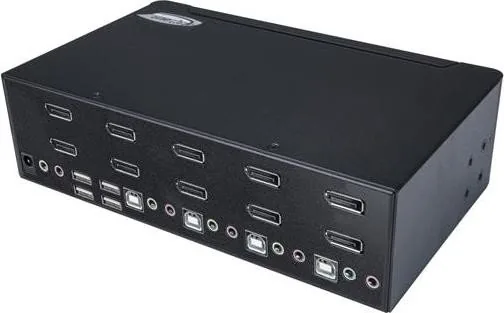
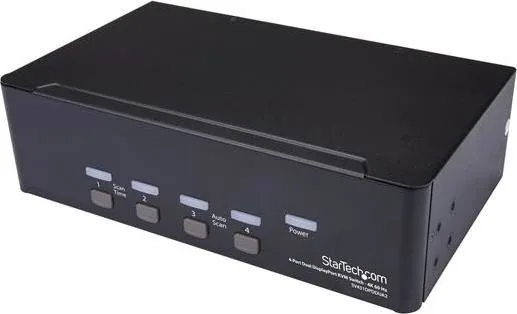
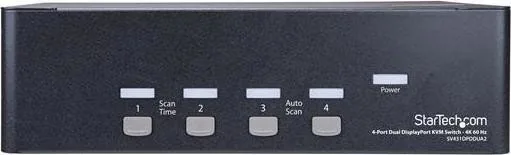
At its core, this switch is about convenience. It supports 4K at 60 Hz, which makes it a strong fit for modern monitors, projectors, and TV displays that need sharp visuals and reliable performance. The setup also includes USB hub ports, audio support, and indicator LEDs that show power status and active connections at a glance. That combination makes it useful in home offices, creative studios, test benches, and professional environments where more than one computer needs regular access.
One of the most appealing details is that no software or driver installation is required. That makes installation more straightforward, especially for users who want a hardware solution that works right away. The switch also supports Auto Scan, letting you cycle through connected computers at timed intervals, which is handy when monitoring multiple machines or checking system behavior during testing.
The hardware layout is practical and flexible. You can connect wired or wireless USB keyboards and mice, plus speakers, microphones, and shared USB peripherals. The manual also explains how to match each computer to the correct port set, helping users avoid setup mistakes and keep every connected system organized. For PC users, there are a few BIOS-related settings to review, while Mac users may need less configuration.
Beyond the basics, this StarTech switch stands out for its dependable build and user-focused support. The included power adapter, clear port labeling, and lifetime technical support add confidence for long-term use. Backed by a two-year warranty, it is a solid option for anyone looking to streamline a multi-computer desk without sacrificing visual quality or peripheral access.
Notes
- Best suited for DisplayPort-based workstations
- Ideal for shared desks, labs, and support setups
- Auto Scan is useful for quick monitoring across systems
- Check cable compatibility before installation
Search for 67,706 Manuals online


Type-in Brand or Model