
StarTech SV231HDMIUA Manual
PDF manual · 14 Pages
English



Quick check
Incorrect answer, please try again.
Chat with your StarTech SV231HDMIUA manual using AI
Get instant AI answers from your StarTech SV231HDMIUA manual
Ask anything about the StarTech SV231HDMIUA. Answers come from this manual, with the pages they are based on.
Ask a Question
Do you recommend SV231HDMIUA?
Yes NoFrequently Asked Questions
The SV231HDMIUA supports HDMI video resolutions up to 1920 x 1200 and includes DDC2B support to help ensure proper EDID communication with compatible displays.
Is this answer helpful?
No drivers are required. The keyboard and mouse use generic USB HID drivers built into modern operating systems, so the switch functions as a plug-and-play device once connected and powered.
Is this answer helpful?
You can switch using the front-panel Select button or keyboard hotkeys. By default hotkeys start with double Left Ctrl then a key (e.g., Ctrl, Ctrl, 1). Alternative sequences include double ScrollLock or holding Left Shift and pressing NumLock twice for keyboards without ScrollLock.
Is this answer helpful?
Yes. The unit has an integrated USB 2.0 hub on the console side that lets the selected computer access shared USB devices such as flash drives, printers, and webcams. Note that hub performance is USB 2.0 speeds.
Is this answer helpful?
Audio and microphone switching are supported. With Audio Lock ON, audio follows the currently selected computer. With Audio Lock OFF, audio remains fixed to the current port regardless of switching—useful if you want to listen to one system while working on another.
Is this answer helpful?
Yes. You can reassign the leading hotkey from left Ctrl to right Ctrl and back using specific hotkey sequences described in the device instructions, preventing accidental activation during common left-Ctrl shortcuts.
Is this answer helpful?
No. The SV231HDMIUA is not cascadable, so you cannot expand the number of ports by chaining additional units. It is intended for direct switching between two HDMI sources.
Is this answer helpful?
Advantages and Disadvantages
Advantages

- Supports HDMI video up to 1920x1200 with DDC2B for reliable EDID communication.
- Integrated 2-port USB 2.0 hub lets you share high-speed USB peripherals between systems.
- Audio and microphone switching with audio-lock option for flexible sound management.
- Multiple hotkey methods (Ctrl, ScrollLock, NumLock) and reassignable leading hotkey.
- No drivers required; uses standard USB HID drivers for plug-and-play operation.
Disadvantages

- Limited to two ports — not suitable if you need to switch between more than two systems.
- Maximum resolution 1920x1200 may be insufficient for 4K or higher-resolution displays.
- No on-screen display (OSD) for visual menu navigation or status feedback.
- Requires external power adapter and uses older USB 2.0 rather than USB 3.x.
- Not cascadable — cannot expand port count by chaining additional units.
Product Specification
Ports
2
Monitor
HDMI
Keyboard/Mouse
USB
Audio
Speakers, Microphone
LAN
N/A
Resolution
1920x1200
Product Description
StarTech SV231HDMIUA — 2-Port HDMI KVM with USB Hub and Audio
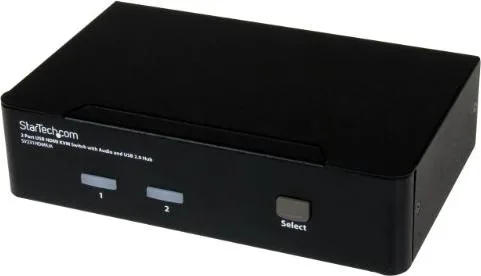
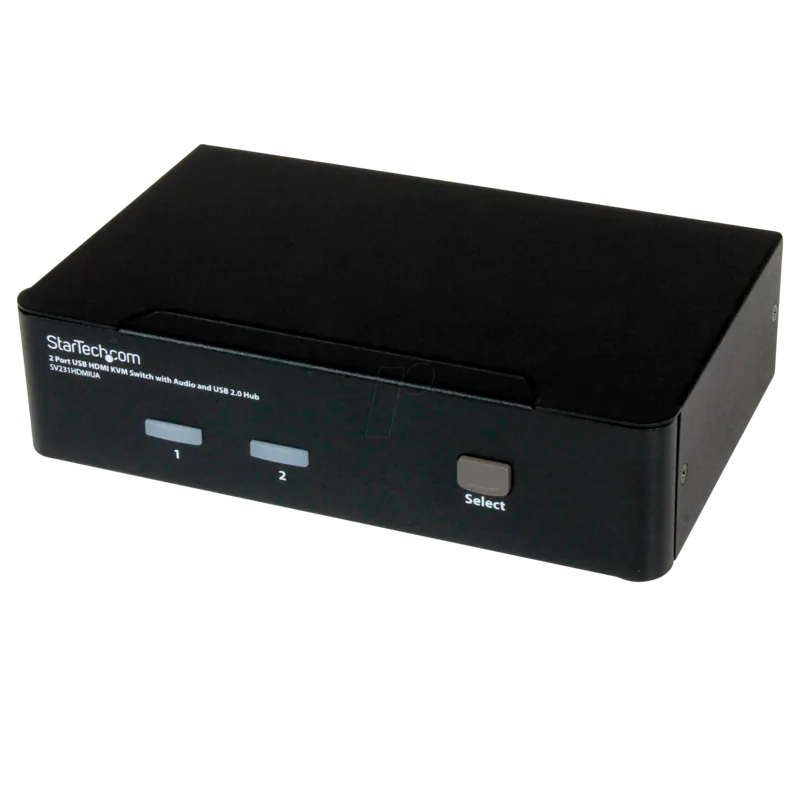
The StarTech SV231HDMIUA is a compact 2-port HDMI KVM switch designed to let you control two HDMI-equipped computers or media devices with a single console — monitor, keyboard, mouse, speakers and microphone. Built for multimedia use, it supports true digital HDMI video up to 1920 x 1200, passes audio and mic signals, and integrates a 2-port USB 2.0 hub so shared USB peripherals (printers, flash drives, webcams, etc.) can be accessed by the selected system without extra hardware.
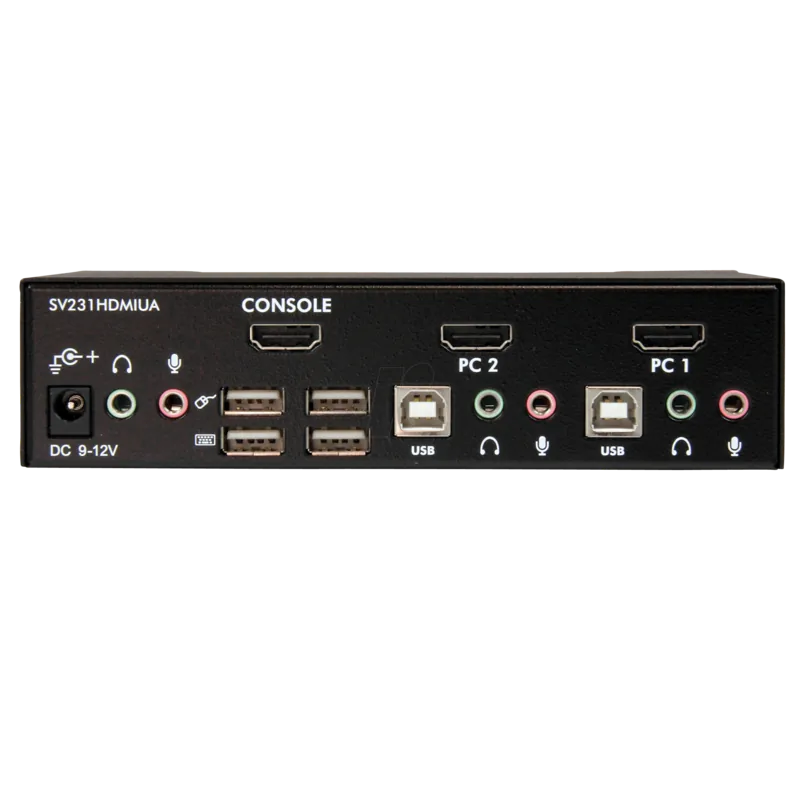
Installation is straightforward: connect HDMI, USB (A-to-B) and 3.5mm audio cables from each computer to the KVM, attach your console devices to the dedicated console ports, and power the unit. No special drivers are required; the switch uses standard USB HID drivers present in modern OSes. The front panel offers a port selection button and status LEDs, while flexible keyboard hotkeys and alternative sequences (ScrollLock or NumLock combinations) provide quick, hands-on switching without reaching the unit.
For power users, the SV231HDMIUA includes advanced features like configurable auto-scan (3, 8, 15, 30 seconds), manual scan, and audio lock (so audio either follows the selected system or remains fixed to one port). Hotkey commands begin with a double-left Ctrl by default, but can be reconfigured to the right Ctrl to prevent accidental triggers. Built with a metal enclosure and powered by an external 9–12V DC adapter, the switch is suited to home offices, small studios, gaming setups, and meeting rooms where two HDMI sources need to share one console.
Compact and utilitarian, the unit supports DDC2B for reliable monitor EDID communication, offers simple hardware setup guidance, and includes StarTech’s lifetime technical support plus a three-year warranty. It’s a practical choice when you need to reduce desktop clutter and toggle seamlessly between two HDMI systems while sharing USB devices and audio.
Notes
- Maximum supported resolution: 1920 x 1200.
- No on-screen display and not designed for cascading.
- Hotkey feedback includes audible beeps to confirm commands or signal errors.
- Ensure all devices are powered off during initial cable connections and follow recommended BIOS USB settings for legacy compatibility.
Search for 67,706 Manuals online


Type-in Brand or Model