
StarTech SDOCK2U33 Manual
PDF manual · 11 Pages
English



Quick check
Incorrect answer, please try again.
Chat with your StarTech SDOCK2U33 manual using AI
Get instant AI answers from your StarTech SDOCK2U33 manual
Ask anything about the StarTech SDOCK2U33. Answers come from this manual, with the pages they are based on.
Ask a Question
Do you recommend SDOCK2U33?
Yes NoFrequently Asked Questions
It is a dual SATA docking station for quickly connecting 2.5-inch or 3.5-inch HDDs and SSDs to a computer through USB. It is ideal for backups, cloning, testing, and data access.
Is this answer helpful?
It supports up to two SATA hard drives or solid-state drives in 2.5-inch or 3.5-inch sizes. The drives must use the SATA interface.
Is this answer helpful?
Yes, it can work with USB 2.0, but USB 3.0 is preferred for better transfer speed. On a USB 2.0 connection, performance will be slower.
Is this answer helpful?
In most cases, no special drivers are needed. The operating system should detect the drive automatically once it is connected and powered on.
Is this answer helpful?
Always eject the drive from the operating system first, wait for the safe-to-remove message, then power off the drive and use the eject button before lifting it out.
Is this answer helpful?
The blue LED shows power, and the red LED indicates drive activity. If the red light is flashing, the drive is being accessed and should not be removed.
Is this answer helpful?
Advantages and Disadvantages
Advantages

- Dual-bay design lets you access two SATA drives at once, saving time during transfers and backups.
- USB 3.0 with UASP support helps deliver faster performance on compatible systems.
- Works with 2.5-inch and 3.5-inch HDDs or SSDs across major operating systems.
- Tool-free docking and per-drive LEDs make everyday use simple and efficient.
Disadvantages

- Requires external power, so it is less portable than bus-powered options.
- Drives often need initialization and formatting before they are ready to use.
- Safe ejection is essential; removing a drive during activity can cause data loss.
- Best performance depends on USB 3.0 and compatible hardware support.
Product Specification
Form Factor
2.5"/3.5"
Bays
2
External Interface
USB-B 3.0
Internal Interface
SATA 3Gb/s
Special Features
UASP
Product Description
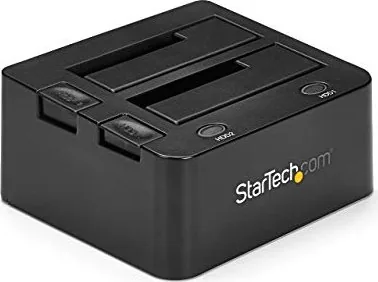
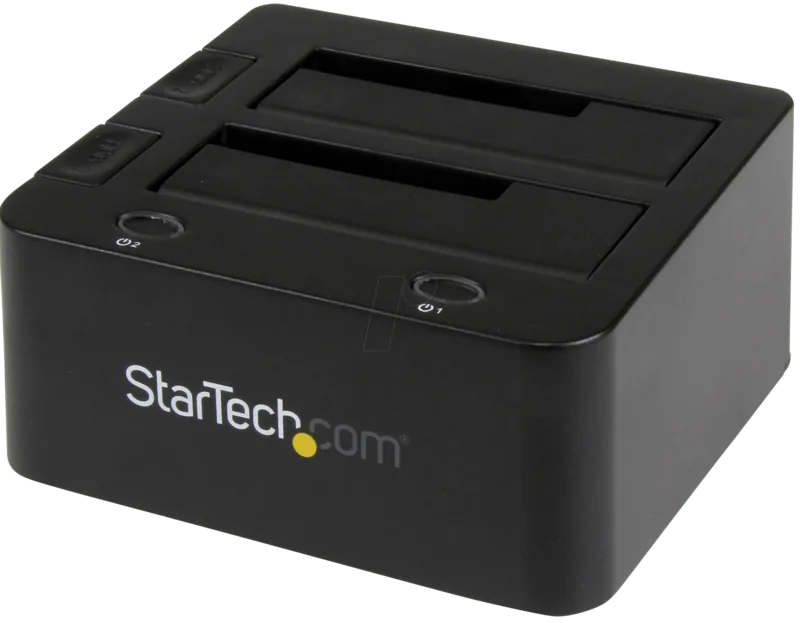
StarTech SDOCK2U33 USB-B 3.0 Dual SATA Docking Station
The StarTech SDOCK2U33 is a practical dual-bay docking solution built for users who move between 2.5-inch and 3.5-inch SATA hard drives or SSDs. Designed around a USB 3.0 B female connection, it offers a fast and straightforward bridge between internal storage and a desktop workflow, making it useful for cloning, backups, drive recovery, and rapid content access. If you have been looking for the StarTech SDOCK2U33 USB-B 3.0 Manual, the product’s core message is simple: connect, insert, power on, and start working with your drive.
With support for two drives at once, the dock is especially convenient in environments where flexibility matters. Blue power indicators and red activity LEDs make it easy to see when each bay is active, while independent power buttons and eject controls help keep drive management orderly. The design is tool-free, which reduces friction for technicians, creators, and IT users who regularly swap drives. UASP support adds another layer of appeal for users who want responsive data transfer behavior on compatible systems.
Compatibility is another strong point. The dock works with a wide range of operating systems, including Windows, Mac, Linux, and Chrome OS, and it can operate through USB 3.0 or fall back to USB 2.0 when needed. That makes it a versatile accessory for mixed-device setups. The included universal power adapter and USB cable make the package ready to use out of the box, while the two-year warranty and lifetime technical support add reassurance for long-term ownership.
At the same time, this kind of dock rewards careful handling. Drives should be safely ejected before removal, initialized and formatted when needed, and stored properly when not in use. If your drive is larger than 2TB, GPT may be required on newer systems, while older environments may still prefer MBR. In other words, it is a simple product, but one that benefits from good storage habits and a clean workflow. For anyone who needs a dependable, dual-drive SATA station, the SDOCK2U33 stands out as a focused utility tool rather than a flashy accessory.
Notes
- Best suited for backup, cloning, and drive access tasks.
- Handle drives carefully and avoid removal during activity.
- Initialize new drives before use for proper recognition.
Search for 67,706 Manuals online


Type-in Brand or Model