
StarTech SDOCK2U313R Manual
PDF manual · 12 Pages
English



Quick check
Incorrect answer, please try again.
Chat with your StarTech SDOCK2U313R manual using AI
Get instant AI answers from your StarTech SDOCK2U313R manual
Ask anything about the StarTech SDOCK2U313R. Answers come from this manual, with the pages they are based on.
Ask a Question
Do you recommend SDOCK2U313R?
Yes NoFrequently Asked Questions
It supports 2.5-inch and 3.5-inch SATA hard drives and solid-state drives. That makes it useful for a wide range of desktop storage, backups, and cloning jobs.
Is this answer helpful?
No. The dock is OS independent and works without extra drivers or software. You can connect it to a computer and start using it right away.
Is this answer helpful?
Yes. It includes a standalone duplication mode that copies one SATA drive to another without using cloning software on the host computer.
Is this answer helpful?
The source drive goes in slot #2, and the destination drive goes in slot #1. This layout helps the dock handle the copy process correctly.
Is this answer helpful?
The dock uses USB 3.1 Gen 2 and can reach up to 10Gbps when paired with a compatible port. Actual speed depends on the computer, drive type, and cable used.
Is this answer helpful?
A brand-new drive may need to be initialized and partitioned in your operating system's disk management tool before it appears as usable storage.
Is this answer helpful?
Yes. Make sure the drive is not active, safely remove it from the operating system, power down the dock, and wait for the LED to stop blinking before ejecting the drive.
Is this answer helpful?
Advantages and Disadvantages
Advantages

- Supports 2.5-inch and 3.5-inch SATA HDDs and SSDs for broad drive compatibility.
- Standalone duplication lets you clone drives without installing software.
- USB 3.1 Gen 2 connectivity helps deliver fast transfers up to 10Gbps.
- Clear LEDs and simple controls make daily operation easy to follow.
Disadvantages

- Best performance depends on using a USB 3.1 Gen 2 port, which not every system has.
- Destination drives must be large enough to hold the source data during duplication.
- Removing one drive while both bays are occupied can temporarily disconnect the other drive.
Product Specification
Form Factor
2.5"/3.5"
Bays
2
External Interface
USB-B 3.1
Internal Interface
SATA 6Gb/s
Chipset
ASMedia ASM1352R
Dimensions
5.59x5.20x2.76in
Weight
1.12 lbs
Special Features
UASP, Clone Function
Product Description
StarTech HDD-Dock, USB-B 3.1: Fast Drive Duplication and Everyday Storage Access
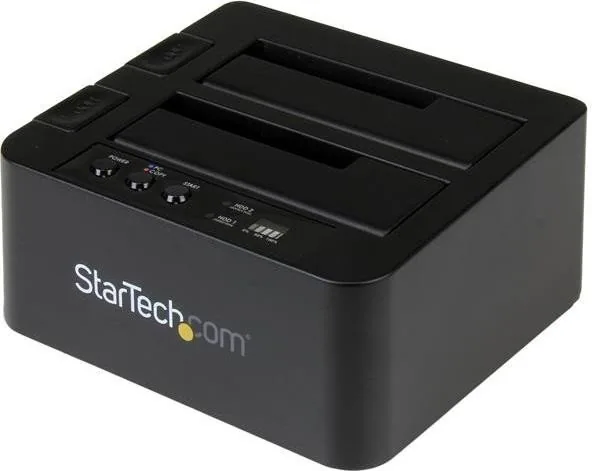
The StarTech HDD-Dock, USB-B 3.1 Manual highlights a practical docking solution built for users who want quick access to SATA drives and a simple way to clone data without extra software. Designed for both 2.5-inch and 3.5-inch SATA HDDs and SSDs, this standalone dock combines high-speed USB 3.1 Gen 2 connectivity with a straightforward top-loading design that feels right at home in a busy workspace or repair bench.
A dock made for speed and simplicity
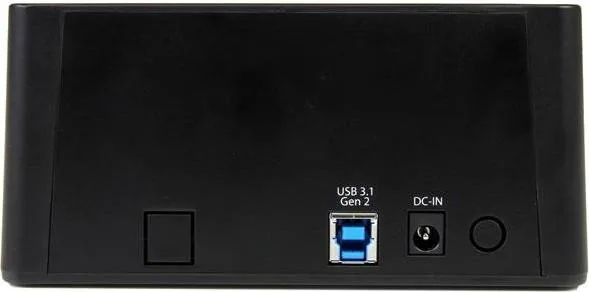
With support for USB 3.1 Gen 2 and up to 10Gbps throughput, this dock is well suited for transferring large files, testing drives, or handling backup workflows. It works independently of the operating system, which means there are no drivers to install and no complicated setup steps to slow you down. Just connect the power, attach the USB cable, insert the drive, and you are ready to work.
What makes this model especially useful is its built-in duplication mode. Instead of relying on cloning software, you can copy one SATA drive directly to another from the dock itself. That makes it a strong fit for IT departments, small repair shops, and anyone who regularly needs to mirror drives for deployment or replacement tasks.
Designed around everyday workflow
The dock includes clear LED indicators, drive eject buttons, and dedicated PC/Copy controls that help keep the process easy to follow. The layout separates source and destination drives clearly, reducing confusion during cloning. It also accepts both SSDs and traditional hard drives, giving you flexibility whether you are moving data, testing old media, or preparing fresh storage.
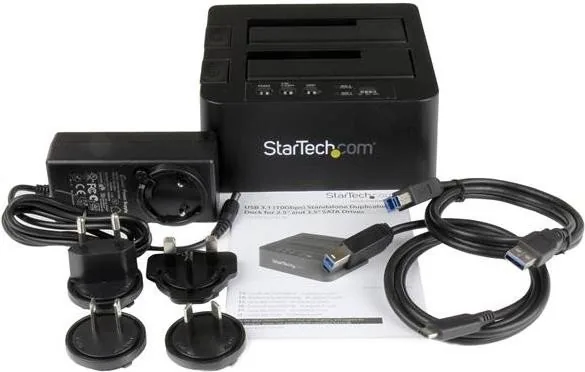
Compatibility is another advantage. Since the dock is USB-based and OS independent, it can be used in mixed environments without changing your workflow. The included cables and universal power adapter add convenience, while the compact format helps keep the desktop uncluttered.
Why it stands out
This is not just a storage accessory; it is a practical tool for speeding up maintenance tasks, simplifying drive preparation, and making duplication more accessible. If you need a dock that balances performance, control, and broad SATA support, the StarTech HDD-Dock, USB-B 3.1 offers a reliable and efficient option.
Notes
- Use the destination drive in slot #1 and the source drive in slot #2 for cloning.
- A larger source drive may not duplicate properly to a smaller destination drive.
- For best transfer speeds, use a USB 3.1 Gen 2 port.
Search for 67,706 Manuals online


Type-in Brand or Model