
StarTech SATDOCKU3S Manual
PDF manual · 11 Pages
English



Quick check
Incorrect answer, please try again.
Chat with your StarTech SATDOCKU3S manual using AI
Get instant AI answers from your StarTech SATDOCKU3S manual
Ask anything about the StarTech SATDOCKU3S. Answers come from this manual, with the pages they are based on.
Ask a Question
Do you recommend SATDOCKU3S?
Yes NoFrequently Asked Questions
The dock supports one 2.5-inch or 3.5-inch SATA hard drive using SATA 1.5 Gbps or 3.0 Gbps interfaces. Listed support is up to 2 TB for 3.5-inch drives and up to 500 GB for 2.5-inch drives.
Is this answer helpful?
No separate driver installation is normally required for the listed supported Windows and Linux systems. The dock uses native operating system support, so it should be recognized after it is connected and powered on.
Is this answer helpful?
Yes. The dock is designed for USB 3.0 SuperSpeed operation but can also be used through a USB 2.0 connection. Transfer performance will be limited by the USB 2.0 interface.
Is this answer helpful?
First ensure no program is reading from or writing to the drive. Safely unmount or eject the drive through the operating system, power off the dock, wait for the drive to stop, then press the dock eject button and remove the drive.
Is this answer helpful?
A blank drive may need initialization, partitioning, and formatting before it can be used. In Windows, this can be done through Disk Management. A drive containing existing compatible data should generally appear with an assigned drive letter.
Is this answer helpful?
The package includes the SATDOCKU3S docking station, a USB 3.0 A-to-B cable, a universal power adapter, three regional power adapter cables for North America, the UK, and the EU, plus the product instructions.
Is this answer helpful?
Advantages and Disadvantages
Advantages

- Supports both 2.5-inch and 3.5-inch SATA 1.5 Gbps and 3.0 Gbps hard drives.
- USB 3.0 Type-B connection offers a stated maximum transfer rate of up to 5 Gbps.
- Top-loading bay and eject button simplify temporary drive access and swapping.
- Works with USB 2.0 hosts and listed Windows and Linux systems without separate drivers.
Disadvantages

- Listed drive capacity limits are up to 2 TB for 3.5-inch drives and 500 GB for 2.5-inch drives.
- Only one SATA drive can be connected at a time because this is a single-bay dock.
- Bare drives require careful handling and must be safely unmounted before removal.
- Requires an external 12V power adapter, adding another cable to the workspace.
Product Specification
Form factor
2.5 in/3.5 in
Bays
1
External interface
USB-B 3.0
Internal interface
SATA 6 Gb/s
Product Description
StarTech SATDOCKU3S, USB-B 3.0 - Read, Download & Print Free
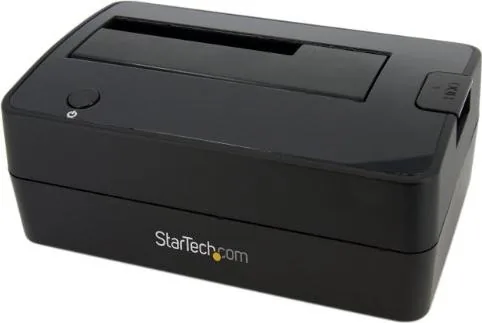
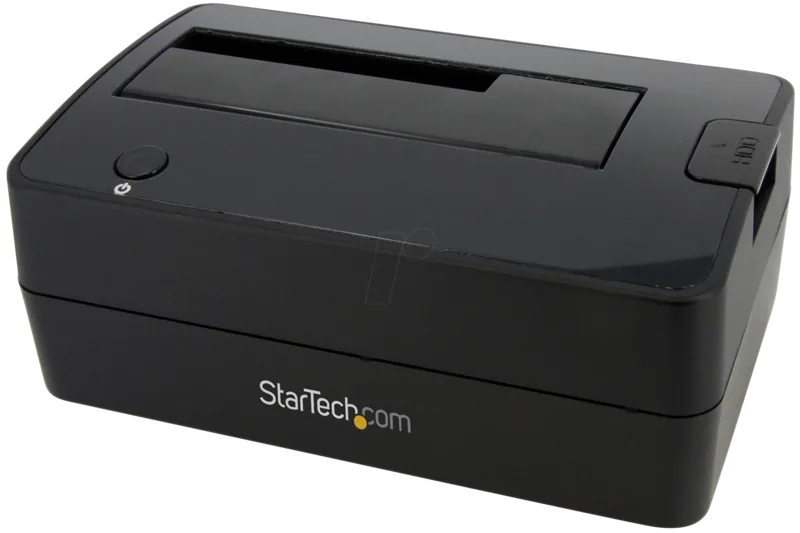
The StarTech SATDOCKU3S is a practical single-bay hard drive docking station designed for quick access to compatible SATA storage. Rather than installing a drive inside a desktop computer or placing it in a separate enclosure, users can insert a 2.5-inch or 3.5-inch SATA drive directly into the top-loading slot. This makes the dock useful for drive migration, backups, data recovery tasks, testing older disks, and transferring files between systems.
Fast USB 3.0 connectivity
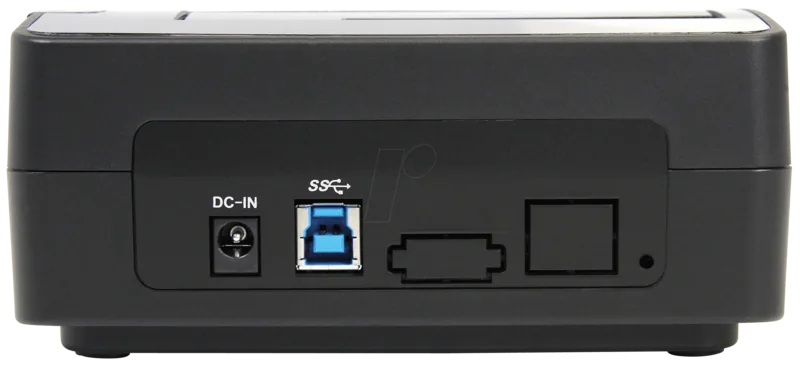
A USB 3.0 Type-B host connection provides a SuperSpeed interface with a stated maximum transfer rate of up to 5 Gbps. The dock also supports USB 2.0 connections when required, offering flexibility for computers with older ports. A USB 3.0 A-to-B cable is included, so the unit can be connected to a compatible computer without sourcing a separate cable.
The docking station supports SATA drives using 1.5 Gbps and 3.0 Gbps interfaces. It is compatible with both compact 2.5-inch drives and larger 3.5-inch desktop drives, making it a convenient choice for handling a range of legacy and current SATA media. Listed capacity support reaches up to 2 TB for 3.5-inch drives and up to 500 GB for 2.5-inch drives.
Simple top-loading workflow
The SATDOCKU3S is built around a straightforward insert, connect, and access workflow. Connect the supplied external power adapter, align the drive connectors with the dock slot, attach the USB cable to the computer, and switch on the dock. A power and activity LED gives a clear visual indication that the unit is operating.
For drive removal, it is important to stop any active read or write operations and safely unmount the storage through the operating system first. After powering down the dock and allowing the drive to stop, the integrated eject button helps release it from the bay. This process supports safer handling and helps reduce the risk of data loss caused by disconnecting a drive during activity.
Broad operating system support
Native support is listed for Windows 2000, Windows XP, Windows Vista, Windows 7, Windows Server 2003, Windows Server 2008 R2, and Linux kernel 2.6.31 or later. These systems generally recognize the dock without a separate driver installation. New blank drives may need to be initialized, partitioned, and formatted in the operating system before they appear as usable storage.
Notes
- Handle bare hard drives carefully, especially during transport and insertion.
- The dock uses a 12V DC, 2.5A center-positive power adapter.
- Confirm drive capacity, SATA type, and operating system compatibility before use.
Search for 67,706 Manuals online


Type-in Brand or Model