
StarTech SAT2510BU32 Manual
PDF manual · 10 Pages
English



Quick check
Incorrect answer, please try again.
Chat with your StarTech SAT2510BU32 manual using AI
Get instant AI answers from your StarTech SAT2510BU32 manual
Ask anything about the StarTech SAT2510BU32. Answers come from this manual, with the pages they are based on.
Ask a Question
Do you recommend SAT2510BU32?
Yes NoFrequently Asked Questions
The device supports USB 3.0 with a maximum data transfer rate of 5 Gbps. However, on Apple Mac OS systems, it operates at USB 2.0 speeds only.
Is this answer helpful?
No, the enclosure is USB powered and draws power directly from the host computer USB port. This makes it compatible with most laptops and desktops.
Is this answer helpful?
Yes, the product supports Windows 7 in both 32-bit and 64-bit versions. It also supports Windows XP, Vista, and Server 2008.
Is this answer helpful?
StarTech.com provides a two-year warranty for this product. This covers defects in materials and workmanship under normal use conditions.
Is this answer helpful?
Remove four screws from the bottom, pull halves apart, slide the SATA drive onto the connector, then reassemble and secure with screws.
Is this answer helpful?
Yes, Linux support is available. Drivers and software are generally not required if the OS has native USB storage support.
Is this answer helpful?
Advantages and Disadvantages
Advantages

- USB 3.0 support provides 5 Gbps transfer speed which is 10x faster than USB 2.0
- Durable aluminum enclosure ensures optimal heat dissipation for reliability
- No external power adapter required as it is fully USB powered
Disadvantages

- Mac OS X users limited to USB 2.0 mode for slower transfer speeds
- Only supports 2.5 inch drives which may not fit standard 3.5 inch hard drives
- Requires anti-static handling precautions during installation to prevent data loss
Product Specification
Form Factor
2.5"
Internal Connection
1x SATA 3Gb/s
External Connection
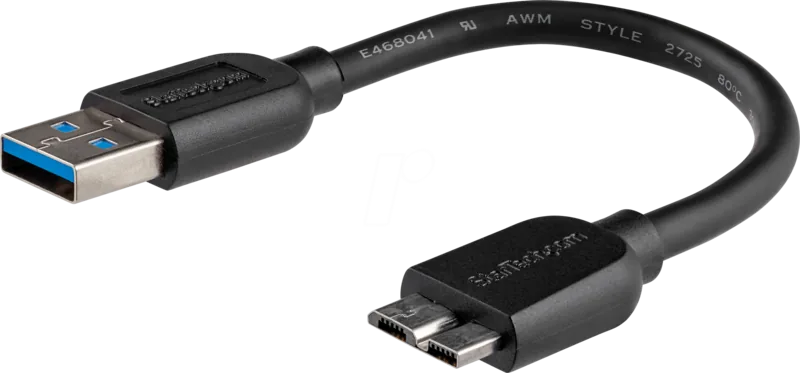
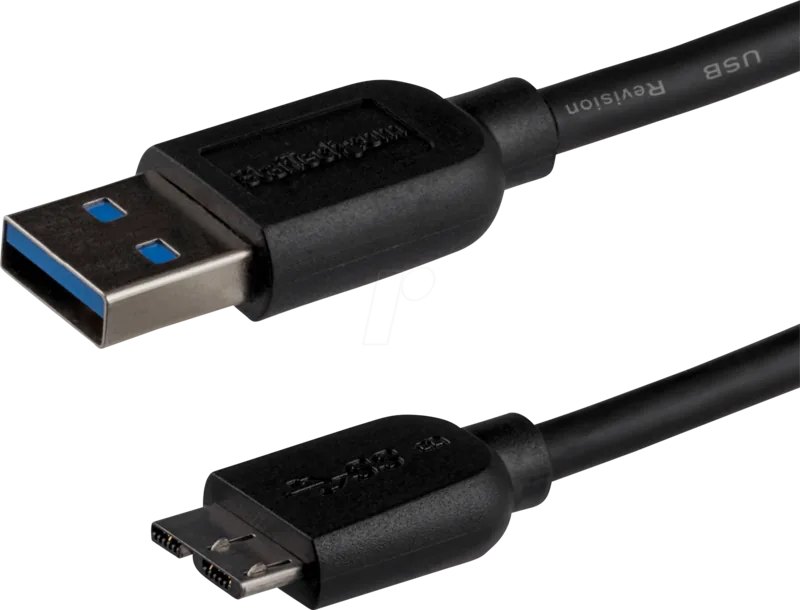
1x USB 3.0 Micro-B (5Gb/s)
RAID Level
N/A
Fan
N/A
Dimensions
4.72x2.95x0.39 in
Weight
2.75 oz
Color
Black
Features
Aluminum Housing
USB Type
Link
Product Description
Enhance Your Storage Capabilities
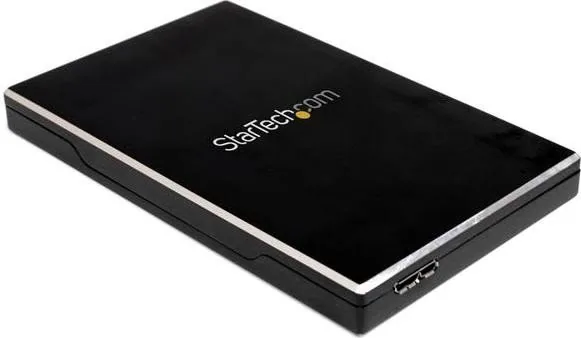
The StarTech SAT2510BU32 USB 3.0 Micro-B Manual guides enthusiasts looking for portable storage expansion. This enclosure transforms a standard 2.5 inch SATA hard drive into a high-speed external unit. It utilizes the SuperSpeed USB 3.0 standard to deliver data transfer rates up to 5 Gbps. This bandwidth is significantly ten times faster than legacy USB 2.0 connections. You get a portable drive without needing any external power adapter. It is powered directly through the USB interface. This makes it ideal for laptops lacking multiple power outlets.
Robust Construction and Design
Aluminum construction ensures durability and optimal heat dissipation during operation. This prevents overheating when moving large files continuously. The enclosure fits 2.5 inch SATA HDD and SSD models with a height of 9.5mm. It features a single LED indicator for power and activity monitoring. A protective case and tool kit are included in the package. The lightweight design ensures easy portability for business travelers. Dimensions are 123mm by 75mm and the weight is roughly 77 grams.
Simple Setup and Installation
Installation does not require complex software drivers on most modern systems. Always handle components to avoid electrostatic discharge risks. First remove screws from the bottom of the case. Insert the SATA drive onto the connector slot. Secure the casing and connect the USB cable. The system detects the drive immediately if the operating system supports protocols. For Windows users, initialize the drive in Disk Management if it is new. Mac users should be aware of connection speed limitations on their OS versions.
Technical Specifications Overview
The hardware chipset is the ASMedia ASM1051. It uses a USB 3.0 Micro B external connector. Operating temperature ranges from 0 to 60 degrees Celsius. Storage humidity must stay between 10 to 90 percent. These specs ensure stability in typical office and home settings. The unit supports Windows XP through Server 2008 R2. Linux support is available for many distributions. Mac OS functionality is restricted to USB 2.0 mode due to hardware drivers.
Compatibility and Warranty Details
This device works with Windows XP through 7 and Linux. Apple Mac OS X is supported but operates in USB 2.0 mode. StarTech provides lifetime technical support for all purchasers. The product carries a two-year warranty from the date of purchase. This covers defects in materials and workmanship under normal use. The enclosure meets FCC Class B compliance for residential interference protection. For detailed configuration advice, the StarTech SAT2510BU32 USB 3.0 Micro-B Manual serves as a key reference.
Final Thoughts on Performance
This solution bridges the gap between internal and external storage needs effectively. High transfer speeds improve productivity on large data tasks. The build quality supports longevity in various environments. It is compatible with a wide range of laptops and desktops. Users should handle the drive carefully to avoid data loss. Regular backups are recommended for all portable storage devices. This tool simplifies data migration for many computing environments globally. StarTech remains a trusted name in connectivity solutions.
Search for 67,706 Manuals online


Type-in Brand or Model