
StarTech PEXUSB3S7 Manual
PDF manual · 2 Pages
English



Quick check
Incorrect answer, please try again.
Chat with your StarTech PEXUSB3S7 manual using AI
Get instant AI answers from your StarTech PEXUSB3S7 manual
Ask anything about the StarTech PEXUSB3S7. Answers come from this manual, with the pages they are based on.
Ask a Question
Do you recommend PEXUSB3S7?
Yes No
LucaM
9 months ago
Is it really easy to use and get started with, or does it require a lot of setup and technical knowledge?

Manual.ly
9 months ago
Yes, this product is designed to be straightforward. Based on user feedback like "life can be so simple", most people find the setup and day-to-day use quick and intuitive. If you can follow standard on-screen steps, you should be able to start without special technical knowledge. For the smoothest start, make sure you have everything in the box, check the quick-start guide for the correct order of steps, and confirm any required settings during initial setup. If you run into anything unexpected, contact support and we can help you troubleshoot the specific step you are stuck on.
Frequently Asked Questions
It is used to add seven USB-A 3.0 connections to a desktop computer through a PCIe slot. It is a practical way to expand port count for drives, accessories, and other USB devices.
Is this answer helpful?
The card provides seven USB 3.0 Type-A ports in total: six external ports and one internal port. This layout works well for both front-panel and rear-access device connections.
Is this answer helpful?
SATA power is highly recommended. While the card may function without it in some setups, connecting SATA power helps ensure that all ports receive enough power, especially when several devices are attached.
Is this answer helpful?
It is designed for a PCI Express x1 slot, but it can also be installed in larger PCIe slots such as x4, x8, or x16. That makes it compatible with many desktop motherboards.
Is this answer helpful?
Yes, the included low-profile bracket helps it fit into compact or low-profile desktop cases. Users may need to swap the bracket before installation, depending on the chassis.
Is this answer helpful?
The card supports several Windows versions and Linux systems. Some systems may auto-install drivers, while others may require downloading the latest driver package from StarTech.
Is this answer helpful?
Advantages and Disadvantages
Advantages

- Adds 7 USB-A 3.0 ports in a single internal PCIe upgrade.
- Includes an internal port and a low-profile bracket for flexible builds.
- SATA power support helps maintain stable output for connected devices.
- UASP support can improve storage performance with compatible devices.
Disadvantages

- Best results may depend on connecting the optional SATA power cable.
- Installation requires opening the PC case and working inside the system.
- Older systems may need driver installation before all ports are ready.
- Designed for desktops, so it is not suitable for portable use.
Product Specification
External
6x USB-A 3.0
Internal
1x USB-A 3.0
Interface
PCIe 2.0 x1
Chipset
NEC uPD720201/uPD720210
Power supply
1x 15-Pin SATA power
Special features
low profile PCB, UASP
USB notation
Link
Product Description
StarTech PEXUSB3S7: A Practical Upgrade for Faster USB Expansion
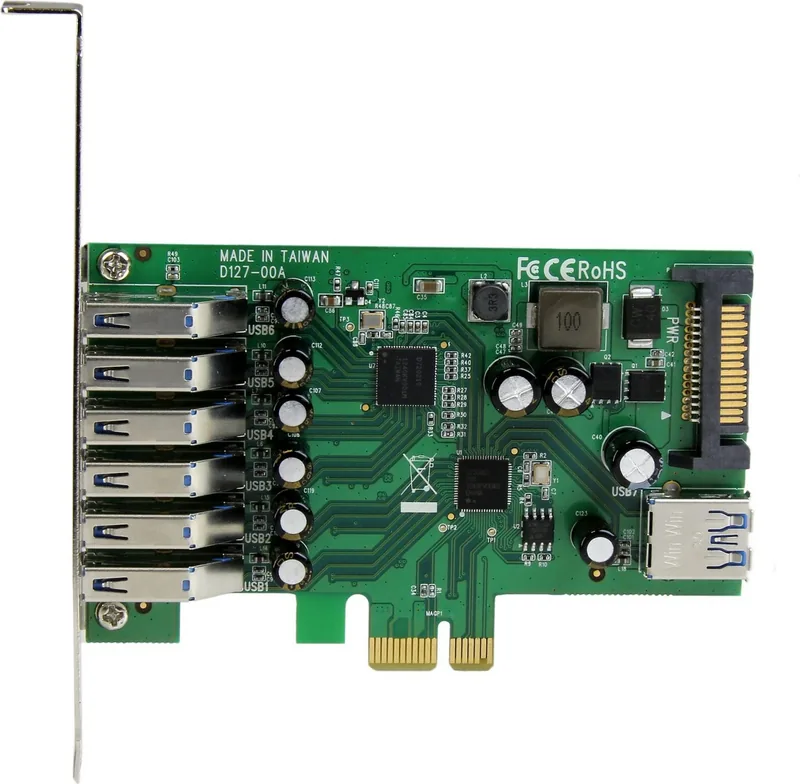
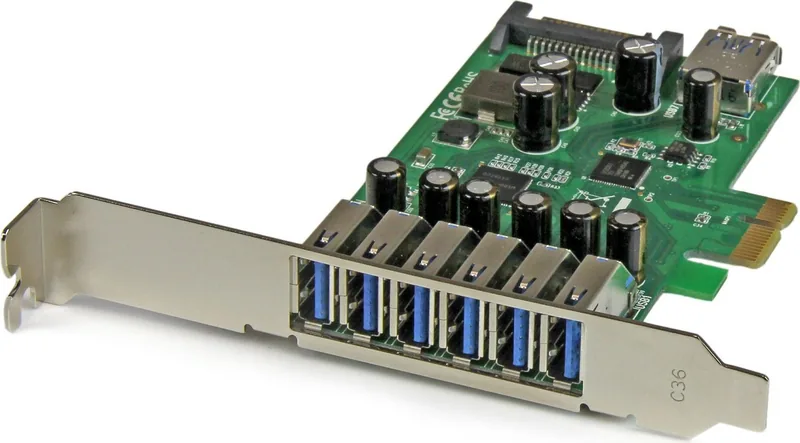
The StarTech PEXUSB3S7 is a PCIe 2.0 x1 expansion card designed for desktops that need more high-speed USB connectivity. With 7x USB-A 3.0 ports—six external and one internal—it offers an easy way to add modern SuperSpeed access without replacing an entire system. For users who work with external drives, peripherals, adapters, or mixed desktop hardware, this kind of upgrade can make a noticeable difference in daily workflow.
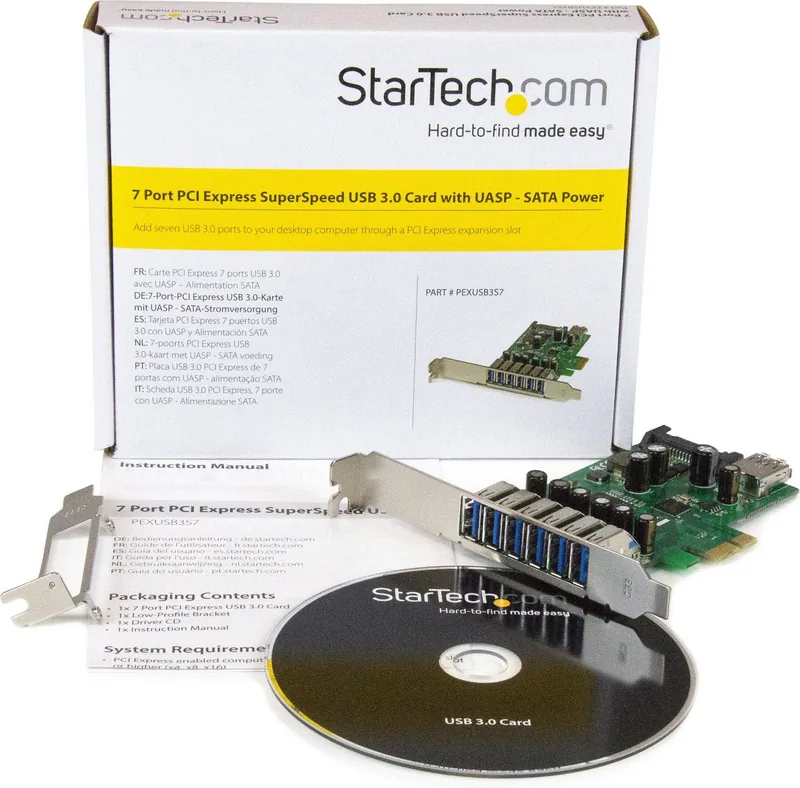
One of the most useful aspects of this card is its balance between simplicity and flexibility. It fits into an available PCI Express x1 slot, but it can also be installed in larger lanes such as x4, x8, or x16. That makes it suitable for a wide range of motherboards and desktop builds. The included low-profile bracket is another thoughtful detail, especially for compact systems where space is limited and standard brackets do not always fit.
Performance is helped by the recommended SATA power connection, which supports stable power delivery to all ports. That matters when multiple devices are connected at once, particularly drives and bus-powered accessories that demand more reliable current. The card also supports UASP, helping compatible storage devices transfer data more efficiently and with better responsiveness than older USB solutions.
For compatibility, the PEXUSB3S7 is built to work with several Windows versions and Linux distributions, making it useful in both home and business environments. Driver installation is straightforward, and users may even find that native drivers handle the setup automatically on some systems. StarTech also includes a driver CD and provides downloadable software, which gives users a backup path if automatic installation is unavailable.
Beyond the hardware itself, the product is backed by StarTech’s technical support and a two-year warranty, adding confidence for buyers who want a dependable long-term expansion option. In practice, this card is best suited to users who need more USB ports, faster transfer speeds, and a clean internal upgrade path rather than an external hub cluttering the desk.
Notes
- SATA power is highly recommended for consistent performance.
- The low-profile bracket makes it a good fit for small form-factor PCs.
- Compatible with a wide range of operating systems and desktop slot sizes.
Search for 67,706 Manuals online


Type-in Brand or Model
Amira Rahman
9 months ago
What should I do if the setup does not feel simple for me? Is there a guide or support for troubleshooting common issues?