
StarTech PEXUSB3S4V Manual
PDF manual · 10 Pages
English



Quick check
Incorrect answer, please try again.
Chat with your StarTech PEXUSB3S4V manual using AI
Get instant AI answers from your StarTech PEXUSB3S4V manual
Ask anything about the StarTech PEXUSB3S4V. Answers come from this manual, with the pages they are based on.
Ask a Question
Do you recommend PEXUSB3S4V?
Yes No
Luigi Mai
10 months ago
Will this interface card work in an older Acer PC with an i5-750 and upgrade USB 2 to 4x USB 3? Also, is it stable on Windows 10?

Manual.ly
10 months ago
Based on customer experience, the card is compatible with older systems like an Acer X3900 with an i5-750 and a 100 mm wide case. After installation, it can provide 4x USB 3 connections instead of only USB 2. Reviews also report stable operation for years: it worked under Windows 7 and continues to run reliably under Windows 10. If you install it into a supported slot and use the proper drivers for your Windows version, you should be able to use the USB 3 ports without issues.
Frequently Asked Questions
It adds four external USB-A 3.0 ports to a PCI Express-enabled desktop, giving the system more high-speed connection options for everyday peripherals and storage devices.
Is this answer helpful?
Yes. The card is backward compatible with USB 2.0, so older peripherals can still connect and function properly, though at USB 2.0 speeds.
Is this answer helpful?
The card can be installed without SATA power, but connecting it is recommended for bus-powered devices or when extra stability and power delivery are needed.
Is this answer helpful?
Yes. The included low-profile bracket makes it suitable for small-form-factor systems, provided the case has an open PCI Express slot.
Is this answer helpful?
The manual lists support for Windows XP, Server 2003, Server 2008 R2, Vista, 7, and 8 in both 32-bit and 64-bit editions.
Is this answer helpful?
Install it into an open PCIe slot, optionally connect SATA power, boot the system, and run the included driver setup before checking Device Manager for confirmation.
Is this answer helpful?
Advantages and Disadvantages
Advantages

- Adds four external USB-A 3.0 ports to a PCIe-enabled desktop.
- Supports up to 5 Gbps transfer speeds for faster file access.
- Includes a low-profile bracket for compact and small-form-factor cases.
- SATA power support improves power delivery for bus-powered devices.
Disadvantages

- Requires an available PCI Express slot and SATA power connector.
- Driver installation is needed before use on supported Windows versions.
- Not ideal for systems without internal expansion space.
- Compatibility is limited to the operating systems listed in the manual.
Product Specification
External
4x USB-A 3.0
Internal
N/A
Interface
PCIe x1
Chipset
NEC uPD720201
Power
1x 15-Pin SATA Power
Features
low profile PCB, UASP
USB Designation
Link
Product Description
StarTech PEXUSB3S4V: Compact USB 3.0 Expansion for Everyday Workflows
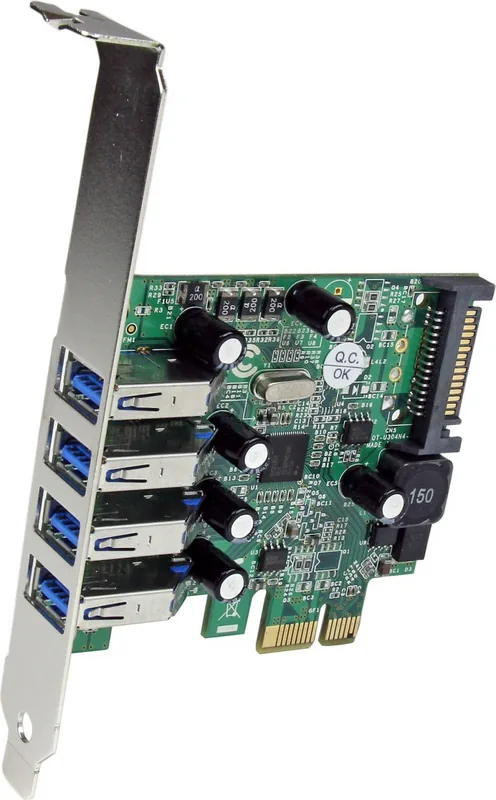
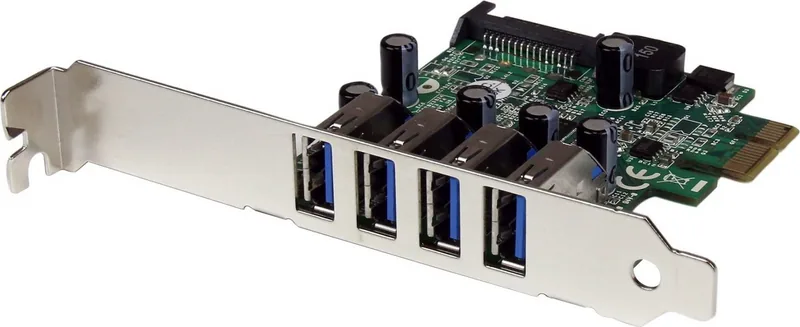
The StarTech PEXUSB3S4V 4x USB-A 3.0, PCIe x1 card is a practical upgrade for desktop users who need more fast USB connectivity without replacing their entire system. Designed for PCI Express-enabled computers, it adds four external USB-A 3.0 ports in a space-saving layout, making it a smart choice for small-form-factor builds, office PCs, and older systems that still have room for expansion.
Built for speed and flexibility
With SuperSpeed USB 3.0 support, this expansion card delivers data transfer rates of up to 5 Gbps, which is a major improvement over USB 2.0. It remains backward compatible with older USB devices, so you can connect flash drives, printers, external hard drives, and accessories without worrying about compatibility. The stacked port arrangement helps fit four ports into a smaller rear bracket area, which is especially useful where case space is limited.
Practical power and installation support
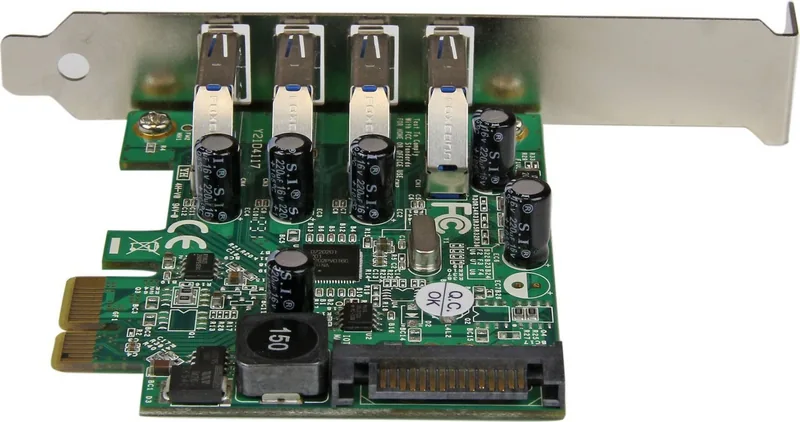
One of the most useful details is the included SATA power connector. By linking the card to the power supply, each port can provide up to 900mA for USB 3.0 devices and 500mA for USB 2.0 devices. That makes it more reliable for bus-powered peripherals that need extra stability. The package also includes a low-profile bracket, which helps the card fit into slim cases as well as standard desktop towers.
Installation is straightforward for users familiar with internal PC hardware. After placing the card in an available PCIe slot and optionally connecting SATA power, the next step is to install the driver software and verify the device in Windows Device Manager. The card is supported on several versions of Windows, including legacy systems, which makes it valuable for older machines that still need modern USB connectivity.
Why it stands out
The PEXUSB3S4V combines compact design, reliable power delivery, and broad compatibility in one simple upgrade. It is not just about adding ports; it is about adding usable ports that can support demanding peripherals while keeping the system neat and efficient. Backed by a two-year warranty and lifetime technical support, it offers a balanced mix of convenience and confidence.
Notes
- Best suited for users who need more rear USB ports
- SATA power is optional, but helpful for bus-powered devices
- Low-profile support improves compatibility with compact cases
- Ideal for extending the life of older desktops with PCIe expansion
Search for 67,706 Manuals online


Type-in Brand or Model
Marcos Murazik
10 months ago
Will this interface card work in an older Acer X3900 with a Core i5-750, and will it enable USB 3.0 ports under Windows 10 without issues?
Manual.ly
10 months ago
Yes. Reviewers report installing the card in an older Acer X3900 PC (Core i5-750) with a 100 mm-wide case and getting 4 USB 3.0 ports instead of the previous USB 2.0. It has also been used reliably for years, first under Windows 7 and later under Windows 10, with no stability problems reported. If you install the card correctly and ensure the internal connection is firmly seated, it should work normally on Windows 10. In case Windows does not recognize it immediately, a quick driver update via Windows Update or the manufacturer support page can help.