
StarTech PEXUSB3S44V Manual
PDF manual · 10 Pages
English



Quick check
Incorrect answer, please try again.
Chat with your StarTech PEXUSB3S44V manual using AI
Get instant AI answers from your StarTech PEXUSB3S44V manual
Ask anything about the StarTech PEXUSB3S44V. Answers come from this manual, with the pages they are based on.
Ask a Question
Do you recommend PEXUSB3S44V?
Yes NoFrequently Asked Questions
It adds four USB-A 3.0 ports through a PCIe x4 connection, giving a desktop more high-speed external device support without replacing the motherboard.
Is this answer helpful?
Each USB 3.0 port supports speeds up to 5 Gbps, which is well suited for external storage, media transfers, and other fast peripherals.
Is this answer helpful?
Yes. It can use either a SATA power connector or an LP4 power connection from the system power supply to support stable operation.
Is this answer helpful?
Yes. The package includes a low-profile bracket, so it can be installed in half-height or compact desktop systems when needed.
Is this answer helpful?
It supports Windows 8, 7, Vista, XP, Windows Server 2008 R2, 2003, and Linux kernel 2.6.31 or later.
Is this answer helpful?
Open Device Manager and look under Universal Serial Bus controllers. A successful install should show the USB devices without warning symbols.
Is this answer helpful?
Advantages and Disadvantages
Advantages

- Four USB 3.0 Type-A ports expand connectivity quickly and cleanly.
- Dedicated channels help maintain stronger performance across multiple devices.
- SATA or LP4 power support improves stability for bus-powered peripherals.
- Includes a low-profile bracket for flexible installation in compact cases.
Disadvantages

- Requires an open PCIe slot, so it is not usable in systems without expansion space.
- Needs an internal power connection for best results with demanding USB devices.
- Driver steps may be needed on older Windows versions before installation is complete.
Product Specification
External
4x USB-A 3.0
Internal
N/A
Interface
PCIe 2.0 x4
Chipset
NEC/Renesas µPD720202
Power supply
1x 15-Pin SATA power, 1x 4-Pin Molex
Special features
low profile PCB, UASP
USB notation
Link
Product Description
StarTech PEXUSB3S44V: Practical USB 3.0 Expansion for Desktop Systems
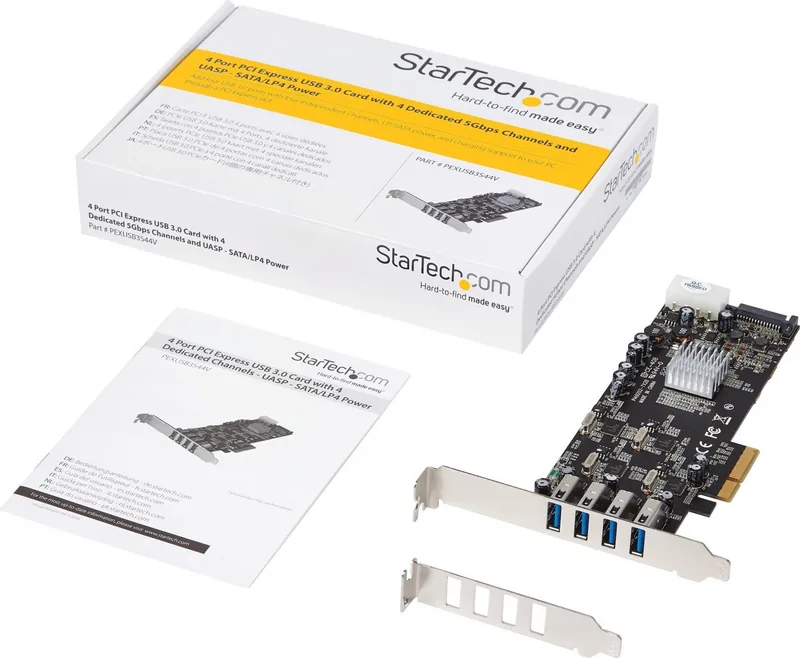
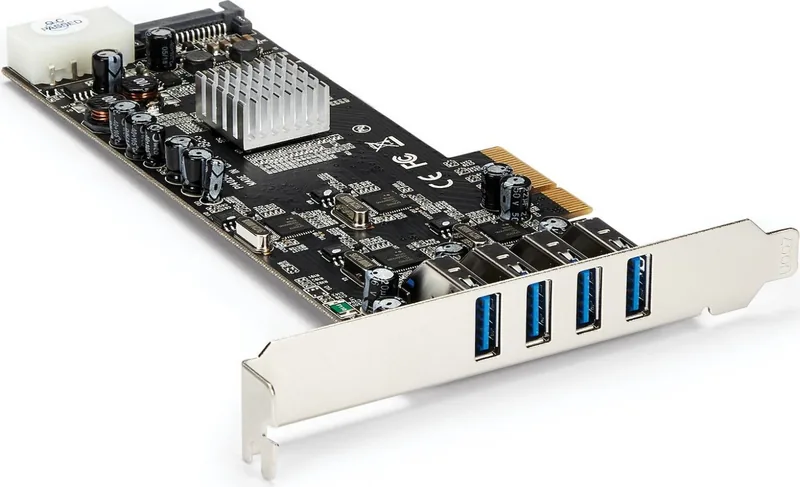
The StarTech PEXUSB3S44V, 4x USB-A 3.0, PCIe 2.0 x4 Manual describes a versatile expansion card built for users who need more fast, reliable USB connectivity inside a desktop computer. With four USB-A 3.0 ports and support for a PCI Express x4 slot, this card is designed to add high-speed SuperSpeed access without replacing a motherboard.
Built for Speed and Stability
Each port supports transfer rates up to 5 Gbps, making the card a strong fit for external drives, backups, cameras, and other high-bandwidth peripherals. The four ports use dedicated channels, which helps improve performance when multiple devices are connected at the same time. That makes it especially useful in workstations, content-creation setups, and business environments where dependable USB throughput matters.
The card also includes a SATA or LP4 power connection, giving it the extra power support needed for demanding USB devices. This is an important detail for users connecting bus-powered hardware that may not draw enough from the PCIe slot alone. The included low-profile bracket adds flexibility, allowing the card to fit compact or half-height desktop cases as well as standard towers.
Easy Fit for Older and Newer Systems
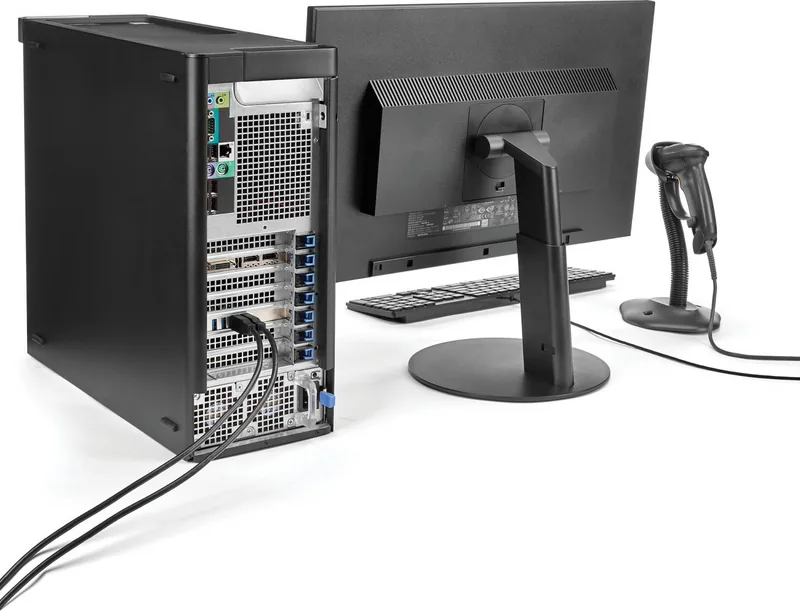
Compatibility is another highlight. The card works with a wide range of Windows versions and Linux kernels, and it can be installed in PCIe x4, x8, or x16 slots. That means it can breathe new life into older systems while still remaining practical for newer builds. On Windows 8, native driver support makes setup especially simple, while earlier systems can use the included driver CD.
Why It Stands Out
For users who need a straightforward way to expand USB capacity, this StarTech adapter strikes a solid balance between performance and convenience. It is not just about adding ports; it is about adding dependable connectivity that can handle everyday peripherals as well as more power-hungry devices. The dedicated-port design, solid power options, and flexible bracket choice make it a smart upgrade for many desktop environments.
Notes
- Best suited for systems with an available PCIe x4 or larger slot.
- Internal power connection is recommended for stable operation with high-demand USB devices.
- The low-profile bracket helps it adapt to smaller cases.
- A good choice for users who want dependable USB 3.0 expansion without changing the motherboard.
Search for 67,706 Manuals online


Type-in Brand or Model
OptioFugit20
8 months ago
Do I need to install drivers for this USB 3.0 PCIe card on Windows 7 64-bit, and will it stay fast for large file backups?
Manual.ly
8 months ago
You should install the latest drivers from StarTech (download them from the manufacturer site). In user reports, installation on Windows 7 64-bit worked smoothly after a reboot. For large backup copies, performance is reported around 125-132 MB/s while transferring many multi-GB files, indicating stable throughput for frequent external-disk backups. For best results, also use quality USB 3.0 devices and cables.