
StarTech PEXUSB3S42V Manual
PDF manual · 10 Pages
English



Quick check
Incorrect answer, please try again.
Chat with your StarTech PEXUSB3S42V manual using AI
Get instant AI answers from your StarTech PEXUSB3S42V manual
Ask anything about the StarTech PEXUSB3S42V. Answers come from this manual, with the pages they are based on.
Ask a Question
Do you recommend PEXUSB3S42V?
Yes NoFrequently Asked Questions
It needs a PCI Express x4 slot or a larger one such as x8 or x16. That makes it flexible for many desktop systems, from standard towers to workstations with extra expansion capacity.
Is this answer helpful?
It adds four USB 3.0 Type-A ports. The card is designed for everyday peripherals, external storage, and other devices that benefit from SuperSpeed USB connectivity.
Is this answer helpful?
Yes. The card must be connected to either a SATA power plug or an LP4 power connector from the power supply. That helps maintain reliable operation when several devices are attached.
Is this answer helpful?
Yes. An included low-profile bracket makes it suitable for half-height or compact desktop systems. It can also be used with a standard bracket in full-size cases.
Is this answer helpful?
It supports Windows 8, 7, Vista, XP, Windows Server 2008 R2 and 2003, plus Linux kernel 2.6.31 or later. Windows 8 may work with native drivers, while older systems can need the included driver package.
Is this answer helpful?
Yes, it supports USB Battery Charging Specification Revision 1.2 for iOS devices only. That means compatible Apple devices can benefit from charging support when connected to the card.
Is this answer helpful?
Advantages and Disadvantages
Advantages

- Adds four USB-A 3.0 ports through one PCIe x4 expansion card.
- Includes a low-profile bracket for small-form-factor desktop builds.
- Supports SATA or LP4 power for stable multi-device operation.
- Works with Windows, Server editions, and Linux for broad compatibility.
Disadvantages

- Two-port shared bandwidth means not every port gets full 5 Gbps at once.
- Requires an open PCIe slot and an internal power connection.
- Older Windows systems may need manual driver installation.
Product Specification
External
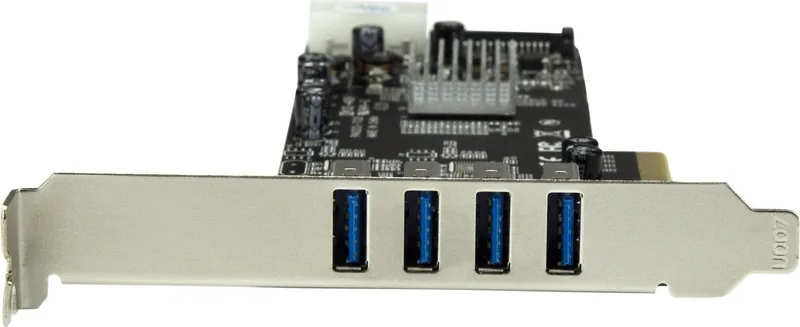
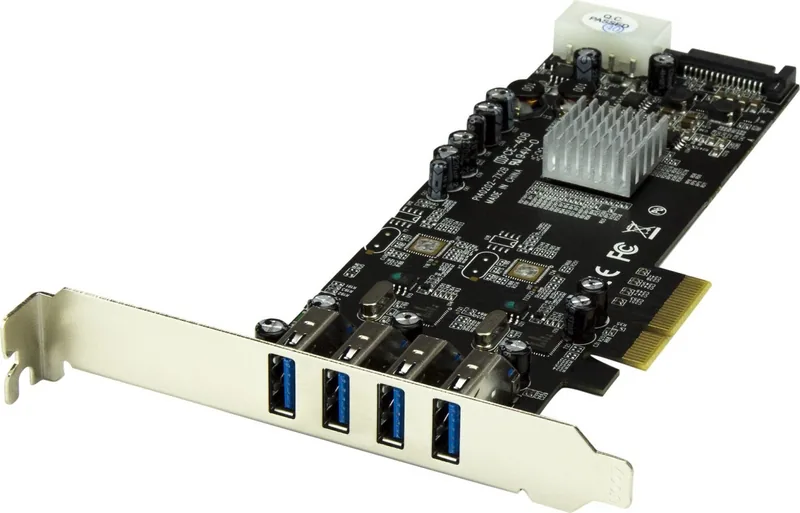
4x USB-A 3.0 (2 channels)
Internal
N/A
Interface
PCIe 2.0 x4
Chipset
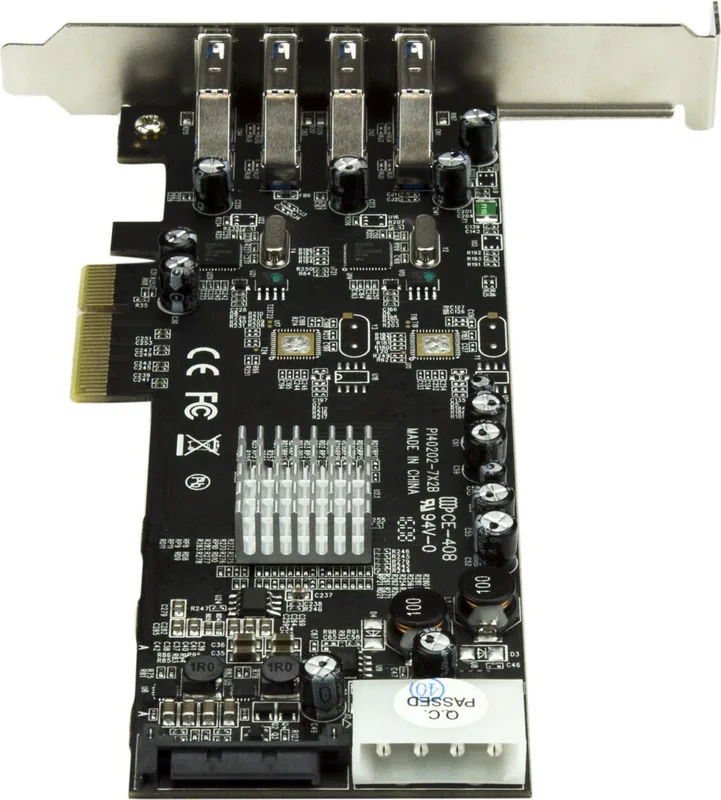
2x NEC/Renesas µPD720202
Power supply
1x 15-Pin SATA power, 1x 4-Pin Molex
Special features
low profile PCB, UASP
USB notation
Link
Product Description
StarTech PEXUSB3S42V: A practical four-port USB 3.0 expansion upgrade
If a desktop needs more high-speed connectivity, the StarTech PEXUSB3S42V, 4x USB-A 3.0, PCIe 2.0 x4 Manual points to a simple answer: add four SuperSpeed USB-A ports through an internal expansion slot. It is aimed at systems that need modern USB access without replacing the motherboard, making it useful for home offices, repair benches, media workstations, and aging PCs that still have room to grow.
Built for PCI Express x4 slots and compatible with x8 and x16 lanes as well, this card is easy to fit into a wide range of systems. The included low-profile bracket is a welcome touch for compact cases, while the standard bracket suits full-size towers. StarTech also provides driver support and clear setup guidance, so installation feels manageable even when the card is being added to a machine that has not been upgraded in years.
Performance is centered on four USB 3.0 Type-A ports and a 5 Gbps transfer rate per two ports, shared across each channel. That design gives the card a balanced blend of speed and stability, especially when you are working with external drives, backup devices, adapters, or storage accessories. It is not just about adding ports; it is about giving those ports enough bandwidth to remain genuinely useful in daily workflows.
The hardware also supports SATA or LP4 power input, which helps ensure dependable operation when multiple devices are connected. That extra power connection is important for bus-powered accessories and for users who expect consistent performance from external peripherals. The dual-channel Renesas/NEC chipset setup reinforces the card’s reputation as a practical, work-focused upgrade rather than a novelty add-on.
Compatibility is another strong point. The card supports Windows, older Windows Server editions, and Linux kernels starting at 2.6.31. Windows 8 can often recognize it automatically, while earlier systems may require driver installation. It also supports USB Battery Charging Specification Revision 1.2 for iOS devices, adding a small but useful convenience for charging phones and tablets.
For anyone looking to modernize a desktop in a cost-effective way, this expansion card offers a clean path forward. It brings USB 3.0 speed, broad support, and flexible installation into one compact package, backed by StarTech’s technical support and warranty coverage.
Notes
- Internal power from SATA or LP4 is required.
- Best suited for systems with available PCIe expansion slots.
- Shared bandwidth is split across two ports per channel.
- Driver installation may be needed on older operating systems.
- Good fit for external storage, backup gear, and general peripherals.
Search for 67,706 Manuals online


Type-in Brand or Model