
StarTech PEXUSB3S42 Manual
PDF manual · 2 Pages
English



Quick check
Incorrect answer, please try again.
Chat with your StarTech PEXUSB3S42 manual using AI
Get instant AI answers from your StarTech PEXUSB3S42 manual
Ask anything about the StarTech PEXUSB3S42. Answers come from this manual, with the pages they are based on.
Ask a Question
Do you recommend PEXUSB3S42?
Yes NoFrequently Asked Questions
It adds four USB-A 3.0 ports through a PCI Express expansion slot. Three ports are external, and one is internal, making it useful for both everyday peripherals and special internal connections.
Is this answer helpful?
It can operate without it, but SATA power is strongly recommended. Connecting it helps provide stable power to all USB ports, especially when several devices are connected at once.
Is this answer helpful?
Yes. The package includes a low-profile bracket, so the card can be installed in many compact or half-height systems as long as they have an available PCIe slot.
Is this answer helpful?
The manual lists broad support, including Windows XP, Vista, 7, 8, 8.1, Windows Server 2008 R2 and 2012, plus Linux 2.6.31 and newer.
Is this answer helpful?
UASP can improve data transfer efficiency with compatible devices, especially external storage. It helps the connection feel faster and more responsive than standard USB-only operation.
Is this answer helpful?
On some systems, native drivers may install automatically. If not, you can use the included driver CD or download the latest drivers from StarTech’s website.
Is this answer helpful?
Advantages and Disadvantages
Advantages

- Adds 4 USB-A 3.0 ports for quick expansion in desktop systems.
- Includes one internal port for cleaner specialized or embedded setups.
- Supports UASP for better performance with compatible storage devices.
- Low-profile bracket included for small-form-factor computer cases.
Disadvantages

- Requires an open PCIe slot, so it is not useful for laptops.
- Best results depend on connecting optional SATA power.
- Older systems may need manual driver installation.
Product Specification
External
3x USB-A 3.0
Internal
1x USB-A 3.0
Interface
PCIe 2.0 x1
Chipset
VLI VL805
Power supply
1x 15-Pin SATA Power
Special features
low profile PCB, UASP
USB notation
Link
Product Description
StarTech PEXUSB3S42: A Practical USB 3.0 Upgrade for Desktop Systems
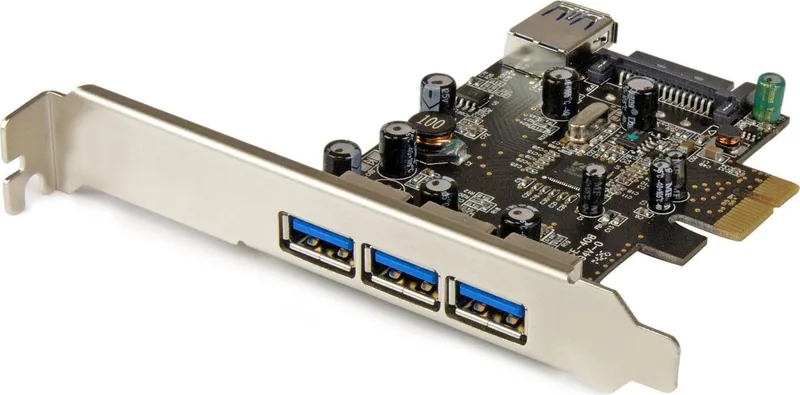
The StarTech PEXUSB3S42, 4x USB-A 3.0, PCIe 2.0 x1 Manual highlights a compact expansion card designed to add fast USB connectivity to a desktop PC. Built for systems with an available PCI Express slot, it delivers a simple way to modernize older machines or expand the port count on workstations that need more room for peripherals, storage devices, and accessories.
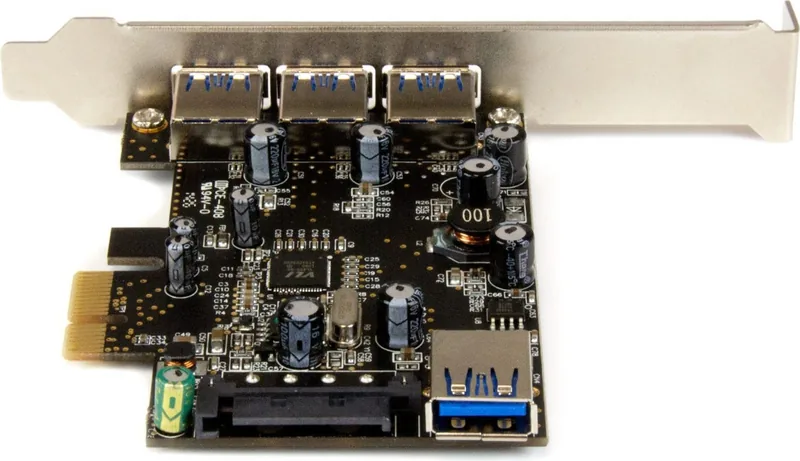
This 4-port PCI Express SuperSpeed USB 3.0 card includes three external USB-A ports and one internal USB-A port, giving users flexibility for both front-facing and inside-the-case connections. That internal port can be especially useful for internal accessories, embedded devices, or specialized builds where an external connector is not ideal. With PCIe 2.0 x1 compatibility, installation is straightforward, and the card can also operate in larger PCIe slots such as x4, x8, or x16.
One of the strongest advantages of this model is its support for UASP, which can improve performance with compatible drives and help make data transfers feel more responsive. The optional SATA power connection is highly recommended, since it helps ensure stable power delivery to each USB 3.0 port, especially when multiple devices are connected at once. A low-profile bracket is included too, making the card suitable for compact or small-form-factor desktops.
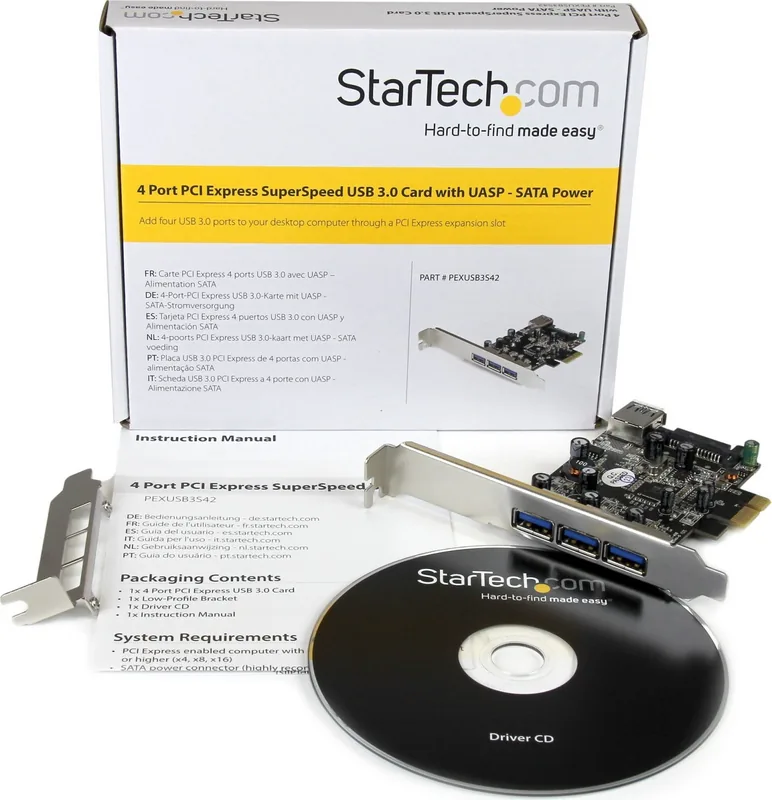
The package is designed for practical deployment rather than complexity. Along with the card itself, users get a driver CD, mounting hardware, and the bracket needed to fit different case styles. The manual also reflects broad operating system support, including Windows versions from XP through 8.1, Windows Server editions, and Linux 2.6.31 and newer. For many users, that means this expansion card can serve as a reliable bridge between legacy hardware and modern USB performance.
Why it stands out
If you need more USB ports without replacing a whole system, this card offers a balanced mix of speed, compatibility, and installation flexibility. It is well suited for office PCs, home workstations, media systems, and legacy towers that still have room for PCIe expansion.
Notes
- SATA power is optional, but strongly recommended.
- The low-profile bracket helps with compact cases.
- Update drivers from StarTech when possible for the best setup experience.
Search for 67,706 Manuals online


Type-in Brand or Model
Lukas Nowak
9 months ago
Will the VIA VL805 USB 3.0 host controller work on boards that only provide a PCIe x1 slot and PCIe 2.0, and does it support UASP or have any limitations due to USB 3.0 spec 1.0?
Manual.ly
9 months ago
Yes. The VL805 is designed for PCIe and works in a PCIe x1 slot, and it is backward-compatible with PCIe 2.0, which makes it suitable for many SoC boards where only x1 is available. For UASP: the chip supports USB Attached SCSI Protocol, and on Linux it is typically available with recent kernel versions. On Windows, UASP support depends on the installed driver. Regarding USB 3.0: the “spec revision 1.0” note mainly refers to the revision details of the controller implementation; it still operates as standard USB 3.0 (up to 5 Gbps). For best performance, use a UASP-capable USB enclosure and keep your drivers up to date.