
StarTech PEXUSB3S2EI Manual
PDF manual · 2 Pages
English



Quick check
Incorrect answer, please try again.
Chat with your StarTech PEXUSB3S2EI manual using AI
Get instant AI answers from your StarTech PEXUSB3S2EI manual
Ask anything about the StarTech PEXUSB3S2EI. Answers come from this manual, with the pages they are based on.
Ask a Question
Do you recommend PEXUSB3S2EI?
Yes NoFrequently Asked Questions
The card adds two external USB-A 3.0 ports and two internal USB 3.0 header ports via a PCIe x1 interface, enabling additional SuperSpeed USB connectivity for desktops.
Is this answer helpful?
SATA power is optional but recommended when connecting multiple or high-power USB devices. Without SATA power the card can still operate, but stability and device power may be limited under heavy loads.
Is this answer helpful?
Yes. The package includes a low-profile (half-height) bracket that replaces the standard bracket for installation in compact and small form-factor systems.
Is this answer helpful?
Some operating systems auto-install native USB 3.0 drivers. If not, use the included driver CD or download the latest drivers from StarTech.com to install the appropriate software for your OS.
Is this answer helpful?
The card is tested on Windows (XP through 8.1, including Server editions) and Linux kernels 2.6.31 and newer. Check StarTech.com for the latest driver compatibility and updates.
Is this answer helpful?
Yes, the PEXUSB3S2EI supports UASP (USB Attached SCSI Protocol), which can boost transfer speeds and efficiency for compatible external storage devices.
Is this answer helpful?
StarTech provides a two-year warranty for defects in materials and workmanship and lifetime technical support resources available through their website for drivers, documentation, and troubleshooting assistance.
Is this answer helpful?
Advantages and Disadvantages
Advantages

- Adds 2 external USB-A 3.0 ports plus 2 internal header ports via a PCIe x1 slot
- Supports UASP for improved transfer performance with compatible storage devices
- Includes full-height and low-profile brackets for standard and compact PCs
- Optional SATA power connector to supply stable power to multiple devices
- Broad OS compatibility (Windows XP–8.1, Server editions, Linux kernels 2.6.31+)
Disadvantages

- Requires an available PCIe slot; not suitable for systems without expansion slots
- May need SATA power for stable multi-device use, adding cabling complexity
- Performance limited by single PCIe x1 lane compared with native motherboard ports
- Drivers might need manual download or CD install on older systems
- No USB-C ports; limited to USB-A and internal 19-pin header connectivity
Product Specification
External
2x USB-A 3.0
Internal
N/A
Interface
PCIe x1
Chipset
NEC/Renesas µPD720201
Power supply
1x 15-Pin SATA Power
USB notation
Link
Product Description
StarTech PEXUSB3S2EI — Reliable USB 3.0 Expansion for Desktops
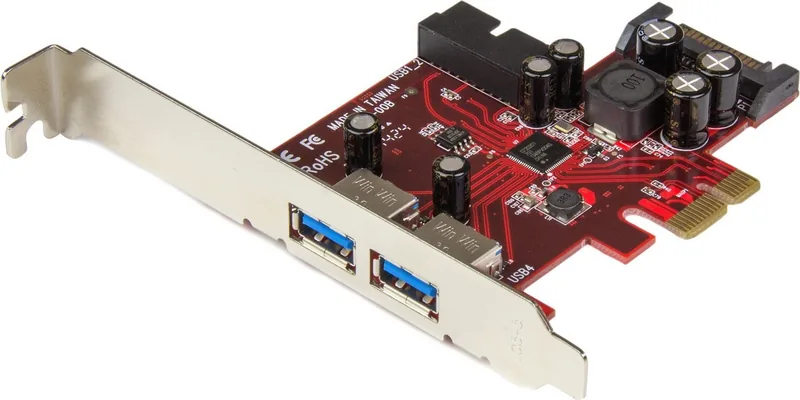
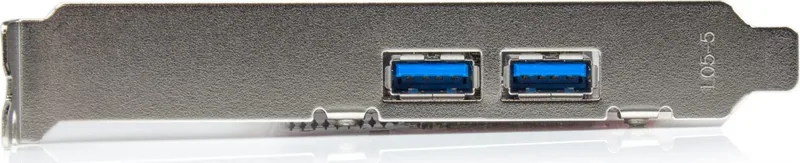
The StarTech PEXUSB3S2EI is a compact PCIe x1 expansion card that adds two external USB-A 3.0 ports and two internal USB 3.0 header ports to desktop systems. Designed for straightforward installation in standard and small form-factor PCs, the card supports SuperSpeed USB 3.0 data rates and includes an optional SATA power connection to ensure stable power delivery to high-draw devices. With UASP support and compatibility across a wide range of Windows and Linux releases, this card offers a pragmatic upgrade path for users needing additional high-speed USB connectivity.
Practical features and build
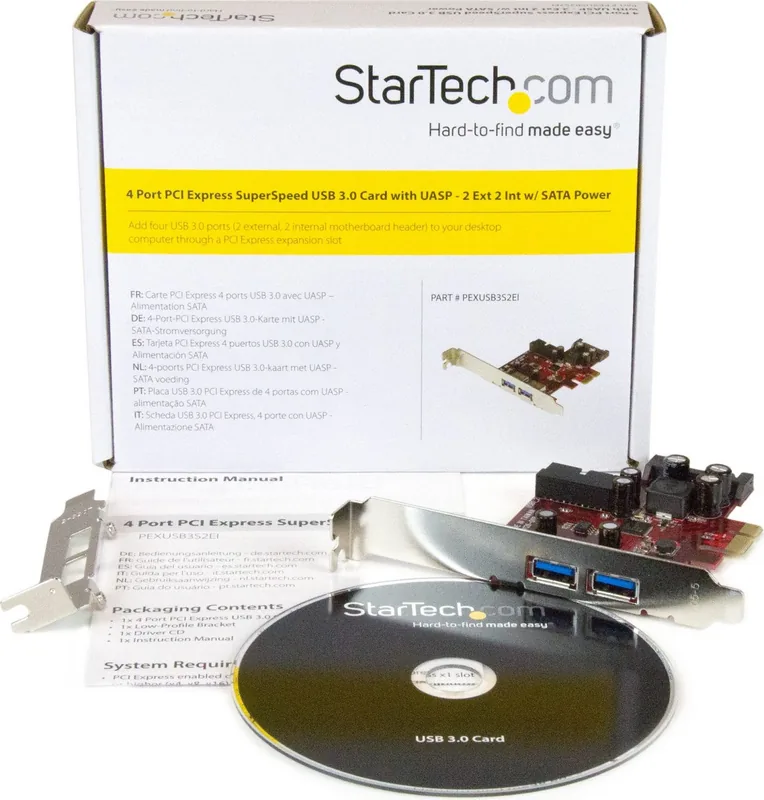
Physically small but functionally versatile, the card installs into any PCI Express x1 slot and will also operate in x4/x8/x16 slots. The package includes a full-height bracket plus a low-profile bracket for compact systems, a driver CD, and a short manual. The board exposes two Type-A external ports for conventional USB peripherals and a 19-pin internal header for routing two internal ports to front-panel connectors or an enclosure header.
Power handling is addressed with an optional SATA power connector on-board. While the card can function without external power for light loads, connecting SATA power is recommended when using multiple power-hungry devices (external drives, optical drives, etc.) to maintain stable performance and avoid potential power-related disconnects.
Installation and compatibility
Installation is straightforward: power down, insert into an available PCIe slot, fasten the bracket, optionally connect SATA power, and install drivers if the OS does not auto-detect the card. Drivers are available on StarTech’s website and included on the supplied CD. The card has been tested on multiple Windows versions (XP through Windows 8.1 and corresponding Server editions) and Linux kernels 2.6.31 and up, providing broad compatibility for legacy and newer systems.
Performance and support
With SuperSpeed USB 3.0 and UASP support, the PEXUSB3S2EI improves throughput for external storage and other high-bandwidth peripherals compared to USB 2.0. StarTech backs the product with lifetime technical support and a two-year warranty covering defects in materials and workmanship, with limitations consistent with industry norms.
Notes
- For optimal reliability when using multiple high-power USB devices, connect the SATA power cable.
- Use the included low-profile bracket for small form-factor cases.
- Download the latest drivers from StarTech.com if the OS does not auto-install.
Search for 67,706 Manuals online


Type-in Brand or Model
AutDoloribus98
10 months ago
Is it quick and easy to install, and will it really add additional USB 3.0 ports to my PC?
Manual.ly
10 months ago
Yes. This product is designed to be simple and straightforward to use. You can add extra USB 3.0 ports to your PC easily, so expanding your connection options does not require complicated setup. In everyday use, many customers report being able to connect additional USB devices quickly with the added USB 3.0 ports.