
StarTech PEXUSB311EI Manual
PDF manual · 2 Pages
English



Quick check
Incorrect answer, please try again.
Chat with your StarTech PEXUSB311EI manual using AI
Get instant AI answers from your StarTech PEXUSB311EI manual
Ask anything about the StarTech PEXUSB311EI. Answers come from this manual, with the pages they are based on.
Ask a Question
Do you recommend PEXUSB311EI?
Yes NoFrequently Asked Questions
It supports USB 3.1 Gen 2, which provides up to 10Gbps of bandwidth. That makes it a strong option for faster drives, accessories, and high-throughput desktop workflows.
Is this answer helpful?
It includes two USB-A ports: one external port and one internal port. This combination is useful for both everyday peripherals and cleaner internal device connections.
Is this answer helpful?
The card works in PCI Express x4, x8, and x16 slots. That gives it broad compatibility with many desktop motherboards and expansion layouts.
Is this answer helpful?
The SATA power connector is optional, but it is recommended. Using it can help provide stable power to the card and improve reliability across both USB ports.
Is this answer helpful?
Yes. A low-profile bracket is included, so the card can fit more easily in compact or low-profile systems that cannot use a standard-height bracket.
Is this answer helpful?
Sometimes it will. If Windows does not install the driver automatically, you can download the correct driver from StarTech and complete the setup manually.
Is this answer helpful?
Advantages and Disadvantages
Advantages

- 10Gbps USB 3.1 Gen 2 performance for fast data transfers and responsive peripherals.
- Includes both one external and one internal USB-A port for flexible system layouts.
- Supports PCIe x4, x8, and x16 slots, making installation easy in many desktops.
- Low-profile bracket included, which helps fit smaller cases and compact builds.
Disadvantages

- Both ports share the total 10Gbps bandwidth, so heavy simultaneous use can reduce speed.
- 15-pin SATA power is optional but recommended, adding an extra connection in some systems.
- Windows may require manual driver installation if auto-detection does not complete.
- Only two USB-A ports are provided, so users needing more expansion may need a hub.
Product Specification
External
1x USB-A 3.1
Internal
1x USB-A 3.1
Interface
PCIe 3.0 x4
Chipset
ASMedia ASM1142
Power supply
1x 15-Pin SATA Power
USB naming convention
Link
Product Description
StarTech 2x USB-A 3.1, PCIe 3.0 x4 Manual: A Fast, Flexible USB Upgrade
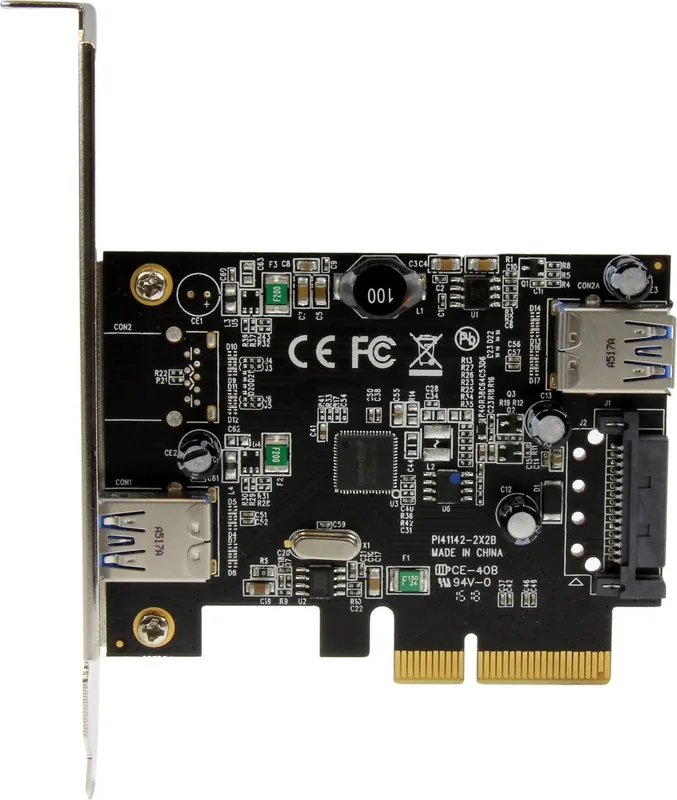
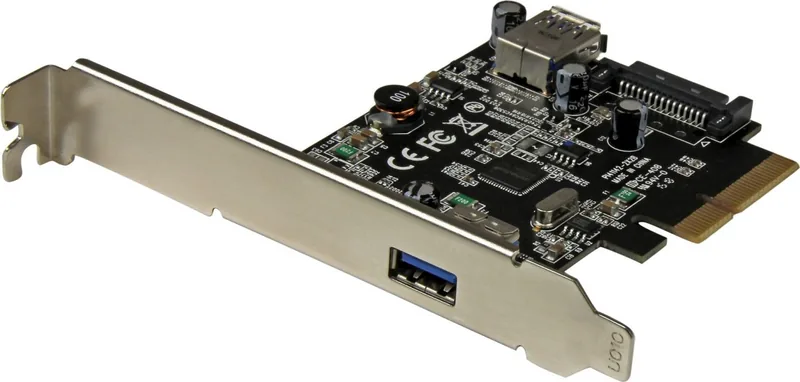
If you need modern USB performance in a desktop tower or compact workstation, this StarTech PCIe card is a straightforward way to add speed and flexibility. Built around USB 3.1 Gen 2, it delivers up to 10Gbps of bandwidth and gives you two USB-A connections: one external port for everyday peripherals and one internal port for integrated devices or tidy case-mounted setups.
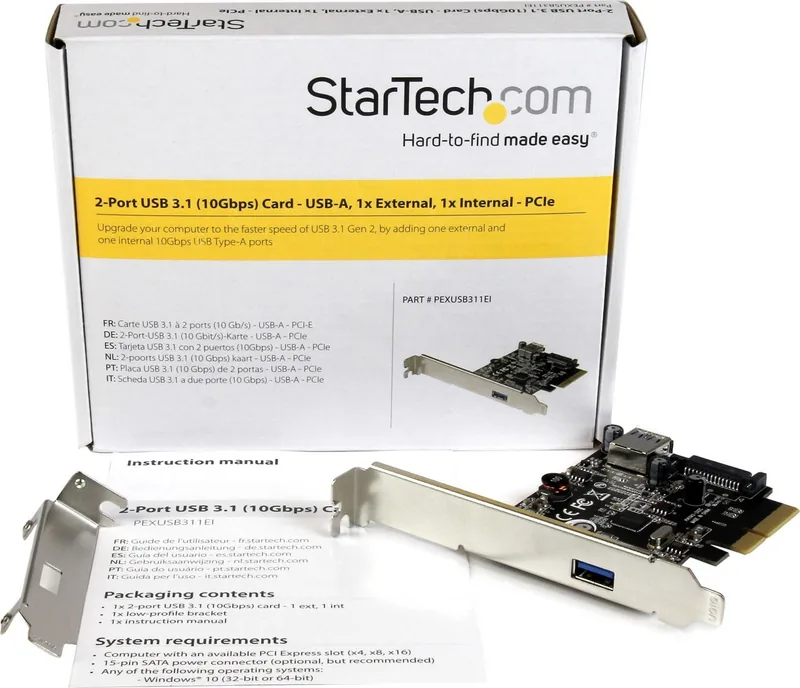
What makes this card especially practical is how easily it fits into different systems. It works in PCI Express x4, x8, and x16 slots, so it can slot into a wide range of motherboards without fuss. The included low-profile bracket is also a useful detail for small form-factor PCs, making the upgrade more accessible for slim cases where space is tight.
For users who move data regularly, the 10Gbps USB 3.1 Gen 2 standard is a clear advantage. It is well suited for fast external drives, high-speed accessories, and workflows where responsiveness matters. The internal USB-A port adds another layer of convenience for custom builds, media systems, or devices that benefit from a cleaner internal connection.
Power delivery is another point worth noting. While the card can run without extra power in some setups, the 15-pin SATA power connector is recommended to help ensure stable performance across both ports. That detail matters when connecting power-hungry peripherals or when the system is expected to deliver consistent throughput.
Compatibility is broad as well, with support for Windows, macOS, and Linux environments listed in the product guidance. Windows users may get automatic driver installation, but manual driver setup is also covered when needed. Combined with StarTech’s lifetime technical support and two-year warranty, this card is positioned as a reliable long-term expansion choice.
Notes
- USB 3.1 Gen 2 provides speeds up to 10Gbps.
- The two ports share the available bandwidth.
- SATA power is recommended for best stability.
- A low-profile bracket is included for compact systems.
Search for 67,706 Manuals online


Type-in Brand or Model