
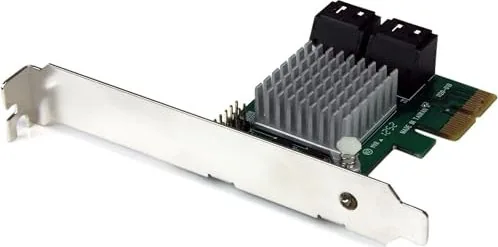
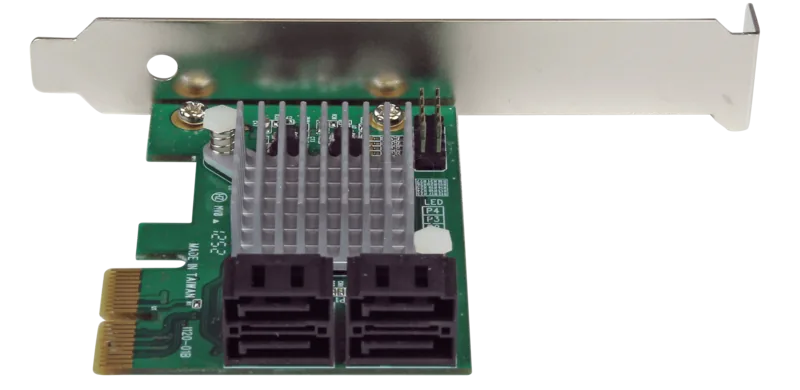
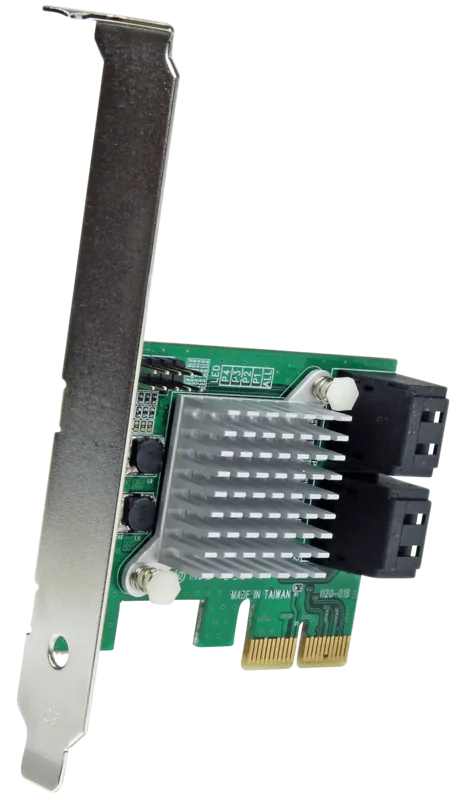
StarTech PEXSAT34RH Manual
PDF manual · 20 Pages
English



Quick check
Incorrect answer, please try again.
Chat with your StarTech PEXSAT34RH manual using AI
Get instant AI answers from your StarTech PEXSAT34RH manual
Ask anything about the StarTech PEXSAT34RH. Answers come from this manual, with the pages they are based on.
Ask a Question
Do you recommend PEXSAT34RH?
Yes NoFrequently Asked Questions
It expands a computer with four internal SATA III ports through a PCIe slot, making it easier to add hard drives or SSDs and build faster, more flexible storage systems.
Is this answer helpful?
Yes. It supports RAID 0, RAID 1, and RAID 1+0, allowing users to choose between speed, redundancy, or a mix of both depending on their storage needs.
Is this answer helpful?
HyperDuo combines SSD and HDD storage into one volume and automatically prioritizes frequently accessed data for the faster SSD, improving overall responsiveness.
Is this answer helpful?
Yes. The card includes a low-profile bracket, so it can be installed in compact systems as well as standard desktop towers.
Is this answer helpful?
Yes, but only on one port at a time. It can expand storage by connecting multiple drives through a single compatible SATA path.
Is this answer helpful?
It supports Windows, Mac OS 10.6 to 10.8, and Linux. Some advanced features, like HyperDuo management and Port Multiplier use, are limited by operating system support.
Is this answer helpful?
Advantages and Disadvantages
Advantages

- Adds 4 SATA III 6Gb/s ports through one PCIe 2.0 x2 slot.
- Supports RAID 0, RAID 1, and RAID 1+0 for flexible storage setups.
- HyperDuo helps combine SSD speed with HDD capacity.
- Includes a low-profile bracket for compact system builds.
Disadvantages

- Port Multiplier can be used on only one port at a time.
- Capacity mode in HyperDuo can erase data during setup.
- Mac OS does not support Port Multiplier features.
- Requires manual configuration for advanced RAID and HyperDuo use.
Product Specification
Connection
PCIe 2.0 x2
Interfaces
4x SATA 6Gb/s
Internal
4x SATA 6Gb/s
External
N/A
RAID Level
0/1/10/JBOD
Chipset
Marvell 88SE9230
Special features
low profile PCB
Product Description
StarTech PEXSAT34RH Manual: A Practical 4-Port SATA Upgrade
The StarTech PEXSAT34RH is a smart choice for users who want to expand storage without replacing an entire system. Built around a PCIe 2.0 x2 host interface, it adds four internal SATA III 6Gb/s ports and brings modern drive connectivity to desktops, workstations, and small servers. For anyone looking to mix SSD speed with large-capacity HDD storage, this card offers a flexible path forward.
What makes it especially appealing is its balance of simplicity and performance. The card supports native RAID 0, RAID 1, and RAID 1+0, giving users options for speed, redundancy, or both. It also includes HyperDuo technology, which can combine SSDs and hard drives into a single storage strategy. In safe mode, it focuses on protecting data while improving access to frequently used files. In capacity mode, it prioritizes performance and efficient SSD use for a more aggressive speed boost.
Beyond RAID and tiered storage, the PEXSAT34RH also supports Port Multiplier functionality, allowing multiple drives to be attached through a single port in compatible setups. That makes it a useful expansion card for storage-heavy builds where every connector matters. The included low-profile bracket further improves its value, helping it fit into compact cases as well as standard desktops.
Installation is straightforward for users familiar with PC hardware. The card works in x2, x4, x8, and x16 PCIe slots, and it supports Windows, Mac OS, and Linux. Windows users also get access to the optional Marvell Storage Utility for configuration and management. Once installed, the card can be monitored through system tools, and setup options are available through either BIOS-based controls or software utilities.
Overall, the StarTech PEXSAT34RH is designed for users who need dependable SATA expansion with real storage flexibility. It is a solid match for build upgrades, drive consolidation, and custom storage layouts where performance and organization both matter.
Notes
- HyperDuo safe mode is better when existing data must be preserved.
- Capacity mode offers stronger performance but is data-destructive.
- Port Multiplier support is limited to one port at a time.
- Mac OS does not support Port Multiplier on this card.
Search for 67,706 Manuals online


Type-in Brand or Model
temporibus_molestias
7 months ago
I want to use this Marvel 9230 card in a NAS under Linux for RAID with 4x 4TB HDDs. Is it stable, and does it handle common RAID configurations reliably?
Manual.ly
7 months ago
Based on user reports, the card can run stably under Linux and support RAID use cases with multiple HDDs (for example, 4x 4TB). Users report that RAID operations continue to run properly and that the Marvel MSU software provides configuration and status messages correctly. For best results, start with straightforward HDD RAID configurations (not SSD tiering) and verify the array in your NAS before relying on higher write workloads. Also note that this controller is older and may have limited UEFI support, so boot and BIOS-style setups can require extra attention depending on your system. Port multiplier functionality may depend on your exact NAS/backplane; it is worth testing in your environment.