
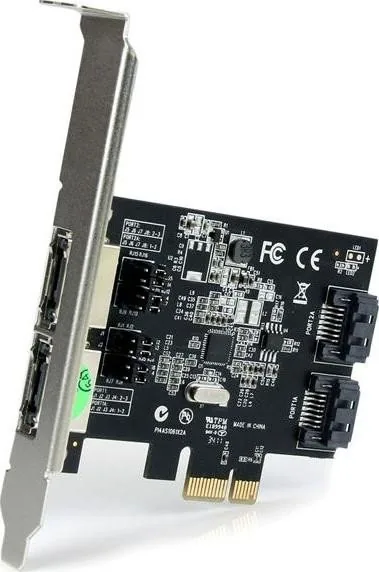
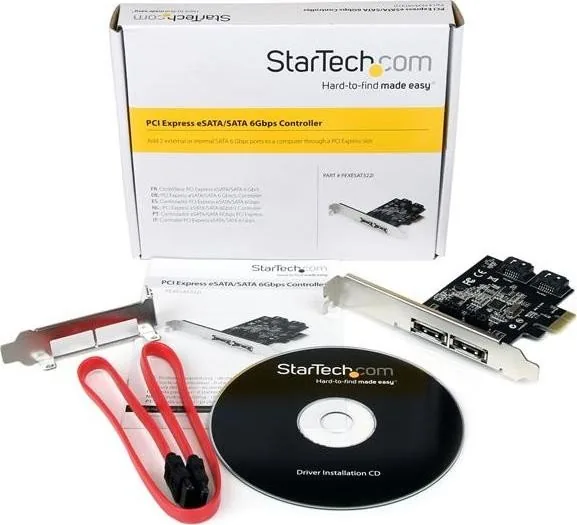
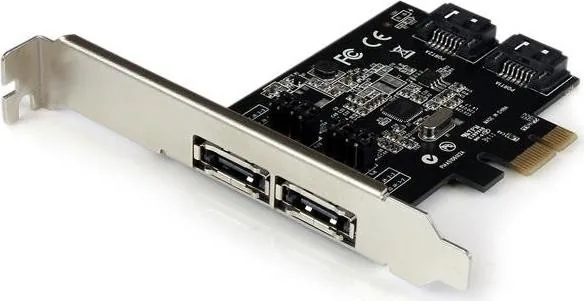
StarTech PEXESAT322I Manual
PDF manual · 11 Pages
English



Quick check
Incorrect answer, please try again.
Chat with your StarTech PEXESAT322I manual using AI
Get instant AI answers from your StarTech PEXESAT322I manual
Ask anything about the StarTech PEXESAT322I. Answers come from this manual, with the pages they are based on.
Ask a Question
Do you recommend PEXESAT322I?
Yes No
Fred K.
9 months ago
Does this PCIe SATA/eSATA controller work with Windows 10, and do I need to change jumpers to enable the internal SATA port for a Blu-ray drive?

Manual.ly
9 months ago
Yes. The card is factory-set to activate the two outer eSATA ports. To enable the internal SATA port, you need to move four jumpers according to the instructions in the manual. After installing the prepared PCIe controller driver (for Windows 10 Pro) and rebooting, connected external eSATA drives and the internal SATA device (such as a Blu-ray burner) are recognized immediately. In reviews, eSATA storage access and Blu-ray playback/burning worked reliably after the correct jumper setting and driver installation.
Frequently Asked Questions
It adds SATA connectivity to a desktop PC through a PCIe x1 slot. The card is useful for expanding storage options with either internal SATA ports, external eSATA ports, or a combination of both.
Is this answer helpful?
No. The card has four physical ports, but only two can be active at the same time. Jumper settings determine whether the active ports are internal SATA or external eSATA.
Is this answer helpful?
The controller supports SATA III performance with data rates up to 6 Gbps. That makes it suitable for SSDs, fast hard drives, and other SATA-based devices.
Is this answer helpful?
Yes. Although it uses a PCIe x1 interface, it can also be installed in larger PCIe slots such as x4, x8, or x16.
Is this answer helpful?
Yes. The package includes a low-profile bracket, which is helpful for small form factor or compact desktop systems.
Is this answer helpful?
Supported systems include Windows XP, Server 2003, Server 2008 R2, Vista, 7, and 8 in 32-bit and 64-bit editions.
Is this answer helpful?
Advantages and Disadvantages
Advantages

- Configurable for internal SATA, external eSATA, or a mixed layout.
- Supports SATA III speeds up to 6 Gbps for modern storage devices.
- Includes Port Multiplier support to connect more drives efficiently.
- Ships with a low-profile bracket for compact system builds.
Disadvantages

- Only two of the four physical ports can be active at the same time.
- Driver installation is needed, which adds an extra setup step.
- Requires a PCIe expansion slot and is not useful for systems without one.
- Supported operating systems are older Windows versions only.
Product Specification
External
2x eSATA 6Gb/s (shared)
Internal
2x SATA 6Gb/s (shared)
Interface
PCIe x1
Chipset
ASMedia ASM1061
Features
incl. low profile bracket
USB notation
Link
Product Description
StarTech PEXESAT322I, 2x SATA/2x eSATA, PCIe x1 Manual: Flexible Storage Expansion
The StarTech PEXESAT322I is a compact PCIe storage controller designed for users who want to add modern SATA connectivity without replacing their motherboard. Built around a PCI Express x1 interface, it offers a practical way to expand a desktop system with two SATA III connections that can be configured as either internal or external ports, depending on the setup.
What makes this card especially useful is its jumper-based port selection. Instead of locking you into a single layout, it lets you choose between two internal SATA ports, two external eSATA ports, or one of each. That flexibility is ideal for builders, technicians, and anyone working with mixed storage needs. Whether the goal is connecting internal drives, external enclosures, or optical devices, the PEXESAT322I gives plenty of room to adapt.
With SATA revision 3.0 support and transfer speeds up to 6 Gbps, the controller is well suited for SSDs, fast hard drives, and other SATA-based devices. It also supports Port Multiplier technology, which can help reduce cable clutter and improve device management when multiple drives are attached through a single connection. For systems with limited expansion space, the included low-profile bracket is a welcome addition.
Compatibility is another strong point. The card works in PCIe x1 slots and can also be installed in larger PCIe lanes, making it easy to fit into a wide range of desktop systems. Windows support includes several older versions, and the installation process is straightforward: insert the card, install drivers, reboot, and verify the controller in Device Manager.
Highlights
- Flexible internal and external SATA configuration
- SATA III performance with up to 6 Gbps bandwidth
- Port Multiplier support for expanded storage options
- Includes full-height and low-profile mounting support
- Backed by a two-year warranty and lifetime technical support
Notes
- Only two of the four physical ports are active at one time.
- Driver installation is required for best results on supported Windows systems.
- A small form factor build may benefit from the included low-profile bracket.
Overall, the StarTech PEXESAT322I is a smart upgrade path for users who need dependable SATA expansion in a simple, adaptable card.
Search for 67,706 Manuals online


Type-in Brand or Model
Fred K.
7 months ago
Will this PCIe SATA/eSATA controller work with Windows 10, and do I need to move jumpers to enable the internal SATA port as well?
Manual.ly
7 months ago
Yes. Many users report that after installing the correct driver and rebooting, connected external eSATA drives and the internal SATA device are detected immediately in Windows 10. For the ports: the outer eSATA ports are typically enabled by default at the factory. The internal SATA port usually requires changing the specified jumpers according to the manual. Follow the jumper diagram for the exact port you want active, then install the driver (from the included CD or the provided driver package) before restarting.