
StarTech PEX2IDE Manual
PDF manual · 9 Pages
English



Quick check
Incorrect answer, please try again.
Chat with your StarTech PEX2IDE manual using AI
Get instant AI answers from your StarTech PEX2IDE manual
Ask anything about the StarTech PEX2IDE. Answers come from this manual, with the pages they are based on.
Ask a Question
Do you recommend PEX2IDE?
Yes NoFrequently Asked Questions
It adds IDE connectivity to a PCI Express system, letting you connect older ATA/ATAPI drives to a newer computer. It is useful for data recovery, retro builds, and keeping legacy hardware working.
Is this answer helpful?
The card provides one IDE channel and can support up to two drives on that channel, typically configured as master and slave.
Is this answer helpful?
Usually no. The card supports native IDE mode, so supported Windows systems can detect it and install the needed driver automatically.
Is this answer helpful?
Yes, the onboard BIOS supports boot features. You may need to change the boot order in your motherboard BIOS for the attached drive to start the system.
Is this answer helpful?
The manual lists Windows 2000, XP, Server 2003, Vista, and 7. Support may depend on the system’s BIOS and hardware environment.
Is this answer helpful?
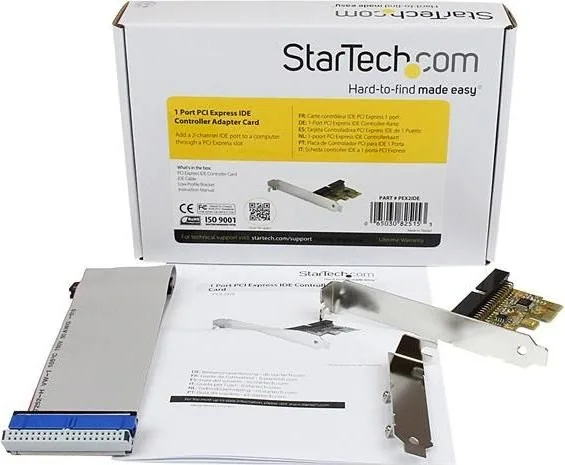
The package includes the PCI Express IDE controller card, an IDE cable, a low-profile bracket, and the instruction manual.
Is this answer helpful?
Advantages and Disadvantages
Advantages

- Supports one IDE channel for up to two legacy drives, making old hardware usable in modern PCs.
- PCIe x1 design offers an easy expansion path without needing a full-size legacy motherboard.
- Native IDE mode can reduce setup effort because drivers are typically not required on supported Windows systems.
- Onboard BIOS and boot support add flexibility for data access and system startup tasks.
Disadvantages

- Limited to one IDE channel, so expansion capacity is modest compared with more advanced storage controllers.
- Compatibility is focused on older Windows versions listed in the manual, which may limit newer setups.
- Booting from attached drives may require manual motherboard BIOS changes.
- Best for legacy devices only, so it does not solve modern storage needs like SATA or NVMe support.
Product Specification
Interface
PCIe x1
Internal
1x IDE
External
N/A
RAID Level
N/A
Chipset
JMicron JMB368
Cache
N/A
Product Description
StarTech PEX2IDE 2x IDE, PCIe x1 Manual: A Simple Way to Keep Legacy Storage Alive
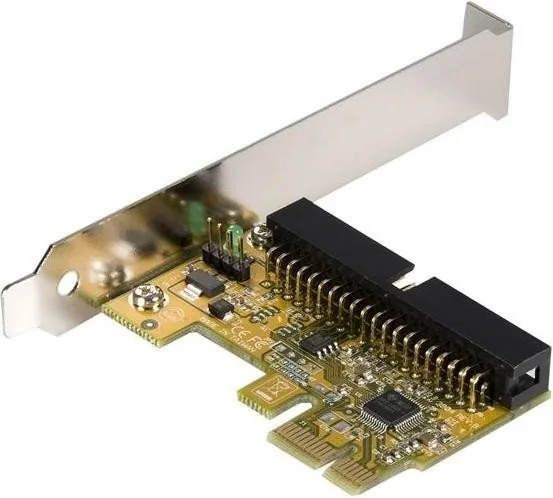
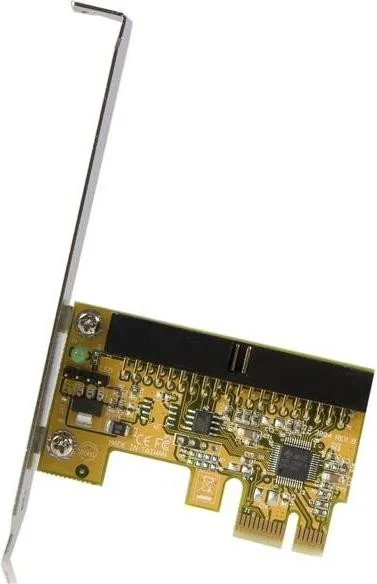
The StarTech PEX2IDE 2x IDE, PCIe x1 Manual highlights a compact expansion card built for one practical purpose: bringing classic IDE connectivity to newer desktop systems. If you still rely on older hard drives, optical drives, or other ATA/ATAPI devices, this PCI Express adapter offers a straightforward bridge between legacy hardware and modern motherboards.
What makes this card useful is its balance of simplicity and compatibility. It installs into an available PCIe x1 slot and provides one IDE channel that can support up to two drives, making it a convenient solution for users who need to recover data, reuse older components, or maintain systems that still depend on parallel ATA devices. With onboard BIOS support, it can even help make booting from attached drives possible when configured correctly.
Performance is another strength worth noting. The card supports burst transfer rates up to 133 MB/s and includes support for PIO modes, UDMA 33/66/100, and 48-bit LBA for larger drive support. In practice, that means it is designed to handle common legacy storage tasks with dependable results. For many users, the biggest advantage is that it delivers a low-cost way to extend the life of older equipment without needing a full system replacement.
Installation is designed to be manageable for typical desktop users. The package includes the controller card, an IDE cable, and a low-profile bracket, which helps with compatibility in smaller cases. Native IDE mode also means driver installation is generally unnecessary on supported Windows systems, allowing the operating system to recognize the card automatically. If a boot drive is involved, changes can be made through the motherboard BIOS.
This product is best viewed as a practical compatibility tool rather than a modern storage upgrade. It is ideal for retrofits, maintenance tasks, and environments where legacy drives still matter. StarTech also backs the adapter with lifetime technical support and warranty coverage, adding confidence for long-term use.
Notes
- Best suited for legacy IDE drives and recovery projects.
- Requires an open PCI Express slot and basic BIOS configuration for boot use.
- Not intended to replace modern SATA or NVMe storage solutions.
Search for 67,706 Manuals online


Type-in Brand or Model
Sofia Keller
9 months ago
Does this work reliably with two CD-ROM drives at the same time, and is it stable over a longer period?
Manual.ly
9 months ago
Yes. Based on customer feedback, it supports connecting two CD-ROM drives and keeps working normally without issues. One reviewer had two CD-ROMs connected and reported stable operation for about 5 months. If you want to maximize reliability, make sure the drives are properly connected, use compatible power/data connections, and double-check that the devices are recognized after setup.