
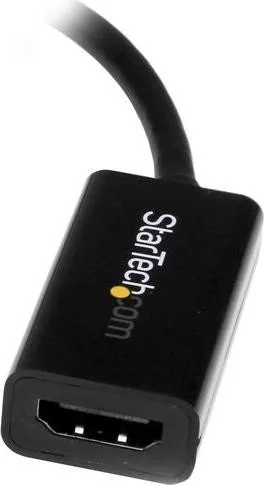
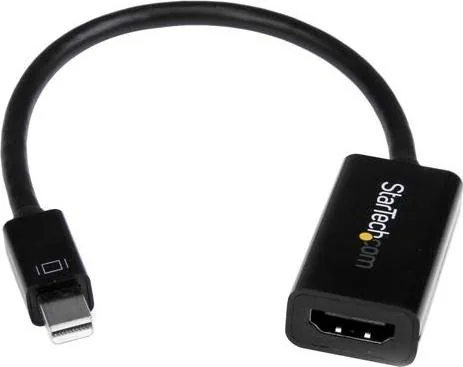
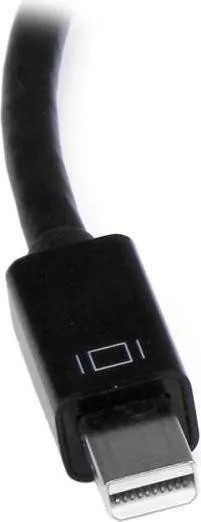
StarTech Mini DisplayPort to HDMI Manual
PDF manual · 11 Pages
English



Quick check
Incorrect answer, please try again.
Chat with your StarTech Mini DisplayPort to HDMI manual using AI
Get instant AI answers from your StarTech Mini DisplayPort to HDMI manual
Ask anything about the StarTech Mini DisplayPort to HDMI. Answers come from this manual, with the pages they are based on.
Ask a Question
Do you recommend Mini DisplayPort to HDMI?
Yes NoFrequently Asked Questions
It lets you connect one or two 2.5-inch or 3.5-inch SATA HDDs or SSDs to a computer through a single USB connection. It is useful for backups, drive testing, cloning, and data transfer.
Is this answer helpful?
Yes. The dock works with standard SATA hard drives and solid state drives in either 2.5-inch or 3.5-inch sizes, as long as the drive uses a SATA interface.
Is this answer helpful?
Yes. The dual-bay design allows two drives to be connected and powered independently. You can use one drive or both, depending on your task.
Is this answer helpful?
No driver installation is required for supported operating systems. The dock is natively supported on Windows, Mac OS X, and Linux, though Mac may run at USB 2.0 speeds only.
Is this answer helpful?
Over USB 3.0, it can reach up to 5 Gbps. If connected through USB 2.0 or using a USB 2.0 cable, transfer speeds will be limited to USB 2.0 performance.
Is this answer helpful?
First unmount or eject the drive from your operating system. Then power off the specific bay, wait for the drive to stop spinning, and press the eject button before pulling it out.
Is this answer helpful?
Advantages and Disadvantages
Advantages

- Supports two SATA drives at the same time for efficient multitasking.
- USB 3.0 performance reaches up to 5 Gbps for faster transfers.
- No driver installation is needed on supported operating systems.
- Independent bay power and clear LEDs improve control and visibility.
Disadvantages

- Mac OS X operation is limited to USB 2.0 speed.
- Drives must be handled carefully to avoid data loss or damage.
- A USB 2.0 cable lowers performance even on a USB 3.0 system.
Product Specification
Type
Adapter cable
Connector
Mini DisplayPort 1.2
Socket
HDMI 1.4
Cable length
5.91 in
Product Description
StarTech Dual-Bay USB 3.0 SATA Docking Station
The StarTech USB 3.0 to Dual SATA Hard Drive Docking Station is built for users who need quick access to bare 2.5-inch or 3.5-inch SATA drives without opening a computer case. It supports two drives at once, making it a practical choice for backups, cloning, data recovery, and moving files between systems. With SuperSpeed USB 3.0, it delivers transfer rates of up to 5 Gbps, while still remaining compatible with older USB 2.0 ports when needed.
Designed for flexible storage workflows
This dock is especially useful in busy work environments where drives are swapped often. Each bay has its own power control, so you can run one drive independently or power both together. The front status LEDs help you see drive activity at a glance: blue indicates a detected drive, while red signals an error or missing device. That simple feedback makes the dock easy to trust during everyday use.
Easy setup, broad compatibility
Setup is straightforward. Connect the power adapter, insert the drives, plug in the USB cable, and power each bay on. No driver installation is required on supported operating systems, which keeps the experience simple for Windows, Mac, and Linux users. The dock also supports both HDDs and SSDs, giving it extra value for anyone working with mixed storage types.
For many users, the biggest benefit is convenience. Instead of installing drives internally or juggling external enclosures, you can mount or remove disks quickly and keep your workflow moving. The included manual also explains safe handling practices and drive initialization, which is helpful when preparing a new disk for first use.
A dependable tool for storage tasks
Although it is compact, the dock is built for serious use. It supports standard SATA drives, includes a dedicated power supply, and offers the kind of reliability that technicians, IT teams, and power users appreciate. If you regularly work with standalone drives, this StarTech dock turns storage access into a fast, organized process.
Notes
- Best suited for backup, testing, and drive migration tasks.
- Mac OS X support works in USB 2.0 mode only.
- For safe removal, always unmount the drive before powering it off.
Search for 67,706 Manuals online


Type-in Brand or Model