
StarTech FCREADU3C Manual
PDF manual · 2 Pages
English



Quick check
Incorrect answer, please try again.
Chat with your StarTech FCREADU3C manual using AI
Get instant AI answers from your StarTech FCREADU3C manual
Ask anything about the StarTech FCREADU3C. Answers come from this manual, with the pages they are based on.
Ask a Question
Do you recommend FCREADU3C?
Yes NoVideo Manual
Best USB-C Hub 2023 (Unboxing)#unboxing
Frequently Asked Questions
The StarTech Multi-Slot Card Reader supports microSD, microSDHC, microSDXC, CompactFlash Type I and II, and Secure Digital variants (SDSC, SDHC, SDXC).
Is this answer helpful?
No. The reader is OS-independent and plug-and-play, receiving sufficient power via the USB bus so no external power source or additional drivers are required.
Is this answer helpful?
No. The reader only allows access to one memory card at a time. If multiple cards are inserted, the device prioritizes the most recently inserted card.
Is this answer helpful?
The reader supports USB 3.0/USB 3.1 Gen 1 speeds up to 5 Gbps, but actual transfer rates depend on the card’s performance and the host device’s USB-C port capabilities.
Is this answer helpful?
Yes. The product includes a two-year warranty and lifetime technical support through StarTech’s support channels and online resources.
Is this answer helpful?
Ensure only one card is inserted, verify the host OS supports the card type and file system, try a different USB-C port or cable, and consult StarTech support or documentation for further troubleshooting.
Is this answer helpful?
Yes. The device complies with FCC Class B limits and Canadian ICES-003 (Class B) standards and includes related compliance statements and guidance.
Is this answer helpful?
Advantages and Disadvantages
Advantages

- High-speed USB 3.0/USB-C connectivity up to 5 Gbps for fast transfers.
- Supports a wide range of cards: microSD, SD variants, and CompactFlash Type I/II.
- Bus-powered plug-and-play design requires no external power or drivers.
- Compact and portable—works with computers, tablets, and USB-C devices.
- Backed by a two-year warranty and lifetime technical support from StarTech.
Disadvantages

- Only one card can be accessed at a time; multiple inserted cards cannot be read simultaneously.
- Actual transfer speeds depend on the memory card and host port capabilities.
- No external power option for devices with underpowered USB-C ports.
- Limited to USB 3.0/Gen 1 maximum throughput (5 Gbps), not USB 3.2/Thunderbolt speeds.
- Some operating systems may not support all file formats or card types natively.
Product Specification
Type
Card reader
Form factor
1x external wired (connection cable not detachable)
Connection
1x USB-C 3.0 (Plug via cable, 5Gb/s)
Connectivity
1x microSD, 1x SD Card, 1x CompactFlash
Supported cards
1x microSD (microSD), 1x SD Card (SD Card, MMC), 1x CompactFlash (Type I)
Power supply
Power supply only via connection
Chipset
Realtek RTS5309 (Card reader)
Housing color
silver, black
Manufacturer's warranty
two years
USB notation
Link
Product Description
StarTech Multi-Slot Card Reader, USB-C 3.0 (Plug) Manual
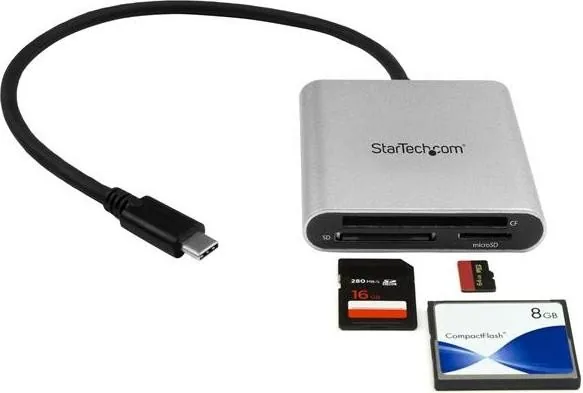
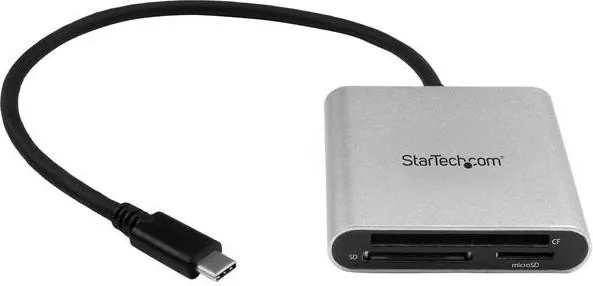
The StarTech Multi-Slot Card Reader, USB-C 3.0 (Plug) is a compact, bus-powered device designed to give quick access to a wide range of memory cards via a USB-C port. Supporting USB 3.0 (also marketed as USB 3.1 Gen 1) speeds up to 5 Gbps, this reader is ideal for photographers, content creators, and anyone who needs fast file transfers between cards and modern computers or tablets. Its plug-and-play nature means no drivers or extra power is required—simply insert a supported card and connect the USB-C plug to your host device.
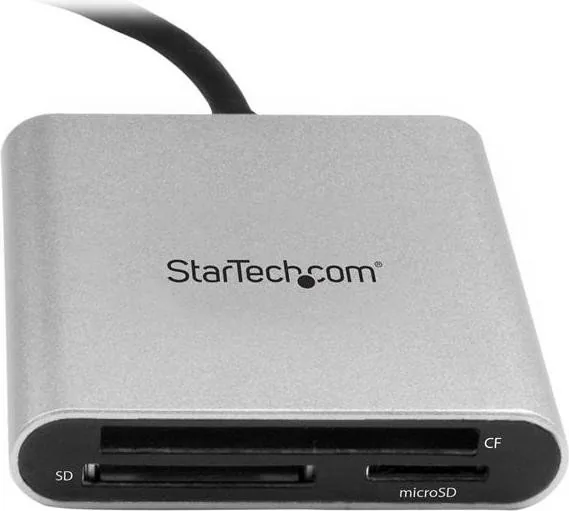
This reader accepts multiple card formats including microSD, microSDHC, microSDXC, CompactFlash Type I/II, and Secure Digital variants (SDSC, SDHC, SDXC). The unit is designed for single-card access at a time; inserting multiple cards simultaneously will prevent simultaneous access. The device prioritizes the most recently inserted card if more than one is present.
Using the reader is straightforward: slide a memory card into the correct slot until it clicks, plug the USB-C connector into a compatible port, and access files through your operating system’s file manager. Transfer speeds depend on both the card’s specifications and the host port capabilities, so matching high-speed cards with a capable USB-C port yields the best performance.
The product package includes the multi-card reader and a brief instruction manual. It is OS-independent and requires no additional software. The StarTech reader is FCC and Industry Canada compliant, and backed by a two-year warranty with lifetime technical support available from StarTech.
Common troubleshooting notes highlight that some operating systems may not support certain file systems or card formats, and that only one card can be accessed at a time. If a card is not detected, ensure only one card is inserted and check that the host OS supports the card type and file format.
Notes
- Data rates are limited by card and host port speeds; actual throughput may be lower than 5 Gbps.
- Do not insert multiple cards for simultaneous access—use one card at a time.
- The reader is bus-powered; no external power source is required.
- For the latest compatibility info, drivers, and support, visit StarTech support resources.
Search for 67,706 Manuals online


Type-in Brand or Model