
StarTech ECUSB3S1 Manual
PDF manual · 8 Pages
English



Quick check
Incorrect answer, please try again.
Chat with your StarTech ECUSB3S1 manual using AI
Get instant AI answers from your StarTech ECUSB3S1 manual
Ask anything about the StarTech ECUSB3S1. Answers come from this manual, with the pages they are based on.
Ask a Question
Do you recommend ECUSB3S1?
Yes NoFrequently Asked Questions
It adds one USB-A 3.0 port through an ExpressCard/34 slot. This gives older laptops a faster external USB connection for drives, adapters, and other peripherals without replacing the machine.
Is this answer helpful?
Yes. The adapter is designed to sit fully inside the ExpressCard/34 slot so it does not stick out. That makes it more convenient for mobile use and reduces the risk of snagging or damage.
Is this answer helpful?
Yes. It is backward compatible with USB 2.0, USB 1.1, and USB 1.0 devices. You can keep using older peripherals while gaining the benefits of a USB 3.0 connection.
Is this answer helpful?
No. The card is hot-pluggable, so it can be inserted or removed without powering off the computer. Just make sure the system supports ExpressCard and follow the installation steps.
Is this answer helpful?
Some ExpressCard/54 slots hold a 34mm card loosely. The stabilizer bracket helps keep the adapter secure and reduces movement, which is useful if the laptop is moved often.
Is this answer helpful?
Possibly. The adapter includes a USB to DC cable for additional power support. This can help when using demanding USB 3.0 devices that need more power than the slot alone provides.
Is this answer helpful?
Advantages and Disadvantages
Advantages

- Flush-mount design keeps the adapter level with the laptop for safer travel and a cleaner look.
- USB 3.0 support delivers up to 5 Gbps for faster file transfers and modern peripherals.
- Backward compatibility lets you use USB 2.0 and USB 1.1 devices without replacing existing accessories.
- Included stabilizer bracket and power cable improve fit and power support in demanding setups.
Disadvantages

- Requires an ExpressCard/34 slot, so it is only useful on compatible older laptops.
- Driver installation is needed, which adds setup steps compared with plug-and-play devices.
- Maximum speed depends on the host system and may be lower on ExpressCard 1.0 systems.
Product Specification
External
1x USB-A 3.0
Internal
N/A
Interface
ExpressCard/34
Chipset
NEC Renesas uPD720200
Special features
UASP
USB designation
Link
Product Description
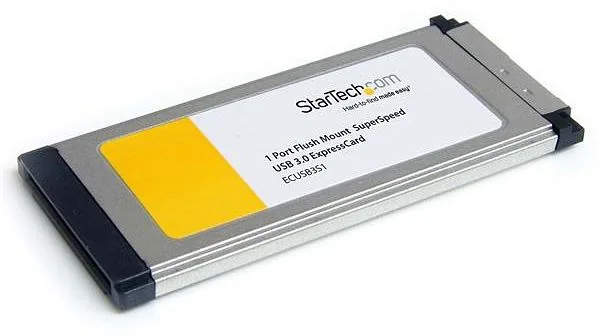
StarTech ECUSB3S1 1x USB-A 3.0 ExpressCard/34
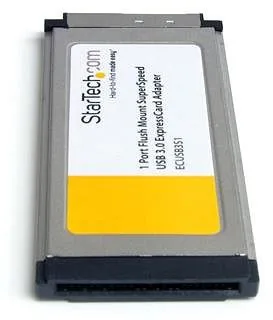
The StarTech ECUSB3S1 1x USB-A 3.0 ExpressCard/34 is a practical upgrade for laptops that still rely on the ExpressCard slot. Designed with a flush-mount profile, it sits neatly inside a 34mm bay without protruding, making it a smart choice for users who want faster connectivity without adding bulk or risking accidental damage while traveling.
A compact way to add SuperSpeed USB
This adapter brings USB 3.0 speeds up to 5 Gbps, which is a meaningful improvement for moving large files, connecting external drives, and using modern peripherals. It also stays backward compatible with USB 2.0 and USB 1.1 devices, so older accessories can still be used without hassle. That flexibility makes it useful in mixed-device setups where convenience matters as much as speed.
Built for everyday laptop use
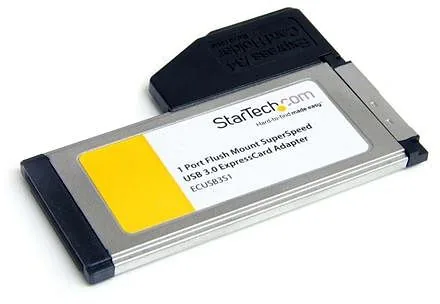
One of the most appealing aspects is the flush design. Because the port does not stick out, the card can remain installed even when the laptop is on the move. StarTech also includes a 34mm to 54mm stabilizer bracket, which helps secure the adapter in looser ExpressCard/54 slots. For power-hungry USB devices, the included USB to DC adapter cable can provide extra support when needed.
Installation is straightforward, and the card is hot-pluggable, so users do not need to power off the system to insert or remove it. The included StarTech ECUSB3S1 1x USB-A 3.0 ExpressCard/34 Manual walks through setup and driver installation for supported Windows versions, helping keep the process simple for older systems that still depend on this expansion standard.
Why it stands out
This adapter is especially valuable for professionals, technicians, and home users who want to extend the life of an older laptop. Instead of replacing a reliable machine, this small add-on delivers a modern USB upgrade in a clean, low-profile format. It is a focused solution: compact, compatible, and made for users who need speed without sacrificing portability.
Notes
- Best suited for ExpressCard/34-equipped laptops
- Extra power may be needed for some USB 3.0 devices
- Ideal when a flush, travel-friendly upgrade is preferred
- Supports a range of legacy Windows systems
Search for 67,706 Manuals online


Type-in Brand or Model
maria_k
10 months ago
Will this ExpressCard USB 3.0 adapter work reliably with an older laptop on Windows 10, and what speeds should I expect?
Manual.ly
10 months ago
Many users report it works on Windows 10, but older chipsets may limit performance. For best results, check your BIOS ExpressCard settings and set the slot to PCIe 2.0 (this can be required to reach full USB 3.0 throughput). Also update the card firmware if available, and install the appropriate xHCI/USB 3.0 driver from the manufacturer (a generic Microsoft driver may be slower or less stable on older systems). With older platforms, write speeds around 80-100 MB/s and slightly reduced overall transfer rates are common. If large file copies stall or the drive disconnects, try the vendor driver version, and disable any power-saving features that may put the controller into low power during long transfers.