
StarTech DP2DVID2 Manual
PDF manual · 2 Pages
English



Quick check
Incorrect answer, please try again.
Chat with your StarTech DP2DVID2 manual using AI
Get instant AI answers from your StarTech DP2DVID2 manual
Ask anything about the StarTech DP2DVID2. Answers come from this manual, with the pages they are based on.
Ask a Question
Do you recommend DP2DVID2?
Yes NoFrequently Asked Questions
No. The StarTech active DisplayPort to DVI-D Dual Link adapter is plug-and-play and typically requires no software or driver installation. Simply connect the DisplayPort, plug the USB power lead into an available USB port, and attach your DVI-D cable.
Is this answer helpful?
The adapter supports up to 2560x1600 resolution, provided you use a dual-link DVI-D cable and the connected display supports that resolution. Lower resolutions will also function normally.
Is this answer helpful?
The USB connector supplies supplemental power required for the active conversion circuitry. Without USB power the adapter may not drive high-resolution or demanding displays reliably.
Is this answer helpful?
No. This adapter provides a digital DVI-D output only. It does not carry analog signals, so it won’t support DVI-A or VGA displays without an additional active converter that supports analog signaling.
Is this answer helpful?
Yes. To achieve the maximum 2560x1600 resolution, you must use a dual-link DVI-D cable. Single-link DVI cables will limit the maximum supported resolution.
Is this answer helpful?
StarTech provides a two-year warranty on this product and lifetime technical support. Online resources include documentation, troubleshooting tools, and driver/download pages if needed for related products.
Is this answer helpful?
Advantages and Disadvantages
Advantages

- Supports up to 2560x1600 resolution when used with a dual-link DVI-D cable.
- Active conversion requires no driver installation—plug-and-play functionality.
- Compact, lightweight design with integrated short cables for desktop use.
- Includes USB power lead so it can drive higher-resolution DVI displays.
- Backed by StarTech two-year warranty and lifetime technical support.
Disadvantages

- Requires an available USB port for power, adding a small power dependency.
- Short integrated cables may limit placement flexibility without extensions.
- Limited to DVI-D output—no analog or HDMI signals without additional converters.
- Maximum resolution depends on dual-link DVI cable availability and quality.
- As an active adapter, it’s typically more expensive than passive alternatives.
Product Specification
Type
Adapter
Connector
DisplayPort
Socket
DVI-D Dual Link
Features
active
Product Description
StarTech active DisplayPort/DVI-D Dual Link adapter Manual
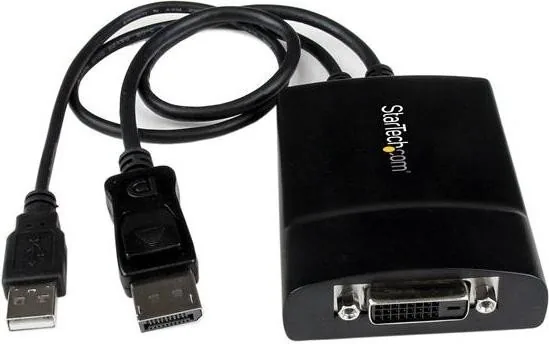
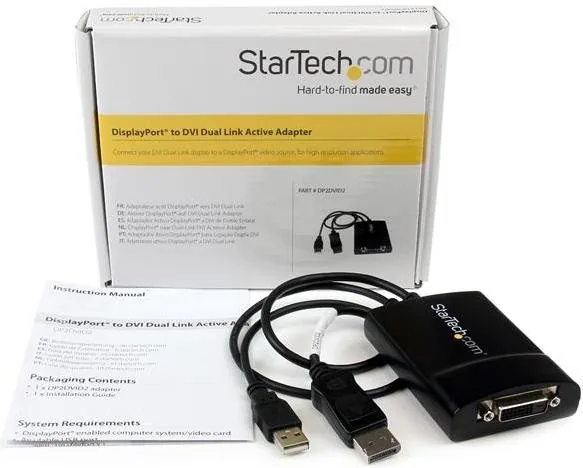
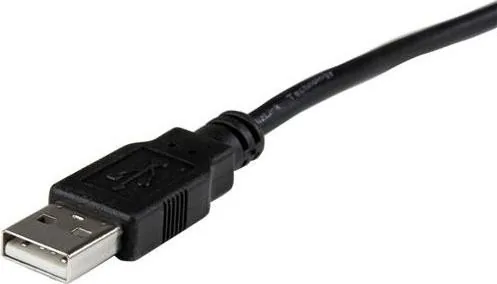
The StarTech active DisplayPort/DVI-D Dual Link adapter is a compact, powered adapter designed to convert a DisplayPort output to a DVI-D (dual link) connection for high-resolution displays. It supports up to 2560x1600 resolution when used with a dual-link DVI-D cable and requires a USB port for power. The adapter features a DisplayPort male input, a DVI-D female output, and an integrated USB Type-A power lead. With short, integrated cables and a lightweight housing, it’s built for workstation setups, legacy display support, and projector connections where DisplayPort sources must drive high-resolution DVI displays.
Key features and usage
This active adapter is intended for systems with DisplayPort-enabled video cards and an available USB port for supplemental power. No driver installation is needed: connect the DisplayPort connector to the computer, plug the USB into an available port, and attach the DVI-D cable to your monitor. For full 2560x1600 performance, use a dual-link DVI-D cable. Typical applications include connecting older DVI-only monitors or projectors to modern DisplayPort-equipped laptops or desktops, bridging mixed interface environments without replacing displays.
Design and specifications
Physically compact, the adapter measures roughly 105.5 x 58.0 x 22.0 mm and weighs about 175 g. Cable lengths are short and convenient for desktop use (DisplayPort ~14.5" and USB ~18"). The product is FCC Class B compliant and backed by StarTech’s two-year warranty and lifetime technical support resources online for troubleshooting, downloads, and documentation.
Practical notes
Because the adapter is active and bus-powered via USB, it is useful when the DisplayPort cannot natively output the required DVI signal or when longer passive adapters won’t support high resolutions. It’s ideal for scenarios that require reliable 10-bit or higher-resolution output over DVI where compatible displays and cables are available.
Notes:
- Use a certified dual-link DVI-D cable for 2560x1600.
- Ensure USB power is connected for correct operation.
- No drivers are required; plug-and-play typically works immediately.
Search for 67,706 Manuals online


Type-in Brand or Model