
Speedlink Vades Manual
PDF manual · 21 Pages
English



Quick check
Incorrect answer, please try again.
Chat with your Speedlink Vades manual using AI
Get instant AI answers from your Speedlink Vades manual
Ask anything about the Speedlink Vades. Answers come from this manual, with the pages they are based on.
Ask a Question
Do you recommend Vades?
Yes NoFrequently Asked Questions
It is designed for gaming and everyday computer use. The wired USB connection, DPI control, and extra buttons make it useful for players who want a simple but responsive mouse for home or office tasks.
Is this answer helpful?
The maximum sensor resolution can be enabled by downloading the Speedlink software from the official website. Without the software, some advanced settings may not be available.
Is this answer helpful?
The mouse includes forward, backward, mouse wheel, rapid fire, and DPI buttons. These controls help with navigation, sensitivity changes, and faster in-game actions.
Is this answer helpful?
Yes. Although it has gaming features, it is also intended as a computer input device for home or office use. Its wired connection and extra buttons can be useful in everyday work.
Is this answer helpful?
No. This model uses a USB cable, which provides a direct connection to the computer. That helps avoid wireless interference and battery concerns.
Is this answer helpful?
It is meant for dry, enclosed indoor spaces only. The instructions also recommend taking regular breaks during extended use to help reduce discomfort or strain.
Is this answer helpful?
Do not dispose of it with household waste. The proper approach is to take it to an official recycling or collection point so it can be handled safely and in line with local rules.
Is this answer helpful?
Advantages and Disadvantages
Advantages

- Wired USB connection helps deliver stable, consistent input with no battery charging or wireless pairing needed.
- Up to 4,800 DPI support offers flexible sensitivity for both precise control and faster cursor movement.
- Dedicated buttons for forward, backward, rapid fire, and DPI adjustment improve convenience in games and daily use.
- The black gaming-style design fits well in a home setup, office desk, or simple esports-inspired workspace.
Disadvantages

- Maximum DPI requires downloading software from Speedlink, so full customization is not available out of the box.
- The mouse is intended for dry indoor home or office use, which limits its suitability for other environments.
- It has no user-serviceable parts, so repairs or internal adjustments are not meant to be done by the user.
- Long periods of use may cause discomfort or pain, so regular breaks are necessary.
Product Specification
Suitability
right hand
Buttons
6 (total), 2 (main), 1 (top), 2 (left), 1 (scroll wheel click)
Scroll wheel
1x 2-way
Sensor
LED-red/IR
Resolution
2400dpi, reducible to 1600/1200/800dpi
Polling Rate
125Hz (wired USB)
Lighting
white, red, green, blue
Connection
wired (70.87in), USB
Power supply
USB
Dimensions (WxHxD)
3.19x1.69x5in
Approximate Volume
7.08in^3 (approximate shape)
Weight
0.25 lb
Color
black
Features
thumb rest
Product Description
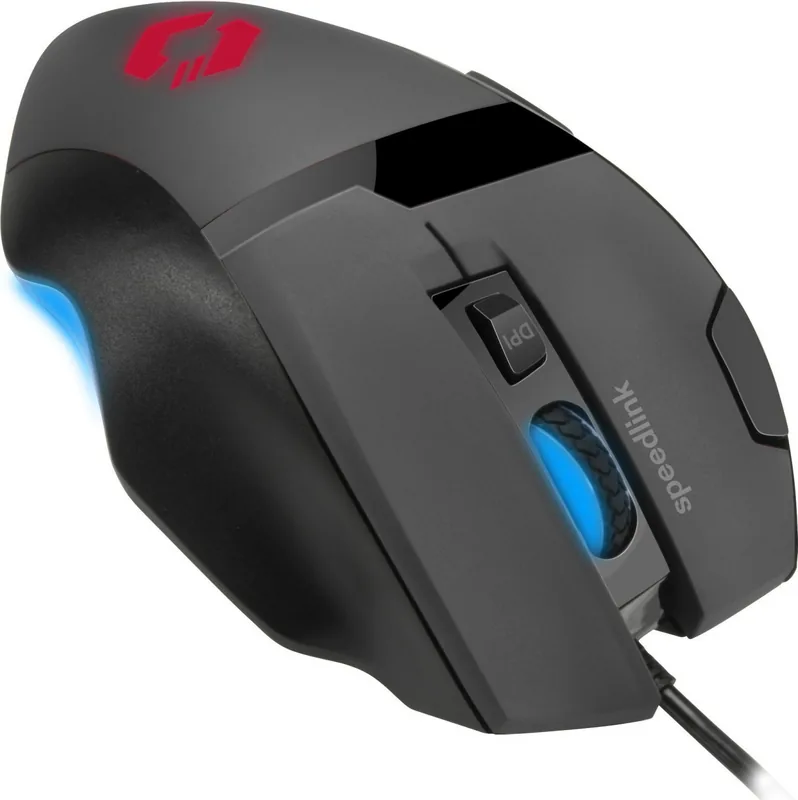
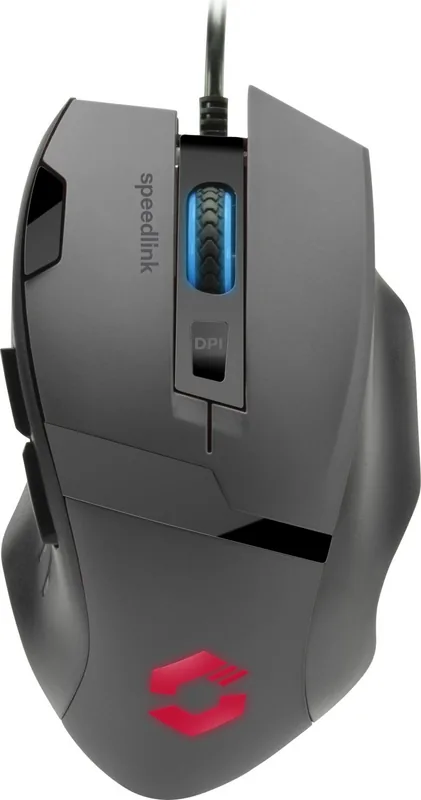
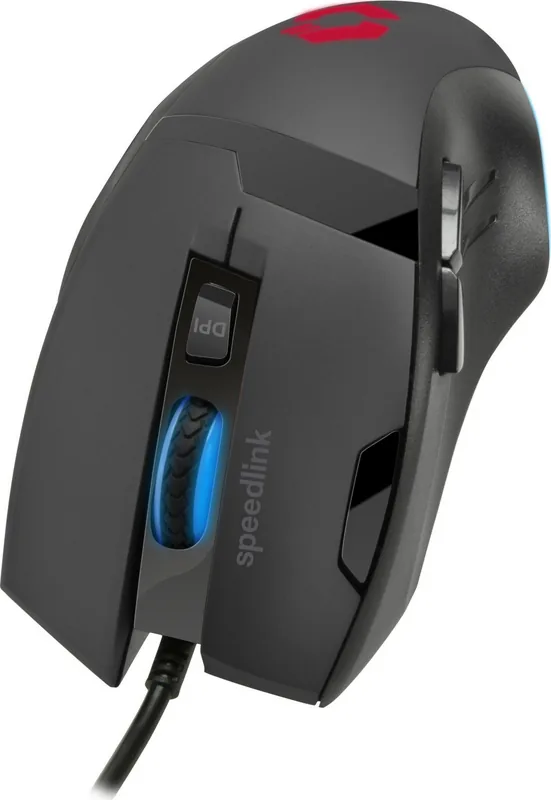
Speedlink Vades Gaming Mouse Black, USB
The Speedlink Vades Gaming Mouse Black, USB is built for players who want a straightforward, responsive mouse with a gaming-focused layout. It combines a clean black design with practical controls that support everyday play, office tasks, and fast-paced action. With its wired USB connection, the mouse is ready for steady use and avoids the delays or battery concerns that can come with wireless devices.
One of the most notable features is the sensor resolution, which can reach up to 4,800 DPI when the companion software is downloaded from Speedlink. That flexibility makes it easier to adapt the mouse to different play styles, whether you prefer precise aiming in slower games or quicker movement in more dynamic titles. The included button layout also suggests a strong focus on efficiency, with dedicated forward, backward, rapid fire, DPI, and mouse wheel functions designed to keep essential actions close at hand.
For gamers, this type of control set can make a real difference. The rapid fire button adds a competitive edge in fast clicking situations, while the DPI button allows on-the-fly adjustment depending on the game or task. The mouse is also suitable for home or office environments, as long as it is used indoors in dry, enclosed spaces. That makes it versatile enough for work during the day and gaming in the evening.
The Vades is a practical choice for users who want a no-fuss peripheral with useful customization potential. It does not aim to be overly complicated; instead, it focuses on the essentials that matter most: reliable connectivity, accessible controls, and configurable sensitivity. This balance makes it appealing to casual gamers, students, and anyone who wants a dependable wired mouse with a little extra performance.
Because the device is intended as an input tool rather than a serviceable product, it should be handled with care and used as directed. Regular breaks are recommended during long sessions to reduce strain. If you are looking for a simple gaming mouse that can be tailored through software and supports a more responsive workflow, the Speedlink Vades Gaming Mouse Black, USB is a solid and practical option.
Notes
- Maximum sensor resolution: 4,800 DPI with software support
- USB wired connection for stable everyday use
- Designed for indoor home or office use
- Take regular breaks during extended use
- Dispose of old equipment through proper recycling channels
Search for 67,706 Manuals online


Type-in Brand or Model
Jozef Dulla
8 months ago
For this price, is the gaming mouse really worth it? Does it include software to customize buttons and lighting, and how is the overall build quality?
Manual.ly
8 months ago
Yes. Reviewers found it a great value, even when the price is slightly higher than a sale offer. It comes with software for customizing functions and lighting effects, and offers multiple programmable buttons. In terms of feel, users reported solid build quality (described as very good), comfortable handling, and a pleasant surface material. If you want an inexpensive mouse with extra features like many assignable buttons and RGB, it appears to meet those expectations.