
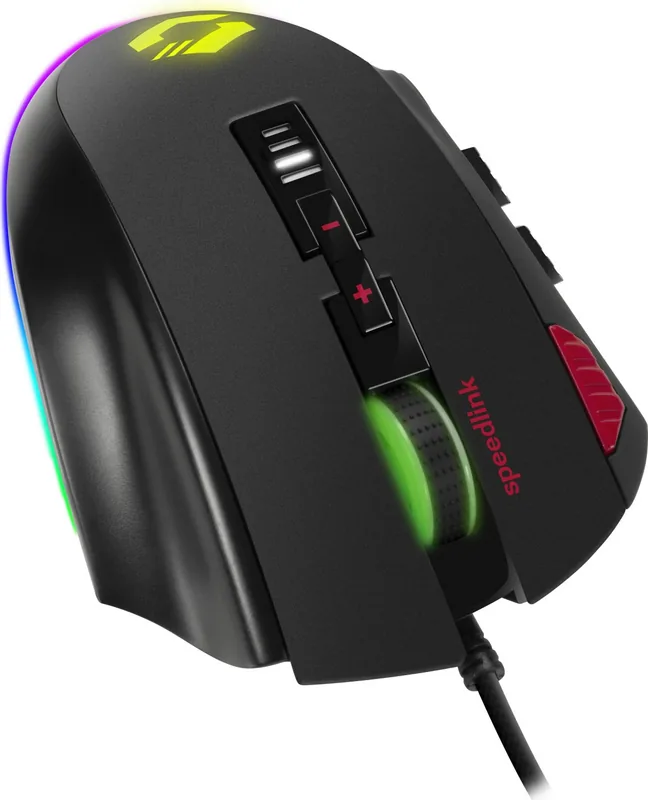
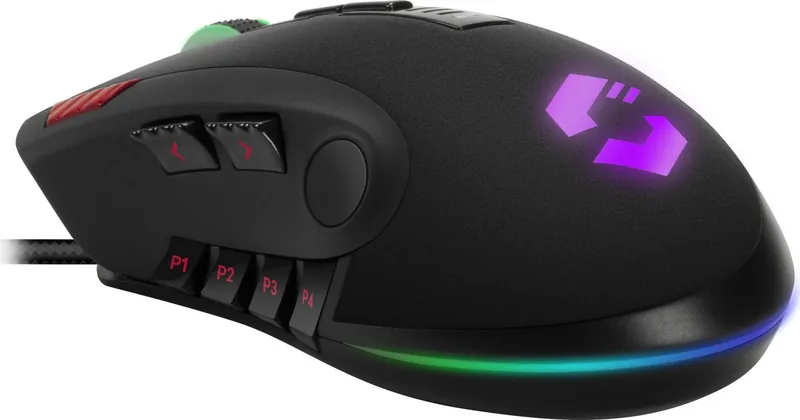
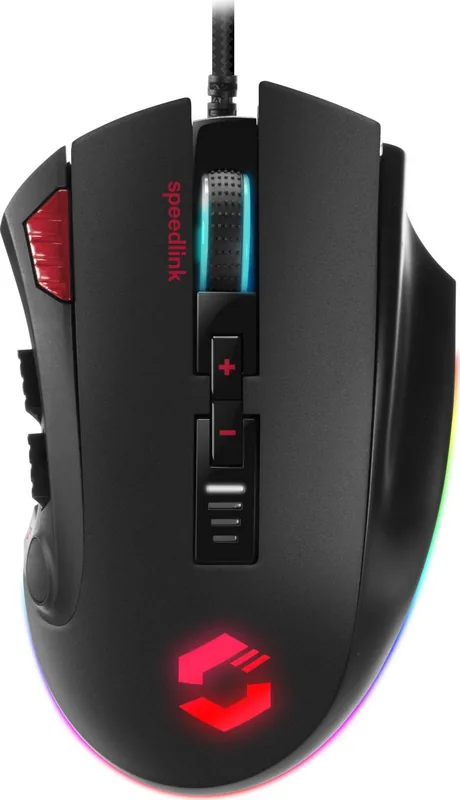
Speedlink Tarios RGB Manual
PDF manual · 21 Pages
English



Quick check
Incorrect answer, please try again.
Chat with your Speedlink Tarios RGB manual using AI
Get instant AI answers from your Speedlink Tarios RGB manual
Ask anything about the Speedlink Tarios RGB. Answers come from this manual, with the pages they are based on.
Ask a Question
Do you recommend Tarios RGB?
Yes NoFrequently Asked Questions
It explains how to use a wired gaming mouse with RGB lighting, DPI control, a rapid fire button, and an adjustable weight system. It also covers safety, disposal, and support information.
Is this answer helpful?
Yes. The mouse includes a DPI button and a DPI status indicator, allowing users to change sensitivity and see the selected level easily.
Is this answer helpful?
No. While it has gaming features, it can also be used for everyday computer tasks at home or in the office, as long as the environment is dry and indoors.
Is this answer helpful?
It lets users tune the mouse’s feel by adding or adjusting weight. This helps create a balance that matches different grip styles and movement preferences.
Is this answer helpful?
The guide recommends downloading the driver from the official Speedlink website. This may be needed to access all functions or improve compatibility.
Is this answer helpful?
Use it as intended, avoid opening or repairing it, stop using it if damaged, and take regular breaks during long sessions to reduce strain.
Is this answer helpful?
Do not throw it away with household waste. Take it to an official recycling point or follow local electronics recycling rules, and remove batteries if applicable.
Is this answer helpful?
Advantages and Disadvantages
Advantages

- Adjustable DPI lets users switch between precision and speed quickly.
- RGB lighting gives the mouse a more modern and gaming-oriented look.
- Additional weight system allows a more customized hand feel.
- Wired USB connection supports stable input without charging hassles.
Disadvantages

- Long use can still cause discomfort, so regular breaks are needed.
- Some features may require driver download before full use.
- It is intended for indoor use only, so it is not a versatile all-purpose device.
- The product should not be opened or repaired by users.
Product Specification
Handedness
right hand
Buttons
12 (total), 2 (main), 3 (top), 6 (left), 1 (scroll wheel click)
Scroll wheel
1x 2-way
Tracking
LED-red/IR
Resolution
12000dpi, adjustable
Sensor
PixArt PMW 3360
Polling Rate
1000Hz (wired USB)
Lighting
RGB
Connection
wired (70.87 in), USB
Power supply
USB
Dimensions (WxHxD)
2.87x1.69x4.88 in
Approximate volume
6.22in^3 (approximate form)
Weight
4.20 oz (+0.35 oz)
Color
black
Features
Thumb rest, Weight system, Onboard memory, Braided cable
Product Description
Speedlink Tarios RGB Black, USB Manual
The Speedlink Tarios RGB black, USB Manual presents a practical look at a gaming mouse built for everyday control and fast-paced play. It is clearly aimed at users who want a wired USB mouse with gaming-focused extras, but without unnecessary complexity. From the outside, it combines a clean black finish with RGB lighting, giving it a modern look that fits both a gaming desk and a home office setup.
Built for control and speed
One of the strongest points of the Tarios RGB mouse is its focus on precision. The DPI button lets users switch sensitivity quickly, while the DPI status indicator helps show the active setting at a glance. That makes the mouse useful for switching between slower, more accurate movements and faster cursor travel. For games, design work, or general browsing, this flexibility can be a real advantage.
The rapid fire button adds another layer of functionality for gamers who value quick reactions. Combined with the wired USB connection, the mouse is positioned as a responsive tool with stable input and no need to worry about charging. The additional weight system is another thoughtful feature, letting users adjust the feel of the mouse to suit their personal preference.
Simple setup, broad use
The guide also points to a straightforward setup process, with driver downloads available from Speedlink. That makes it easier to unlock the full feature set and keep the device working as intended. The mouse is meant for indoor home or office use, and the instructions emphasize care, proper handling, and regular breaks during long sessions. This is especially important for anyone using input devices for extended periods.
Beyond performance, the text also stresses responsibility. It reminds users not to disassemble the product, to stop using it if damaged, and to dispose of it properly through recycling channels rather than household waste. These notes show that the product is designed with both usability and long-term safety in mind.
Notes
- Best suited for desktop users who prefer a wired gaming mouse.
- RGB lighting adds style without changing the core function.
- DPI switching and adjustable weight help personalize the experience.
- Regular breaks are recommended during long use.
- Check the official Speedlink site for drivers and support.
Search for 67,706 Manuals online


Type-in Brand or Model
maria_k
9 months ago
Is the Speedlink TARIOS RGB SL-680012 really easy to install and configure (DPI, 12 buttons, RGB, P1-P4 profiles) for games like World of Warcraft?
Manual.ly
9 months ago
Yes. It is a USB plug-and-play mouse, so it should be recognized immediately after connecting to your laptop/PC. A printed manual with multiple languages (including German) is included and explains the main steps clearly. For configuration, you can use the included software to set the DPI using the DPI switch and to program the 12 buttons, including the P1-P4 profiles for different games (colors, button functions, and macros). RGB lighting is controllable in the software as well. There can be a short learning period to understand all options, but once the profiles are set, it is straightforward to switch between configurations.