
Speedlink Sona Manual
PDF manual · 1 Pages
English


Quick check
Incorrect answer, please try again.
Chat with your Speedlink Sona manual using AI
Get instant AI answers from your Speedlink Sona manual
Ask anything about the Speedlink Sona. Answers come from this manual, with the pages they are based on.
Ask a Question
Do you recommend Sona?
Yes No
Sarah Miller
5 months ago
Does this headset stay comfortable during long video calls, and is the battery life reliable according to the on-screen indicator?

Manual.ly
5 months ago
Based on user feedback, the headset features large ear cups designed for comfort during extended wear without ear pain. Several users reported excellent battery stability, with the indicator remaining accurate after over three hours of continuous calls. It is suitable for Teams and remote meetings.
Sarah Jenkins
7 months ago
Is this headset comfortable for long-term wear and does the battery hold up during work calls?
Manual.ly
7 months ago
Yes, users report high comfort levels even after several hours of continuous use. The large ear cups reduce pressure on the ears, making it suitable for all-day wear. One user noted no ear pain after three hours. The battery life is impressive, with some reporting the charge remained high after extended meetings. The microphone is adjustable for clear communication in team settings. Overall, it performs well for professional video calls and remote work tasks.

joanne65
6 months ago
Is this headset comfortable for long Teams calls, and are the controls easy to use?
Manual.ly
6 months ago
Yes. Reviews indicate that the large ear cushion and adjustable fit remain comfortable even after several hours of use. The volume controls are positioned intuitively, and the centrally located mute button is easy to find during meetings. The adjustable microphone and strong battery performance also make it suitable for remote work.
sed25
4 months ago
Is this headset comfortable for long Microsoft Teams calls, and how is the battery life?
Manual.ly
3 months ago
Reviews indicate that it is well suited to long work calls. The large ear cushion and adjustable fit were reported as comfortable even after more than three hours, with no ear pain. Sound and microphone quality were considered good for Teams, and the physical volume and mute controls are easy to reach. One user also reported the battery indicator still showing 100% after a three-hour session. The single-ear design lets you remain aware of your surroundings.
Joe White
4 months ago
Is this headset comfortable for long Teams calls, and are the controls easy to use?
Manual.ly
4 months ago
Yes. Reviews indicate that the large ear cup remains comfortable even after several hours, although a small adjustment may be needed initially. The volume controls and centrally placed mute button are easy to reach, and the adjustable microphone works well for remote meetings. Users also report clear sound, strong battery performance, and the convenience of a one-sided design for staying aware of the surroundings.
Rachael Schulist
4 months ago
Is this headset comfortable for long Teams calls, and are the controls easy to use?
Manual.ly
4 months ago
Yes. Reviews indicate that the large ear cushion remains comfortable even after more than three hours of use once the fit is adjusted. The volume controls are positioned intuitively, and the centrally placed mute button is easy to access during group calls. Sound quality is described as comparable to, or better than, wired Bluetooth headsets, and the adjustable microphone supports clear remote conversations.
David Ward
4 months ago
Is this headset comfortable for long Teams calls, and does it offer good battery life?
Manual.ly
4 months ago
Yes. Reviews indicate that the adjustable fit and large ear cushion remain comfortable even after several hours of use. It is well suited to Teams calls, with intuitive volume and mute controls, an adjustable microphone, and strong battery performance. The single-ear design also lets you stay aware of your surroundings.
Caitlin Morgan
3 months ago
Is this headset comfortable for long Teams calls, and how is the sound and battery life?
Manual.ly
3 months ago
Users report clear call audio comparable to wired headsets, intuitive volume and mute controls, and good comfort after adjusting the fit. The large ear cushion appears suitable for several hours of use without ear pain. One review also reported the battery indicator still showing 100% after a three-hour call. A version with a charging dock is available as well.
AutMagni94
3 months ago
Is this headset comfortable for long Teams calls, and are the controls easy to use?
Manual.ly
3 months ago
Yes. Reviewers found the headset comfortable even after more than three hours, thanks to the large ear cup and adjustable fit. The volume controls are positioned intuitively, and the centrally placed mute button is easy to reach during meetings. Sound and microphone performance were also rated suitable for Teams and remote conversations. A charging dock version is available as well.
Frequently Asked Questions
The Speedlink Sona is designed for phone calls, video conferences, and everyday communication in home-office or workplace environments. Its focus is clear voice transmission, flexible connectivity, and comfortable wear during extended sessions.
Is this answer helpful?
Yes. The headset includes a noise-cancelling microphone intended to reduce unwanted surrounding noise during calls. This helps support clearer communication when working in a shared office or a busy home environment.
Is this answer helpful?
The 400 mAh lithium-polymer battery provides up to 40 hours of talk time and up to 400 hours in standby mode. Actual battery performance can vary with volume, connection conditions, and usage patterns.
Is this answer helpful?
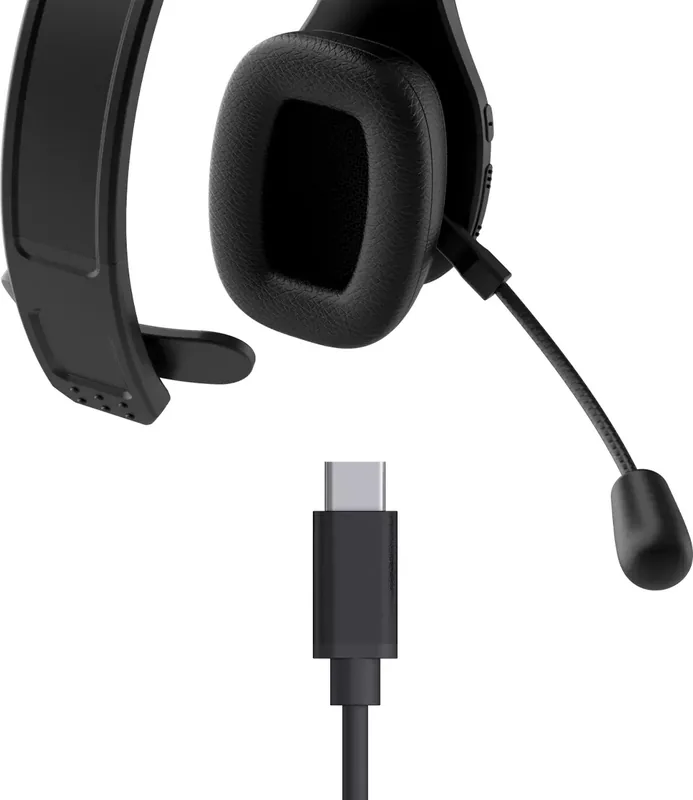
The Speedlink Sona recharges in approximately three hours. It uses a USB-C charging port and includes a 1.5-meter USB-A to USB-C charging cable.
Is this answer helpful?
Yes. The headset can be paired with up to two devices. This can be useful when you want to manage calls from a smartphone while also using a computer for meetings or audio.
Is this answer helpful?
The stated wireless range is up to 10 meters. Range can be affected by physical barriers, wireless interference, and the Bluetooth performance of the connected device.
Is this answer helpful?
Advantages and Disadvantages
Advantages

- Noise-cancelling microphone helps reduce distracting background sound during calls and video meetings.
- Up to 40 hours of talk time and 400 hours of standby support extended work use.
- Can connect through Bluetooth or cable, with wireless range of up to 10 meters.
- Pairs with up to two devices for convenient switching between a phone and computer.
- Padded headband, soft ear cushion, and 145 g weight support long-term comfort.
Disadvantages

- Wireless range may be reduced by walls, signal interference, or crowded Bluetooth environments.
- Charging takes approximately three hours, which may require planning between long work sessions.
- The single-ear-cushion design may not suit users who prefer fully immersive stereo listening.
- A USB-A to USB-C cable is included, so some modern USB-C-only devices may need an adapter.
Product Specification
Type
Headphones (Over-Ear)
Design
Headband, mono
Microphone
Boom microphone
Wireless
Bluetooth 5.0, multipoint
Battery
USB-C charging port, 3 h charging time
Frequency range
20 Hz-20 kHz
Impedance
32 ohms
Driver
1.42 in
Color
black
Weight
5.11 oz
Product Description
Speedlink Sona Manual: Flexible Bluetooth Chat Headset for Work
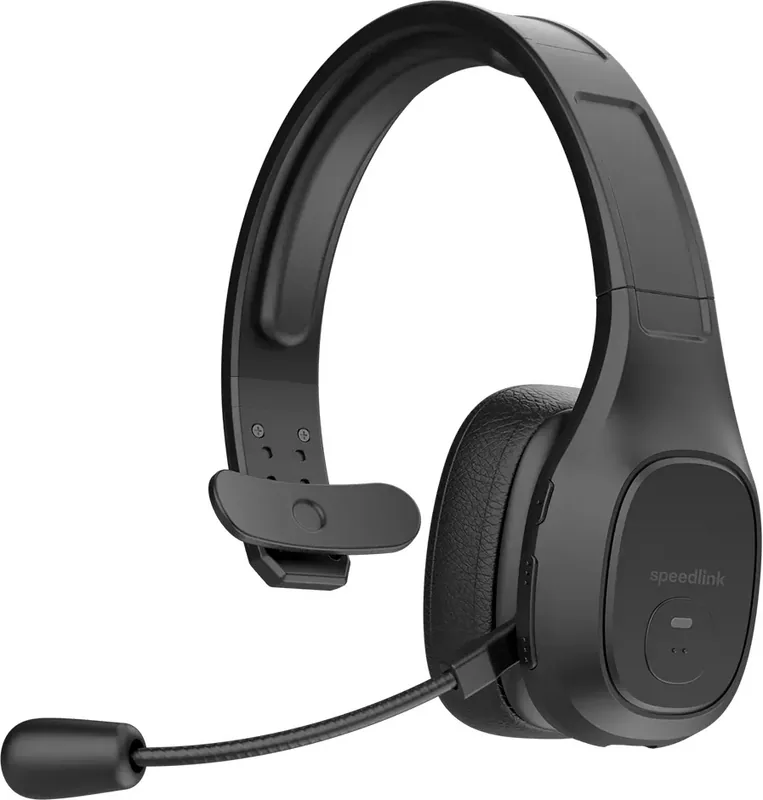
The Speedlink Sona is a lightweight chat headset designed to make calls, video meetings, and daily office communication more comfortable. Built for home offices and professional workplaces, it combines a noise-cancelling microphone, Bluetooth freedom, and a cushioned design in one practical unit. This Speedlink Sona Manual overview highlights the features that matter most when choosing a reliable headset for long working days.
Clear communication with noise reduction
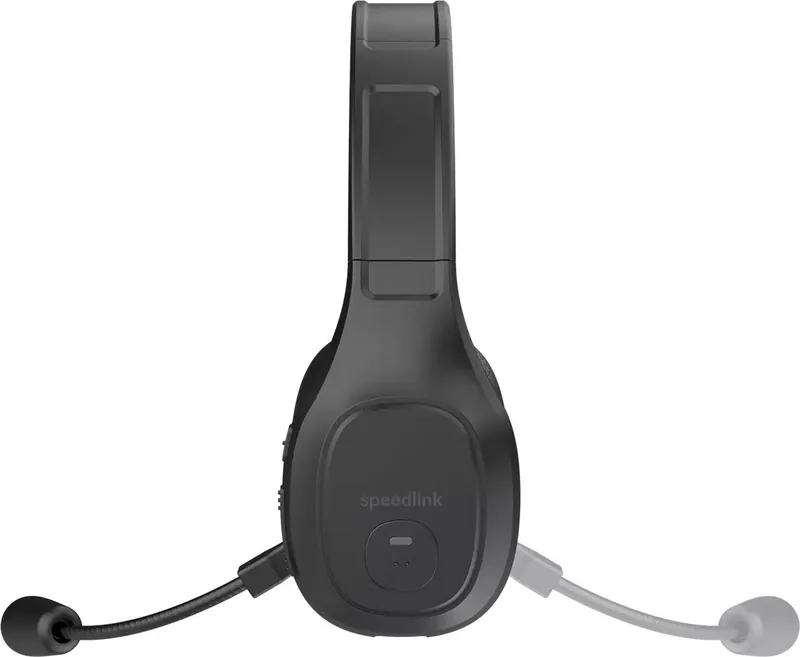
A modern noise-cancelling microphone helps reduce unwanted background sounds during conversations. Whether colleagues are talking nearby or the home environment is busy, the microphone is designed to keep your voice clearer for phone calls and video conferences. An integrated mute button provides fast control when you need privacy or want to prevent interruptions during a meeting.
The headset supports Bluetooth profiles including HFP, HSP, AVRCP, and A2DP, offering broad compatibility for common voice and audio uses. It can also be paired with up to two devices, making it easier to switch between a computer and a phone without repeatedly setting up a new connection.
Wired or wireless flexibility
The Speedlink Sona can be used with a cable or through Bluetooth, letting you choose the setup that fits your workspace. In wireless mode, it offers a range of up to 10 meters, giving you room to move away from your desk while remaining connected. This is useful for short breaks, quick trips across the office, or multitasking during calls.
Its 400 mAh lithium-polymer battery delivers up to 40 hours of talk time and up to 400 hours of standby time. Recharging takes around three hours through the USB-C charging port. The included 1.5-meter USB-A to USB-C charging cable makes it convenient to keep the headset powered from a computer, docking station, or compatible USB adapter.
Designed for extended wear
Comfort is central to the Sona design. A padded headband and soft ear cushion help reduce pressure during lengthy calls and back-to-back meetings. At only 145 grams, the headset is easy to wear throughout the day without adding unnecessary weight.
The 36 mm headphone drivers cover a frequency response of 20 Hz to 20 kHz, supporting clear speech and everyday audio playback. With compact dimensions of 190 x 140 x 170 mm, the headset is also easy to store on a desk or carry between work locations.
Notes
- Bluetooth range can vary depending on walls, interference, and connected devices.
- Charge the headset regularly to maintain dependable wireless performance.
- Pairing two devices is useful for users who handle calls from both a phone and computer.
Search for 67,706 Manuals online


Type-in Brand or Model
Grant Durgan
7 months ago
Is the headset comfortable for long work calls and what is the actual battery performance like?
Manual.ly
7 months ago
Multiple users confirm the headset is comfortable for extended use, noting large ear cups prevent ear pain after hours of Teams meetings. Battery life is exceptional; reviewers observed the charge remaining at 100% even after three hours of continuous operation. The model with the charging station pairs well with existing setups. Volume and mute buttons are intuitively placed for easy access during work sessions.