
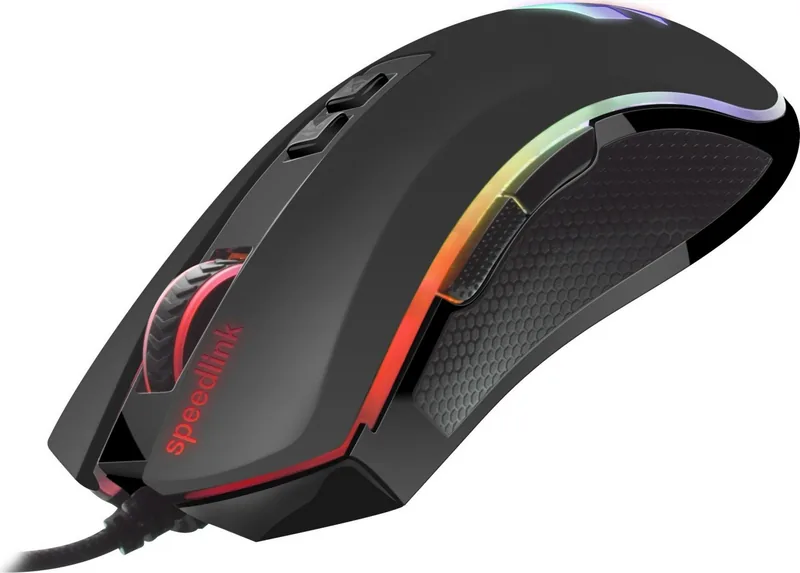
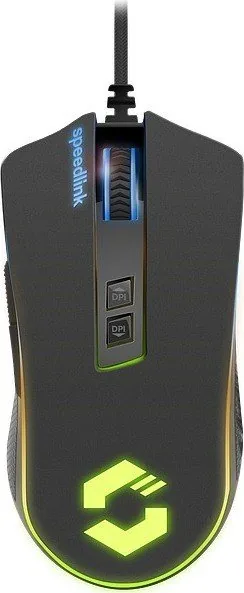
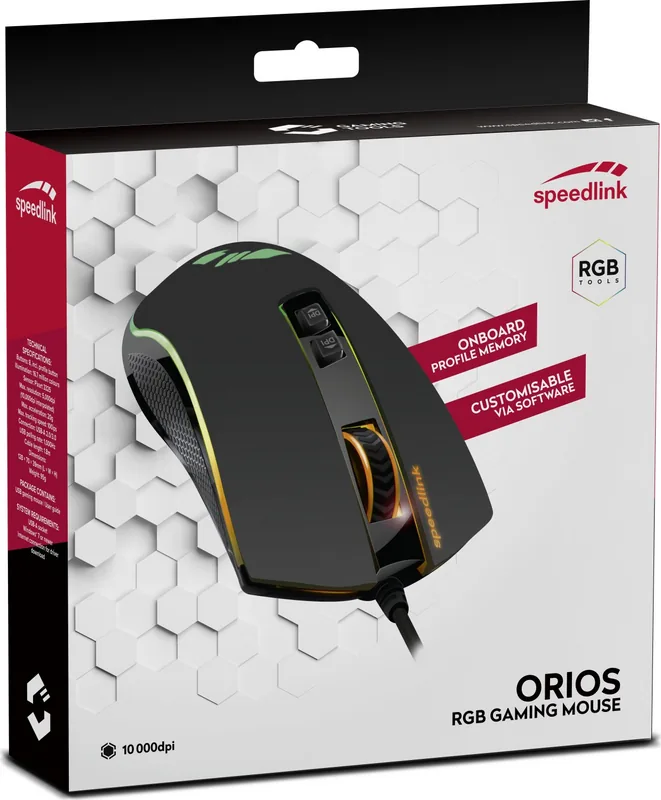
Speedlink Orios RGB Manual
PDF manual · 21 Pages
English



Quick check
Incorrect answer, please try again.
Chat with your Speedlink Orios RGB manual using AI
Get instant AI answers from your Speedlink Orios RGB manual
Ask anything about the Speedlink Orios RGB. Answers come from this manual, with the pages they are based on.
Ask a Question
Do you recommend Orios RGB?
Yes NoFrequently Asked Questions
It is a USB gaming mouse designed for computer input in home or office settings. The model combines a black finish with RGB lighting and basic controls for sensitivity and lighting selection.
Is this answer helpful?
Connect the mouse to a computer via USB and follow any driver instructions if you want extra settings. The manual suggests downloading the driver from Speedlink for full support and configuration.
Is this answer helpful?
The DPI buttons change mouse sensitivity. Lower settings usually help with precise control, while higher settings make the pointer move faster across the screen. This is useful for different tasks and games.
Is this answer helpful?
Yes, the text mentions a colour selection button. That means the mouse offers lighting adjustment, letting you switch or customize the RGB effect to better match your setup or preference.
Is this answer helpful?
Yes. It is intended for indoor home and office use, so it should work well for everyday computing, browsing, and general productivity as well as gaming-oriented tasks.
Is this answer helpful?
Use it only in dry indoor areas, avoid opening the device, and stop using it if it becomes damaged. Take regular breaks during long sessions to reduce the risk of discomfort.
Is this answer helpful?
Advantages and Disadvantages
Advantages

- USB connection makes setup simple and fast.
- DPI buttons provide quick sensitivity control.
- RGB lighting and colour selection add customization.
- Suitable for both home and office indoor use.
Disadvantages

- Designed only for dry indoor environments.
- Long use of input devices may cause discomfort or pain.
- The device should not be opened or repaired by the user.
- Needs proper disposal and recycling instead of regular waste.
Product Specification
Hand orientation
right hand
Buttons
7 (total), 2 (main), 2 (top), 2 (left), 1 (scroll wheel click)
Scroll wheel
1x 2-way
Tracking
red LED/IR
Resolution
5000dpi, adjustable
Sensor
PixArt PMW 3325
Polling Rate
1000Hz (wired USB)
Lighting
RGB
Connection
wired (5.91 ft), USB
Power supply
USB
Dimensions (WxHxD)
2.76x1.54x5.04in
Approximate Volume
5.55in3 (approximate shape)
Weight
0.21 lb
Color
black
Special features
Onboard memory, textile cable
Product Description
Speedlink Orios RGB Black, USB
The Speedlink Orios RGB black, USB Manual points to a mouse that is built for users who want everyday control with a more dynamic gaming feel. Its black finish keeps the look clean and understated, while the RGB lighting adds a more expressive edge for desks that lean toward a modern setup. It is a simple USB device, so the focus stays on easy connection and reliable use rather than complicated setup.
A practical gaming mouse with style
What makes this model appealing is the balance between function and presentation. The text highlights DPI controls, which means users can adjust sensitivity to suit fast movement, precise aiming, or general browsing. That flexibility is useful whether the mouse is used for gaming, office work, or casual computing at home.
The inclusion of a colour selection button suggests that the lighting can be adapted to match different moods or setups. For users who enjoy personalizing their desk space, that small detail matters. It gives the mouse a more premium feel without making it difficult to use. The USB connection also keeps things straightforward: plug it in, install the driver if needed, and get started.
Built for indoor everyday use
According to the guidance, this device is intended for home and office use in dry indoor spaces. That makes it a sensible choice for standard desktop environments, especially where a dependable input device is more important than advanced niche features. The driver download available from Speedlink also suggests there may be extra configuration or support options for users who want to fine-tune performance.
The manual also reminds users to handle the device properly and avoid disassembly. Like many input devices, it is designed for regular use, not repair by the owner. If the mouse shows damage or unusual behavior, it is best to stop using it and seek support instead of forcing continued operation.
Notes
- A good fit for users who want a clean black mouse with RGB flair.
- DPI and lighting controls add useful customization.
- Best suited to dry indoor workstations and desktop setups.
- Regular breaks are recommended during long sessions.
- Dispose of old electronics responsibly and follow local recycling rules.
Overall, the Speedlink Orios RGB black, USB offers a straightforward mix of comfort, adjustment, and visual personality. It is not trying to be overly complex; instead, it delivers a familiar mouse experience with a few well-placed extras that make daily use feel more refined.
Search for 67,706 Manuals online


Type-in Brand or Model
Marius Krüger
7 months ago
Is this gaming mouse a good value, and is it only suitable for right-handed users? Also, do the feet need a mouse pad to prevent wear?
Manual.ly
7 months ago
Yes. Reviewers report it offers strong value for the price, with a precise and reliable sensor for gaming and streaming. Shape and ergonomics are also described as more comfortable than many higher-priced Logitech/Razer models. Note the side buttons are on the left side of the mouse, so it is mainly intended for right-handed users; left-handers may find it inconvenient. Using a mouse pad is strongly recommended: it helps prevent the mouse skates/feet from wearing down, getting scratched, and prolongs the mouse's lifespan, potentially for years with normal use.