
Snakebyte Game:Mouse Manual
PDF manual · 2 Pages
English


Quick check
Incorrect answer, please try again.
Chat with your Snakebyte Game:Mouse manual using AI
Get instant AI answers from your Snakebyte Game:Mouse manual
Ask anything about the Snakebyte Game:Mouse. Answers come from this manual, with the pages they are based on.
Game:Mouse Maintenance Schedule
Avoid prolonged use of the product and take a break about every 30 minutes to prevent discomfort or pain in arms and hands.
Clean only with a soft, dry cloth. Avoid cleaning solutions, solvents, or chemicals and do not attempt to clean connectors.
Ask a Question
Do you recommend Game:Mouse?
Yes NoFrequently Asked Questions
Simply connect the USB cable to any free USB port on your PC or Mac. The system will automatically detect the device and install the necessary drivers without requiring additional software downloads.
Is this answer helpful?
The optical sensor allows you to adjust the dots per inch settings up to a maximum of 2,400 DPI by pressing the dedicated DPI switch located on the top of the mouse.
Is this answer helpful?
Yes, the BVB-GAMING MAUS is compatible with both Windows and MacOS computers and functions immediately after connection.
Is this answer helpful?
You should clean the mouse only with a soft, dry cloth. Avoid using cleaning solutions, solvents, or chemicals as they may damage the product or connectors.
Is this answer helpful?
No, you should not expose the product to liquids. Never use the mouse when it is wet and keep all liquids away from the device to prevent damage.
Is this answer helpful?
If you feel tired or experience discomfort or pain, stop using the product immediately and consult a doctor. Take regular breaks every 30 minutes during use.
Is this answer helpful?
Customer support is provided by snakebyte distribution GmbH. You can contact them via email or visit their website for technical assistance.
Is this answer helpful?
Advantages and Disadvantages
Advantages

- Plug and Play setup requires no difficult driver installation or software for basic operation
- Adjustable DPI switch allows users to change sensitivity easily up to 2,400 DPI
- Forward and backward buttons provide convenient navigation for web browsing
- LED light indicator confirms the device is powered and ready to use instantly
- Compatible with both Windows and MacOS operating systems seamlessly
Disadvantages

- Wired USB connection limits mobility and creates cable clutter on desktop
- Optical sensor is limited to 2,400 DPI compared to high-end wireless competitors
- Lack of software customization prevents detailed button mapping adjustments
- Black and yellow color scheme may not match all aesthetic gaming preferences
Product Specification
Handedness
right hand
Buttons
6 (total), 2 (main), 1 (top), 2 (left), 1 (scroll wheel click)
Scroll Wheel
1x 2-way
Tracking
LED-red/IR
DPI
2400 dpi, adjustable down to 1600/1200/800 dpi
Sensor
Sunplus SPCP168A
Polling Rate
125Hz (wired USB)
Lighting
yellow
Connection
wired (5.25 ft), USB-A 2.0
Power Supply
USB
Weight
0.30 lbs
Color
multicolor, black/yellow, Logo
Features
thumb rest, fabric cable
Product Description
Elevate Your Gaming Experience
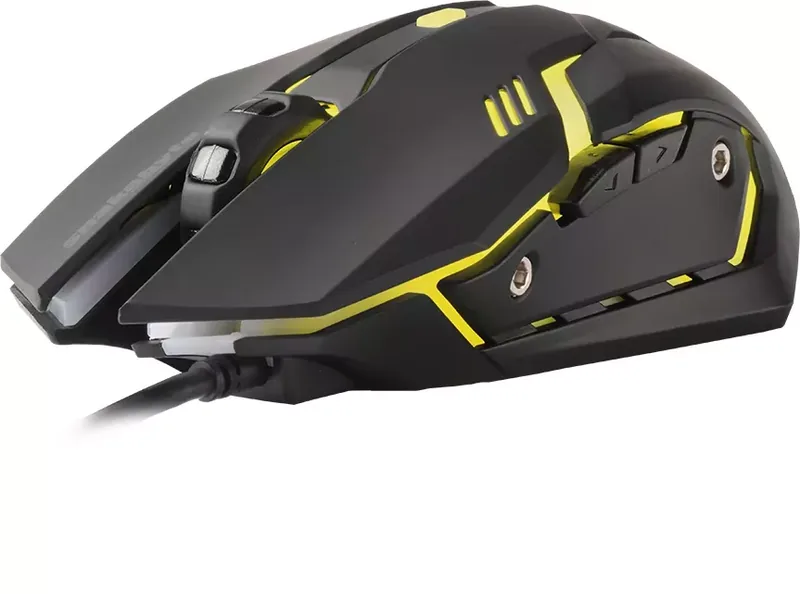
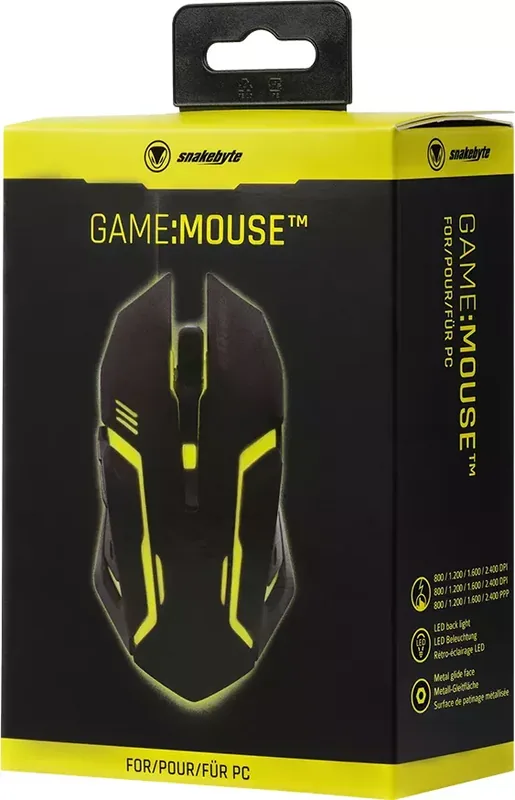
When it comes to selecting the perfect peripheral for your personal gaming setup, finding the right balance between high performance and physical comfort is absolutely crucial for long sessions. The Snakebyte Game:Mouse black/yellow USB model stands out significantly as a robust and reliable choice for dedicated gamers who demand functionality without the unnecessary complexity of heavy third-party software configurations. This specific device integrates seamlessly into almost any existing workspace, providing a straightforward Plug and Play experience for users of all skill levels. Upon connecting the standard USB cable to a free port on your computer, the operating system automatically detects the attached hardware and installs the necessary drivers in just a few seconds. An LED light indicator on the hardware confirms instantly that the mouse is powered on and fully ready for immediate action.
Precision and Control
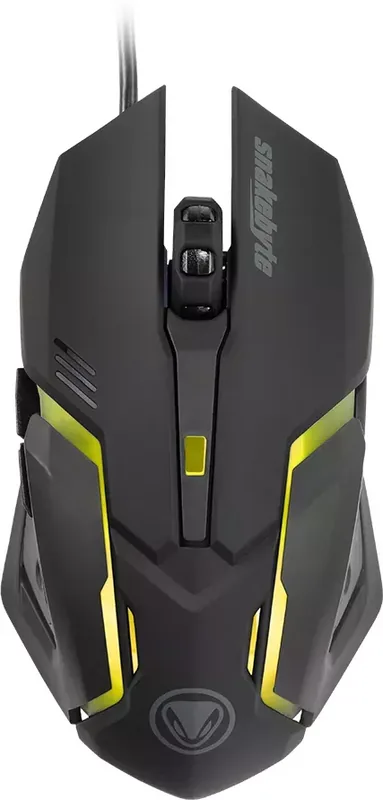
Performance is truly the core component at the heart of this optical sensor gaming mouse. Users retain full control as they can adjust their sensitivity settings dynamically up to 2,400 DPI using a dedicated switch located conveniently on the top surface. This flexibility allows for precise cursor movement whether you are navigating complex inventory menus or aiming rapidly in fast-paced action titles. The ergonomic button layout includes standard left and right clicks paired comfortably with a scroll wheel that assists significantly in browsing long web pages or documents comfortably. Additional forward and backward buttons offer added convenience for browsing internet pages without needing to reach for a keyboard shortcut constantly. Compatibility is another strong point for this device since it supports both Windows and MacOS without issue.
Design and Durability
The striking black and yellow aesthetic gives the hardware a distinctive look that complements many popular gaming setups and themes. While the exterior casing is designed primarily for durability and resistance to wear, specific care instructions ensure maximum longevity for the device. It is highly recommended to avoid exposure to extreme temperatures, high humidity environments, or direct liquids. Cleaning should be performed exclusively with a soft dry cloth to avoid damaging the finish or the sensitive connectors.
Health and Support
Snakebyte distribution manages the product support services directly for all their customers. You can reach out to their technical team via email or visit their official website for further assistance regarding the BVB-Gaming Maus. Safety guidelines emphasize strictly avoiding drops or any disassembly attempts to prevent electrical hazards and warranty voiding. Regular breaks are also advised during extended usage sessions to prevent strain on your arms or hands. Health precautions are vital for every user. If you feel any discomfort, stop use immediately. Avoid prolonged use. This mouse remains a solid entry-level option for those seeking functional reliability on a tight budget.
Search for 67,706 Manuals online


Type-in Brand or Model
ad81
5 months ago
Can this mouse handle both long office sessions and gaming tasks comfortably?
Manual.ly
5 months ago
According to verified buyer feedback, this mouse is designed for versatility. Users confirm it performs reliably for both gaming and office environments. The ergonomic shape minimizes hand strain during extended use, making it suitable for those with carpal tunnel concerns. Additionally, the scroll wheel offers precise control for applications like Excel, and the customizable LED lighting allows for personal customization. The product delivers strong value at its current price point.