Manual.ly Logo

Snakebyte Game:Mouse Manual

5.0 · 2 Ratings

PDF manual · 2 Pages

English

M: QW-35-FL
page

/ 2

Loading...
e16b27b4660a46b4e5ef1b49afeb47c7001c page 1
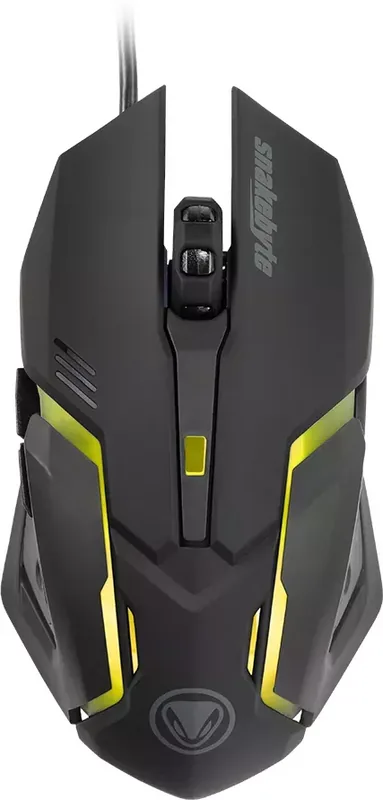
Functions:
a. Left Button
b. Scroll Button
c. Right Button
d. Forward
e. Backward
f. DPI change
Fonctions :
a. Bouton gauche
b. Bouton de défilement.
c. Bouton droit
d. Avant
e. Arrière
f. Réglage PPP.
Funktionen:
a. Linke Maustaste
b. Mausrad
c. Rechte Maustaste
d. Vorwärts
e. Rückwärts
f. DPI-Taste
Controles:
a. Botón izquierdo
b. Botón de desplazamiento
c. Botón derecho
d. Avance
e. Atrás
f. Cambio de ppp
Funzioni:
a. Pulsante sinistro
b. Pulsante Scorri
c. Pulsante destro
d. Avanti
e. Indietro
f. Cambio DPI
Funções
a. Botão Esquerdo
b. Botão de Deslocação do Rato
c. Botão Direito
d. Para a Frente
e. Para Trás
f. Alteração de DPI
Instruction Manual
Instructions d‘utilisation
Bedienungsanleitung
Manuale di istruzioni
Manual de instrucciones
Instruções de funcionamento
BVB-GAMING MAUS FOR PC
OPERATION INSTRUCTION
Installing your BVB-GAMING MAUS – The BVB-GAMING MAUS is a plug‘n‘play device. The driver software is
installed automatically when the mouse is first connected to the computer. No further software is required
for use.
1. Connect the mouse to a free USB port on your PC or Mac.
2. Windows / MacOS detects the device. A small icon with a note about the installation appears on the
desktop.
3. Wait until the mouse has automatically connected to the PC and the driver software has been installed.
Depending on the speed of the system, this process can take several seconds.
4. The LED light turns on as soon as the mouse is connected and ready for use.
Operation – Use the scroll button (b) to scroll through websites or long documents.
Use the forward and backward buttons (d/e) to navigate between pages of documents or websites.
DPI settings – The BVB-GAMING MAUS uses an optical sensor to display mouse movements. DPI settings
(dots per inch) can be adjusted up to 2,400 DPI by pressing the DPI switch (f).
SAFETY PRECAUTIONS
❱ Do not expose the product to extremely hot, or cold temperatures, high humidity or direct sunlight.
❱ Do not use the the product close to any heat sources.
❱ Do not subject the product to any liquids and never use it when the product is wet
❱ Do not put heavy objects on the product.
❱ Do not throw or drop the product.
❱ Do not attempt to take apart, open, service or modify the product. Doing so could present the risk of
electronic shock, damage, fire, or other hazard.
HEALTH PRECAUTIONS
❱ If you feel tired, experience any discomfort or pain in your arms, or hands, stop using the product imme-
diately and consult a doctor, if the conditions persist.
❱ Avoid prolonged use of this product and take a break about every 30 minutes.
CLEANING
❱ Clean only with a soft, dry cloth. Avoid cleaning solutions, solvents or other chemicals and do not attempt
to clean connectors as this may damage the product.
CUSTOMER SUPPORT / TECHNICAL SUPPORT
snakebyte distribution GmbH
Konrad-Zuse-Strasse 13
58239 Schwerte / Germany
Website: www.mysnakebyte.com
BVB-GAMING MAUS FOR PC
INSTRUCTIONS DE FONCTIONNEMENT
Installation de votre BVB-GAMING MAUS – La BVB-GAMING MAUS est un dispositif « Plug and Play ». Le
logiciel du pilote est installé automatiquement lorsque la souris est connectée à l‘ordinateur. Aucun autre
logiciel n‘est requis pour son utilisation.
1. Connectez la souris à un port USB libre sur votre PC ou Mac.
2. Windows / MacOS détecte le dispositif. Une petite icône précisant l‘installation de l’appareil apparaît sur
votre bureau.
3. Attendez que la souris soit automatiquement connectée au PC et que le logiciel du pilote ait été installé.
Selon la vitesse de votre système d’exploitation, ce processus peut prendre plusieurs secondes.
4. L’éclairage LED s‘allume dès que la souris est connectée et prête à l‘emploi.
Fonctionnement – Utilisez le bouton de défilement (b) pour défiler des sites Web ou les longs documents.
Utilisez les boutons avant et arrière (d / e) pour passer d‘une page à l‘autre de documents ou des sites Web.
Réglage PPP / DPI – La BVB-GAMING MAUS utilise un capteur optique pour afficher les mouvements de
la souris. Les réglages PPP (Points Par Pouce) peuvent être réglés jusqu‘à 2 400 PPP en appuyant sur le
commutateur PPP (f).
MESURES DE SÉCURITE
❱ Ne pas exposer le produit à des températures extrêmement chaudes ou froides, à une forte humidité ou
à une lumière directe du soleil.
❱ Ne pas utiliser le produit près de quelconque source de chaleur.
❱ Ne pas soumettre le produit dans n’importe quel liquide et ne jamais l’utiliser lorsque le produit est mouillé.
❱ Ne pas mettre d’objets lourds sur le produit.
❱ Ne pas lancer ni laisser tomber le produit.
❱ Ne pas tenter de démonter, d’ouvrir, de servir ou de modifier le produit. Cela pourrait présenter le risque
d’un choc électronique, de dommages, d’incendie ou d’autres dangers.
PRÉCAUTIONS SANITAIRES
❱ Si vous vous sentez fatigué, un inconfort quelconque ou des douleurs au niveau de vos bras, ou vos mains,
cessez d’utiliser le produit immédiatement et consultez un médecin, si ces symptômes persistent.
❱ Évitez l’utilisation prolongée de ce produit et faites une pause environ toutes les 30 minutes.
NETTOYAGE
❱ Nettoyez seulement avec un chiffon doux et sec. Évitez les solutions de nettoyage, les solvants ou d’autres
produits chimiques et ne tentez pas de nettoyer les connecteurs car cela pourrait endommager le produit.
SUPPORT CLIENT / SUPPORT TECHNIQUE
snakebyte distribution GmbH
Konrad-Zuse-Strasse 13
58239 Schwerte / Germany
Website: www.mysnakebyte.com
BVB-GAMING MAUS
DE
PT
FR
IT
EN
ES
DK
EN FR
a
e
d
c
f
b
BVB-GAMING MAUS FOR PC
BEDIENUNGSANLEITUNG
Installation der BVB-GAMING MAUS – Die BVB-GAMING MAUS ist ein Plug’n’Play-Gerät. Die Treibersoftware
wird bei der ersten Verbindung der Maus mit dem Computer automatisch installiert. Zur Verwendung ist
keine weitere Software nötig.
1. Schließen Sie das USB-Kabel der Maus an einen freien USB-Port Ihres PCs oder Macs an.
2. Windows / MacOS erkennt das Gerät. Auf dem Desktop erscheint in der Taskleiste ein kleines Symbol mit
einem Hinweis zur Installation.
3. Warten Sie bis sich die Maus automatisch mit dem PC verbunden hat und die Treibersoftware installiert
wurde. Je nach Geschwindigkeit des Systems kann dieser Vorgang einige Sekunden dauern.
4. Die LED-Beleuchtung der Maus schaltet sich ein, sobald die Maus angeschlossen und einsatzbereit ist.
Bedienung der Maus – Webseiten oder lange Dokumente können mit Hilfe des Mausrades (b) komfortabel von
oben bis unten durchgescrollt werden. Mit den vorwärts- und rückwärts-Tasten (d/e) kann zwischen Seiten von
Dokumenten oder Webseiten navigiert werden.
DPI-Einstellung – Die BVB-GAMING MAUS nutzt für die Darstellung der Mausbewegungen einen optischen
Sensor. Die DPI (dots per inch) können mit Betätigen des DPI-Schalters (f) auf bis zu 2.400 DPI angepasst
werden.
SICHERHEITSHINWEISE
❱ Setzen Sie das Produkt nicht sehr hohen oder kalten Temperaturen, hoher Luftfeuchtigkeit, oder direktem
Sonnenlicht aus.
❱ Verwenden Sie das Produkt nicht in der Nähe von Wärmequellen.
❱ Schützen Sie das Produkt vor Flüssigkeiten und benutzen Sie es niemals, wenn es feucht ist.
❱ Stellen Sie keine schweren Objekte auf dieses Produkt.
❱ Werfen Sie das Produkt nicht und lassen Sie es nicht fallen.
❱ Versuchen Sie nicht das Produkt selbst zu öffnen, auseinanderzunehmen oder zu ändern. Dies kann zu
Stromschlag, Beschädigung des Produkts, Feuer oder anderen Gefahren führen.
GESUNDHEITSHINWEISE
❱ Wenn Sie sich müde oder unwohl fühlen, oder Schmerzen in Armen, oder Händen spüren, unterbrechen
Sie sofort die Nutzung des Produkts. Falls die Beschwerden anhalten, konsultieren Sie bitte einen Arzt.
❱ Vermeiden Sie eine übermäßig lange Verwendung des Produkts und legen Sie alle 30 Minuten eine Pause ein.
REINIGUNG
❱ Reinigen Sie das Produkt nur mit einem weichen, trockenen Tuch. Vermeiden Sie die Verwendung von
Reinigungslösungen und Chemikalien und versuchen Sie nicht, die Kontaktstecker zu reinigen, da dies in
Beschädigungen des Produkts resultieren kann.
KUNDENSUPPORT / TECHNISCHER SUPPORT
snakebyte distribution GmbH
Konrad-Zuse-Strasse 13
58239 Schwerte / Deutschland
Telefon: +49 (0) 0800-4022300
Webseite: www.mysnakebyte.com
DE
Funktion
a. Venstre knap
b. Rulleknap
c. Højre knap
d. Frem
e. Baglæns
f. DPI change

Chat with your Snakebyte Game:Mouse manual using AI

Get instant AI answers from your Snakebyte Game:Mouse manual

Ask anything about the Snakebyte Game:Mouse. Answers come from this manual, with the pages they are based on.

Game:Mouse Maintenance Schedule

Every 30 minutes
Take a break from usage

Avoid prolonged use of the product and take a break about every 30 minutes to prevent discomfort or pain in arms and hands.

As needed
Clean with soft dry cloth

Clean only with a soft, dry cloth. Avoid cleaning solutions, solvents, or chemicals and do not attempt to clean connectors.

M: qwen/qwen3.8-flash

Ask a Question

0/1000

Do you recommend Game:Mouse?

Yes No
0
User Pic

ad81

5 months ago

Can this mouse handle both long office sessions and gaming tasks comfortably?

0
User Pic

Manual.ly

5 months ago

According to verified buyer feedback, this mouse is designed for versatility. Users confirm it performs reliably for both gaming and office environments. The ergonomic shape minimizes hand strain during extended use, making it suitable for those with carpal tunnel concerns. Additionally, the scroll wheel offers precise control for applications like Excel, and the customizable LED lighting allows for personal customization. The product delivers strong value at its current price point.

M: QW-35-FL
M: QW-35-FL

Frequently Asked Questions

A

Simply connect the USB cable to any free USB port on your PC or Mac. The system will automatically detect the device and install the necessary drivers without requiring additional software downloads.

Is this answer helpful?

A

The optical sensor allows you to adjust the dots per inch settings up to a maximum of 2,400 DPI by pressing the dedicated DPI switch located on the top of the mouse.

Is this answer helpful?

A

Yes, the BVB-GAMING MAUS is compatible with both Windows and MacOS computers and functions immediately after connection.

Is this answer helpful?

A

You should clean the mouse only with a soft, dry cloth. Avoid using cleaning solutions, solvents, or chemicals as they may damage the product or connectors.

Is this answer helpful?

A

No, you should not expose the product to liquids. Never use the mouse when it is wet and keep all liquids away from the device to prevent damage.

Is this answer helpful?

A

If you feel tired or experience discomfort or pain, stop using the product immediately and consult a doctor. Take regular breaks every 30 minutes during use.

Is this answer helpful?

A

Customer support is provided by snakebyte distribution GmbH. You can contact them via email or visit their website for technical assistance.

Is this answer helpful?

M: QW-35-FL

Advantages and Disadvantages

Advantages

  • Plug and Play setup requires no difficult driver installation or software for basic operation
  • Adjustable DPI switch allows users to change sensitivity easily up to 2,400 DPI
  • Forward and backward buttons provide convenient navigation for web browsing
  • LED light indicator confirms the device is powered and ready to use instantly
  • Compatible with both Windows and MacOS operating systems seamlessly
VS

Disadvantages

  • Wired USB connection limits mobility and creates cable clutter on desktop
  • Optical sensor is limited to 2,400 DPI compared to high-end wireless competitors
  • Lack of software customization prevents detailed button mapping adjustments
  • Black and yellow color scheme may not match all aesthetic gaming preferences
M: QW-35-FL

Product Specification

Handedness

right hand

Buttons

6 (total), 2 (main), 1 (top), 2 (left), 1 (scroll wheel click)

Scroll Wheel

1x 2-way

Tracking

LED-red/IR

DPI

2400 dpi, adjustable down to 1600/1200/800 dpi

Sensor

Sunplus SPCP168A

Polling Rate

125Hz (wired USB)

Lighting

yellow

Connection

wired (5.25 ft), USB-A 2.0

Power Supply

USB

Weight

0.30 lbs

Color

multicolor, black/yellow, Logo

Features

thumb rest, fabric cable

M: QW-35-FL

Product Description

Elevate Your Gaming Experience

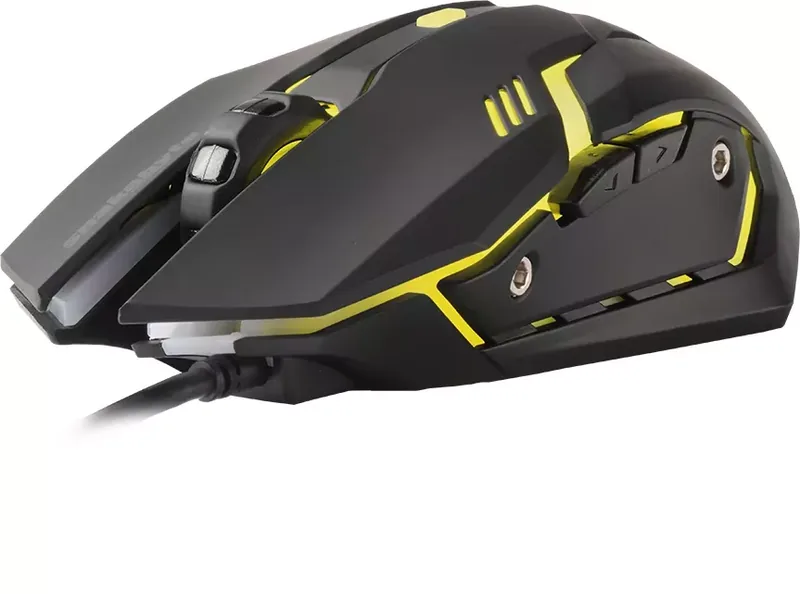
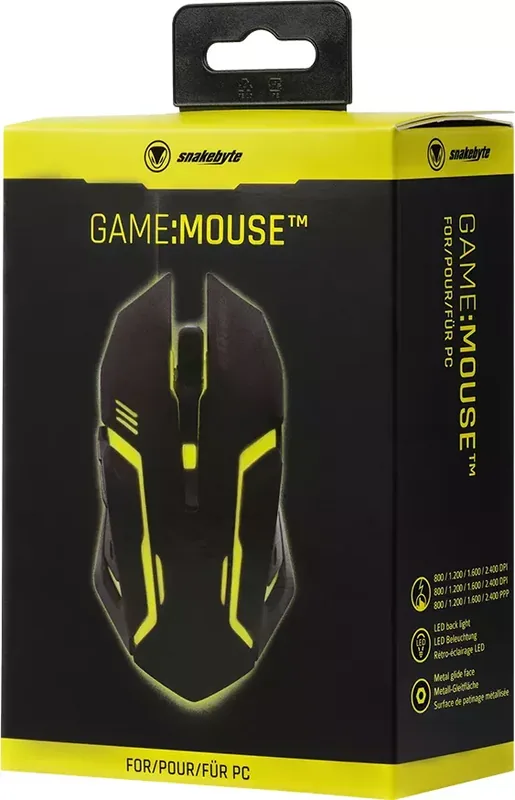
When it comes to selecting the perfect peripheral for your personal gaming setup, finding the right balance between high performance and physical comfort is absolutely crucial for long sessions. The Snakebyte Game:Mouse black/yellow USB model stands out significantly as a robust and reliable choice for dedicated gamers who demand functionality without the unnecessary complexity of heavy third-party software configurations. This specific device integrates seamlessly into almost any existing workspace, providing a straightforward Plug and Play experience for users of all skill levels. Upon connecting the standard USB cable to a free port on your computer, the operating system automatically detects the attached hardware and installs the necessary drivers in just a few seconds. An LED light indicator on the hardware confirms instantly that the mouse is powered on and fully ready for immediate action.

Precision and Control

Performance is truly the core component at the heart of this optical sensor gaming mouse. Users retain full control as they can adjust their sensitivity settings dynamically up to 2,400 DPI using a dedicated switch located conveniently on the top surface. This flexibility allows for precise cursor movement whether you are navigating complex inventory menus or aiming rapidly in fast-paced action titles. The ergonomic button layout includes standard left and right clicks paired comfortably with a scroll wheel that assists significantly in browsing long web pages or documents comfortably. Additional forward and backward buttons offer added convenience for browsing internet pages without needing to reach for a keyboard shortcut constantly. Compatibility is another strong point for this device since it supports both Windows and MacOS without issue.

Design and Durability

The striking black and yellow aesthetic gives the hardware a distinctive look that complements many popular gaming setups and themes. While the exterior casing is designed primarily for durability and resistance to wear, specific care instructions ensure maximum longevity for the device. It is highly recommended to avoid exposure to extreme temperatures, high humidity environments, or direct liquids. Cleaning should be performed exclusively with a soft dry cloth to avoid damaging the finish or the sensitive connectors.

Health and Support

Snakebyte distribution manages the product support services directly for all their customers. You can reach out to their technical team via email or visit their official website for further assistance regarding the BVB-Gaming Maus. Safety guidelines emphasize strictly avoiding drops or any disassembly attempts to prevent electrical hazards and warranty voiding. Regular breaks are also advised during extended usage sessions to prevent strain on your arms or hands. Health precautions are vital for every user. If you feel any discomfort, stop use immediately. Avoid prolonged use. This mouse remains a solid entry-level option for those seeking functional reliability on a tight budget.

M: QW-35-FL

© Copyright 2026 Manual.ly