
Smartwares DIC-23112 Manual
PDF manual · 23 Pages
English



Quick check
Incorrect answer, please try again.
Chat with your Smartwares DIC-23112 manual using AI
Get instant AI answers from your Smartwares DIC-23112 manual
Ask anything about the Smartwares DIC-23112. Answers come from this manual, with the pages they are based on.
Ask a Question
Do you recommend DIC-23112?
Yes NoFrequently Asked Questions
It is a Wi-Fi video doorbell that lets you see, speak with, and record visitors through a mobile app. It is designed for home entry monitoring and remote door communication.
Is this answer helpful?
Yes. You can talk to visitors through the app using the built-in microphone and speaker. This makes it easy to answer the door even when you are not home.
Is this answer helpful?
Yes. It supports microSD recording, so event clips can be stored locally for later playback. The card should be installed correctly and kept within the supported capacity.
Is this answer helpful?
No. The device supports 2.4GHz Wi-Fi only. For setup and stable operation, the doorbell should be connected to a compatible 2.4GHz network.
Is this answer helpful?
Yes. The doorbell includes night vision, which helps capture activity in low-light conditions and improves visibility around your front door after dark.
Is this answer helpful?
Yes. It can be paired with a compatible Smartwares chime so you receive an audible alert indoors even when your phone is not nearby.
Is this answer helpful?
Advantages and Disadvantages
Advantages

- 1080P video and wide-angle viewing help identify visitors clearly.
- Two-way audio and app alerts make remote communication easy.
- MicroSD recording supports local event storage and playback.
- IP55 rating and night vision improve everyday outdoor usability.
Disadvantages

- Only supports 2.4GHz Wi-Fi, not 5GHz networks.
- Setup can be more involved if cables or SD card are added later.
- Event storage is limited by the microSD card capacity.
- Advanced features may feel complex for basic users.
Product Specification
Display
N/A
Image Sensor
1920x1080
Detection Range
160 degrees (horizontal)
Connection
2-wire, WLAN, Wireless Bus (433MHz), microSD slot (max. 32GB)
Participants
1
Protection Class
IP55
Expandability
1x Indoor Station
Scope of Delivery
1x Indoor Station, 1x Outdoor Station
Special Features
IR illumination, app-controlled (Android, iOS)
Product Description
Smartwares DIC-23112 Wi-Fi Video Intercom: A Smarter Way to Welcome Visitors
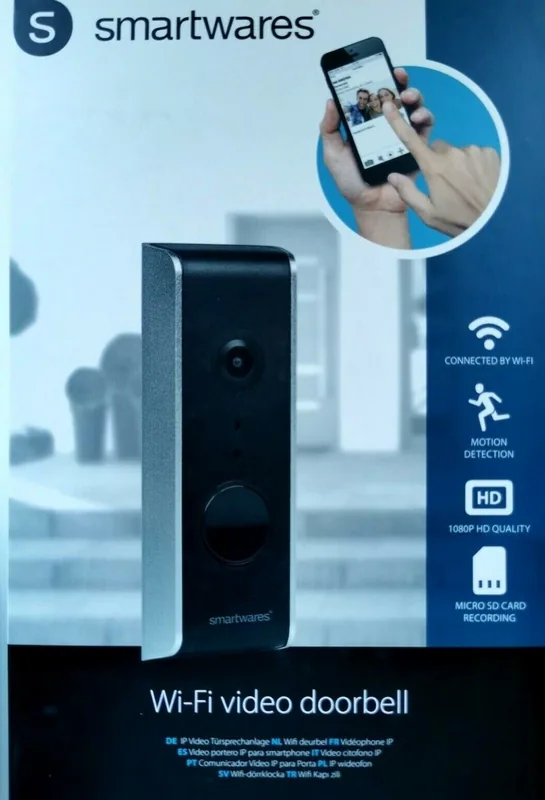
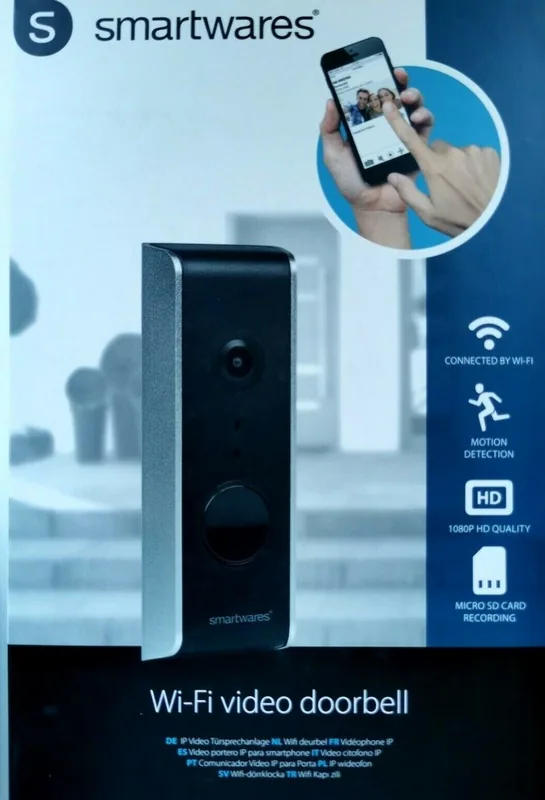
The Smartwares DIC-23112 Wi-Fi Video Intercom blends everyday convenience with practical home security. Designed as a single-participant video doorbell, it gives you a clear view of who is at the door while letting you speak to visitors through the Smartwares View app. It is a compact solution for anyone who wants remote access, motion awareness, and easy communication without complicated setup.
Built for simple monitoring and reliable control
One of the strongest benefits of this model is its flexible app-based experience. Once connected to a 2.4GHz Wi-Fi network, the doorbell supports live video, push notifications, event playback, snapshots, and two-way audio. That means you can check in from your phone whether you are upstairs, at work, or away from home. The 1080P camera and wide viewing angle help capture faces and activity near the entrance more clearly.
The system also supports microSD recording, so events can be stored locally for later review. This is especially useful if you want to keep a record of visitors or missed calls. With night vision, motion detection, and optional email alerts, the device is set up to stay useful both day and night. The outdoor unit is rated IP55, making it suitable for external use in everyday weather conditions.
A feature set that fits modern homes
The Smartwares DIC-23112 is more than a basic doorbell camera. It includes advanced settings for video quality, time stamps, sensitivity, ringtone selection, and Wi-Fi management. Users can also pair the unit with a compatible Smartwares chime for in-home alerts, which is a helpful touch when your phone is not nearby. For households that want extra flexibility, the app offers device management, playback controls, and security options such as PIN lock and password updates.
Installation is straightforward if you follow the setup steps carefully, especially when testing the doorbell before final mounting. The manual recommends adding the SD card early and confirming the Wi-Fi connection before fixing the unit in place. Once configured, it becomes a practical front-door assistant that combines visibility, communication, and recorded proof in one smart package.
Notes
- Works with 2.4GHz Wi-Fi only.
- Best results come from a strong wireless signal.
- Backup recordings regularly if you rely on event storage.
- Change default passwords after setup for better security.
Search for 67,706 Manuals online


Type-in Brand or Model