
Shelly Plug S Manual
PDF manual · 20 Pages
English



Quick check
Incorrect answer, please try again.
Chat with your Shelly Plug S manual using AI
Get instant AI answers from your Shelly Plug S manual
Ask anything about the Shelly Plug S. Answers come from this manual, with the pages they are based on.
Ask a Question
Do you recommend Plug S?
Yes NoFrequently Asked Questions
You can return your Shelly Plug to its Factory Settings by pressing and holding the Button for 10 seconds. Upon successful factory reset Shelly's WiFi LED will flash Red/Blue.
Is this answer helpful?
All Shelly devices are compatible with Amazons' Alexa and Googles' Assistant. You can control your home with your voice using these major platforms.
Is this answer helpful?
The max load is 12A at 230V 50/60Hz AC. Do not connect the Device to appliances exceeding the given max load to prevent damage.
Is this answer helpful?
This function requires an Internet connection. Shelly may turn on/off automatically at a predefined time or based on sunrise/sunset logic.
Is this answer helpful?
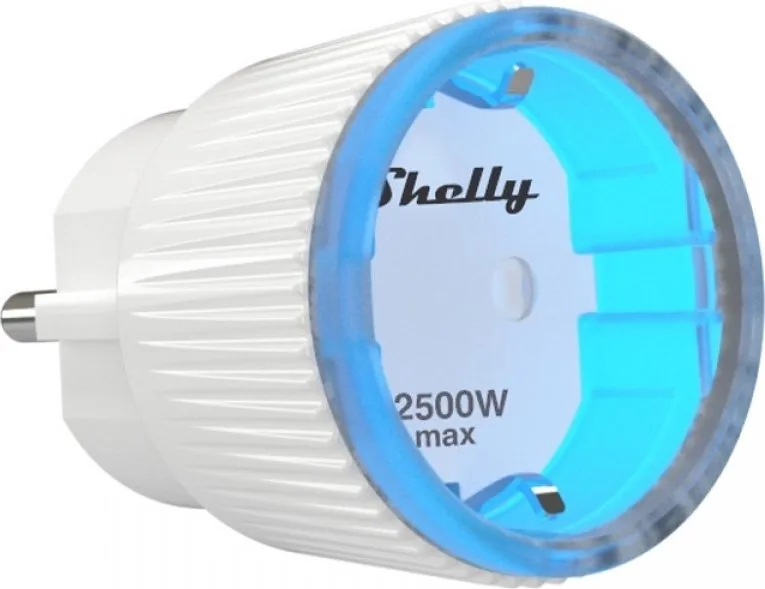
Blue flashing quickly means AP Mode. Blue flashing slowly means STA Mode. Red still indicates Relay On. Red and Blue flashing means Firmware Update.
Is this answer helpful?
Yes, the range is 1 to 2500 Watts. You can configure Shelly to turn off when a defined power consumption is reached.
Is this answer helpful?
Yes, you can update the firmware when a new version is released. Firmware updates can be done via web interface upload.
Is this answer helpful?
Advantages and Disadvantages
Advantages

- Remote control via smartphone or HTTP supported devices
- Compatible with Amazon Alexa and Google Assistant
- Supports weekly schedules and sunrise sunset automation
- Integrated web interface for browser management without app
- Max power protection prevents overload up to 2500 Watts
Disadvantages

- Maximum load limit is 12A at 230 Volts
- Requires WiFi connection for setup and control
- Voltage can remain present across clamps during off state
- Reset requires holding button for ten seconds
- Does not include Ethernet connectivity option
Product Specification
Type
Actuator
Standard
WLAN (802.11b/g/n)
Function
Switch Socket (on/off), Power Measurement
Topology
Star
Dimensions
Dia 1.73 x 2.76 in
Features
App Controlled (Android, iOS), Voice Assistant (Amazon Alexa, Google Assistant)
Product Description
Transform Your Living Space with Intelligent Power Management
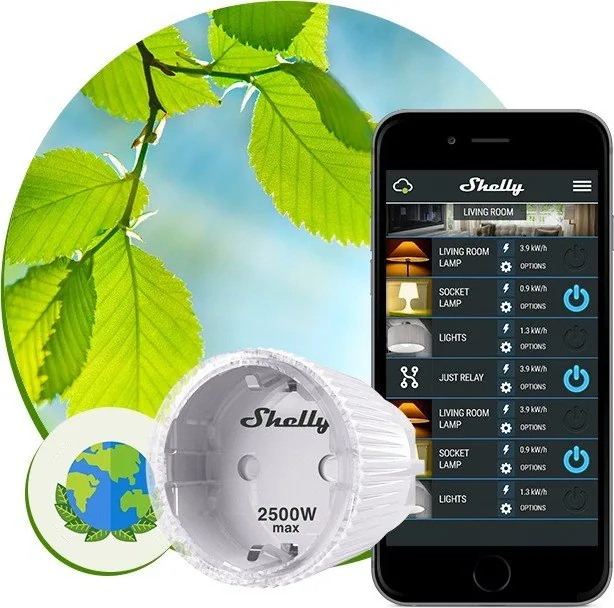
The Shelly Wifi Smart Plug S revolutionizes how you interact with household appliances in a modern digital home. This versatile device allows you to manage electric power through a standard socket seamlessly. Designed to fit into a standard Plug Type F socket. It stands out as a standalone device or works well alongside a home automation controller for complex setups.
Seamless Wireless Connectivity
Connectivity is at the heart of this product experience. Using WiFi 802.11 b/g/n, it connects to your local network effortlessly. Operating ranges reach up to 50 meters outdoors or up to 30 meters indoors. You can control it via a smartphone, PC, or any other device supporting HTTP protocol. The integrated web server allows users to adjust settings directly. You can also use remote access through the Internet to Shelly Cloud via apps available on stores. Setup involves placing Shelly into the power socket without load.
Advanced Automation Features
Automation makes daily routines effortless and efficient. You can set timers for Auto ON or Auto OFF functions directly from the app. The Weekly Schedule function requires an Internet connection for precise timing control. Sunrise and Sunset automation adjusts power based on natural light cycles automatically using API data services. Energy consumption remains low, with electrical usage under 1 Watt per hour of operation. Safety is paramount, with Max Power Protection preventing overload up to 2500 Watts effectively. Power On Default Mode lets you choose ON OFF or Restore Last Mode behavior for convenience.
Voice Control and Cloud Integration
Integrating voice assistants is simple and fast for new users. All Shelly devices work with Amazons Alexa and Googles Assistant reliably at home. This means you can shout commands to turn things on without touching a button physically. The user interface is accessible via the Android or iOS applications provided by the manufacturer. Installation is straightforward for most users to begin. Just place it in the socket and hold the button for red blue flashes to enter setup mode quickly. Cloud registration allows managing all Shelly devices from one account centrally.
Safety and Technical Specifications
You should review the Shelly Wifi Smart Plug S Manual for technical safety notes. Factory resets can be done by holding the button for ten seconds to clear settings. This restores configuration if connection issues arise unexpectedly during use. Security features allow restricting login to the web interface with a username and password. Whether you choose Client or Access Point modes, the system adapts to your network needs effectively. Dimensions are optimized for tight spaces at 70 by 44 by 44 mm size. Working temperature spans minus twenty to forty degrees Celsius for durability. Cable connection requires caution due to electrocution danger potential present. Firmware updates can be done via web interface upload when releases.
Search for 67,706 Manuals online


Type-in Brand or Model