
Shelly H&T Manual
PDF manual · 2 Pages
English



Quick check
Incorrect answer, please try again.
Chat with your Shelly H&T manual using AI
Get instant AI answers from your Shelly H&T manual
Ask anything about the Shelly H&T. Answers come from this manual, with the pages they are based on.
Ask a Question
Do you recommend H&T?
Yes NoFrequently Asked Questions
Shelly H&T uses a 3V CR123A battery. Under recommended settings (send status every 6 hours, 1° temperature threshold, 10% humidity threshold) battery life can reach up to 18 months. Actual life varies with reporting frequency, thresholds and WiFi conditions.
Is this answer helpful?
Place the sensor where you want it, open the case and press the button to enter AP mode. In the Shelly Cloud app choose Add Device, connect your phone to the Shelly WiFi network (or let Android auto-discover), follow prompts to enter your WiFi credentials and save the device with a name and room.
Is this answer helpful?
Temperature range is -40°C to 60°C with ±1°C accuracy. Humidity range is 0–100% with ±5% accuracy. These specifications suit general home and environmental monitoring but may not meet laboratory-grade precision requirements.
Is this answer helpful?
Yes. Shelly H&T supports HTTP REST API and offers advanced options for MQTT and CoAP (CoIOT), enabling integration with third-party controllers, home automation platforms and custom scripts. Developer docs and support are available at shelly.cloud or via [email protected].
Is this answer helpful?
To factory reset, press and hold the button for 10 seconds until the LED flashes slowly. Firmware updates and other settings (time zone, static IP, alarms) can be managed from the embedded web interface (192.168.33.1) or the Shelly Cloud app under device settings.
Is this answer helpful?
Recommended battery-saving settings are: Send Status Period = 6 hours, Temperature Threshold = 1°C, Humidity Threshold = 10%. Also set a static IP, keep the device near the WiFi router and avoid frequent status/reporting changes to conserve energy.
Is this answer helpful?
Yes. Shelly H&T works with Amazon Alexa and Google Assistant after integrating the device with the Shelly Cloud service. Follow the compatibility guides on shelly.cloud to enable voice control.
Is this answer helpful?
Advantages and Disadvantages
Advantages

- Long battery life up to 18 months with optimized settings.
- Accurate temp (-40–60°C ±1°C) and humidity (0–100% ±5%) measurements.
- Flexible connectivity: WiFi AP/Client modes, web UI and Shelly Cloud app.
- Supports REST, MQTT and CoAP for easy home automation integration.
- Compact, low-power design with voice assistant compatibility.
Disadvantages

- Battery replacement required (CR123A), not rechargeable.
- WiFi-only 2.4 GHz limits use where WiFi is poor or unavailable.
- Humidity accuracy ±5% may be insufficient for precision-critical uses.
- No built-in mounting accessories; placement must be planned.
- Advanced features may require networking knowledge to configure.
Product Specification
Type
Sensor
Standard
WLAN (802.11b/g/n)
Function
Temperature, Humidity
Topology
Star, Mesh
Features
battery operated, app controllable (Android, iOS)
Product Description
Shelly H&T — Accurate, Low-Power Temperature and Humidity Monitoring
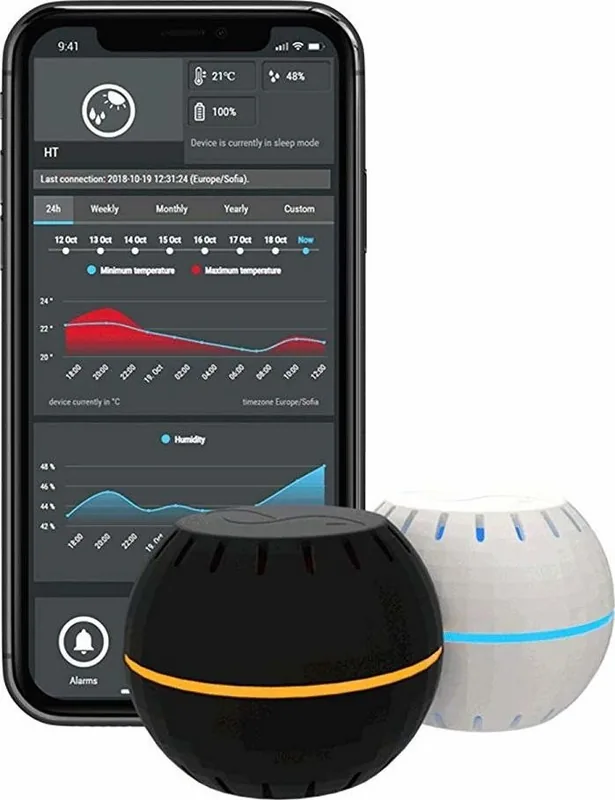
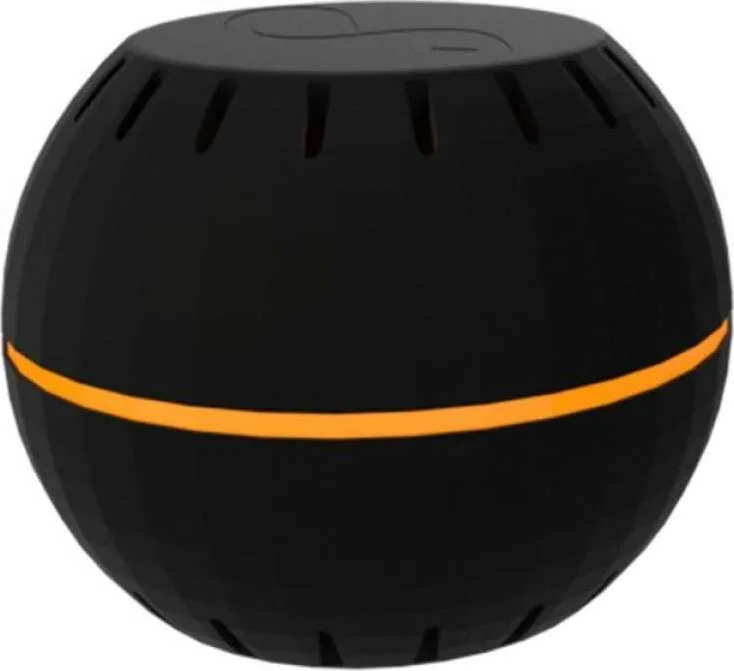
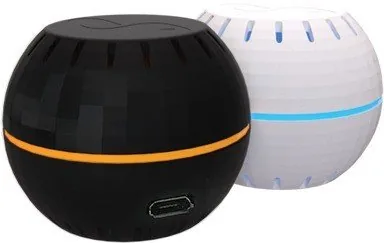
Shelly H&T is a compact battery-powered WiFi sensor designed to monitor temperature and humidity in homes and small spaces. With a CR123A 3V cell and up to 18 months of battery life under recommended settings, Shelly H&T is suitable for standalone use or integration with smart home systems and controllers. The device reports humidity across 0–100% (±5%) and temperature from -40°C to 60°C (±1°C). Its small footprint (35 × 45 × 45 mm) and low radio power (1 mW, 2.4 GHz WiFi 802.11 b/g/n) make it unobtrusive while still providing reliable local and cloud connectivity.
Shelly H&T supports both Access Point and Client WiFi modes, a simple embedded web interface (192.168.33.1) and full Shelly Cloud app integration for remote monitoring, alerts and configuration. The LED and a single button provide device state control: short presses toggle AP/STA modes and wake/sleep states while a 10-second press triggers a factory reset. Advanced users can interact via HTTP REST, MQTT or CoAP, enabling integration with third-party automation platforms. Firmware updates, time zone and geo-location settings, device naming and static IP assignment are all available through the app or the web UI.
Out of the box, Shelly H&T focuses on energy efficiency. Configurable parameters such as Send Status Period (1–24 hours), Temperature Threshold (1–5°C) and Humidity Threshold (0.5–50%) let you balance responsiveness with battery life. Recommended settings to maximize battery life are a 6-hour status interval, 1° temperature threshold and 10% humidity threshold. The device also supports alarms for low/high temperature and humidity with customizable ranges, plus the option to protect the web interface with a username and password.
Installation and setup are straightforward: place the sensor where monitoring is needed, open the case by twisting, press the button to enter AP mode, connect your phone to the Shelly WiFi network, open the embedded interface or the Shelly Cloud app and follow the inclusion steps. Shelly H&T is compatible with Alexa and Google Assistant for voice control once integrated with Shelly Cloud.
Notes:
- Use only compliant CR123A batteries and follow safety instructions.
- For best WiFi performance, keep the sensor within recommended range of the router and consider assigning a static IP.
- Factory reset: hold button 10 seconds until LED flashes slowly.
Search for 67,706 Manuals online


Type-in Brand or Model