Manual.ly Logo

Shelly Duo Manual

5.0 · 2 Ratings

PDF manual · 2 Pages

English

M: QW-35-FL
page

/ 2

Loading...
622e3364c9abda781a0c160508f32e0c869f page 1
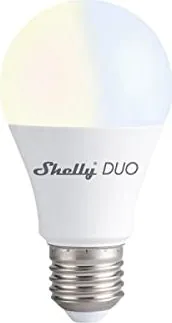
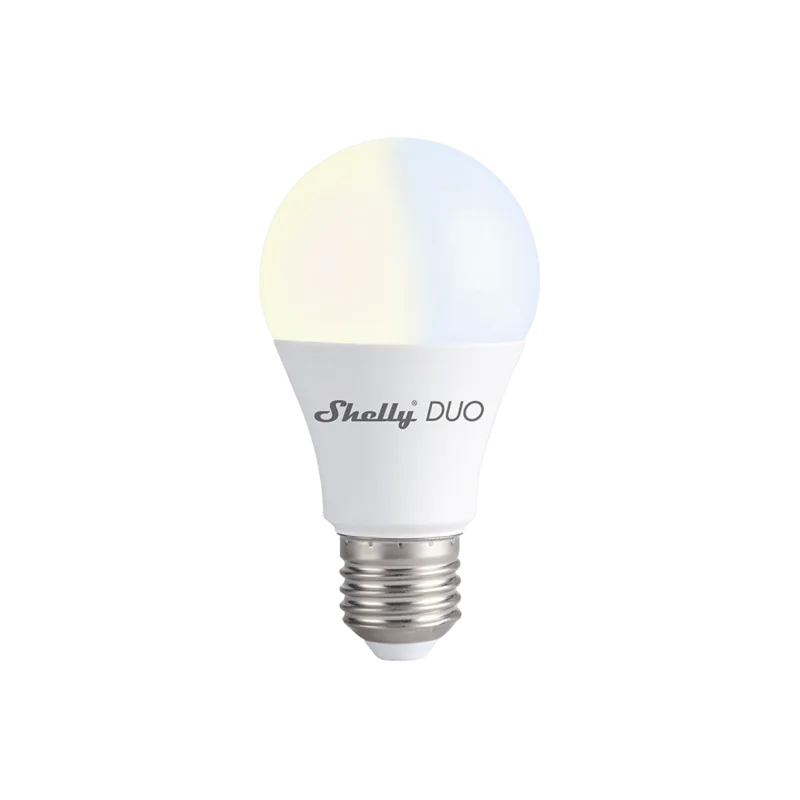
SMART LED WHITE BULB
USER GUIDE
The Shelly® Smart WiFi LED Bulb by Allterco Robotics is intend-
ed to be installed into a standard light socket (E27) in order to
change the temperature and to dim the light. Shelly may work as
a standalone device or as an accessory to a home automation
controller.
Specication
Power supply:
110-230V ±10% 50/60Hz AC
Socket:
E26/E27
Power Rating:
9W
Brightness:
Up to 800 lm
Color Temperature:
2700K-6500K
Beam Angle:
190°
Working temperature:
From -10°C to 40°C
Complies with EU standards:
• RE Directive 2014/53/EU
• LVD 2014/35/EU
• EMC 2004/108/WE
• RoHS2 2011/65/UE
Radio signal power:
1mW
Radio protocol:
WiFi 802.11 b/g/n
Frequency:
2400 – 2500 MHz;
Operational range (depending
on local construction):
• up to 30 m outdoors
• up to 15 m indoors
Dimensions:
122 x 60 mm
Electrical consumption:
< 1 W
Technical Information
• Control through WiFi from a mobile phone, tablet, PC, automa-
tion system or any other device supporting HTTP and/or UDP
protocol
• Microprocessor management
• Controlled elements: multiple LED diods
• Shelly may be controlled by an external switch
CAUTION! Danger of electrocution. Plugging the device to the
power grid has to be performed with caution.
CAUTION! Do not allow children to play with the device. Keep the
devices for remote control of Shelly (mobile phones, tablets, PCs)
away from children.
CAUTION! Please handle with care! The Shelly® DUO is FRAGILE!
Introduction to Shelly
Shelly® is a family of innovative devices, which allow remote
control of electric appliances through mobile phone, PC or home
automation system. Shelly® uses WiFi to connect to the devic-
es controlling it. They can be in the same WiFi network or they
can use remote access (through the internet). Shelly® may work
standalone, without being managed by a home automation con-
troller, in the local WiFi network, as well as through a cloud service,
from everywhere the User has Internet access.
Shelly® has an integrated web server, through which the User
may adjust, control and monitor the Device. Shelly® has two WiFi
modes - Access Point (AP) and Client Mode (CM). To operate in
Client Mode, a WiFi router must be located within the range of the
device. Shelly® devices can communicate directly with other WiFi
devices through HTTP protocol.
An API can be provided by the Manufacturer. Shelly® devices may
be available for monitor and control even if the User is outside
the range of the local WiFi network, as long as the WiFi router
is connected to the Internet. The Shelly Cloud function could be
used, which is activated through the web server of the Device or
through the settings in the Shelly Cloud mobile application. The
User can register and access the Shelly Cloud, using either An-
droid or iOS mobile applications, or any internet browser and the
web site: https://my.shelly.cloud/.
Installation Instructions
CAUTION! Danger of electrocution. Before installing the Device
into the light socket please check if it has been powered off.
CAUTION! Before beginning the installation please read the ac-
companying documentation carefully and completely. Failure to
follow recommended procedures could lead to malfunction, dan-
ger to your life or violation of the law. Allterco Robotics is not re-
sponsible for any loss or damage in case of incorrect installation
or operation of this device.
CAUTION! Use the Device only with power grid which comply with
all applicable regulations. Short circuit in the power grid connect-
ed to the Device may damage the Device.
CAUTION! Please check the working voltage of the device and the
supplied voltage of your power grid before installing the device!
Installing the device to a non recommended power supply may
lead to malfunction, danger to your life or violation of the law. All-
terco Robotics is not responsible for any loss or damage in case
of incorrect installation or operation of this device.
RECOMMENDATION! The Device may be connected to and may
control electric circuits and light sockets only if they comply with
the respective standards and safety norms.
Initial Inclusion
Install the Shelly to the light socket. Press the switch/button to
which Shelly is connected. The Shelly should turn on. Press the
switch/button again and Shelly will turn off.
You may choose if you want to use Shelly with the Shelly Cloud
mobile application and Shelly Cloud service. You can also famil-
iarize yourself with the instructions for Management and Control
through the embedded Web interface.
Factory Reset
You can return your Shelly DUO to its Factory Settings by
• Pressing 5 consecutive times the button/switch connected to
Shelly.
• Switching on/off the power 5 consecutive times.
Upon successful factory reset Shelly will turn start ashing.
The Shelly Cloud mobile application
Shelly Cloud gives you the opportunity to control and adjust all
Shelly® devices from anywhere in the world. All you need is an
Internet connection and our mobile application, installed on your
smartphone or tablet. To install the application please visit Goo-
gle Play (Android - g. 1) or App Store (iOS - g. 2) and install the
Shelly Cloud app.
g. 3 g. 4
Registration
The rst time you load the Shelly Cloud mobile app, you have to
create an account which can manage all your Shelly® devices.
Forgotten Password
In case you forget or lose your password, just enter the e-mail
address you have used in your registration. You will then receive
instructions to change your password.
WARNING! Be careful when you type your e-mail address during
the registration, as it will be used in case you forget your pass-
word.
After registering, create your rst room (or rooms), where you are
going to add and use your Shelly devices.
Shelly Cloud gives you opportunity to create scenes for automat-
ic turning on or off of the Devices at predened hours or based
on other parameters like temperature, humidity, light etc. Shelly
Cloud allows easy control and monitoring using a mobile phone,
tablet or PC.
Device Inclusion
To add a new Shelly device, connect it to the power grid.
• Step 1 - Install your Shelly into the light socket and turn the
light on.
WARNING! In case the Device has not created its own WiFi net-
work with SSID like ShellyBulbDuo-35FA58 check if you have pow-
er connected to Shelly. If you do not see an active WiFi network
with SSID like ShellyBulbDuo-35FA58, reset the Device. If the De-
vice has been powered on, you have to power it off and on again
5 consecutive times*. Or if you have a switch/button connected
to the Device, press it 5 consecutive times*. When the light starts
to ash Shelly should return to AP Mode. If not, please repeat or
contact our customer support at support@shelly.cloud
*Upon each OFF state, please wait 2-3 seconds.
• Step 2 - Choose “Add Device”. In order to add more devices later,
use the app Menu at the top right corner of the main screen and
click “Add Device”. Type the name (SSID) and password for the
WiFi network, to which you want to add the Device.
•
Step 3 - WiFi inclusion
If using iOS: you will see the following screen:
Press the Home button of your iPhone/ iPad/iPod. Open Set-
tings > WiFi and connect to the WiFi network created by Shelly,
e.g.ShellyBulbDuo-35FA58.
If using Android: your phone/tablet will automatically scan and
include all new Shelly devices in the WiFi network that you are
connected to.
Upon successful Device Inclusion to the WiFi network you will see
the following pop-up:
• Step 4 - Approximately 30 seconds after discovery of any new
devices оn the local WiFi network, а list will be displayed by de-
fault in the “Discovered Devices” room.
•
Step 5 - Enter the Discovered Devices and choose the Device you
want to include in your account.
•
Step 6 - Enter a name for the Device (in the Device Name eld).
Choose a Room, in which the device has to be positioned. You can
choose an icon or add a picture to make it easier to recognize.
Press “Save Device”.
•
Step 7 - To enable connection to the Shelly Cloud service for
remote control and monitoring of the Device, press “yes” on the
following pop-up.
Shelly Device Settings
After your Shelly device is included in the app, you can control it,
change its settings and automate the way it works. To switch the
Device on and off, use the Power button. To enter at the details
menu of the Device, click on it’s name. From the details menu
you may control the Device, as well as edit its appearance and
settings.
Timer
Тo manage the power supply automatically, you may use:
• Auto OFF: After turning on, the power supply will automatically
shutdown after a predened time (in seconds). A value of 0 will
cancel the automatic shutdown.
• Auto ON: After turning off, the power supply will be automatical-
ly turned on after a predened time (in seconds). A value of 0 will
cancel the automatic power-on.
Weekly Schedule
This function requires an Internet connection. To use Internet,
your Shelly has to be connected to a local WiFi network with an
active internet connection.
Shelly may turn on/off automatically at a predened time, at sun-
rise/sunset, or at a specied time before or after sunrise/sunset.
Multiple schedules are possible.

Chat with your Shelly Duo manual using AI

Get instant AI answers from your Shelly Duo manual

Ask anything about the Shelly Duo. Answers come from this manual, with the pages they are based on.

Ask a Question

0/1000

Do you recommend Duo?

Yes No
0
User Pic

et79

5 months ago

Is the lamp bright enough for TV backlighting, and does it integrate well with Home Assistant?

0
User Pic

Manual.ly

5 months ago

Yes, the lamp is very bright on maximum setting, making it suitable for TV backlighting. Users have found that 9W provides adequate light, with settings around 82% power (approx 6.3W) offering a comfortable glow. The device supports easy integration into Home Assistant, allowing full control over brightness and color temperature switching between warm and white tones.

M: QW-35-FL
M: QW-35-FL
0
User Pic

Sofia Kowalski

4 months ago

How easy is it to set up the lamp with Wi-Fi without extra hubs?

M: QW-35-FL

Frequently Asked Questions

A

You can reset the device by pressing the connected switch button five consecutive times or by cycling the power on and off five times. Wait two to three seconds between each power cycle. The light will start flashing to indicate a successful reset.

Is this answer helpful?

A

Yes, you can control the device locally within your WiFi network without an active internet connection. However, features like remote access via Shelly Cloud and automated schedules requiring sunrise/sunset data require internet connectivity.

Is this answer helpful?

A

The Shelly Duo Smart LED produces up to 800 lumens of brightness, providing ample illumination for most residential rooms while maintaining energy efficiency with its 9W power consumption.

Is this answer helpful?

A

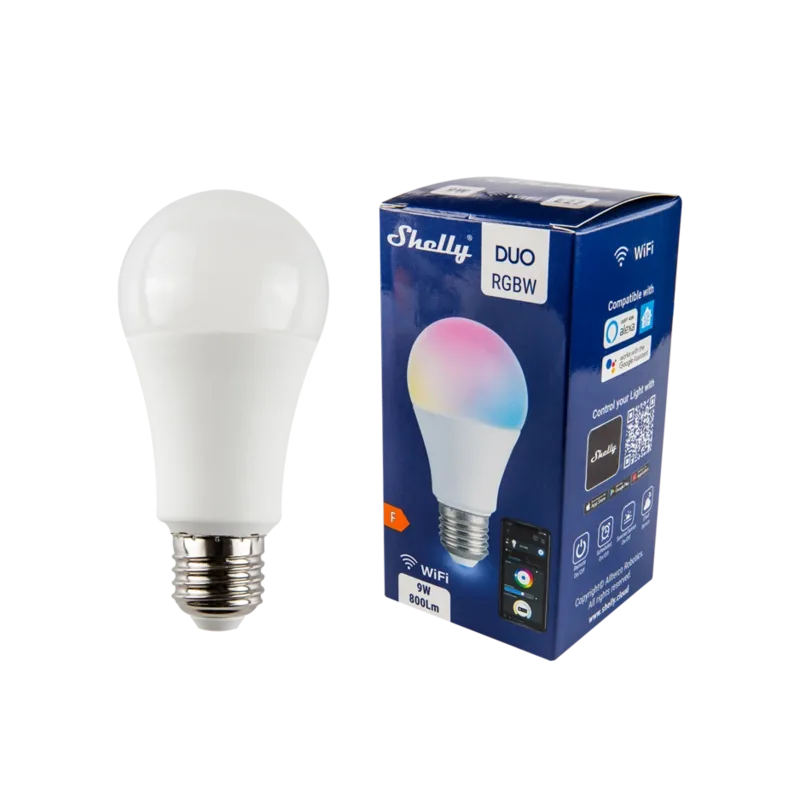
This specific model adjusts color temperature from warm white (2700K) to cool white (6500K). It does not produce RGB colors but allows you to select the perfect shade of white for any occasion.

Is this answer helpful?

A

Yes, the device comes with a 24-month warranty starting from the date of purchase. This warranty is valid within the EU territory and covers manufacturing defects provided the device was used according to instructions.

Is this answer helpful?

M: QW-35-FL

Advantages and Disadvantages

Advantages

  • Supports wide color temperature range from 2700K to 6500K for versatile lighting moods
  • No hub required; connects directly via WiFi for easy setup and remote access
  • Offers advanced automation features including weekly schedules and night mode
  • Compatible with standard E27 sockets and works with most existing fixtures
  • Includes embedded web server for control without needing the mobile app
VS

Disadvantages

  • Requires a stable WiFi connection to function properly
  • Does not support Zigbee or Z-Wave protocols out of the box
  • Setup process may be slightly complex for non-technical users initially
  • Physical switch must remain active for cloud control to work effectively
  • Limited to 9W power rating which may not suit very large high-brightness needs
M: QW-35-FL

Product Specification

Energy Efficiency Class

F (A to G)

Old Energy Efficiency Class

A++ (A++ to E)

Rated Power

9W

Energy Consumption

9 kWh/1000h

Base

E27

Rated Voltage

110-230V

Luminous Flux

800 lm

Luminous Efficacy (Lumen/Watt)

88.90

Energy Efficiency Index

0.14

Color Temperature

Warm White-Daylight White (2700-6500K), adjustable

Shape

Bulb

Finish

Matte

Outer Bulb

A60

Beam Angle

190°

Lifetime

30000h

Diameter

2.36 in

Length

4.80 in

Features

Dimmable (via app only), white color control, programmable lighting settings

Smart Home

App Control (Wi-Fi), Voice Assistant (Amazon Alexa, Google Assistant)

Note

For full functionality, a manufacturer gateway may be required. This may change via firmware update. Please note the manufacturer-specific details!

M: QW-35-FL

Product Description

Transform Your Lighting with the Shelly Duo Smart LED 9W E27

The Shelly Duo Smart LED 9W E27 represents a significant leap in home automation, offering seamless integration for modern living spaces. This innovative bulb is designed to fit into standard E27 sockets, allowing users to instantly upgrade their existing lighting fixtures into smart devices. Whether you are looking to dim your lights for a cozy evening or adjust the color temperature from warm 2700K to cool 6500K, this device provides complete control at your fingertips.

Advanced Control and Connectivity

Powered by WiFi 802.11 b/g/n, the Shelly Duo connects effortlessly to your home network without the need for additional hubs. You can manage the light directly through the embedded web interface using any browser on your phone, tablet, or PC. For those who prefer mobile convenience, the Shelly Cloud application allows remote access from anywhere in the world. The device supports both Client Mode for direct router connection and Access Point mode for initial setup or standalone operation.

Intelligent Automation Features

Beyond simple on/off switching, the Shelly Duo offers robust scheduling capabilities. You can set up weekly schedules to turn lights on at sunset or off at sunrise, ensuring your home looks occupied even when you are away. The Night Mode feature automatically dims the light to a pre-defined level during specific hours, creating a gentle transition to sleep. Additionally, the timer functions allow for automatic shutdown after a set period or auto-on functionality based on your daily routine.

Installation and Ease of Use

Installation is straightforward and requires no special tools beyond a standard screwdriver. Simply screw the bulb into an E27 socket and power it on. The device will create its own temporary WiFi network for configuration, making the initial setup quick and intuitive. Once connected to your main network, you can assign the device to specific rooms and customize its behavior through the settings menu. The unit is built with safety in mind, complying with EU standards for low voltage directives and electromagnetic compatibility.

Important Notes

  • Always ensure the power grid voltage matches the device specifications (110-230V) before installation.
  • Handle the device with care as it contains fragile components.
  • Keep remote control devices away from children to prevent accidental changes.
  • The warranty covers manufacturing defects but excludes damage from improper handling or environmental factors.
M: QW-35-FL

© Copyright 2026 Manual.ly