
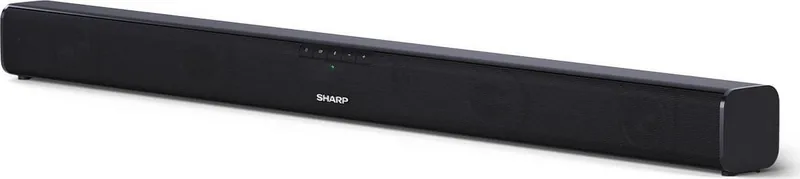
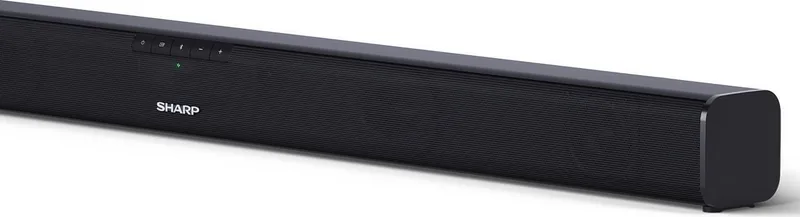
Sharp HT-SB110 Manual
PDF manual · 52 Pages
English



Quick check
Incorrect answer, please try again.
Chat with your Sharp HT-SB110 manual using AI
Get instant AI answers from your Sharp HT-SB110 manual
Ask anything about the Sharp HT-SB110. Answers come from this manual, with the pages they are based on.
HT-SB110 Maintenance Schedule
If the remote control is not to be used for a long time (more than a month), remove the battery to prevent leakage.
Unplug power cable before cleaning. Use a soft and clean rag only; never use chemicals or detergents.
Wipe away leakage inside the battery compartment and replace batteries with new ones immediately.
Free maintenance reminders
Timed to your purchase date. Always free, unsubscribe anytime.
Ask a Question
Do you recommend HT-SB110?
Yes NoFrequently Asked Questions
HDMI ARC is usually the most convenient choice because it uses one cable and may let you control volume with the TV remote. Optical is also a strong option if your TV supports it.
Is this answer helpful?
Yes. It supports Bluetooth 4.2 for wireless audio streaming. You can pair phones, tablets, and other compatible devices, then play music through the soundbar.
Is this answer helpful?
Yes. The HT-SB110 includes wall brackets and mounting screws. It can also be placed on a flat surface in front of the TV if that suits your setup better.
Is this answer helpful?
The source device may need PCM audio output enabled. This is a common fix for TVs, DVD players, or Blu-ray players when digital audio is not passing correctly.
Is this answer helpful?
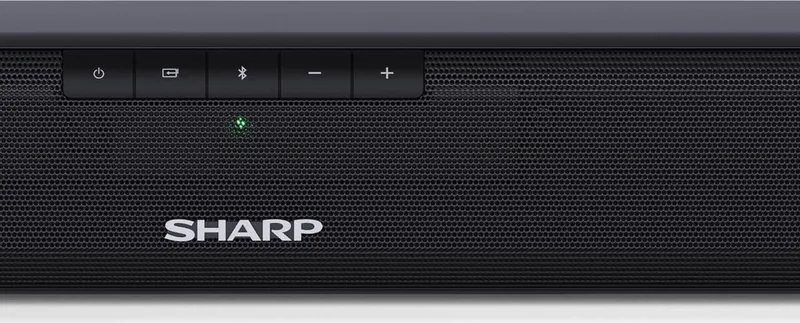
The LEDs show the active mode: red for standby, green for AUX, orange for optical, blue for Bluetooth, and white for HDMI ARC. They help you confirm the current input quickly.
Is this answer helpful?
The remote uses a CR2025 3V lithium battery. A battery is preinstalled, and you only need to remove the protective tab before first use or replace it later if needed.
Is this answer helpful?
Advantages and Disadvantages
Advantages

- Multiple connection options make it easy to pair with modern and older TVs.
- Bluetooth support adds wireless music playback from compatible devices.
- Preset EQ modes help tailor sound for movies, music, and news.
- Wall-mount capability offers flexible placement in smaller spaces.
- Simple remote and LED indicators make daily use easy.
Disadvantages

- No built-in media playback from the USB port, which is service-only.
- Some TV setups may require PCM output to get sound through optical or ARC.
- Bluetooth range is limited and can be affected by walls or obstacles.
- Sound power is modest, so it is better for small to medium rooms.
- Cables for HDMI, optical, and AUX are not included.
Product Specification
Type
Soundbar
Channels
2.0
Power
90W Peak
HDR
no
Video connections
1x HDMI In
Audio connections
1x Digital Audio In (optical), 1x AUX In (3.5mm jack)
Wireless
Bluetooth 4.2
Color
black
Dimensions
31.50x2.44x2.44in (WxHxD)
Consisting of
Soundbar
Product Description
Sharp HT-SB110: A Compact Soundbar for Easy Everyday Listening
The Sharp HT-SB110 is a straightforward home theater soundbar made for people who want clearer TV audio without a complicated setup. If you are searching for the Sharp HT-SB110 Manual, the first thing you will notice is how practical this model is: it focuses on simple controls, flexible connections, and everyday convenience.
Built for quick setup
This soundbar supports HDMI ARC, optical input, AUX, and Bluetooth 4.2, so it can work with newer TVs as well as older devices. The HDMI ARC option is especially useful because it reduces cable clutter and can let you control volume with your TV remote when the TV is compatible. For users who prefer wireless playback, Bluetooth adds a clean way to stream music from phones and tablets.
Simple sound improvements
With 2 x 15 W RMS output and preset EQ modes for Movie, Music, and News, the HT-SB110 is designed to make speech easier to hear and entertainment more enjoyable. That makes it a good match for daily TV watching, casual streaming, and background music. The LED indicators also keep the experience easy to follow, showing which input mode is active at a glance.
Easy placement and practical design
The unit can sit on a flat surface or be wall mounted, which helps it fit different room layouts. The package includes wall brackets and mounting screws, showing that Sharp expected users to install it neatly near a television. The remote control is also simple, with buttons for power, mute, volume, input selection, and Bluetooth pairing.
Notes worth remembering
The HT-SB110 is best for users who value simplicity over advanced extras. It does not aim to be a premium cinema system, but it does cover the basics well. The manual also emphasizes safe placement, proper ventilation, and careful Bluetooth pairing, which helps the soundbar stay reliable over time.
Best for: small living rooms, bedroom TVs, and anyone who wants a clean upgrade from built-in TV speakers.
Tip: If optical or HDMI ARC audio is missing, the source device may need PCM output enabled.
Search for 67,732 Manuals online


Type-in Brand or Model
Ander Ruelas
10 months ago
Is the soundbar really good enough for everyday TV, and how easy is it to connect via Bluetooth or AUX at this price?
Manual.ly
10 months ago
Yes. Based on customer feedback, it provides solid sound for regular TV watching without demanding extra features. Setup is straightforward: you can connect via Bluetooth for wireless use or use an AUX cable for a direct, reliable connection. The overall impression is that the soundbar is a good value option if you want to improve your TV audio but do not want to spend a lot. If your TV has Bluetooth or an AUX output (or headphone/line-out), you should be able to get started quickly and use it right away.