Manual.ly Logo

Sharp HT-SB110 Manual

4.3 · 3 Ratings

PDF manual · 52 Pages

English

M: OA-GPT-54-NAN
page

/ 52

Loading...
4b11d8ef4e903757e314b1b422f3468336e4 page 3
1
Important safety instructions
CAUTION
RISK OF ELECTRIC SHOCK
DO NOT OPEN
Please, read these safety instructions and respect
the following warnings before the appliance is
operated:
The lightning  ash with arrowhead symbol, within an
equilateral triangle, is intended to alert the user to the
presence of uninsulated “dangerous voltage” within the
product’s enclosure that may be of su cient magnitude as to
constitute a risk of electric shock to persons.
The exclamation point within an equilateral triangle is
intended to alert the user to the presence of important
operating and maintenance (servicing) instructions in the
literature accompanying the appliance.
In order to prevent  re always
keep candles and other open
ames away from this product.
Warning:
• Always follow basic safety precautions when using this applience, espe-
cially when children are present.
• Children should be supervised to ensure that they do not play with the
appliance.
• Do not damage the power cord, neither do not place any heavy objects
on it, do not strech it or bend it. Also do not attach extension cables.
Damage to the power cord may occur  re or electric shock.
• If the supply cord is damaged, it must be replaced by the manufacturer,
a service agent or similarly qualied persons in order to avoid a hazard.
• Ensure that the unit is plugged into an AC 220-240V 50Hz power outlet.
Using higher voltage may cause the unit to malfunction or even  re
catching.
• If the power plug does not  t into your outlet, do not force the plug into
an electrical socket if it does not  t.
• Turn o the unit before unplugging it from power source to completely
switch it o .
• Do not disconnect or connect the power cord with wet hands. It may
cause an electric shock.
• Disconnect the power cord if it is not used for a long time.
• Ensure that the mains plug is always easily accessible.
• This product does not contain any parts that are serviceable by the
user. In case of a fault, contact the manufacturer or authorised service
department. Exposing the internal parts inside the device may endanger
your life. The manufacturers guarantee does not extend to faults caused
by repairs carried out by unauthorised third parties.
• Do not use this product immediately after unpacking. Wait until it warms
up to room temperature before using it.
• Ensure this product is used in moderate climates only (not in tropical/
subtropical climates).
• Place product on a  at, stable surface that is not subject to vibrations.
• Ensure the product and its parts is not overhanging the edge of the
supporting furniture.
• To reduce the risk of fire, electric shock or damage to this product, do
not expose it to direct sunlight, dust, rain and moisture. Never expose it
to dripping or splashing and do not place objects filled with liquids on
or near the product.
• Do not place objects  lled with liquids, such as vases, on the apparatus.
• Do not install near any heat sources such as radiators, heat registers,
stoves, or other apparatus (including ampli ers) that produce heat.
• Do not place the product where the humidity is high and ventilation is
poor.
• Ensure a minimum distance of 5 cm around the apparatus for su cient
ventilation. Do not block any ventilation openings of this product.
Always ensure that the ventilation openings are not covered with items
such as newspapers, table-cloths, curtains, etc.
• NEVER let anyone, especially children, push anything into holes, slots
or any other openings in the unit’s casing as this could result in a fatal
electric shock.
• Storms are dangerous for all electric appliances. If the mains or aerial
wiring is struck by lightning, the appliance might get damaged, even if it
is turned o . You should disconnect all the cables and connectors of the
appliance before a storm.
• Excessive sound pressure from earphones and headphones can cause
hearing loss.
Maintenance
• Unplug the power cable from the power source before cleaning the
appliance.
• Use a soft and clean rag to clean the outside of the unit. Never clean it
with chemicals or detergent.
Batteries
• Observe the correct polarity when inserting the
batteries.
• Do not expose batteries to high temperatures and
do not place them on locations where the tempera-
ture might increase quickly, e.g. near the  re or on
the direct sunshine.
• Do not expose batteries to excessive radiant heat,
do not throw them into the  re, do not disassemble
them and do not try to recharge un-rechargeable
batteries. They could leak or explode.
• Never use di erent batteries together or mix new and old ones.
• When the Remote Control is not to be used for a long time (more than a
month), remove the battery from the Remote Control to prevent it from
leaking.
• If the batteries leak, wipe away the leakage inside the battery compart-
ment and replace the batteries with new ones.
• Do not use any batteries other than those specied.
Do not ingest battery, chemical burn hazard
• If the battery is swallowed, it can cause severe internal burns in just
2 hours and lead to death. Keep new and used batteries away from
children. If the battery compartment does not close securely, stop
using the product and keep it away from children. If you think batteries
might have been swallowed or placed inside any part of the body, seek
immediate medical attention.
Disposal of this equipment and Batteries
• Do not dispose of this product or its batteries as unsorted
municipal waste. Return it to a designated collection point
for the recycling of WEEE in accordance with local law. By
doing so, you will help to conserve resources and protect
the environment.
• Most of the EU countries regulate the disposal of batteries
by law. Contact your retailer or local authorities for more
information.
• The shown above appears on electrical and electronivcal
equipment and batteries (or the packaging) to remind
users of this. If "Hg" or 'Pb' appears below the symbol,
this mean that the battery cantains traces of mercury (Hg) or lead (Pb),
respectively.
Cd

Chat with your Sharp HT-SB110 manual using AI

Get instant AI answers from your Sharp HT-SB110 manual

Ask anything about the Sharp HT-SB110. Answers come from this manual, with the pages they are based on.

HT-SB110 Maintenance Schedule

Remind me when maintenance is due
Monthly
Remove remote control battery if not used

If the remote control is not to be used for a long time (more than a month), remove the battery to prevent leakage.

As needed
Clean unit exterior with soft rag

Unplug power cable before cleaning. Use a soft and clean rag only; never use chemicals or detergents.

When leaking
Replace batteries if they leak

Wipe away leakage inside the battery compartment and replace batteries with new ones immediately.

Free maintenance reminders

Timed to your purchase date. Always free, unsubscribe anytime.

By submitting you agree to the privacy policy. Unsubscribe with one click in any email.
M: QW-35-FL

Ask a Question

0/1000

Do you recommend HT-SB110?

Yes No
0
User Pic

Ander Ruelas

10 months ago

Is the soundbar really good enough for everyday TV, and how easy is it to connect via Bluetooth or AUX at this price?

0
User Pic

Manual.ly

10 months ago

Yes. Based on customer feedback, it provides solid sound for regular TV watching without demanding extra features. Setup is straightforward: you can connect via Bluetooth for wireless use or use an AUX cable for a direct, reliable connection. The overall impression is that the soundbar is a good value option if you want to improve your TV audio but do not want to spend a lot. If your TV has Bluetooth or an AUX output (or headphone/line-out), you should be able to get started quickly and use it right away.

M: OA-GPT-5-NAN
M: OA-GPT-5-NAN

Frequently Asked Questions

A

HDMI ARC is usually the most convenient choice because it uses one cable and may let you control volume with the TV remote. Optical is also a strong option if your TV supports it.

Is this answer helpful?

A

Yes. It supports Bluetooth 4.2 for wireless audio streaming. You can pair phones, tablets, and other compatible devices, then play music through the soundbar.

Is this answer helpful?

A

Yes. The HT-SB110 includes wall brackets and mounting screws. It can also be placed on a flat surface in front of the TV if that suits your setup better.

Is this answer helpful?

A

The source device may need PCM audio output enabled. This is a common fix for TVs, DVD players, or Blu-ray players when digital audio is not passing correctly.

Is this answer helpful?

A

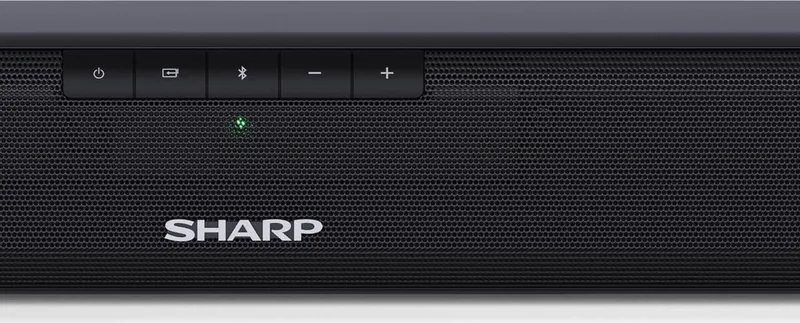
The LEDs show the active mode: red for standby, green for AUX, orange for optical, blue for Bluetooth, and white for HDMI ARC. They help you confirm the current input quickly.

Is this answer helpful?

A

The remote uses a CR2025 3V lithium battery. A battery is preinstalled, and you only need to remove the protective tab before first use or replace it later if needed.

Is this answer helpful?

M: OA-GPT-54-NAN

Advantages and Disadvantages

Advantages

  • Multiple connection options make it easy to pair with modern and older TVs.
  • Bluetooth support adds wireless music playback from compatible devices.
  • Preset EQ modes help tailor sound for movies, music, and news.
  • Wall-mount capability offers flexible placement in smaller spaces.
  • Simple remote and LED indicators make daily use easy.
VS

Disadvantages

  • No built-in media playback from the USB port, which is service-only.
  • Some TV setups may require PCM output to get sound through optical or ARC.
  • Bluetooth range is limited and can be affected by walls or obstacles.
  • Sound power is modest, so it is better for small to medium rooms.
  • Cables for HDMI, optical, and AUX are not included.
M: OA-GPT-54-NAN

Product Specification

Type

Soundbar

Channels

2.0

Power

90W Peak

HDR

no

Video connections

1x HDMI In

Audio connections

1x Digital Audio In (optical), 1x AUX In (3.5mm jack)

Wireless

Bluetooth 4.2

Color

black

Dimensions

31.50x2.44x2.44in (WxHxD)

Consisting of

Soundbar

M: OA-GPT-54-NAN

Product Description

Sharp HT-SB110: A Compact Soundbar for Easy Everyday Listening

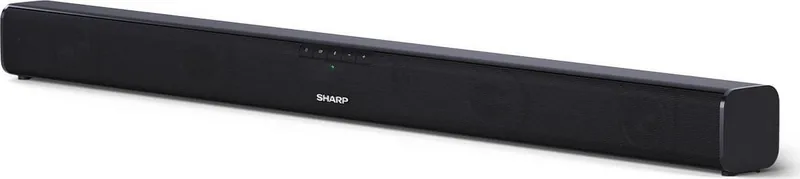
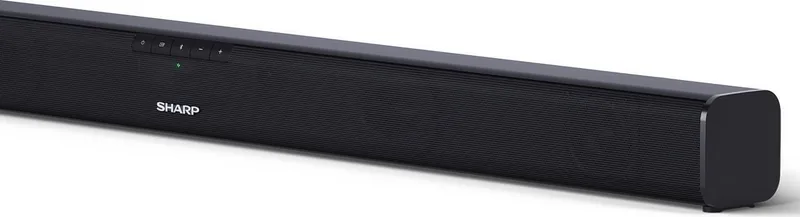
The Sharp HT-SB110 is a straightforward home theater soundbar made for people who want clearer TV audio without a complicated setup. If you are searching for the Sharp HT-SB110 Manual, the first thing you will notice is how practical this model is: it focuses on simple controls, flexible connections, and everyday convenience.

Built for quick setup

This soundbar supports HDMI ARC, optical input, AUX, and Bluetooth 4.2, so it can work with newer TVs as well as older devices. The HDMI ARC option is especially useful because it reduces cable clutter and can let you control volume with your TV remote when the TV is compatible. For users who prefer wireless playback, Bluetooth adds a clean way to stream music from phones and tablets.

Simple sound improvements

With 2 x 15 W RMS output and preset EQ modes for Movie, Music, and News, the HT-SB110 is designed to make speech easier to hear and entertainment more enjoyable. That makes it a good match for daily TV watching, casual streaming, and background music. The LED indicators also keep the experience easy to follow, showing which input mode is active at a glance.

Easy placement and practical design

The unit can sit on a flat surface or be wall mounted, which helps it fit different room layouts. The package includes wall brackets and mounting screws, showing that Sharp expected users to install it neatly near a television. The remote control is also simple, with buttons for power, mute, volume, input selection, and Bluetooth pairing.

Notes worth remembering

The HT-SB110 is best for users who value simplicity over advanced extras. It does not aim to be a premium cinema system, but it does cover the basics well. The manual also emphasizes safe placement, proper ventilation, and careful Bluetooth pairing, which helps the soundbar stay reliable over time.

Best for: small living rooms, bedroom TVs, and anyone who wants a clean upgrade from built-in TV speakers.

Tip: If optical or HDMI ARC audio is missing, the source device may need PCM output enabled.

M: OA-GPT-54-NAN

© Copyright 2026 Manual.ly
