
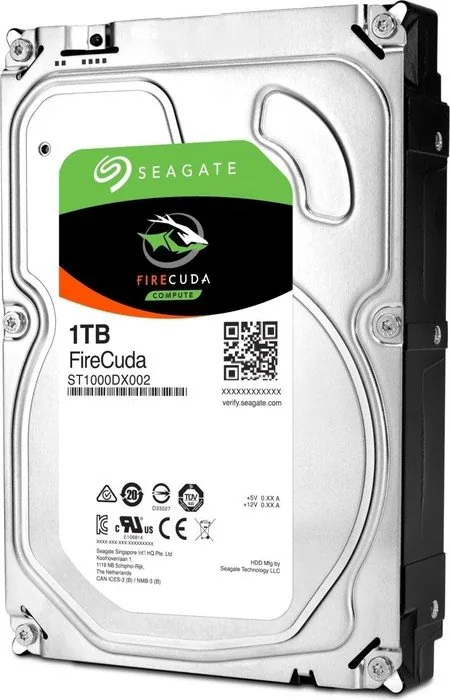
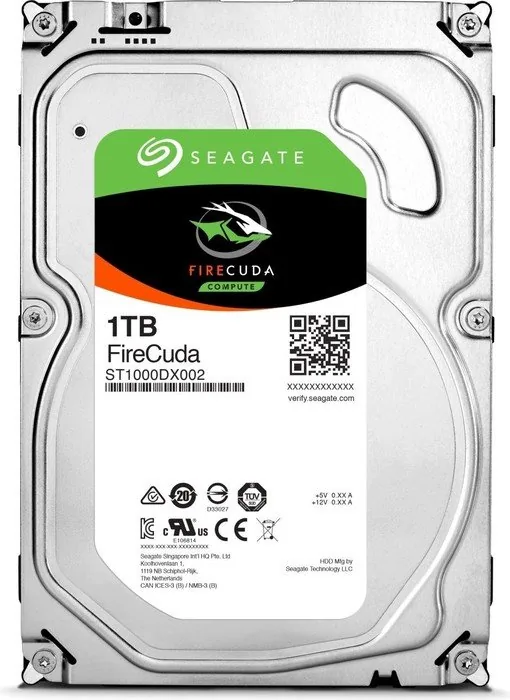
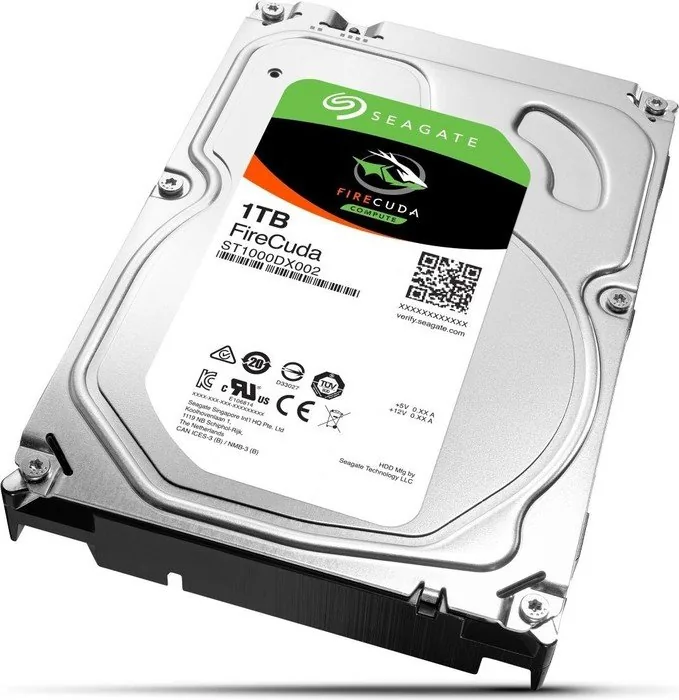
Seagate FireCuda Compute Manual
PDF manual · 32 Pages
English



Quick check
Incorrect answer, please try again.
Chat with your Seagate FireCuda Compute manual using AI
Get instant AI answers from your Seagate FireCuda Compute manual
Ask anything about the Seagate FireCuda Compute. Answers come from this manual, with the pages they are based on.
Ask a Question
Do you recommend FireCuda Compute?
Yes NoFrequently Asked Questions
Its main advantage is hybrid storage behavior. The drive combines 7200 RPM mechanical storage with 8GB of NAND flash, which can improve responsiveness for frequently used data while keeping high capacity.
Is this answer helpful?
It uses the SATA interface and supports standard ATA commands. The drive is designed for easy installation, point-to-point connections, and compatibility with modern SATA systems.
Is this answer helpful?
The manual covers 1TB and 2TB models. They share the same family features, but the 2TB version is physically taller and heavier than the 1TB version.
Is this answer helpful?
Yes. S.M.A.R.T. is enabled, and Seagate SeaTools can run built-in self-tests. These tools help users monitor drive condition and identify potential issues early.
Is this answer helpful?
Yes, in most desktops. It uses standard SATA power and data connections, supports hot-plug compatibility, and follows familiar mounting rules for side or bottom screw placement.
Is this answer helpful?
Not fully. It can feel faster than a typical HDD in many everyday tasks, but an SSD still wins for pure random-access speed, boot times, and overall system responsiveness.
Is this answer helpful?
Users should stay within the recommended workload range, provide good cooling, and avoid harsh environments. Proper mounting and clean airflow help maintain performance and reliability.
Is this answer helpful?
Advantages and Disadvantages
Advantages

- 7200 RPM mechanics plus 8GB NAND flash help common tasks feel more responsive than on a standard HDD.
- SATA support, hot-plug compatibility, and latching connectors make installation simple in many desktop systems.
- S.M.A.R.T. monitoring and SeaTools diagnostics add convenient health checking and self-test support.
- Quiet operation, power-management modes, and RoHS compliance make it practical for everyday use.
Disadvantages

- It is still a hard drive, so random-access performance will not match a full SSD.
- The 2TB model is larger and heavier, which can matter in compact cases or tight bays.
- Reliability expectations are tied to a workload limit of under 55 TB per year.
- Performance and durability depend on proper mounting, airflow, and a non-corrosive environment.
Product Specification
Form factor
3.5" (Width)
Interface
SATA 6Gb/s
Rotational speed
7200 RPM
Cache
64MB
Recording method
Conventional Magnetic Recording (CMR)
Sectors
4KB with emulation (512e)
Special features
8GB SSD-Cache (MLC-NAND)
Warranty
60 months
Notes/Warnings
Note: Unlabeled OEM/System Builder hard drives in circulation. Reduced warranty performance possible. Manufacturer warranty can be checked via the serial number. Important: For use within a RAID array, hard drives with different recording methods (CMR, SMR) should not be combined. When using SMR hard drives in a RAID array, ensure that the RAID controller (or NAS system) is compatible with SMR hard drives to prevent the partially blocked recording behavior of SMR from being falsely interpreted as a "hardware defect".
Product Description
Seagate FireCuda Compute HDD: Smart Hybrid Storage for Everyday Performance
The Seagate FireCuda Compute HDD brings together the space of a traditional hard drive and the responsiveness of flash-assisted storage. With 7200 RPM mechanics, 8GB of NAND flash, and SATA connectivity, it is designed for users who want strong capacity without giving up speed where it matters most. The 1TB and 2TB models fit well in gaming PCs, desktop workstations, and mixed-use systems that need reliable storage for large libraries, projects, and everyday applications.
The Seagate FireCuda Compute HDD Manual makes it clear that this drive is built with practical performance in mind. Seagate pairs the drive with technologies such as AcuTrac, OptiCache, and SmartAlign to improve tracking precision, accelerate common tasks, and simplify movement to Advanced Format sectors. Native Command Queuing, high burst transfer rates, and a 64MB cache help the drive stay responsive during demanding workloads, while SeaTools and S.M.A.R.T. support add useful health monitoring and self-test capabilities.
Beyond speed, the drive is built for straightforward system integration. It supports standard SATA installation, hot-plug compatibility, and latching connectors, making it easier to fit into modern builds. The manual also outlines careful mounting practices, including secure screw placement, proper airflow clearance, and antistatic handling. Those details matter because the drive is designed for stable operation, not rough treatment, and good installation helps preserve both performance and lifespan.
For builders, the FireCuda line offers a balanced option between capacity and cost. It is useful for game installs, multimedia collections, backups, and general storage where SSD pricing may still be too high for large volumes. The hybrid design can make boots, app launches, and frequently used files feel quicker than on a standard HDD, while still keeping the roomy storage users expect from a mechanical drive. Power-management modes also help the drive adapt to different usage patterns.
Notes
- Best results come from proper mounting, clean airflow, and a quality SATA power/data connection.
- S.M.A.R.T. monitoring and SeaTools diagnostics are helpful for ongoing drive health checks.
- Long-term reliability is best when workloads stay within Seagate’s recommended limits.
- The 2TB model is physically larger than the 1TB version, so case fit should be checked before purchase.
Search for 67,706 Manuals online


Type-in Brand or Model