
Seagate BarraCuda Compute Manual
PDF manual · 40 Pages
English



Quick check
Incorrect answer, please try again.
Chat with your Seagate BarraCuda Compute manual using AI
Get instant AI answers from your Seagate BarraCuda Compute manual
Ask anything about the Seagate BarraCuda Compute. Answers come from this manual, with the pages they are based on.
Ask a Question
Do you recommend BarraCuda Compute?
Yes NoFrequently Asked Questions
The lineup includes 500GB, 1TB, and 2TB models. These options cover basic storage needs, mainstream laptop upgrades, and larger media or backup collections. Exact usable space may vary after formatting and system overhead.
Is this answer helpful?
Yes, selected self-encrypting models support hardware-based AES-256 encryption, controlled access, cryptographic erase, and authenticated firmware download. Standard models do not include the same security features.
Is this answer helpful?
Yes. Its 2.5-inch form factor and slim 7mm height make it a good fit for many laptops and compact devices. It also uses low power, which is helpful for portable systems.
Is this answer helpful?
It spins at 5400 RPM and uses SATA 6Gb/s. That makes it a solid everyday mechanical drive, but it will not match the speed of modern solid-state drives for booting or large app launches.
Is this answer helpful?
Use ESD precautions, handle it by the edges, and mount it securely with the proper screws. Good grounding and correct cable orientation are also important for safe installation and reliability.
Is this answer helpful?
Yes. If power is lost during a write operation and cache data has not been flushed, some data may not be committed to disk. A standby immediate or flush cache command should be used before controlled power-off.
Is this answer helpful?
Advantages and Disadvantages
Advantages

- Slim 2.5-inch design fits laptops and compact systems with minimal space requirements.
- SATA 6Gb/s, NCQ, and 128MB cache support smooth everyday storage performance.
- Low power use and quiet operation make it suitable for portable and small systems.
- SED models add hardware encryption, drive locking, and cryptographic erase support.
Disadvantages

- 5400 RPM mechanical design is slower than SSDs and less suited to heavy performance workloads.
- Rated workload is limited, so sustained high-volume writes may shorten reliability over time.
- Operating temperatures above 60°C are not recommended and may reduce product life.
- Mechanical drives are more sensitive to shock, mounting quality, and handling than flash storage.
Product Specification
Interface
SATA 6 Gb/s
Rotational Speed
5,400 rpm
Cache
128 MB
Recording Technology
Shingled Magnetic Recording (SMR), Drive Managed SMR
Sectors
4 KB with Emulation (512e)
Warranty
24 Months
Product Description
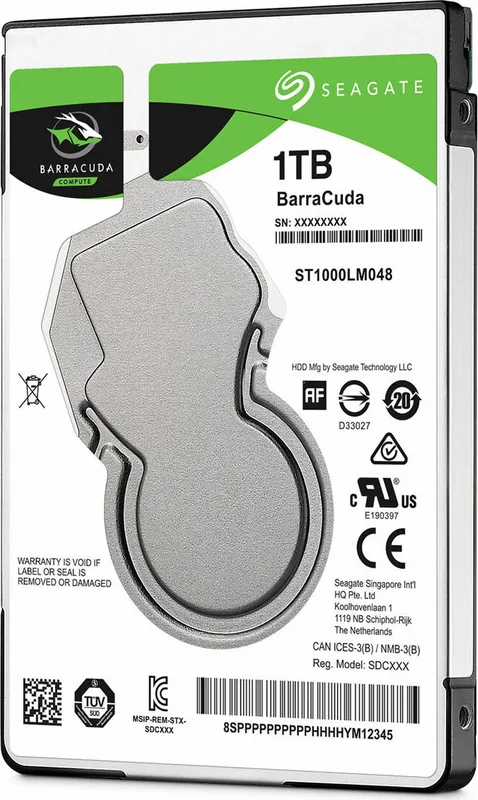
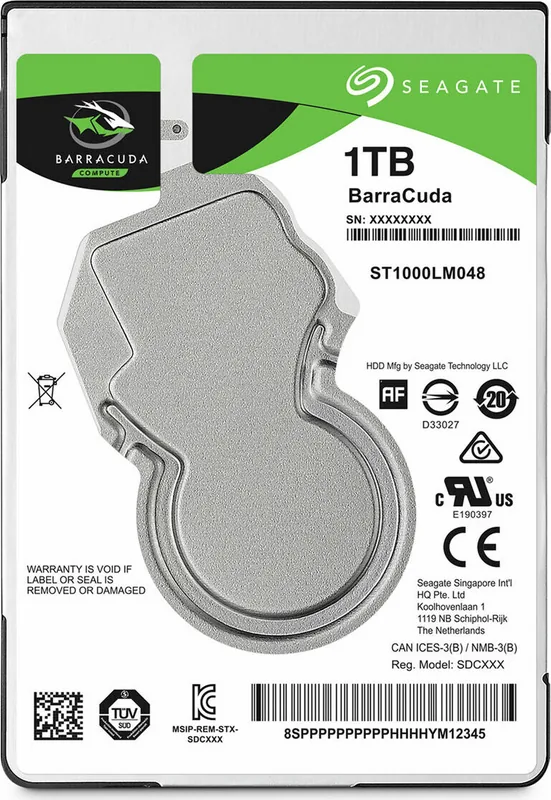
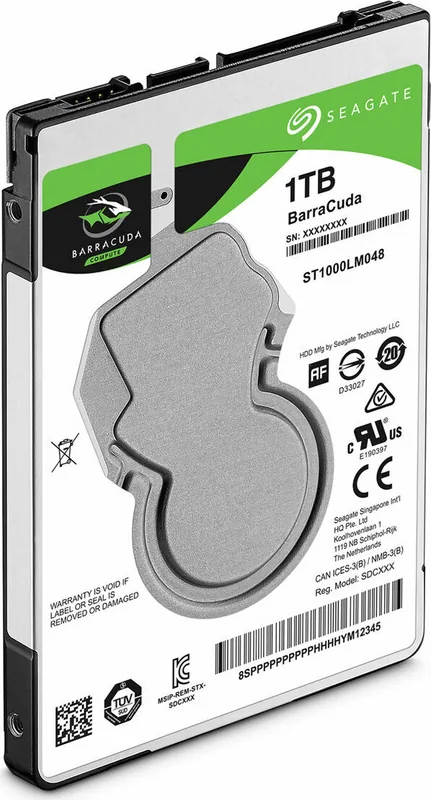
Seagate BarraCuda Compute 2.5" Hard Disk Drive
The Seagate BarraCuda Compute 2.5" Hard Disk Drive is built for compact systems that still need dependable everyday storage. With 500GB, 1TB, and 2TB options, it fits well in laptops, small form factor desktops, and other space-conscious devices. Its 7mm profile and SATA 6Gb/s interface make it a practical upgrade path for users who want a familiar drive format with broad compatibility.
This drive focuses on a balance of capacity, efficiency, and reliability. The 5400 RPM spindle speed, 128MB cache, and support for NCQ help it handle common tasks smoothly, from boot files and applications to media libraries and backups. It is also designed for quiet operation, using a fluid dynamic bearing motor that helps reduce noise during regular use.
One of the most notable strengths of the BarraCuda family is its versatility. Standard models are paired with self-encrypting variants that add hardware-based data protection. These SED versions support automatic encryption and decryption, controlled access, cryptographic erase, and authenticated firmware download. That makes them especially interesting for users and organizations that care about securing data at rest without adding much overhead.
The drive also brings a solid set of durability features. It is rated for high operating and non-operating shock, supports hot-plug capability, and includes SMART monitoring for health tracking. Seagate also provides detailed guidance on mounting, grounding, and handling, which helps protect the drive during installation and long-term use. Environmental limits, workload ratings, and power specifications are clearly defined, making it easier to match the drive to the right system.
For everyday computing, this is a dependable storage choice when you want proven mechanical drive behavior, broad SATA compatibility, and optional hardware security. It is not trying to replace high-speed solid-state storage, but it does offer a strong mix of capacity, value, and flexibility for mainstream use cases.
Notes
- Best suited for general storage, backups, and thin-device upgrades.
- Encryption-capable models add security without changing the basic user experience.
- Keep workloads within the rated limits for best reliability.
Search for 67,706 Manuals online


Type-in Brand or Model