
SBS Mobile TWS Sport Races Manual
PDF manual · 24 Pages
English



Quick check
Incorrect answer, please try again.
Chat with your SBS Mobile TWS Sport Races manual using AI
Get instant AI answers from your SBS Mobile TWS Sport Races manual
Ask anything about the SBS Mobile TWS Sport Races. Answers come from this manual, with the pages they are based on.
Ask a Question
Do you recommend TWS Sport Races?
Yes NoFrequently Asked Questions
Remove the earbuds from the charging case. They will automatically turn on and pair with each other. Then, enable Bluetooth on your device, select 'SBS TWS RACES' from the list, and complete the pairing process.
Is this answer helpful?
The earbuds offer up to 3 hours of continuous work time at maximum volume. The charging box provides additional charges, extending the total standby time to approximately 50 hours.
Is this answer helpful?
Yes, the earbuds feature a built-in microphone that supports hands-free calling. You can answer, end, or reject calls using the multifunction buttons on either earbud.
Is this answer helpful?
It takes approximately 1.5 hours to fully charge the earbuds using the provided Micro-USB cable and a suitable charger. The LED indicator turns off when charging is complete.
Is this answer helpful?
Upon removal, the earbuds automatically power on and establish a connection with each other. The left earbud will flash blue and red, while the right one flashes blue.
Is this answer helpful?
Yes, pressing and holding the multifunction button for about 1.5 seconds activates the voice assistant on your connected device.
Is this answer helpful?
Advantages and Disadvantages
Advantages

- Bluetooth V 5.0 ensures fast and stable wireless connectivity
- Impressive 50-hour standby time for long-term usability
- Automatic pairing simplifies the setup process significantly
- Built-in microphone allows for clear hands-free calling
- Quick 1.5-hour charge time keeps you listening longer
Disadvantages

- Maximum work time is limited to 3 hours at full volume
- Charging requires a separate Micro-USB cable not always handy
- LED indicators may drain battery slightly faster if left visible
- No mention of water resistance rating for heavy sweat exposure
- Single color LED feedback limits detailed battery status information
Product Specification
Type
In-Ear Headphones
Form Factor
True Wireless, Ear Hook
Principle
Closed-back
Microphone
Integrated
Wireless
Bluetooth 5.0
Control
1-Key Remote Control
Battery Life
3h, 13h (with Charging Case)
Battery
USB Micro-B Charging Port, Charging Case (350mAh), 1.5h Charging Time
Frequency Range
20Hz-20kHz
Impedance
32 Ohms
Sensitivity
92dB
Color
Black
Product Description
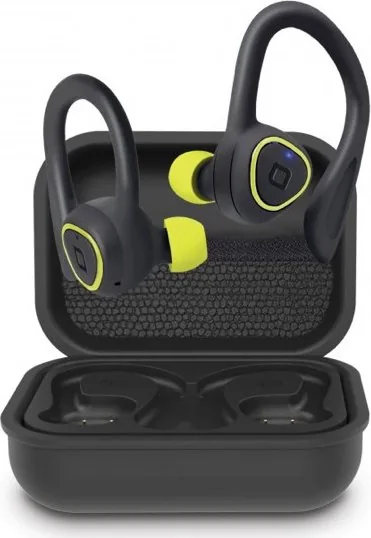
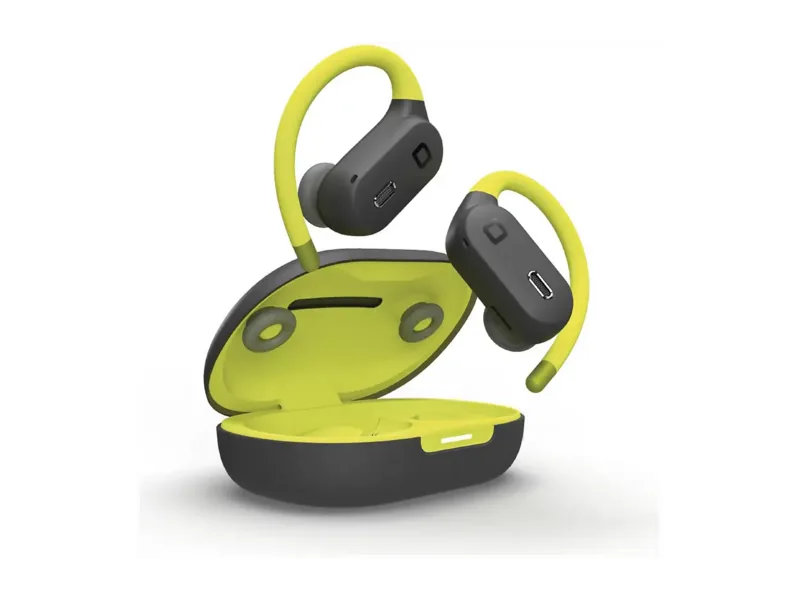
SBS Mobile TWS Sport Races: The Ultimate Wireless Companion
The SBS Mobile TWS Sport Races wireless earbud headphones redefine your audio experience with cutting-edge technology designed for active lifestyles. Engineered to deliver crisp sound and reliable connectivity, these earbuds are perfect for running, gym sessions, or daily commutes. Featuring Bluetooth V 5.0, they ensure a stable connection up to 10 meters, allowing you to move freely without signal interruptions.
Sound quality is paramount, with a frequency range of 20Hz to 20kHz and an impedance of 32Ω ensuring deep bass and clear highs. The sensitivity of 92dB guarantees loud, distortion-free audio even at high volumes. Equipped with a built-in microphone, these earbuds handle phone calls effortlessly, making them ideal for hands-free communication on the go.
Battery life is optimized for extended use. The charging box holds a robust 350mAh capacity, providing multiple charges for your earbuds. A single charge delivers up to 3 hours of continuous playback at maximum volume, while the standby time reaches an impressive 50 hours. Charging is quick and convenient, taking only 1.5 hours to fully power the unit via the included Micro-USB port.
Pairing is seamless. Simply remove the earbuds from the case, and they automatically turn on and connect to each other. If manual activation is needed, hold the multifunction button for two seconds. Once paired, the left earbud flashes blue and red, and the right flashes blue, signaling readiness to connect to your smartphone. The LED indicators provide visual feedback during charging, glowing red when active and turning off when full.
Key Features
- Automatic pairing upon removal from the case
- Multifunction buttons for play, pause, track switching, and call management
- Voice assistant support for hands-free control
- Durable design suitable for sports activities
Notes
Ensure both earbuds are charged before first use. Keep the charging contacts clean for optimal performance. Always pair the earbuds with your device after they have connected to each other.
Search for 67,732 Manuals online


Type-in Brand or Model