
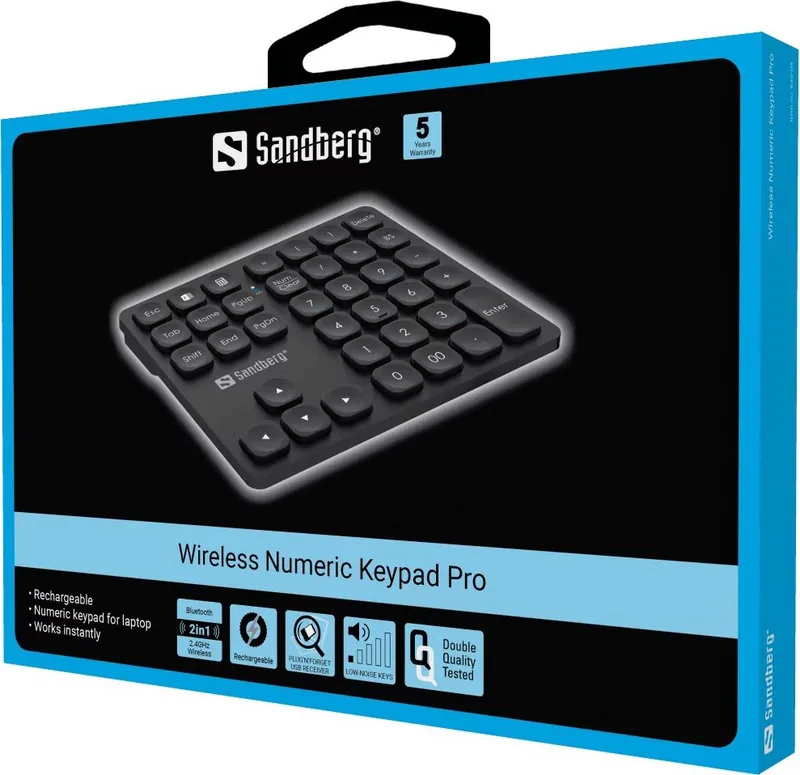
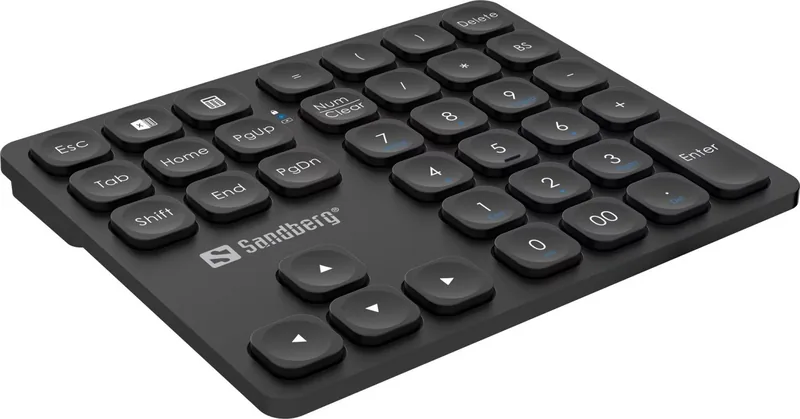
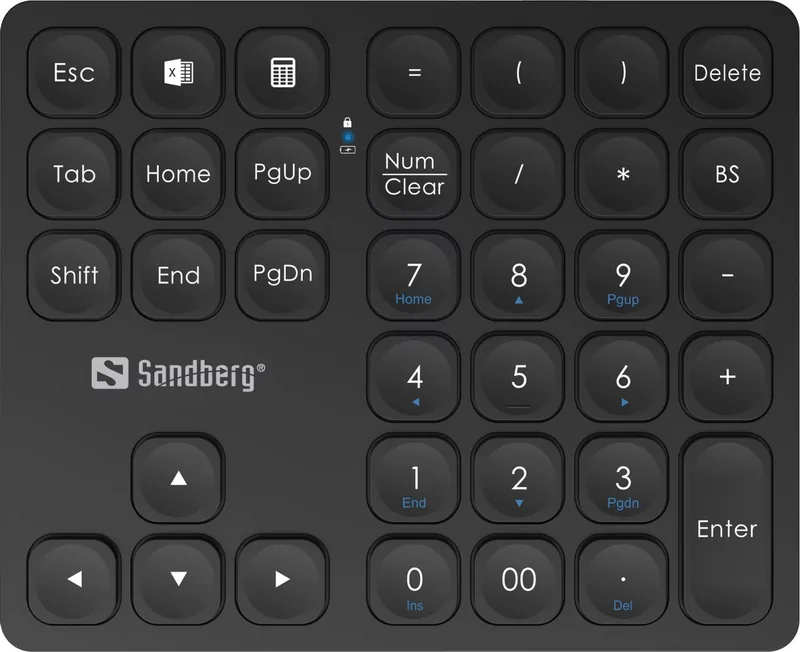
Sandberg Wireless Numeric Keypad Pro 630-09 Manual
PDF manual · 8 Pages
English



Quick check
Incorrect answer, please try again.
Chat with your Sandberg Wireless Numeric Keypad Pro 630-09 manual using AI
Get instant AI answers from your Sandberg Wireless Numeric Keypad Pro 630-09 manual
Ask anything about the Sandberg Wireless Numeric Keypad Pro 630-09. Answers come from this manual, with the pages they are based on.
Ask a Question
Do you recommend Wireless Numeric Keypad Pro 630-09?
Yes NoFrequently Asked Questions
You can connect using the included USB 2.4 GHz dongle for a direct wireless link or pair via Bluetooth if your device supports it. Both options are accessible through the dedicated switch on the back of the unit.
Is this answer helpful?
The Status LED shows various states. Constant blue means on and ready. Constant cyan indicates Num lock with charging. Constant green means fully charged. Fast blinking shows low battery.
Is this answer helpful?
Yes, the device features a USB-C charge port. You can use any standard USB-C cable to recharge the internal battery without needing a proprietary adapter.
Is this answer helpful?
Sandberg provides a five-year warranty on this product. Users are encouraged to register their new product at the official website to validate the coverage terms.
Is this answer helpful?
There is a physical ON/OFF switch located on the back of the keypad. Flip it to the OFF position to cut power and conserve battery life when not in use.
Is this answer helpful?
Support information is available at the Sandberg website under the helpdesk section. They also provide details on handling electronic waste for responsible disposal.
Is this answer helpful?
Yes, the wireless capability works with laptops that support Bluetooth or have available USB ports for the wireless dongle included with the package.
Is this answer helpful?
Advantages and Disadvantages
Advantages

- Dual connectivity options including 2.4 GHz via dongle and Bluetooth pairing.
- Convenient USB-C charge port for easy recharging with standard cables.
- Smart Status LED indicator system displays battery and connection states clearly.
- Robust five-year warranty covers manufacturing defects for peace of mind.
- Ergonomic design separates numeric input to reduce strain and improve velocity.
Disadvantages

- Requires storage for the USB dongle when not actively using the wireless mode.
- Battery dependency means the device will need periodic recharging over time.
- Limited to numeric keys only which restricts general typing functionality.
- Bluetooth pairing mode requires specific blinking patterns to configure correctly.
- Range limitations exist typical for wireless peripherals in open office setups.
Product Specification
Type
Numpad
Compatibility
PC, Mac OS
Key Type
Rubber Dome
Keys
36
Lighting
N/A
Key Height
Flat
Key Shape
Concave
Wrist Rest
N/A
Housing
Plastic
Housing Color
Black
Connection
Wireless (2.40 GHz, Bluetooth)
Power Supply
Battery (Built-in)
Dimensions (WxHxD)
5.76x0.63x4.70in
Weight
0.66 lbs
Features
Chiclet, Detachable USB Cable (USB-C)
Product Description
Enhance Your Data Entry Workflow with the Sandberg Wireless Numeric Keypad Pro
In today's fast-paced digital environment, efficiency is paramount. Whether you are an accountant managing ledgers, a data analyst inputting spreadsheets, or a content creator needing quick macro access, the demand for dedicated numeric input tools is undeniable. The Sandberg Wireless Numeric Keypad Pro offers a sleek solution to declutter your desk and streamline your operations significantly. This device is designed to maximize productivity by providing a standalone number pad that operates seamlessly over your workstation without physical wire constraints.
One of the standout features of this keypad is its robust dual connectivity options. Users can securely select between a stable 2.4 GHz connection via the included USB dongle for maximum reliability or utilize modern Bluetooth pairing for the latest smartphones and laptops without available dongle slots. This flexibility ensures broad compatibility across various operating systems and hardware configurations. The transition between wireless modes is intuitive, facilitated by a dedicated physical ON/OFF switch located on the back of the unit for easy access.
Power management is handled through a convenient USB-C charge port situated on the device casing. Users can easily recharge the internal battery using standard cables without hunting for proprietary adapters. The device features a smart Status LED indicator system that communicates battery levels and connection states through distinct color patterns and blinking sequences. A constant blue light signifies the unit is on and ready for use, while a blinking fast pattern indicates Bluetooth pairing mode. When fully charged, the light glows green, giving users immediate peace of mind regarding operational uptime and readiness for extended tasks.
Maintenance and peace of mind are also central to the overall product experience provided by Sandberg. This manufacturer stands behind their hardware with a robust five-year warranty that covers potential manufacturing defects. This commitment reflects serious confidence in build quality and long-term durability of the product components. Owners are strongly encouraged to register their product to validate their coverage terms online and ensure full support access. Furthermore, the device supports eco-conscious disposal methods as noted in their electronic waste guidelines for responsible recycling practices.
Integrating this peripheral into your daily routine reduces physical strain on your hands and improves overall input velocity. By separating number input from the main typing area, you minimize excessive physical movement across the desk and reduce the risk of repetitive stress injuries associated with prolonged work. The compact form factor allows for easy portability, making it an ideal companion for frequent travelers or multi-station office setups. Refer to the product manual if needed for specific installation steps regarding the USB dongle receiver.
Ultimately, the Sandberg Wireless Numeric Keypad Pro represents a practical and necessary upgrade for any professional desk setup. It combines reliable wireless performance with user-friendly maintenance features and a strong warranty support system. Whether you are optimizing financial workflows or enhancing gaming performance with specific numeric keys, this tool delivers consistent results over time. Embrace a more organized workspace and enjoy the freedom of wireless functionality with this essential modern accessory.
Search for 67,706 Manuals online


Type-in Brand or Model