
Sandberg Wireless Numeric Keypad 2 630-05 Manual
PDF manual · 1 Pages
English


Quick check
Incorrect answer, please try again.
Chat with your Sandberg Wireless Numeric Keypad 2 630-05 manual using AI
Get instant AI answers from your Sandberg Wireless Numeric Keypad 2 630-05 manual
Ask anything about the Sandberg Wireless Numeric Keypad 2 630-05. Answers come from this manual, with the pages they are based on.
Ask a Question
Do you recommend Wireless Numeric Keypad 2 630-05?
Yes NoFrequently Asked Questions
There is a five-year warranty on your Sandberg product covering manufacturing defects.
Is this answer helpful?
Installation is straightforward as described in the quick guide provided with the packaging for easy setup.
Is this answer helpful?
You can register your new Sandberg product at the official warranty website for support access.
Is this answer helpful?
Yes, it uses a USB wireless connection for ease of use without requiring complex pairing steps.
Is this answer helpful?
See the official website for information on handling electronic waste and proper disposal methods.
Is this answer helpful?
It includes numbers, plus signs, backspace, and navigation keys like home and end functions.
Is this answer helpful?
A quick guide is part of the documentation provided with the device to assist with usage.
Is this answer helpful?
Advantages and Disadvantages
Advantages

- Five-year warranty provides long-term protection for your investment with peace of mind.
- Wireless USB connection allows flexible placement and reduces cable clutter significantly.
- Dedicated number pad improves efficiency for data entry tasks and spreadsheets.
- Easy installation with plug-and-play compatibility for most computer systems.
- Clear key labeling ensures quick adoption and minimizes typing errors.
Disadvantages

- Requires batteries which need periodic replacement to maintain functionality.
- Does not include a full keyboard layout or additional function keys.
- Wireless latency might occur in very old or incompatible systems.
- No backlighting mentioned for easy use in low light environments.
- Standalone device that needs its own storage space when not in use.
Product Specification
Type
Numpad
Compatibility
PC, Mac OS
Key Type
Rubber Dome
Keys
18
Backlight
N/A
Key Height
Flat
Key Shape
Concave
Wrist Rest
N/A
Housing
Plastic
Connection
Wireless (2.40GHz)
Power Supply
1x AAA
Features
Unifying Receiver
Product Description
Elevate Your Productivity with the Sandberg Wireless Numeric Keypad 2
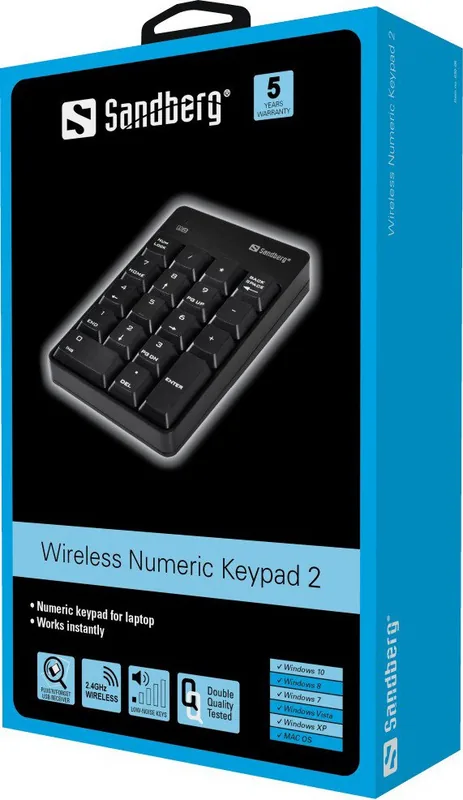
In the modern era of digital productivity, having the right tools makes all the difference for business professionals and students alike. The Sandberg Wireless Numeric Keypad 2, USB Manual integration allows users to streamline data entry tasks effortlessly without cluttering their desk space. This device offers a practical solution for accountants, data entry clerks, and anyone who spends hours typing numbers into spreadsheets or financial software applications. By connecting seamlessly via wireless technology, it frees your workspace from tangled cables and physical constraints often associated with older wired peripherals found in offices. It serves as an excellent upgrade for enhancing efficiency. This compact accessory allows for greater flexibility in your office setup.
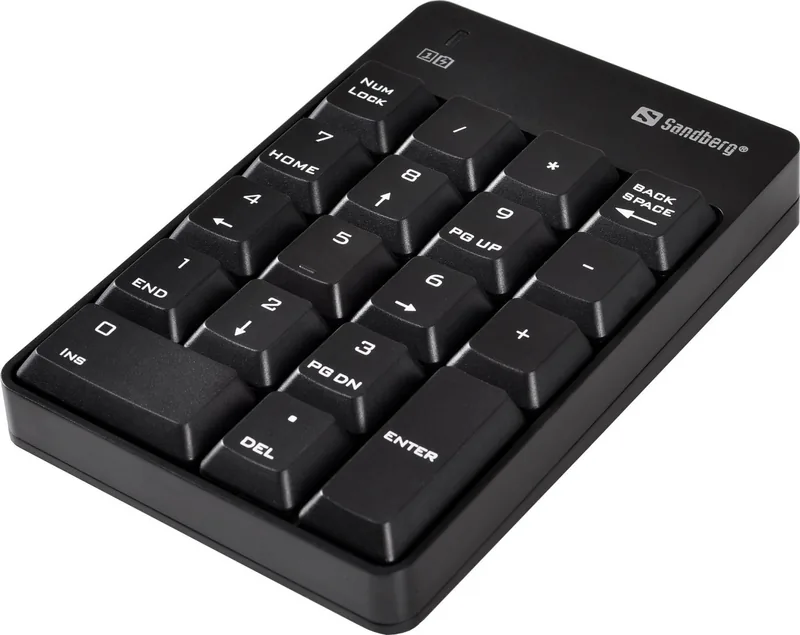
One of the standout features is the robust warranty included with every unit sold to customers around the world. Users benefit from a five-year warranty on their Sandberg product, ensuring peace of mind regarding durability and long term reliability over time. You are strongly encouraged to read the warranty terms and register your new Sandberg product at the official website for full support access and updates. Handling electronic waste is also important for environmental responsibility, and detailed information is available online for proper disposal methods when the device eventually reaches end of life cycle. The keypad layout includes standard numerical keys alongside essential navigation controls like home and end function keys.
Installation is straightforward as described in the quick guide provided with the packaging upon unboxing. Users will find the keys labeled clearly with backspace, delete, and enter functions visible on the surface for easy identification. This ensures minimal learning curve when transitioning from a standard desktop setup to a wireless workflow environment effectively. The wireless USB connection means plug-and-play functionality without complex drivers or software installation on the host computer system. Many professionals prefer this compact accessory over built-in laptop numpads for ergonomic comfort during long work sessions and financial planning. Additionally, the compact size makes it easy to transport for remote work settings where desk space is limited. Reliable connectivity ensures you can type numbers accurately without lagging or disconnecting unexpectedly.
Important Notes for Users
Always check compatibility before purchasing to ensure smooth operation across your specific operating system version and hardware configuration. Regular maintenance of the battery is key to consistent performance and avoiding unexpected interruptions during critical work hours or deadlines. The design focuses on simplicity and efficiency to help you work faster under pressure. Enjoy the freedom of a wireless setup with high quality standards. Please keep the warranty card safe for future reference.
Search for 67,706 Manuals online


Type-in Brand or Model