
Sandberg Wireless Mouse Pro Recharge 631-02 Manual
PDF manual · 8 Pages
English



Quick check
Incorrect answer, please try again.
Chat with your Sandberg Wireless Mouse Pro Recharge 631-02 manual using AI
Get instant AI answers from your Sandberg Wireless Mouse Pro Recharge 631-02 manual
Ask anything about the Sandberg Wireless Mouse Pro Recharge 631-02. Answers come from this manual, with the pages they are based on.
Ask a Question
Do you recommend Wireless Mouse Pro Recharge 631-02?
Yes NoFrequently Asked Questions
There is a five-year warranty on the Sandberg product provided you register it.
Is this answer helpful?
Yes, but the connection is for charging only and no data signal is transmitted.
Is this answer helpful?
Activate mode selection for three seconds and short press to select the Bluetooth PC option.
Is this answer helpful?
You must use a USB-A to USB-C cable for charging the mouse properly.
Is this answer helpful?
The red LED indicates charging status and turns off when the mouse is fully charged.
Is this answer helpful?
The product is made in China according to the printed manual details.
Is this answer helpful?
Yes, there is a wireless mode select switch on the bottom of the mouse.
Is this answer helpful?
Advantages and Disadvantages
Advantages

- Includes a five-year warranty coverage for peace of mind and hardware reliability.
- Supports dual connection modes for wireless USB-dongle or Bluetooth pairing.
- Magnetic bottom shell design simplifies maintenance and component access.
- Rechargeable battery eliminates the need for frequent disposable battery replacement.
- DPI switch allows instant sensitivity adjustment for different tasks.
Disadvantages

- Requires a specific USB-A to USB-C cable for charging functionality.
- Laptop connection during charging does not support data signal transfer.
- Bluetooth pairing requires manual mode selection button press.
- Wired functionality is limited solely to charging operations.
- Product manufacturing location is listed as China.
Product Specification
Handedness
right hand
Buttons
6 (total), 2 (primary), 1 (top), 2 (left), 1 (scroll wheel click)
Scroll Wheel
1x 2-way
Sensor
Red LED/IR
Resolution
1600 dpi, reducible to 1200/1000 dpi
Lighting
N/A
Connectivity
wireless (2.4GHz), USB-A (USB-A receiver) or wireless (Bluetooth), detachable cable (USB-C port)
Power Supply
Battery (built-in, 500mAh), charging cable (USB-C)
Dimensions (WxHxD)
2.76 in x 1.65 in x 4.33 in
Approximate Volume
5.19 cu in (rounded shape)
Weight
0.23 lbs
Color
Solid, black
Features
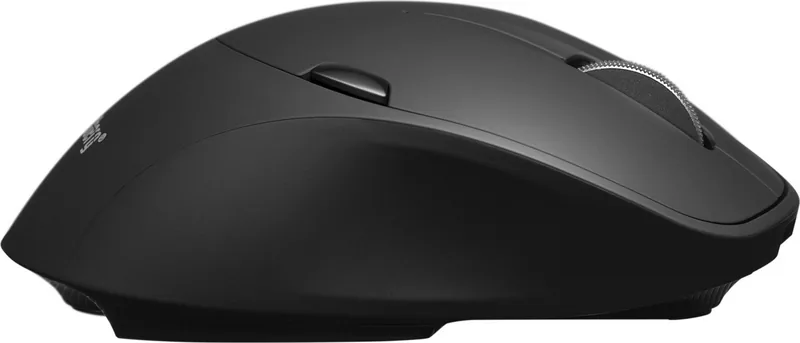
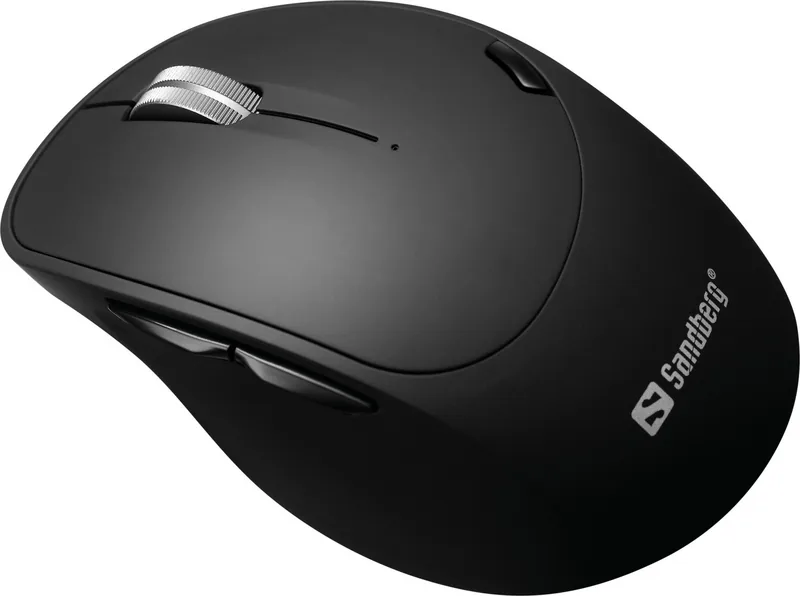
Thumb rest, charging status indicator, non-slip surface (rubberized on sides/top), stowable receiver
Product Description
Enhance Your Productivity with the Sandberg Wireless Mouse Pro Recharge
In the modern workspace, efficiency is key. The Sandberg Wireless Mouse Pro Recharge black USB/Bluetooth Manual provides essential guidance for users looking to optimize their setup. This versatile peripheral offers seamless connectivity options tailored for diverse workflows. Whether you prefer a secure wireless connection or the flexibility of Bluetooth pairing, this device delivers reliability and comfort for daily tasks.
Connectivity and Design Features
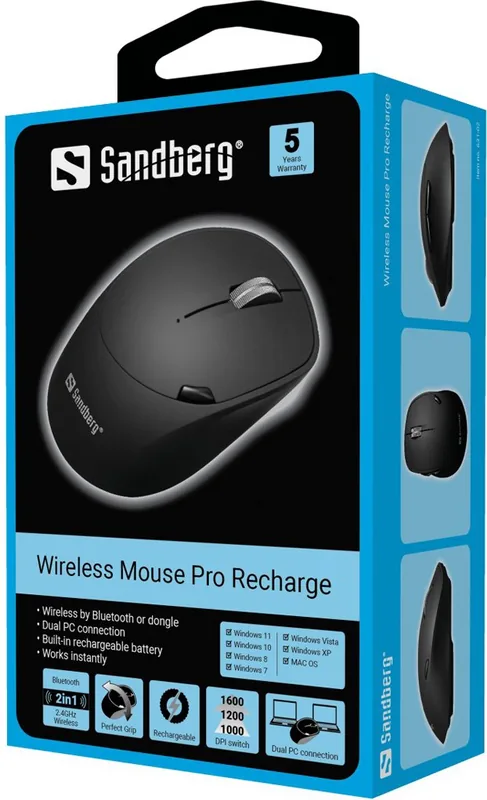
The mouse features a dual-mode wireless system designed for flexibility. You can connect via the proprietary 2.4GHz USB dongle for instant stability or pair with up to two Bluetooth devices simultaneously. The magnetic bottom shell allows for easy access to internal components if necessary. Users appreciate the sleek design that fits comfortably in hand during extended use. The DPI switch lets you adjust sensitivity on the fly, catering to both precision work like graphic design and rapid navigation across large spreadsheets. Transitioning between wireless mode one and mode two takes mere seconds using the side switch.
Charging and Battery Lifecycle
Powering this device is straightforward for most users. The USB-C port allows charging directly from a laptop or a dedicated USB AC charger. A red LED indicator confirms charging status and turns off naturally upon completion. It is important to note that the laptop connection serves charging purposes only and does not transmit data signals. This ensures your workflow remains uninterrupted while the mouse recharges without consuming PC resources. The rechargeable battery eliminates the need for frequent disposable replacements.
Warranty and Customer Support
Sandberg stands behind their products with a five-year warranty that covers defects. Registering your product on their official website grants you peace of mind and extended support options. The company is headquartered in Denmark, emphasizing quality European standards despite manufacturing in China. For support, users can visit their dedicated helpdesk portal or contact their local distributor. This commitment ensures longevity for your investment in office equipment. This dedication to service makes it a superior choice for business professionals seeking reliability in their peripheral gear.
Conclusion and Final Thoughts
Using the Sandberg Wireless Mouse Pro Recharge black USB/Bluetooth Manual ensures you understand all features completely. From the quick guide installation steps to warranty registration, you are fully covered. The included documentation simplifies the setup process significantly. Embrace wireless freedom today with a mouse that adapts to your specific needs. Whether you are traveling or working at a desk, this mouse is a robust companion.
Search for 67,706 Manuals online


Type-in Brand or Model