
Sandberg Wireless Mouse 631-03 Manual
PDF manual · 4 Pages
English



Quick check
Incorrect answer, please try again.
Chat with your Sandberg Wireless Mouse 631-03 manual using AI
Get instant AI answers from your Sandberg Wireless Mouse 631-03 manual
Ask anything about the Sandberg Wireless Mouse 631-03. Answers come from this manual, with the pages they are based on.
Ask a Question
Do you recommend Wireless Mouse 631-03?
Yes NoFrequently Asked Questions
The Sandberg wireless mouse comes with a five-year warranty. You can register your product on the official website to activate full support coverage and warranty terms.
Is this answer helpful?
The mouse requires standard AA batteries. You need to access the battery compartment and insert them according to the polarity marking shown in the quick guide.
Is this answer helpful?
Yes, the mouse features a DPI switch. This allows you to adjust sensitivity according to specific projects or screen resolutions for better precision.
Is this answer helpful?
For information on handling electronic waste, please visit the Sandberg website page dedicated to waste disposal and recycling guidelines.
Is this answer helpful?
The quick guide mentions USB connectivity. Users should check the website for any specific software or manual resources to ensure full functionality.
Is this answer helpful?
Advantages and Disadvantages
Advantages

- Includes a comprehensive five-year warranty for long-term peace of mind and product security.
- Features a DPI switch allowing users to customize sensitivity for different tasks.
- Uses standard AA batteries for easy power replacement without charging cycles.
Disadvantages

- Requires replacement of AA batteries which may incur long-term costs.
- Production location is listed as China which may be a concern for some buyers.
- Limited color options available beyond the black finish.
Product Specification
Handedness
Right hand
Buttons
4 (total), 2 (primary), 1 (top), 1 (scroll wheel click)
Scroll Wheel
1x 2-Way
Tracking
Red LED / IR
Resolution
1600 dpi, reducible to 1200/800 dpi
Lighting
N/A
Connectivity
Wireless (2.40GHz), USB-A (USB-A Receiver)
Power Supply
1x AA
Dimensions (WxHxD)
2.56 x 1.38 x 4.37 in
Approximate Volume
4.03 in^3 (approximate shape)
Weight
2.29 oz
Color
Solid, black
Features
Thumb rest, non-slip surface (top rubberized)
Product Description
Revolutionizing Your Workspace
Seamless Connectivity
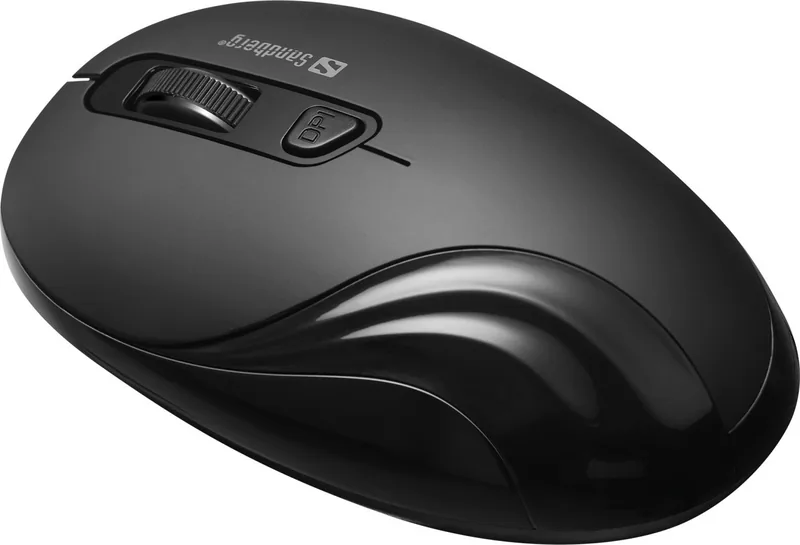
In today's fast-paced digital environment, having reliable peripherals is essential for maintaining productivity and comfort. The Sandberg Wireless Mouse Black serves as an excellent solution for users seeking efficiency without the clutter of cables. This device connects effortlessly via USB technology to ensure stability during every task you undertake. Whether you are navigating through complex spreadsheets or simply browsing the web, smooth movements are guaranteed thanks to its ergonomic design. The wireless capability allows for a cleaner desk setup, promoting a distraction-free environment that helps focus attention on critical work.
Key Features and Specifications
When consulting the Sandberg Wireless Mouse Black, USB Manual, users discover the ease of operation provided by the included instructions. The mouse supports standard AA batteries for power, which means you can easily replace them when needed rather than worrying about charging cycles. One standout feature is the DPI switch, allowing you to adjust sensitivity according to specific projects or screen resolutions. This adaptability ensures precision whether you are working on detailed graphics or general office tasks. The battery compartment is designed for straightforward access, minimizing downtime when power runs low.
Reliability and Support
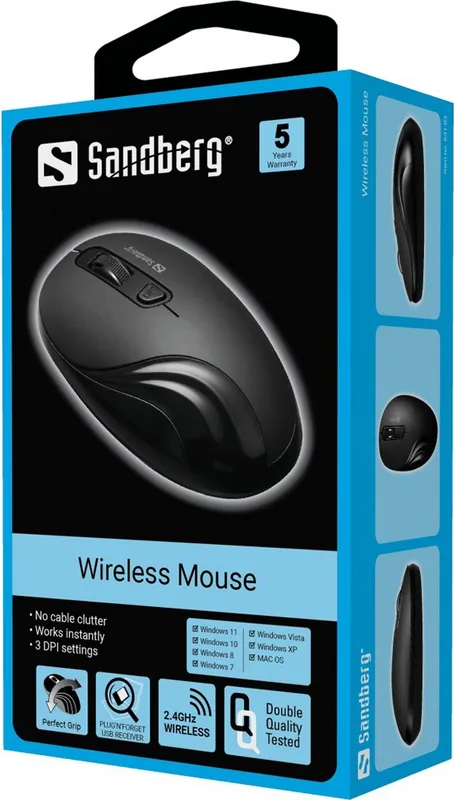
Sandberg stands behind their products with confidence, offering a comprehensive five-year warranty on your new item. This assurance highlights the durability and quality expected from the brand. Customers are encouraged to register their product on the official website to activate full support coverage. The manufacturing process involves global standards, with production occurring in facilities designed for consistent quality control. For those concerned with environmental responsibility, information regarding electronic waste disposal is available through the company support channels. This commitment to sustainability reflects broader industry trends toward responsible consumption.
User Experience and Long Term Value
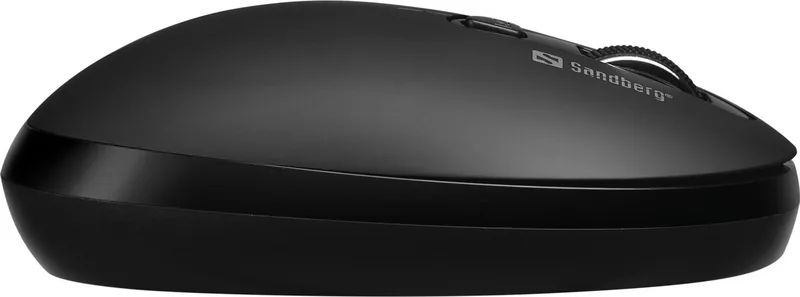
The physical design focuses on comfort during extended periods of use. Clicking mechanisms are responsive, providing clear feedback for left and right clicks. Scrolling functions operate smoothly to facilitate navigation through long documents or websites. The wireless connection reduces cable fatigue, allowing you to reposition your setup effortlessly. Overall, this peripheral represents a solid choice for professionals and home users alike who value reliability and performance in their daily computing routines. Investing in quality hardware reduces replacement costs over time. The five-year warranty further emphasizes the longevity of the build quality compared to cheaper alternatives found in the market today.
Conclusion
Choosing the right mouse makes a significant difference in daily workflow efficiency. By combining wireless freedom with adjustable sensitivity and robust warranty support, this option meets the diverse needs of modern computer users. It simplifies the workspace while delivering consistent performance for all tasks.
Search for 67,706 Manuals online


Type-in Brand or Model