
Sandberg USB Webcam 1080P Saver 333-96 Manual
PDF manual · 4 Pages
English



Quick check
Incorrect answer, please try again.
Chat with your Sandberg USB Webcam 1080P Saver 333-96 manual using AI
Get instant AI answers from your Sandberg USB Webcam 1080P Saver 333-96 manual
Ask anything about the Sandberg USB Webcam 1080P Saver 333-96. Answers come from this manual, with the pages they are based on.
Ask a Question
Do you recommend USB Webcam 1080P Saver 333-96?
Yes NoFrequently Asked Questions
It is designed for everyday video communication, including remote meetings, online learning, video chats, and basic streaming. Its combination of 1080P video, USB connection, and an integrated microphone supports a simple desktop or laptop camera setup.
Is this answer helpful?
Yes. The webcam has a flexible clip intended for mounting on a PC monitor. It can also be positioned on a desk, allowing users to choose an angle that suits their workspace and video needs.
Is this answer helpful?
Yes. The Sandberg USB Webcam 1080P Saver includes a built-in microphone. This makes it convenient for standard calls and online conversations where a separate microphone is not required.
Is this answer helpful?
The webcam connects through USB. This direct connection is intended to make setup straightforward: connect it to an available USB port, position the camera, and select it in the communication software when needed.
Is this answer helpful?
Yes. The webcam includes focus adjustment. Manual control can help improve sharpness when changing the distance between the camera and the subject or when using different viewing angles.
Is this answer helpful?
For a natural view, place the webcam near eye level on top of a monitor. Use even lighting in front of you, avoid strong light behind you, and ensure the clip or desk position keeps the camera stable.
Is this answer helpful?
Advantages and Disadvantages
Advantages

- 1080P video support helps provide a clearer image for calls, lessons, and everyday online communication.
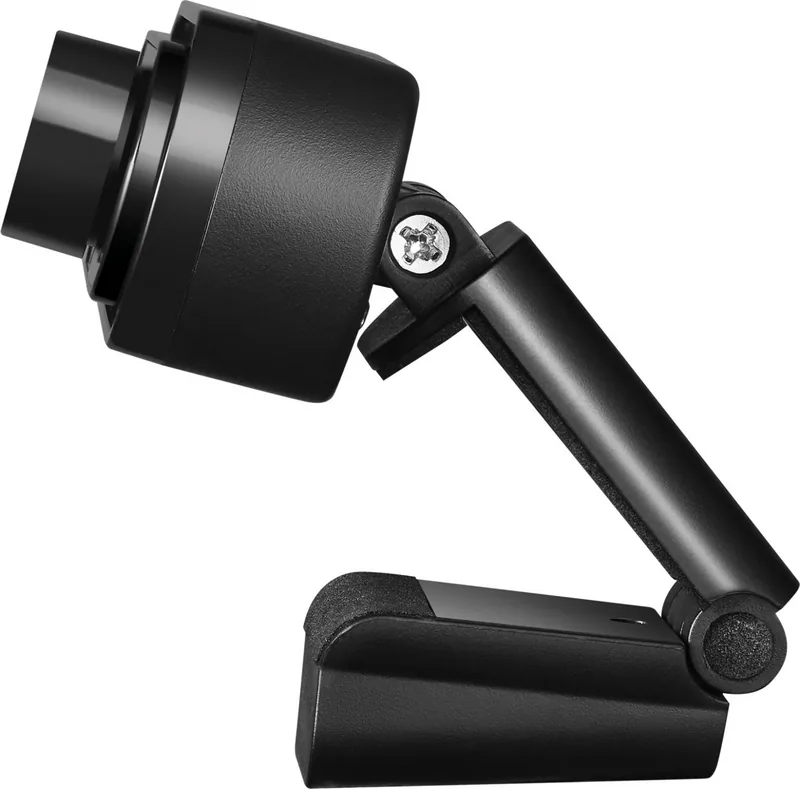
- Foldable design and flexible clip allow placement on a PC monitor or on a desk.
- Built-in microphone supports basic voice capture without requiring an additional audio device.
- USB connection offers a simple, direct setup for compatible computer systems.
- Manual focus adjustment gives users control over image sharpness at different distances.
Disadvantages

- Manual focus may require occasional adjustment when the camera position or subject distance changes.
- The supplied information does not specify advanced features such as privacy shutter, lighting, or software controls.
- A built-in microphone may not replace a dedicated microphone for demanding audio recordings.
Product Specification
Type
Webcam
Image Sensor
1x CMOS 2.0 MP
Resolution
1920 x 1080 pixels (30 fps)
Field of View
60 degrees
Wireless
N/A
Microphone
Integrated
Speaker
N/A
Lighting
N/A
Cable Length
3.94 ft
Power Supply
via USB
Mount
Mounting clip
Manufacturer Warranty
5 years
Product Description
Sandberg USB Webcam 1080P Saver - Read, Download & Print Free
The Sandberg USB Webcam 1080P Saver is a practical camera solution for everyday video communication. Designed for simple USB connection, it helps users add clear Full HD video to a desktop or laptop setup without complicated installation steps. Whether used for remote meetings, online classes, family calls, or casual streaming, this webcam offers a straightforward way to improve the visual side of digital conversations.
Compact design for flexible placement
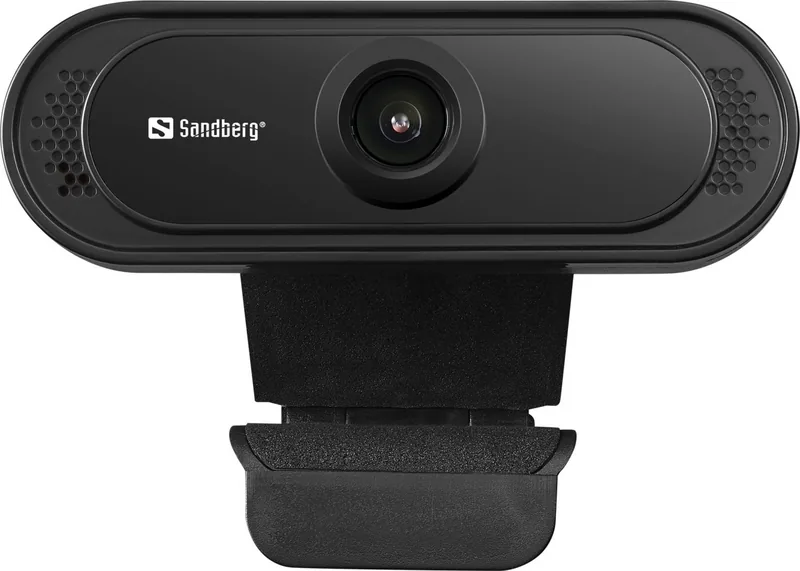
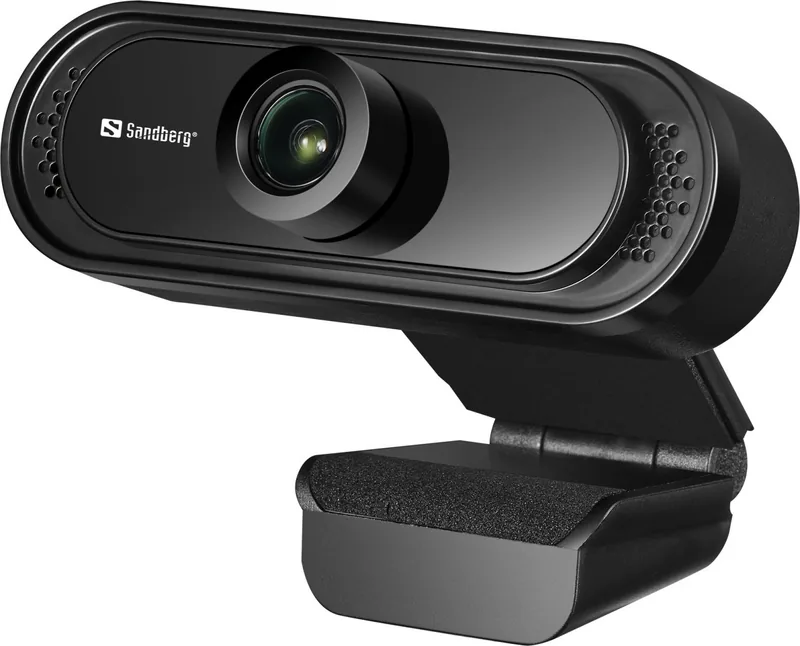
A foldable construction makes the webcam easy to position and store. Its flexible clip is designed to attach securely to a PC monitor, while the included mounting possibilities also support placement on a desk. This versatility is useful for users who switch between screen-mounted calls and a more stable desktop camera angle.
The compact shape keeps the camera area tidy and avoids taking up unnecessary room around a workstation. When the webcam is not needed, its foldable design can make packing it away or carrying it between locations more convenient.
Full HD video and built-in microphone
The Sandberg USB Webcam 1080P Saver features a camera lens intended for 1080P video, helping participants appear sharper during online conversations. Full HD resolution is a strong fit for video calls where facial expressions, demonstrations, and visual details matter.
A built-in microphone adds further convenience by allowing users to capture voice without relying on a separate external microphone for basic communication. This all-in-one approach can be especially helpful for home offices, student desks, and shared workspaces where a simple setup is preferred.
Easy USB connection and manual focus adjustment
Connection is handled through USB, making the webcam suitable for users who want a direct, uncomplicated setup. Plug the camera into an available USB port, choose a suitable position, and adjust the view for the task at hand.
Manual focus adjustment gives users added control over image sharpness. This can be useful when changing the distance between the webcam and the subject, moving from a close presentation to a wider desk view, or finding the best focus for a particular lighting environment.
A sensible choice for daily communication
The Sandberg USB Webcam 1080P Saver focuses on the essentials: Full HD video, an integrated microphone, flexible mounting, USB connectivity, and adjustable focus. It is an approachable option for people who need a dedicated webcam for regular online interaction.
Notes
For the best result, place the webcam at eye level, keep the lens clean, and use balanced front lighting. Positioning the camera securely on a monitor or desk can also help create a more natural and stable video frame.
Search for 67,706 Manuals online


Type-in Brand or Model