
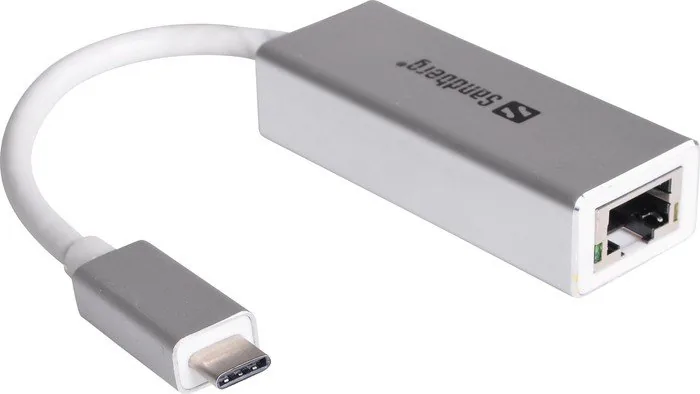
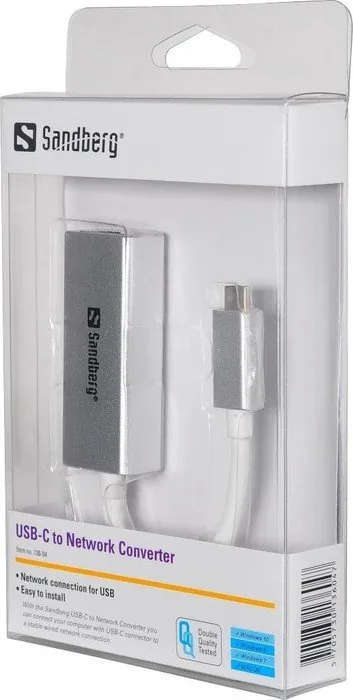
Sandberg USB-C to Network Converter 136-04 Manual
PDF manual · 1 Pages
English


Quick check
Incorrect answer, please try again.
Chat with your Sandberg USB-C to Network Converter 136-04 manual using AI
Get instant AI answers from your Sandberg USB-C to Network Converter 136-04 manual
Ask anything about the Sandberg USB-C to Network Converter 136-04. Answers come from this manual, with the pages they are based on.
Ask a Question
Do you recommend USB-C to Network Converter 136-04?
Yes NoVideo Manual
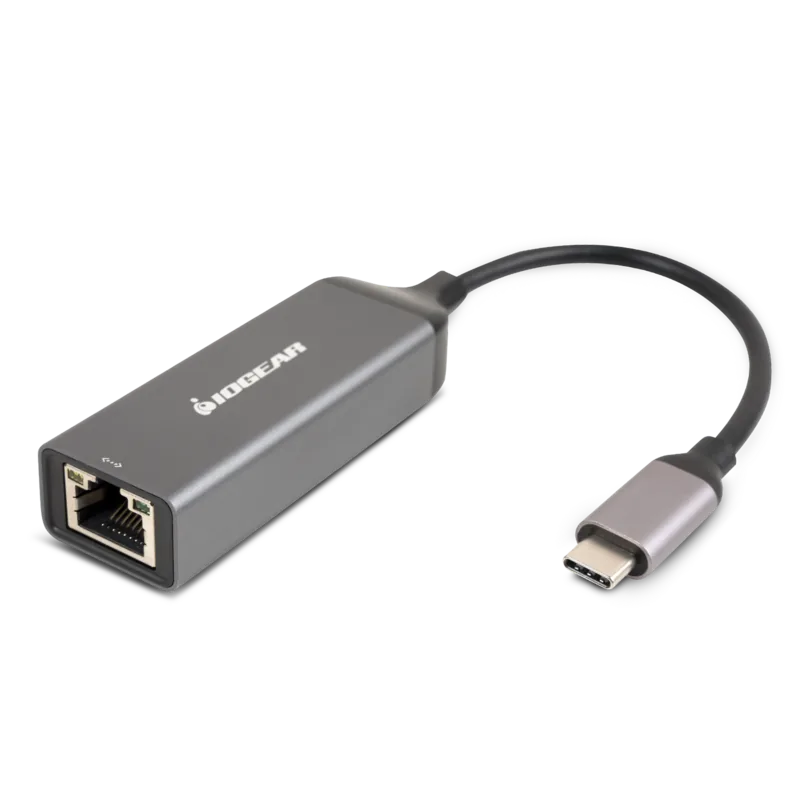
Syncwire USB 3.0 to RJ45 Gigabit Ethernet Adapter
Frequently Asked Questions
The adapter converts a USB-C 3.0 port into a standard RJ-45 Ethernet connection, enabling wired network access for laptops, tablets, and other devices without built-in Ethernet ports.
Is this answer helpful?
Installation is generally straightforward: many systems support plug-and-play, while others may need drivers available from Sandberg’s website or the included CD. Follow the on-screen instructions during setup.
Is this answer helpful?
Yes, using USB-C 3.0 helps facilitate higher data throughput compared with older USB versions, but actual network speed depends on the host port, the network infrastructure, and cable quality.
Is this answer helpful?
Sandberg provides a five-year warranty on this product. Register the adapter on Sandberg’s warranty page to ensure your coverage and review specific terms and conditions.
Is this answer helpful?
Drivers, quick guides, and support resources are available on Sandberg’s website. The product quick guide and a downloadable package are referenced on the support pages for model-specific files.
Is this answer helpful?
Sandberg advises following WEEE and local electronic waste handling rules. Information and instructions for proper disposal are available on the company website.
Is this answer helpful?
Advantages and Disadvantages
Advantages

- Stable wired Ethernet connection for devices lacking built-in RJ-45 ports.
- Compact, portable design suitable for travel and mobile work setups.
- USB-C 3.0 interface offers higher throughput than older USB standards.
- Five-year warranty provides long-term product support and confidence.
- Easy setup with downloadable drivers and on-screen installation guidance.
Disadvantages

- May require driver download for some operating systems; not always fully plug-and-play.
- Adds an external dongle that can be lost or damaged during travel.
- Dependent on host device USB-C port capabilities for maximum speed.
- No integrated cable management; adapter and cable add clutter.
- Requires disposing responsibly; users must follow WEEE guidelines.
Product Specification
Type
LAN adapter
Design
1x external wired (connection cable not detachable)
Interface
1x USB-C 3.0 (plug via cable, 5Gb/s)
Port
1x RJ-45
Data Transfer
1x RJ-45 (10/100/1000Base-T)
Power supply
Power supply only via interface
Dimensions
0.98x0.63x7.87in (WxHxD, incl. cable)
Weight
0.07 lb
Compatibility
universal
Special features
Metal casing
Manufacturer's warranty
five years
USB notation
Link
Product Description
Sandberg LAN Adapter, RJ-45, USB-C 3.0 (Plug) Manual
The Sandberg LAN Adapter, RJ-45, USB-C 3.0 (Plug) is a compact and reliable adapter designed to give modern laptops and tablets a stable wired Ethernet connection through a USB-C port. Ideal for users who need consistent network speeds for video calls, file transfers, streaming, or gaming, this adapter converts USB-C 3.0 capabilities into a standard RJ-45 interface, ensuring compatibility with wired networks where Wi‑Fi may be unstable or unavailable.
The adapter features plug-and-play convenience on many systems, with simple installation either from included media or a download. Sandberg provides a quick guide and downloadable driver package for systems that require drivers, and users can follow on-screen instructions during setup. The unit’s build emphasizes portability and minimal footprint — it’s small enough to carry with a laptop and robust enough for frequent use in home or office environments.
Sandberg backs the adapter with a five-year warranty, reflecting the brand’s confidence in product quality and offering buyers long-term support. The company also provides guidance for responsible electronic waste handling, complying with WEEE recommendations and offering links for warranty registration and disposal instructions. For users who prefer offline installation, the product can be set up from a supplied CD; alternatively, driver files and user material are accessible via Sandberg’s website.
Whether you’re connecting to legacy wired networks in conference rooms, ensuring uninterrupted online meetings, or maximizing throughput for large file uploads, this USB-C to RJ-45 adapter offers a straightforward solution. Its USB-C 3.0 interface helps deliver higher transfer rates than older USB generations, and the RJ-45 termination ensures wide compatibility with network infrastructure used in homes, offices, and public facilities.
Notes:
- Check compatibility and download drivers from Sandberg’s support pages if an OS does not automatically recognise the adapter.
- Register the product at Sandberg’s warranty page to activate the five-year warranty.
- Follow local guidelines for electronic waste disposal as advised by Sandberg.
Search for 67,706 Manuals online


Type-in Brand or Model