
Sandberg Streamer USB Webcam Pro Elite 134-39 Manual
PDF manual · 8 Pages
English



Quick check
Incorrect answer, please try again.
Chat with your Sandberg Streamer USB Webcam Pro Elite 134-39 manual using AI
Get instant AI answers from your Sandberg Streamer USB Webcam Pro Elite 134-39 manual
Ask anything about the Sandberg Streamer USB Webcam Pro Elite 134-39. Answers come from this manual, with the pages they are based on.
Ask a Question
Do you recommend Streamer USB Webcam Pro Elite 134-39?
Yes NoFrequently Asked Questions
No. The Sandberg Streamer USB Webcam Pro Elite operates driver-less and should work immediately with most chat and streaming applications. Optional software from Sandberg can provide additional image-effect and adjustment features.
Is this answer helpful?
Use the AC flicker correction setting matching your local mains frequency: 50Hz for many regions (Europe) or 60Hz where applicable. Adjust this setting to reduce banding and flicker from certain light sources.
Is this answer helpful?
Yes. The webcam supports tripod mounting for more stable or professional setups in addition to its flexible clip for monitors and desks.
Is this answer helpful?
Yes. The webcam includes a mechanical privacy shutter that you can close to physically block the lens when not in use, providing an extra layer of privacy.
Is this answer helpful?
Sandberg offers a five-year warranty on this product. For warranty terms, registration, software guides and support, visit the Sandberg website and helpdesk pages provided with the product documentation.
Is this answer helpful?
The device includes an integrated microphone suitable for calls and casual streaming. For higher-fidelity audio or professional recording, a dedicated external microphone is recommended.
Is this answer helpful?
The webcam uses a USB-A connection and may include or support a USB-A to USB-C adapter to connect to modern laptops and devices that rely on USB-C ports.
Is this answer helpful?
Advantages and Disadvantages
Advantages

- Driver-less plug-and-play operation with broad application compatibility.
- Privacy shutter and LED camera indicator for safety and status awareness.
- Flexible clip plus tripod compatibility for versatile mounting options.
- Manual and auto-focus modes with zoom, pan/tilt features when zoomed.
- Five-year warranty and online support resources from Sandberg.
Disadvantages

- Onboard controls may be limited; full image adjustments require software.
- Integrated microphone suitable for basic use but not studio-quality audio.
- Some advanced functions (pan/tilt) only work when zoomed in.
- Requires correct AC flicker setting based on local mains frequency.
- Physical size and plastic construction may feel less premium to some users.
Product Specification
Type
Webcam
Image Sensor
1x 1/2.9" CMOS 4.0 MP
Resolution
2560x1440 Pixel (30fps), 1920x1080 Pixel (60fps)
Viewing Angle
76°
Zoom Function
5x digital
Compression/Codecs
MJPEG, H.264, H.265, YUY2
Ports
1x USB-A
Wireless
N/A
Focus
Autofocus
Camera Cover
Slider
Microphone
integrated (stereo, omnidirectional), 9.84 ft range
Speaker
N/A
Lighting
Ring Light
Cable Length
6.56 ft
Power Supply
via USB
Mount
Mounting Clip, with 1/4" thread
Dimensions
2.09x2.89x2.47 in
Weight
0.35 lb
Package Contents
Camera, Remote Control, USB-A to USB-C Adapter
Special Features
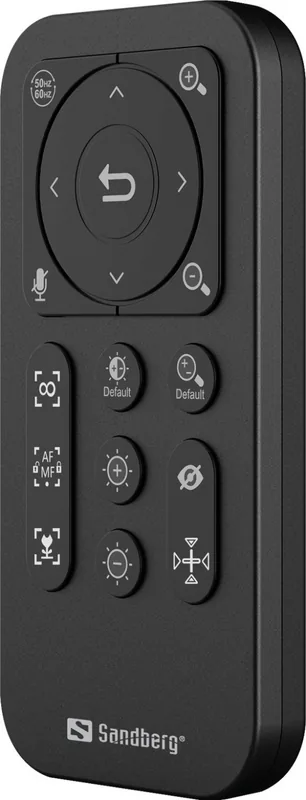
Status LED, Remote Control
Manufacturer Warranty
5 years
Product Description
Sandberg Streamer USB Webcam Pro Elite Manual
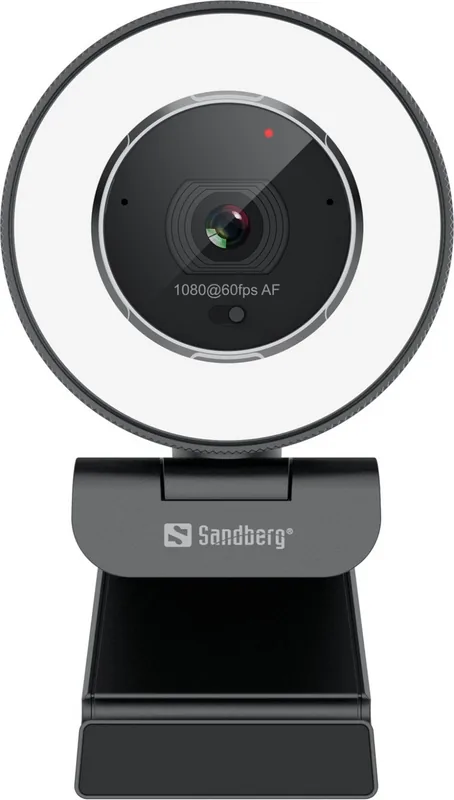
The Sandberg Streamer USB Webcam Pro Elite combines plug-and-play convenience with practical controls for streamers, video callers and content creators. With driver-less operation, this webcam works immediately with most chat and streaming applications. Its compact design includes a privacy shutter, flexible clip for monitors and laptops, and tripod compatibility for more stable setups. A visible LED indicator shows camera status, while an integrated microphone handles basic voice capture for meetings and casual streams.
Features and Use
The camera offers automatic and manual focus modes, zoom and pan/tilt when zoomed in, and several image-adjustment options accessible through online guides and optional software. AC flicker correction supports 50Hz or 60Hz environments to reduce lighting artifacts. The device ships with a USB-A connection and may include a USB-A to USB-C adapter for modern devices. Factory reset and focus/zoom defaults are accessible via onboard controls or remote options depending on the model configuration.
Build and Practicality
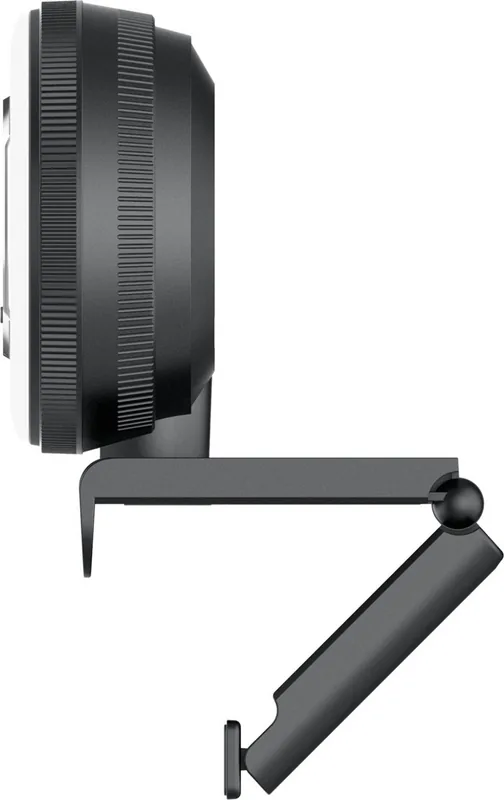
Constructed for everyday streaming, the webcam is foldable for portability and includes a light function and manual adjustments to tailor image quality. The privacy shutter protects against accidental video exposure. The flexible clip fits desks and monitors, and the standard tripod thread allows professional rigging. Sandberg provides a five-year warranty and directs users to online resources for advanced settings, waste handling and support.
Why Choose It
For users seeking a no-fuss webcam that still offers manual control where needed, the Pro Elite balances ease of use with configurability. The combination of plug-and-play compatibility, mechanical privacy control, and support resources makes it a solid pick for hobby streamers, frequent video callers and hybrid workers.
Notes
- Remove protective plastic from lens or light elements before first use.
- For best results, enable AC flicker correction according to your local mains frequency (50Hz for Europe, 60Hz for others).
- Visit the Sandberg support pages for software downloads, advanced image adjustments and warranty registration.
Search for 67,706 Manuals online


Type-in Brand or Model