
Sandberg Streamer USB Webcam 134-21 Manual
PDF manual · 4 Pages
English



Quick check
Incorrect answer, please try again.
Chat with your Sandberg Streamer USB Webcam 134-21 manual using AI
Get instant AI answers from your Sandberg Streamer USB Webcam 134-21 manual
Ask anything about the Sandberg Streamer USB Webcam 134-21. Answers come from this manual, with the pages they are based on.
Ask a Question
Do you recommend Streamer USB Webcam 134-21?
Yes NoFrequently Asked Questions
The webcam uses a 1080P camera lens, providing Full HD video for common uses such as video calls, online meetings, streaming, and remote learning.
Is this answer helpful?
Yes. It has an integrated microphone, allowing users to capture voice during compatible video chats without needing a separate microphone for basic communication.
Is this answer helpful?
The webcam is described as driver-free. Connect it by USB, then select it in a compatible chat application or video program if needed.
Is this answer helpful?
Its flexible clip can be used on a PC monitor or desk edge. The product information also shows that it can be mounted on a tripod for alternative positioning.
Is this answer helpful?
Yes. It includes a light function intended to help improve visibility, particularly when the available lighting around the user is limited.
Is this answer helpful?
Additional options for video effects and image adjustments are available through Sandberg's webcam guidance. These may help users personalize picture appearance for calls or streaming.
Is this answer helpful?
Sandberg states that its products include a five-year warranty. Warranty terms apply, and product registration is requested through the Sandberg warranty service.
Is this answer helpful?
Advantages and Disadvantages
Advantages

- Full HD 1080P camera lens supports clear video for calls, meetings, lessons, and streaming.
- Built-in microphone offers a convenient all-in-one option for basic video communication.
- Driver-free USB connection helps provide quick setup on compatible devices.
- Flexible foldable clip can mount on a desk or PC monitor and supports tripod use.
- Five-year warranty coverage can provide added confidence for long-term ownership.
Disadvantages

- Built-in microphone performance may not replace a dedicated microphone for professional audio work.
- Light function details, such as brightness levels and power behavior, are not specified.
- Advanced video effects and image adjustments may require separate guidance or software.
- Compatibility is described broadly, so individual app and operating system behavior may vary.
Product Specification
Type
Webcam
Image sensor
1x CMOS 2.0 MP
Resolution
1920x1080 pixels (30 fps)
Field of view
90°
Compression/codecs
H.264
Ports
1x USB-A 2.0 (480 Mb/s)
Wireless
N/A
Focusing
Autofocus
Microphone
Integrated (stereo, omnidirectional)
Speaker
N/A
Lighting
Ring light
Cable length
4.92 ft
Power supply
Via USB
Mounting
Mounting clip, with 1/4" thread
Package contents
Camera
Special features
Status LED
Manufacturer warranty
5 years
Product Description
Sandberg Streamer USB Webcam - Read, Download & Print Free
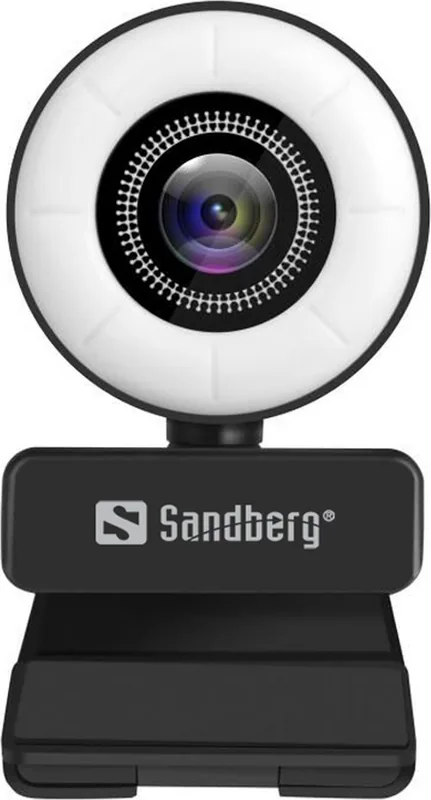
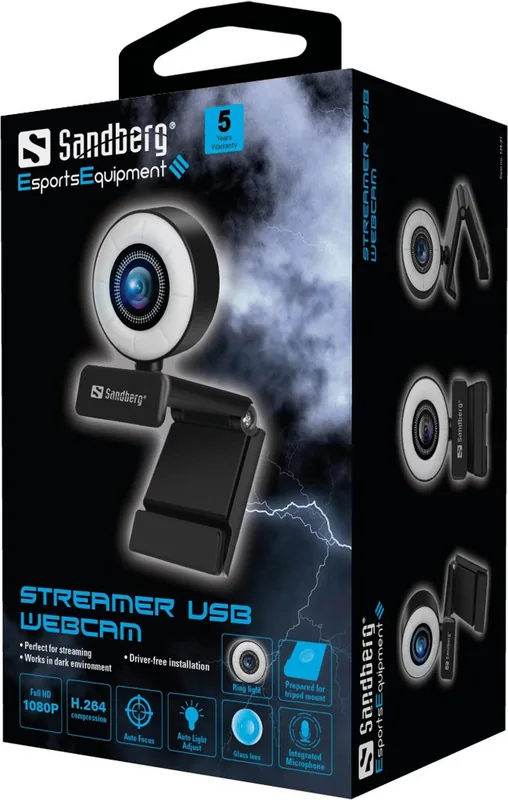
The Sandberg Streamer USB Webcam is a practical video camera designed for clear everyday communication, online meetings, streaming, and remote collaboration. Its 1080P camera lens helps deliver detailed Full HD video, while the built-in microphone supports convenient voice capture without requiring a separate audio device for basic calls.
Flexible setup for work and home
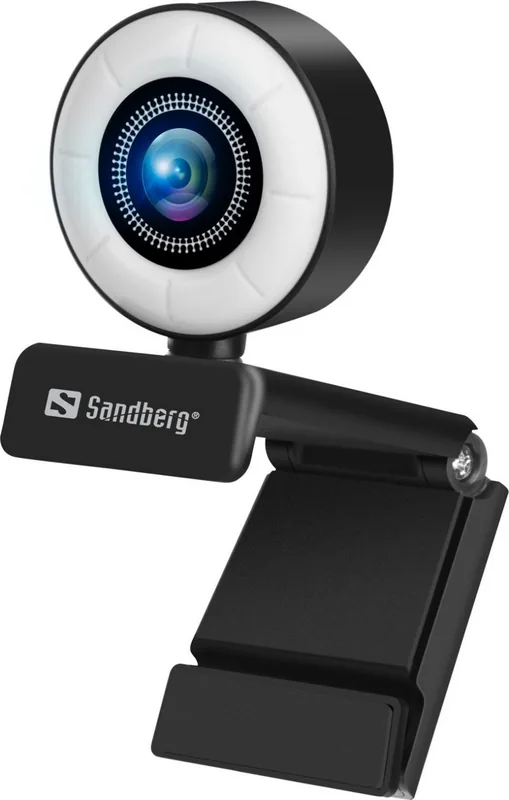
A flexible clip makes the webcam easy to position on a PC monitor, laptop display, or desk edge. The foldable design supports compact storage and lets users adjust the camera angle to suit their workspace. For creators or presenters who need another mounting option, the webcam can also be placed on a compatible tripod, helping provide a steadier and more deliberate camera position.
Connection is simple through USB. The camera is designed to work driver-free, reducing setup time and making it useful for people who want to start a call quickly. It is compatible with most chat applications, so it can fit naturally into many video communication routines, from casual conversations to business check-ins and online lessons.
Video controls and lighting support
The Sandberg Streamer USB Webcam includes a light function that can help improve visibility when the surrounding environment is dim. This is especially useful at a desk, in a home office, or during evening calls where room lighting is limited. Better illumination can make faces easier to see and give video a more polished appearance.
Users seeking more creative control can explore optional guidance for video effects and image adjustments. These options can be useful when fine-tuning the picture for presentations, streaming sessions, or personal preferences. The webcam's straightforward design keeps the essential experience accessible while allowing room for enhanced image customization.
Everyday reliability
Sandberg provides a five-year warranty for this product, subject to its warranty terms and registration process. This long coverage period can add confidence for users choosing a webcam for regular use. The product information also highlights responsible handling of electronic waste, encouraging proper disposal when the device reaches the end of its service life.
Notes
- Use a stable monitor edge, desk position, or tripod for the best framing.
- Check available chat-app settings to select the webcam and microphone.
- Optional image controls may help tailor video effects and picture adjustments.
- The Sandberg Streamer USB Webcam - Read, Download & Print Free overview is useful for understanding its core setup and mounting features.
Search for 67,706 Manuals online


Type-in Brand or Model