
Sandberg Streamer USB Microphone RGB 126-39 Manual
PDF manual · 8 Pages
English



Quick check
Incorrect answer, please try again.
Chat with your Sandberg Streamer USB Microphone RGB 126-39 manual using AI
Get instant AI answers from your Sandberg Streamer USB Microphone RGB 126-39 manual
Ask anything about the Sandberg Streamer USB Microphone RGB 126-39. Answers come from this manual, with the pages they are based on.
Ask a Question
Do you recommend Streamer USB Microphone RGB 126-39?
Yes NoFrequently Asked Questions
Simply press the RGB button located on the top of the device. The second tap on the button toggles the mute function off and on immediately. This allows for instant silence without reaching for software settings.
Is this answer helpful?
Yes, the device supports both operating systems seamlessly. You can use it with Windows 7, 8, 10, or 11, as well as macOS. Plug and play functionality allows immediate recognition upon connecting the USB-C end.
Is this answer helpful?
Yes, an integrated pop filter is part of the package design. This helps reduce plosive sounds effectively during voiceovers, ensuring clearer audio quality without needing additional accessories.
Is this answer helpful?
There is a five-year warranty on the product covering manufacturing defects. You need to register your new Sandberg product at the support portal to activate full coverage terms and claim support if needed later.
Is this answer helpful?
Yes, there is a dedicated headphone jack for zero-latency monitoring. This feature allows you to hear yourself clearly in real time while recording live streams or gaming sessions.
Is this answer helpful?
A single tap on the RGB button activates the lighting alongside the microphone. Holding the button for two seconds toggles the power and RGB states completely off or on.
Is this answer helpful?
Advantages and Disadvantages
Advantages

- Includes robust desktop stand and adjustable installation ring for stability
- Integrated pop filter reduces plosive sounds effectively during recording
- Intuitive RGB button controls mic power, mute, and lighting states
- Provides zero-latency monitoring via built-in headphone jack
- Backed by a five-year warranty covering hardware defects
Disadvantages

- USB-A to USB-C cable may limit length options for some setups
- No XLR input available for professional analog connections
- RGB lighting effects may consume extra power on battery devices
- Pop filter is built-in and not removable for deep cleaning
- Requires desktop stand for optimal positioning stability
Product Specification
Product Type
Streaming Microphone, Desktop Microphone
Signal Format
digital (16bit/48kHz)
Transducer Type
Condenser
Polar Pattern
Cardioid
Connection
USB-A
Frequency Range
30Hz-18kHz
Signal-to-Noise Ratio (SNR)
75dB
Power Supply
USB
Features
Headphone Jack (3.5mm), Switch, RGB Lighting
Dimensions
1.85x1.85x5.20 inches
Weight
0.49 lbs
Product Description
Elevate Your Streaming Setup with RGB Lighting
Are you looking to enhance your audio quality while adding a personal touch to your workspace? The Sandberg Streamer USB Microphone RGB offers an excellent solution for digital creators. Whether you are gaming, podcasting, or conducting virtual meetings, clear audio is paramount for professional video results. This device comes equipped with essential features that simplify your setup process significantly for all tech users.
Integrated RGB Controls and Mute Functionality
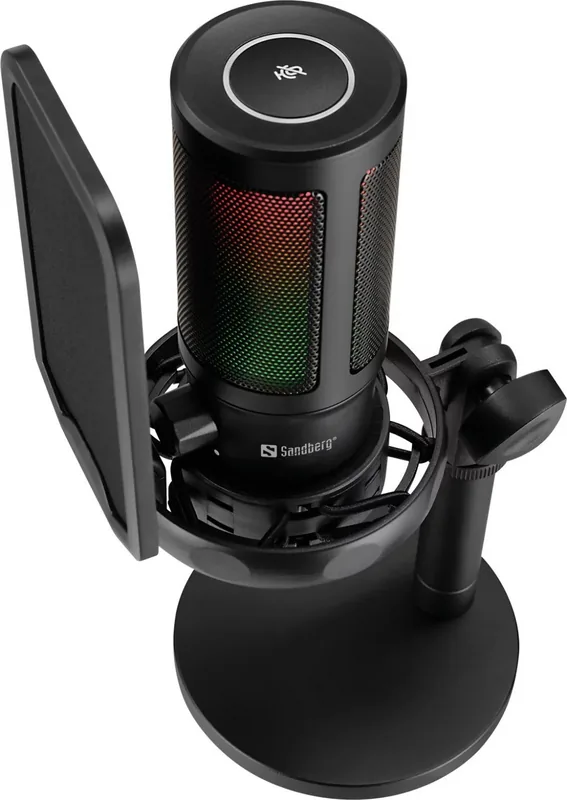
One standout feature is the versatile RGB button located directly on the microphone interface. A single tap activates both the microphone and the RGB lighting instantly. You can customize your ambiance with just a second tap for mute settings effectively. Holding the button for two seconds toggles power and RGB states completely. This intuitive design ensures you manage your audio levels without fumbling through menus unnecessarily.
Complete Installation and Accessories
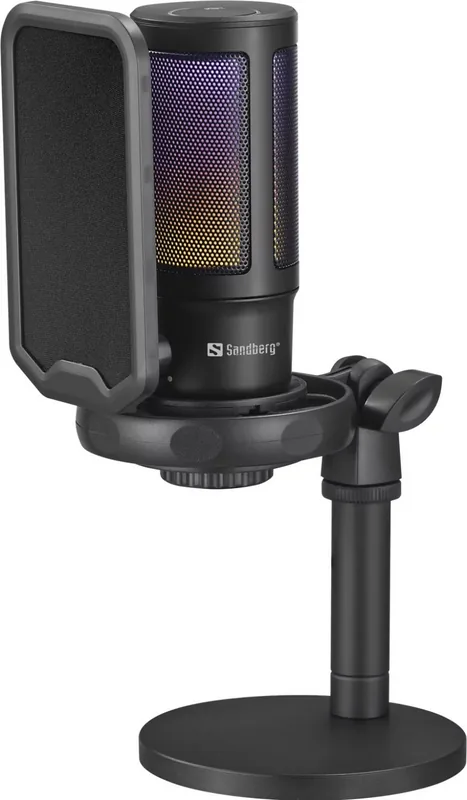
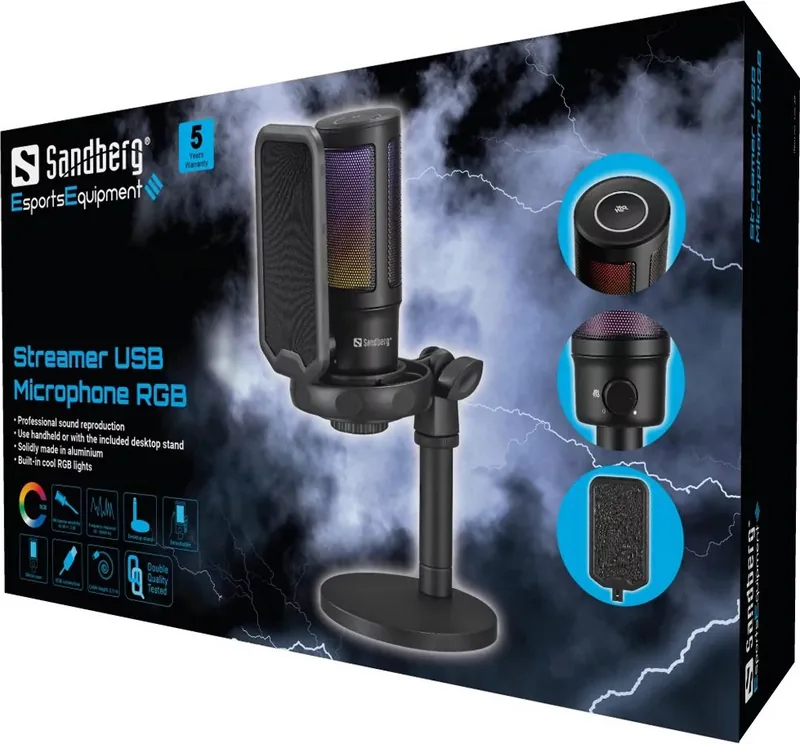
The package includes a robust desktop stand and an adjustable microphone installation ring for stability. A pop filter is integrated to reduce plosive sounds effectively during voiceovers. Connectivity is handled through a USB-A to USB-C cable, ensuring compatibility with most modern PCs and laptops. The headphone jack allows for zero-latency monitoring, letting you hear yourself clearly in real time without delay.
Compatibility Across Platforms
Users running Windows 7, 8, 10, or 11 will find the installation seamless on their machines. Mac users also enjoy full support upon connecting the device directly to their hardware. For detailed instructions regarding setup and configuration options, people often consult the Sandberg Streamer USB Microphone RGB Manual. The hardware is designed for extreme durability with a five-year warranty backing every unit sold.
Sandberg ensures customer satisfaction through dedicated support channels available worldwide. Their reputation for quality electronics remains strong globally across various regions and markets. This microphone represents a practical investment for anyone seeking high-fidelity audio without complexity in their daily workflow. It is an ideal tool for streamers on a budget who demand quality performance consistently.
Superior Sound Quality
The internal components utilize high-grade materials to capture voices accurately and precisely. Background noise reduction features help isolate the speaker from ambient interference effectively during calls. This level of audio fidelity ensures that your message is delivered with clarity and precision. Listeners will appreciate the rich tones produced by this versatile peripheral device.
Notes on Maintenance and Care
Keep dust off the pop filter and avoid extreme temperatures during operation or storage periods. Regular cleaning of the microphone head extends lifespan significantly over time for users. Ensure connections remain secure to prevent signal drops during critical broadcasts for everyone. This attention to detail guarantees long-term reliability without interruption.
Comprehensive Warranty and Support
Every product is covered under a five-year warranty policy as stated in the official records. Registration is required to validate the full coverage benefits for the owner. Support teams are ready to assist with technical issues or replacement parts if needed. This commitment to quality reflects the brand dedication to consumer needs always.
Search for 67,706 Manuals online


Type-in Brand or Model
Stefan Koch
6 months ago
I expected better performance based on the quiet motor, but found reviews saying the light stays on when lowering. Can you confirm how this feature works and if it turns off automatically?
Manual.ly
6 months ago
Thank you for reaching out. The quiet motor is designed for smooth operation. However, if the light illuminator remains on during the lowering process, this is often a settings issue that can be resolved through the interface. Our team is looking into user feedback regarding the lighting behavior to ensure it aligns with expectations. Please check the manual or contact us for setup assistance.