
Sandberg Streamer USB Microphone Kit 126-07 Manual
PDF manual · 8 Pages
English



Quick check
Incorrect answer, please try again.
Chat with your Sandberg Streamer USB Microphone Kit 126-07 manual using AI
Get instant AI answers from your Sandberg Streamer USB Microphone Kit 126-07 manual
Ask anything about the Sandberg Streamer USB Microphone Kit 126-07. Answers come from this manual, with the pages they are based on.
Ask a Question
Do you recommend Streamer USB Microphone Kit 126-07?
Yes NoFrequently Asked Questions
Yes, the microphone uses standard USB protocols. While the guide highlights Windows and iOS, it works with most modern operating systems including macOS without requiring specific drivers.
Is this answer helpful?
For the best audio quality, maintain a distance of 15 to 40 centimeters between your mouth and the microphone head. This prevents distortion while capturing rich detail.
Is this answer helpful?
The Sandberg Streamer USB Microphone Kit comes with a comprehensive five-year warranty. You must register your product on the official website to activate these terms.
Is this answer helpful?
No, this kit is designed for plug-and-play usage. Simply connect the USB cable to your computer or device, and it should be recognized immediately by the operating system.
Is this answer helpful?
Absolutely. The included accessories like the shock mount and pop filter make it ideal for both gaming chats and professional streaming content creation.
Is this answer helpful?
You can download the digital version of the quick guide from the official Sandberg support website. They also provide detailed troubleshooting steps for common setup issues.
Is this answer helpful?
Advantages and Disadvantages
Advantages

- Includes complete accessory kit with shock mount, boom arm, and pop filter for professional results
- Plug-and-play USB connectivity compatible with Windows and iOS devices without extra drivers
- Five-year warranty demonstrates high build quality and manufacturer confidence
- Adjustable boom arm allows flexible positioning for various recording distances
- Anti-wind foam and pop filter reduce plosives and improve vocal clarity
Disadvantages

- USB-B connector may require an adapter for some modern laptops with only USB-C ports
- Cable length is fixed and may not reach distant setups without extension cords
- Table clamp requires sufficient edge thickness to secure properly
- No built-in gain control or mute button on the microphone body itself
- Shock mount assembly may take time to adjust correctly for first-time users
Product Specification
Type
Streaming Microphone
Design
Digital (24bit/96kHz)
Converter Principle
Condenser
Polar Pattern
Cardioid
Connection
USB
Frequency Range
30Hz-16kHz
Max SPL
120dB
Signal-to-Noise Ratio (SNR)
70dB
Package Contents
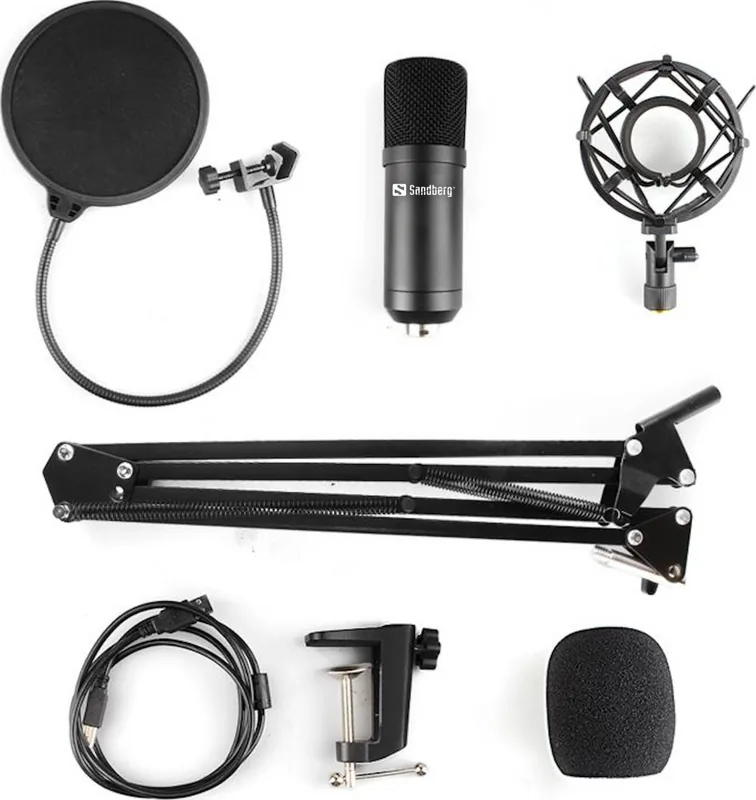
Microphone shock mount, pop filter, windscreen, case, microphone arm
Product Description
Elevate Your Audio with the Sandberg Streamer USB Microphone Kit
The Sandberg Streamer USB Microphone Kit is designed for content creators, streamers, and podcasters who demand professional audio quality without complexity. This all-in-one solution brings studio-grade sound to your desk, making it easy to capture clear voiceovers, engaging live streams, or high-quality podcasts from the comfort of your home.
Comprehensive Setup and Design
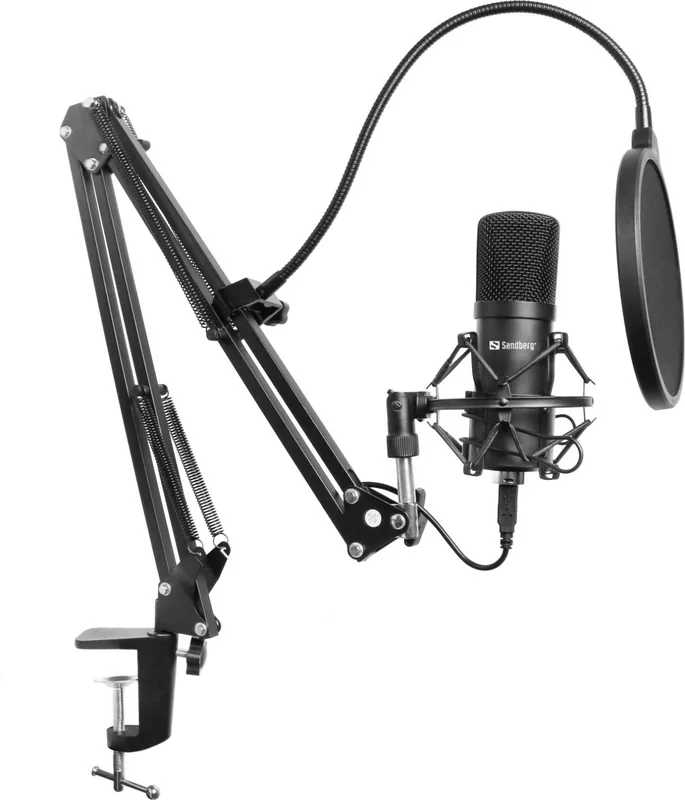
Unboxing this kit reveals a thoughtfully curated collection of accessories that ensure stability and superior sound isolation. The package includes a sturdy table clamp, an adjustable boom arm, a shock mount, and a microphone stand. These components work together to eliminate unwanted vibrations and handle noise, ensuring your recordings remain crisp and free from background interference. The included pop filter and anti-wind foam cap further refine your audio by reducing plosive sounds and wind noise during intense speaking sessions.
Versatile Connectivity
One of the standout features of the Sandberg Streamer USB Microphone Kit is its plug-and-play simplicity. It connects directly to your computer via a USB-B port on the microphone end and a standard USB-A port on the host device. This universal compatibility means you can easily switch between Windows PCs and iOS devices without needing additional drivers or complex configuration. Whether you are setting up a gaming station or a home office, the installation process is seamless and intuitive.
Optimal Recording Distance
To achieve the best audio results, the guide recommends maintaining a distance of 15 to 40 centimeters between your mouth and the microphone. This range allows for optimal pickup while minimizing ambient noise. The adjustable arm provides the flexibility to position the microphone exactly where you need it, whether you are leaning in for whispers or sitting back for casual conversation.
Long-Term Reliability
Sandberg stands behind the durability of their products with a generous five-year warranty. This commitment ensures that your investment is protected for years to come. Users are encouraged to register their product online to access full support and warranty terms. With dedicated helpdesk support available, resolving any potential issues is straightforward and efficient.
Important Notes
- Always check local electronic waste regulations before disposing of packaging materials.
- Register your product immediately to activate the five-year warranty coverage.
- Ensure the table clamp is securely tightened to prevent accidental drops.
Search for 67,706 Manuals online


Type-in Brand or Model