
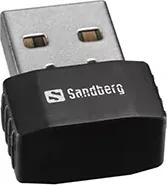
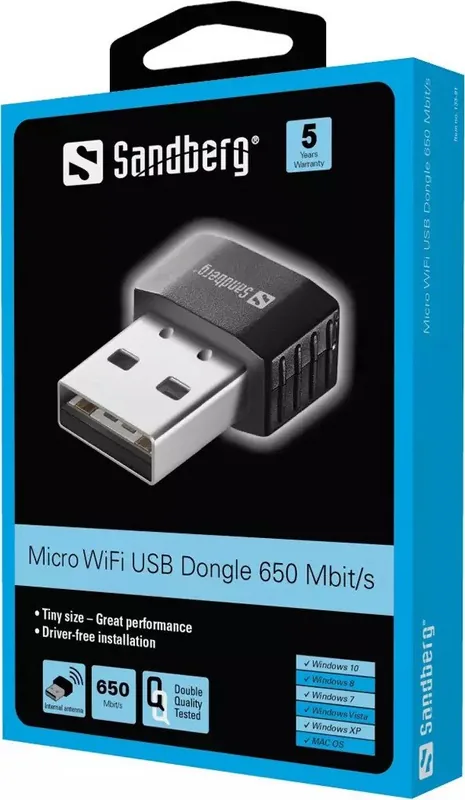
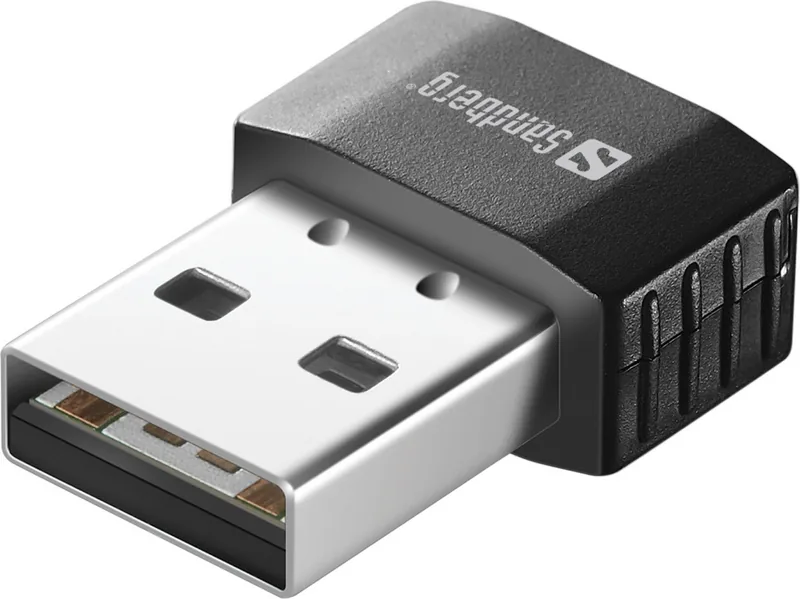
Sandberg Micro WiFi USB Dongle 133-91 Manual
PDF manual · 1 Pages
English


Quick check
Incorrect answer, please try again.
Chat with your Sandberg Micro WiFi USB Dongle 133-91 manual using AI
Get instant AI answers from your Sandberg Micro WiFi USB Dongle 133-91 manual
Ask anything about the Sandberg Micro WiFi USB Dongle 133-91. Answers come from this manual, with the pages they are based on.
Ask a Question
Do you recommend Micro WiFi USB Dongle 133-91?
Yes NoFrequently Asked Questions
The Sandberg Micro WiFi Dongle supports both 2.4GHz and 5GHz bands. This dual-band capability allows users to select the best frequency for their needs, balancing range and speed while minimizing interference from other devices.
Is this answer helpful?
Installation is designed to be simple. Most modern operating systems will automatically detect the device upon insertion. If drivers are required, they can be easily installed using the provided manual or downloaded from the Sandberg website.
Is this answer helpful?
Yes, the product comes with a comprehensive five-year warranty. Users are encouraged to register their product on the Sandberg website to validate this coverage and receive support if any issues arise during the warranty period.
Is this answer helpful?
This specific model uses a USB-A 2.0 connector. If your laptop only has USB-C ports, you will need a USB-C to USB-A adapter to use the dongle effectively.
Is this answer helpful?
The device supports data transfer speeds up to 650 Mbit/s. This speed is suitable for most everyday tasks including web browsing, HD streaming, and online gaming.
Is this answer helpful?
The quick guide and full manual information can be found at the provided support link or printed inside the packaging. You can also visit the Sandberg helpdesk for digital versions of the documentation.
Is this answer helpful?
Advantages and Disadvantages
Advantages

- Supports dual-band 2.4GHz and 5GHz for optimized speed and less interference
- Compact micro design allows for discreet use without blocking adjacent ports
- Includes a generous five-year warranty for long-term reliability assurance
- Plug-and-play functionality simplifies setup for users of all technical levels
Disadvantages

- Limited to USB-A 2.0 interface which may not suit newer USB-C only devices
- Maximum speed capped at 650 Mbit/s which might be lower than latest standards
- Requires external antenna for best signal strength in very large areas
- Driver installation might occasionally be needed on older operating systems
Product Specification
Type
WLAN Adapter
Form factor
1x USB stick
Connection
1x USB-A 2.0 (plug)
Link
1x WLAN 802.11a/b/g/n/ac (1x 2.4GHz or 1x 5GHz), 1x signal booster (<15dBm), 2x antenna (integrated)
Transmission
1x 2.4GHz WLAN (200Mb/s, 1x1), 1x 5GHz WLAN (433Mb/s, 1x1)
Power supply
Power supply only via connection
Chipset
Realtek RTL8811CU (WLAN adapter)
Case color
black
Compatibility
universal
Manufacturer warranty
two years
Product Description
Enhance Your Connectivity with the Sandberg Micro WiFi Dongle
In an era where seamless internet access is crucial, the Sandberg Micro WiFi Dongle stands out as a compact yet powerful solution for users seeking reliable wireless connectivity. This device supports both 2.4GHz and 5GHz WLAN bands, ensuring you can connect to your network with optimal speed and stability regardless of your environment. With its USB-A 2.0 interface, it offers plug-and-play simplicity, making it an ideal accessory for laptops, desktops, or any device lacking built-in wireless capabilities.
The design of the Sandberg Micro WiFi Dongle prioritizes portability without compromising performance. Its small form factor means it can remain plugged into your device without obstruction, allowing for true mobility. Whether you are working from a coffee shop, traveling, or simply need to expand your home network range, this dongle delivers consistent performance. The support for dual-band frequencies allows users to avoid congestion on the 2.4GHz band by switching to the less crowded 5GHz band, resulting in faster data transfer rates and reduced latency.
One of the standout features of this product is its ease of use. There is no need for complex setup procedures; simply insert the dongle into a USB port, and the operating system typically recognizes it immediately. For those who prefer guided installation, the included manual provides clear instructions to ensure a smooth experience. The robust build quality reflects Sandbergs commitment to durability, backed by a five-year warranty that gives users peace of mind regarding their investment.
For professionals and students alike, having a reliable connection is non-negotiable. This micro dongle bridges the gap between wired reliability and wireless freedom. It supports high-speed data transmission up to 650 Mbit/s, which is sufficient for streaming high-definition video, participating in video conferences, and downloading large files quickly. The compatibility with standard USB ports ensures it works across a wide range of devices, making it a versatile addition to any tech setup.
Important Notes
- Ensure your computer has a free USB-A 2.0 port before purchasing.
- Register your product on the official website to activate the five-year warranty.
- Keep the manual handy for troubleshooting if connection issues arise.
Search for 67,706 Manuals online


Type-in Brand or Model