
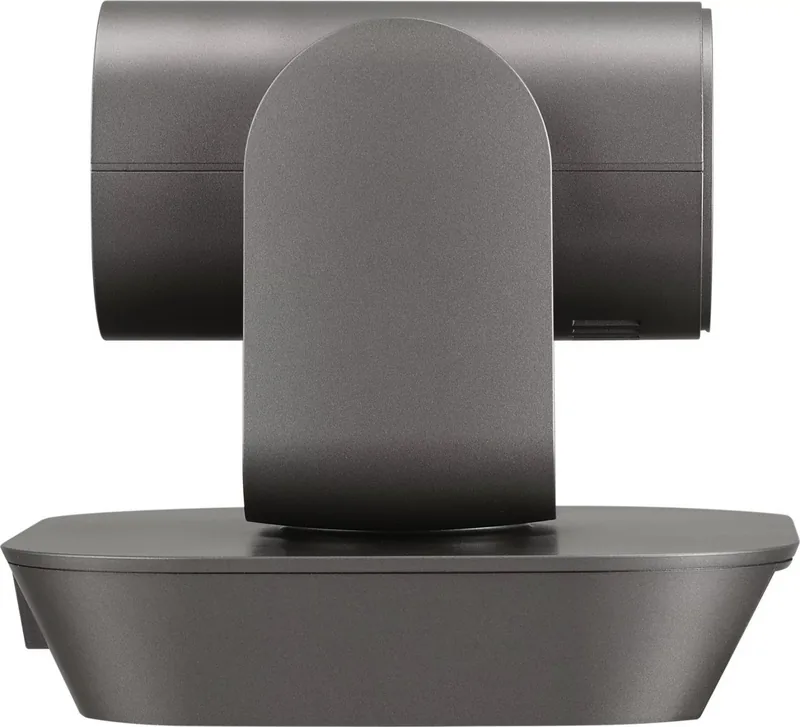
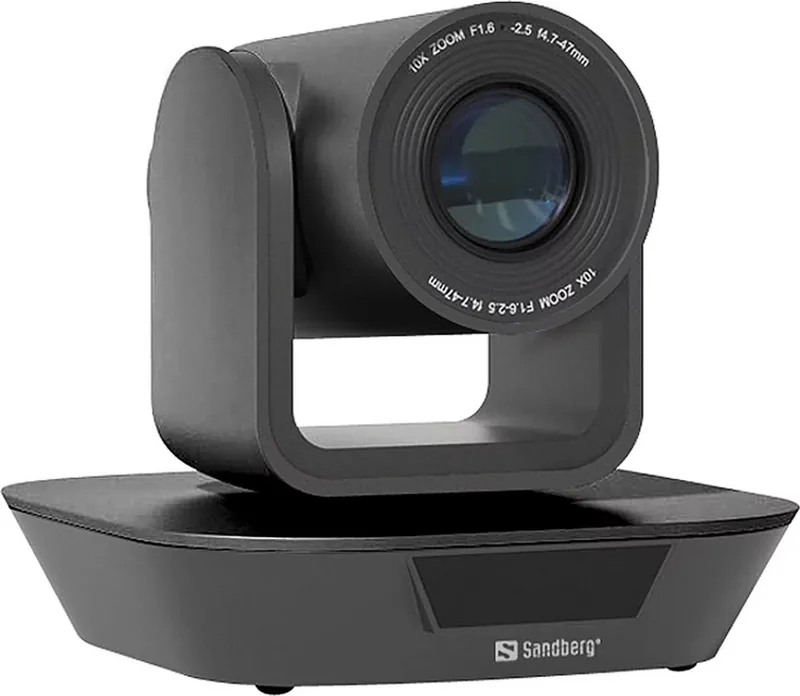
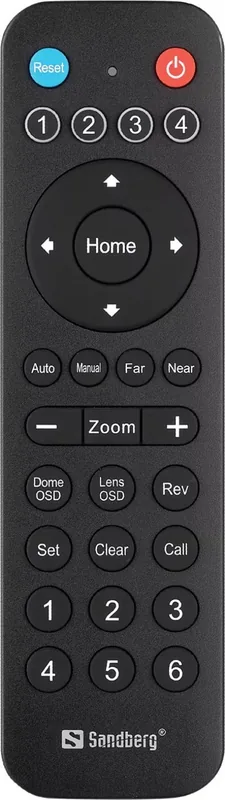
Sandberg ConfCam PTZ x10 Remote 1080P 134-30 Manual
PDF manual · 16 Pages
English



Quick check
Incorrect answer, please try again.
Chat with your Sandberg ConfCam PTZ x10 Remote 1080P 134-30 manual using AI
Get instant AI answers from your Sandberg ConfCam PTZ x10 Remote 1080P 134-30 manual
Ask anything about the Sandberg ConfCam PTZ x10 Remote 1080P 134-30. Answers come from this manual, with the pages they are based on.
Ask a Question
Do you recommend ConfCam PTZ x10 Remote 1080P 134-30?
Yes NoFrequently Asked Questions
No, this camera does not include a built-in microphone. You must connect an external audio device with a microphone and speaker, such as a dedicated speakerphone, to capture audio during calls.
Is this answer helpful?
You can mount the camera by screwing a wall mount bracket onto the wall and then fastening the camera unit to the bracket. Ensure you use the appropriate screws for your wall type.
Is this answer helpful?
The camera supports VISCA and Pelco-D protocols. These can be selected via the Dome Menu on the remote control or through configuration software for integration with various control systems.
Is this answer helpful?
Yes, you can adjust brightness, backlight compensation, exposure, and shutter speed using the Lens OSD menu accessed via the remote control buttons.
Is this answer helpful?
Yes, the camera works driver-less and is compatible with most chat applications. It should appear automatically in your device list as ConfCam PTZ x10 Remote 1080P.
Is this answer helpful?
Advantages and Disadvantages
Advantages

- Delivers high-quality 1080p video resolution for clear visuals
- Offers flexible mounting options including desk, wall, and tripod
- Supports multiple control protocols like VISCA and Pelco-D
- Features extensive manual adjustments for exposure and color
- Comes with a generous five-year manufacturer warranty
Disadvantages

- No built-in microphone requires external audio equipment
- PTZ movement is disabled when the OSD menu is active
- Remote control requires separate AAA batteries not included
- Some advanced presets are only accessible via software
- Manual focusing may be required for specific lighting conditions
Product Specification
Type
Conference Camera (PTZ)
Image Sensor
1x 1/2.8 CMOS (Sony IMX307)
Resolution
1920x1080 Pixels (30fps)
Lens
4.7-47.0mm (F1.6-F2.5)
Viewing Angle
62 degrees (horizontal)
Pan
330 degrees (motorized)
Tilt
-30 degrees to 30 degrees (motorized)
Zoom Function
10x optical
Compression/Codecs
MJPEG
Connections
1x USB-B 2.0 (480Mb/s), 1x serial (RS-485), 1x serial (RS-232)
Wireless
N/A
Focus
Autofocus
Camera Cover
N/A
Microphone
N/A
Speaker
N/A
Lighting
N/A
Power Supply
Mains, via USB
Mount
PTZ stand, with 1/4 thread
Dimensions
5.67x5.67x5.18 inches
Weight
1.5 lbs
Package Contents
Camera, power adapter, remote control, wall mount, USB-A to USB-B adapter
Features
Remote control
Manufacturer Warranty
5 years
Product Description
Elevate Your Video Conferencing with the Sandberg ConfCam PTZ x10 Remote 1080P
The Sandberg ConfCam PTZ x10 Remote 1080P is a versatile solution designed to transform any meeting space into a professional video conferencing hub. This camera delivers crisp Full HD 1080p resolution, ensuring that every participant looks their best regardless of the room size. Its pan-tilt-zoom capabilities allow for smooth, dynamic tracking of speakers, making it ideal for boardrooms, classrooms, and home offices alike.
Installation is straightforward, offering flexibility through desk placement, wall mounting, or tripod setup. The device features a dual USB plug design for power and data, eliminating the need for a separate DC adapter in many scenarios. While the camera itself lacks a built-in microphone, it pairs seamlessly with external audio devices like the Sandberg Speaker Phone to ensure crystal clear two-way communication.
Control is intuitive via an included remote or compatible software protocols such as VISCA over RS-232/485. Users can customize image settings including exposure, shutter speed, white balance, and color temperature through the on-screen display menu. Special preset functions allow for one-touch switching between saved positions or protocol changes directly from control software, streamlining complex setups. With a robust five-year warranty, this camera stands as a reliable long-term investment for modern collaboration needs.
Search for 67,706 Manuals online


Type-in Brand or Model