
Sandberg ConfCam EPTZ 1080P HD Remote 134-22 Manual
PDF manual · 12 Pages
English



Quick check
Incorrect answer, please try again.
Chat with your Sandberg ConfCam EPTZ 1080P HD Remote 134-22 manual using AI
Get instant AI answers from your Sandberg ConfCam EPTZ 1080P HD Remote 134-22 manual
Ask anything about the Sandberg ConfCam EPTZ 1080P HD Remote 134-22. Answers come from this manual, with the pages they are based on.
Ask a Question
Do you recommend ConfCam EPTZ 1080P HD Remote 134-22?
Yes NoFrequently Asked Questions
The camera supports 1080P HD video, providing a clear image for video conferences, remote lessons, streaming, and recordings.
Is this answer helpful?
EPTZ refers to electronic pan, tilt, and zoom. The camera provides up to 3x digital zoom, then lets you move the zoomed image up, down, left, or right using the remote control.
Is this answer helpful?
No. The Sandberg ConfCam EPTZ is designed to work driver-free through its USB 2.0 connection and is compatible with most chat applications.
Is this answer helpful?
Yes. The camera includes microphones. In compatible applications, select "Sandberg Confcam EPTZ 1080p" as the video device and recording microphone.
Is this answer helpful?
Picture-in-Picture displays a small full-view overlay while the main image is digitally zoomed in. It can help preserve awareness of the wider scene during a close-up view.
Is this answer helpful?
It can be positioned on a desk, attached to a PC monitor, mounted on a wall using a suitable bracket, or installed on a tripod.
Is this answer helpful?
Sandberg provides a five-year warranty, subject to the company's applicable warranty terms and product registration requirements.
Is this answer helpful?
Advantages and Disadvantages
Advantages

- Full HD 1080P video supports clear calls, recordings, and online meetings.
- EPTZ offers 3x digital zoom plus digital pan and tilt for flexible framing.
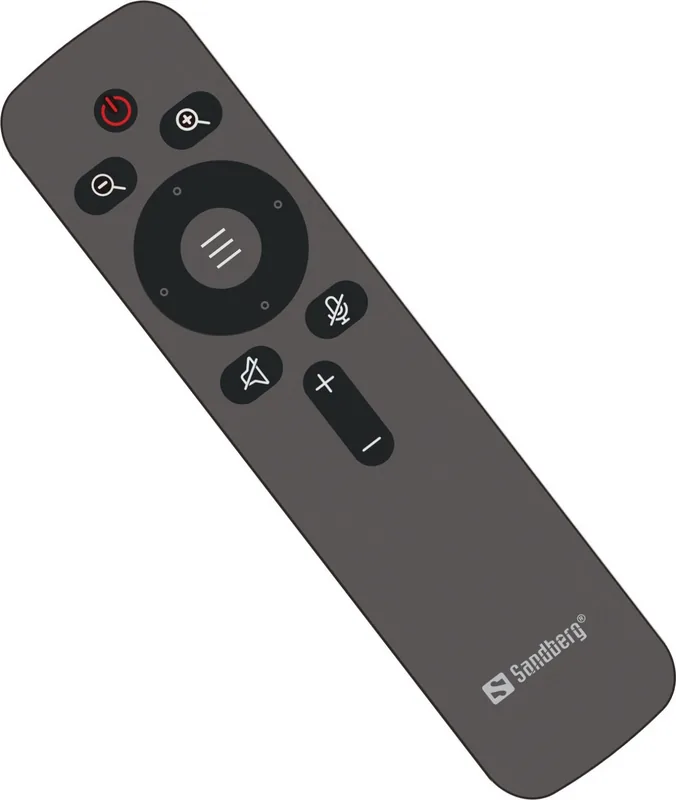
- Remote control enables convenient camera adjustments from across the room.
- Driver-free USB 2.0 connection works with most chat applications.
- Multiple mounting options suit desks, monitors, walls, and tripods.
Disadvantages

- The 3x zoom is digital rather than optical, which may reduce detail at maximum zoom.
- Remote operation requires two AAA batteries, which are not specified as included.
- USB 2.0 may be less convenient than newer USB-C connections.
- Wall mounting requires a compatible mounting bracket.
- Advanced image effects and adjustments may require optional software.
Product Specification
Type
Conference camera
Image sensor
1 x 1/2.8" CMOS (Sony IMX307), 2.0 MP
Resolution
1,920 x 1,080 pixels (30 fps)
Field of view
105 degrees (horizontal), 56 degrees (vertical), 116.4 degrees (diagonal)
Zoom function
3x digital
Compression/codecs
MJPEG
Connections
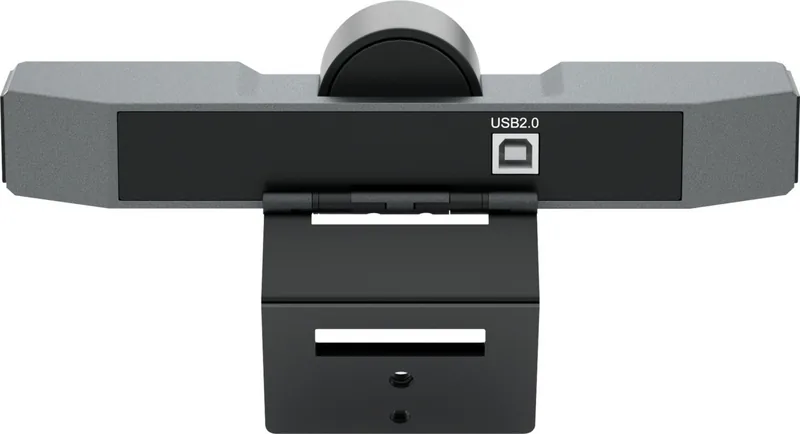
1 x USB-B 2.0 (480 Mb/s, female)
Wireless
N/A
Focusing
Autofocus
Microphone
Integrated (stereo, omnidirectional), 16.4 ft range
Speaker
N/A
Lighting
N/A
Cable length
16.4 ft
Power supply
Via USB
Mounting
Mounting clip, with 1/4" thread
Package contents
Camera, remote control, wall mount, USB-B to USB-A adapter
Special features
Remote control
Manufacturer warranty
5 years
Product Description
Sandberg ConfCam EPTZ 1080P HD Remote - Read, Download & Print Free
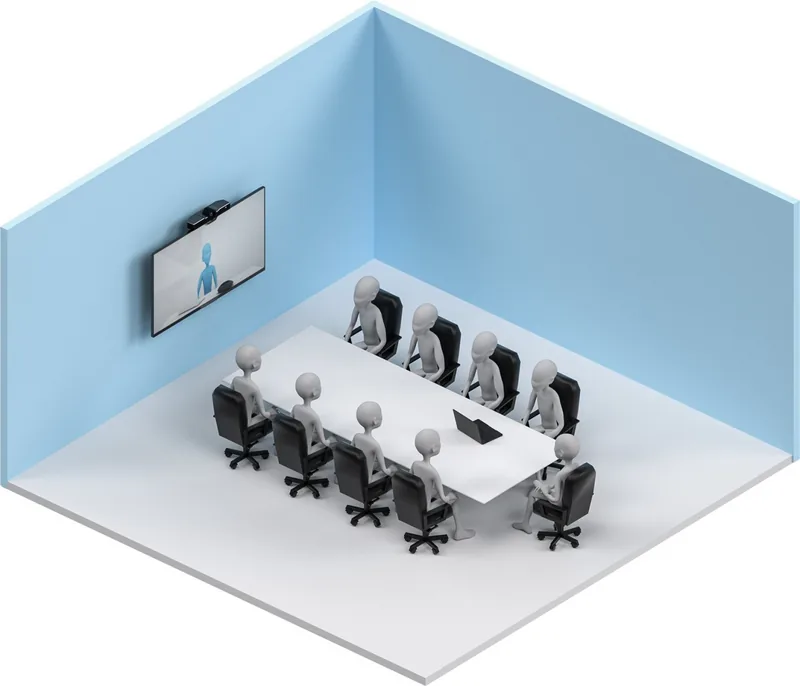
The Sandberg ConfCam EPTZ 1080P HD Remote is a practical webcam designed for clear, flexible video communication in home offices, meeting rooms, classrooms, and remote collaboration setups. It combines Full HD video with a built-in microphone system and convenient remote control operation, helping users stay visible and audible during calls.
Full HD Video With Flexible Framing
This camera delivers 1080P HD video for sharper everyday conferencing, streaming, and recording. Its EPTZ functionality provides up to 3x digital zoom, allowing you to bring attention closer to a speaker, product, whiteboard, or presentation detail. Once zoomed in, the image can be digitally moved left, right, up, or down to achieve a better viewing angle without physically repositioning the camera.
A green LED indicates camera status. It remains steadily lit while the camera is in use and flashes when remote-control commands are activated. This gives participants a simple visual indication of activity during calls.
Remote Control and Picture-in-Picture
The included remote uses two AAA batteries and makes it easy to manage zoom and framing from a distance. This is particularly useful when the camera is mounted away from the desk or used in a small meeting area.
The camera also supports Picture-in-Picture mode. When digital zoom is active, a small overlay can display the full wide-angle view while the main image remains focused on the zoomed area. This can help viewers retain context while following a closer subject.
Easy USB Connection and Mounting Choices
The Sandberg ConfCam EPTZ connects through USB 2.0 and works without separate drivers. It is compatible with most chat applications, and users can select "Sandberg Confcam EPTZ 1080p" as both the video camera and recording microphone in supported software.
Installation is adaptable to different workspaces. The camera can be placed on a desk, attached to a PC monitor, mounted on a wall with a compatible bracket, or fixed to a tripod. Optional software settings can provide additional video effects and image adjustments.
Notes
- Use the remote to access zoom, digital pan, tilt, and on-screen settings.
- Picture-in-Picture can be enabled through the Image section of the camera menu.
- Sandberg provides a five-year warranty for the product, subject to its warranty terms.
Search for 67,706 Manuals online


Type-in Brand or Model