
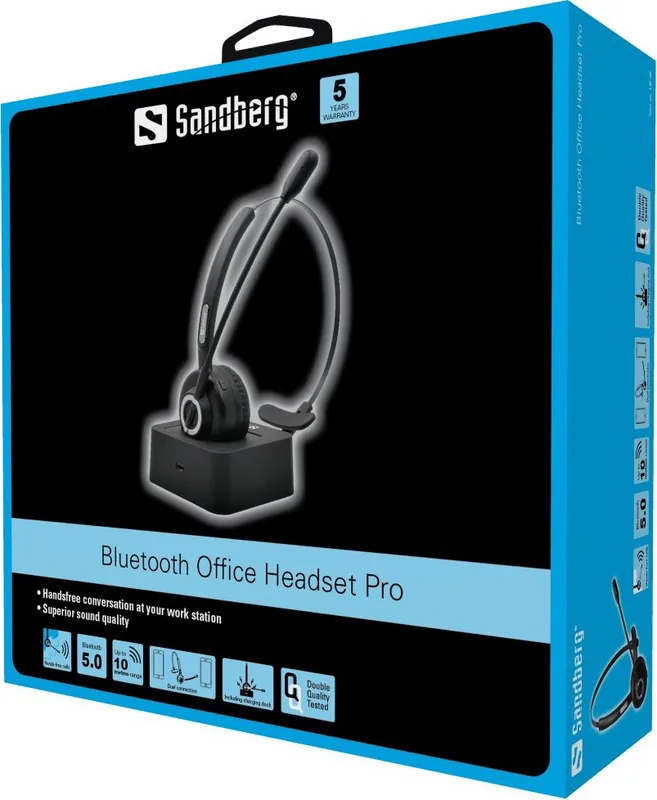
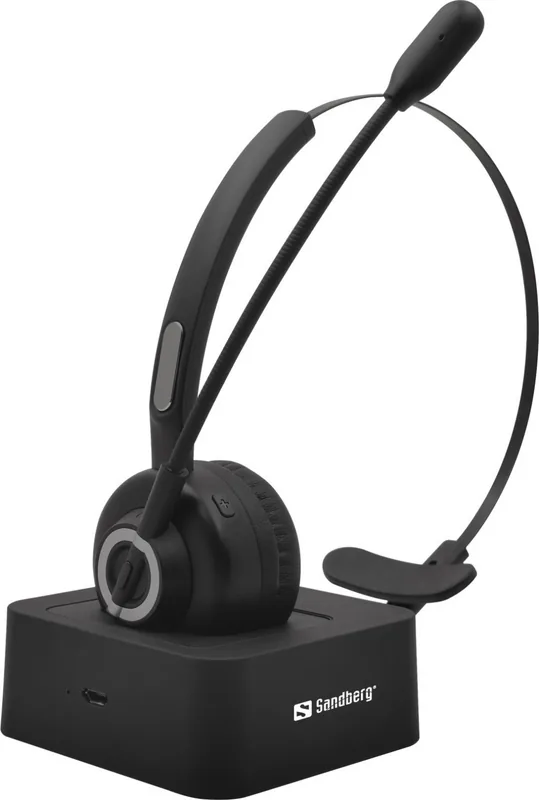
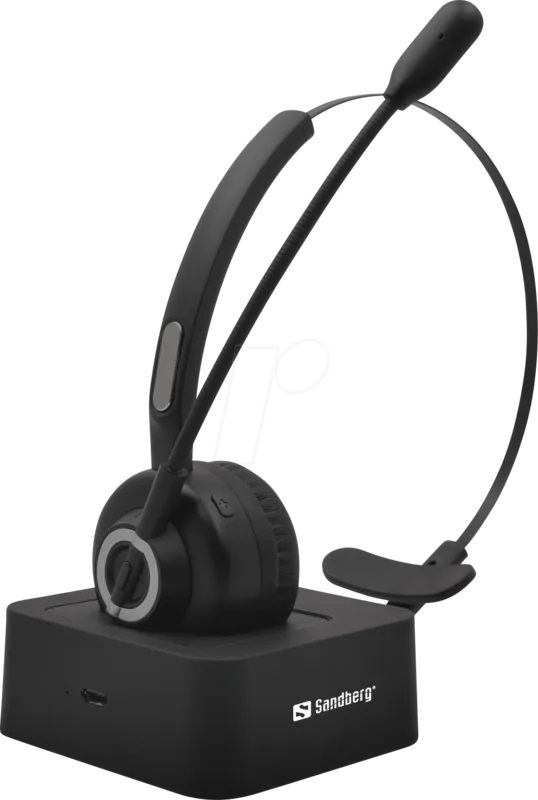
Sandberg Bluetooth Office Headset Pro 126-18 Manual
PDF manual · 28 Pages
English



Quick check
Incorrect answer, please try again.
Chat with your Sandberg Bluetooth Office Headset Pro 126-18 manual using AI
Get instant AI answers from your Sandberg Bluetooth Office Headset Pro 126-18 manual
Ask anything about the Sandberg Bluetooth Office Headset Pro 126-18. Answers come from this manual, with the pages they are based on.
Ask a Question
Do you recommend Bluetooth Office Headset Pro 126-18?
Yes NoFrequently Asked Questions
It can pair with Bluetooth-enabled smartphones, laptops, computers, and compatible desk phones. It supports common Bluetooth audio and call profiles, including A2DP, AVRCP, HFP, HSP, and AAC.
Is this answer helpful?
Yes. The headset supports multipoint pairing for two devices, such as a PC and a mobile phone. This is useful for handling computer meetings while remaining available for mobile calls.
Is this answer helpful?
The headset offers approximately 20 hours of talk time and around 200 hours of standby time. A full charge takes about two hours when using the magnetic charging base and Micro USB power connection.
Is this answer helpful?
Press the dedicated microphone mute button during an active call. Press it again to restore the microphone. While muted, the headset plays a short reminder tone every three seconds.
Is this answer helpful?
A steady red LED indicates charging, and a steady blue LED indicates a full charge. The magnetic base helps position the headset correctly over its gold-plated charging contacts.
Is this answer helpful?
Yes. It includes a busy LED that signals call status to people nearby. This feature can be helpful in offices or shared work areas where visual availability cues reduce interruptions.
Is this answer helpful?
Advantages and Disadvantages
Advantages

- Bluetooth 5.0 provides wireless freedom with a range of up to 30 metres.
- Dual-device pairing supports simultaneous connection to a computer and mobile phone.
- Up to 20 hours of talk time supports long workdays and frequent calls.
- Magnetic charging base makes storage and charging quick and tidy.
- Busy LED and microphone mute function help reduce workplace interruptions.
Disadvantages

- Charging uses Micro USB rather than a newer USB-C connection.
- Music playback shortcuts may not work on every mobile phone.
- Automatic reconnection is limited to returning within range within five minutes.
- The mute reminder tone repeats every three seconds, which may distract some users.
Product Specification
Type
Headphones (On-Ear)
Design
Headband, monaural
Microphone
Boom microphone
Wireless
Bluetooth 5.0
Controls
4-button remote control
Battery life
20 hr
Battery
Charging station, 2 hr charging time
Frequency range
20 Hz-20 kHz
Sensitivity
118 dB
Color
Black
Product Description
Sandberg Bluetooth Office Headset Pro - Read, Download & Print Free
The Sandberg Bluetooth Office Headset Pro is built for focused workdays, clear conversations, and flexible connectivity. This wireless stereo headset combines a comfortable office-ready design with practical controls for calls, music, and everyday communication. Whether you are moving between online meetings, mobile calls, and desktop tasks, it offers a streamlined way to stay connected without being tied to a cable.
Clear sound for work and calls
Designed for mobile phones, computers, and Bluetooth-enabled desk phones, the headset delivers clear voice reproduction for professional conversations. Its microphone can be muted instantly during a call, while an audible reminder sounds every three seconds to confirm that mute remains active. A built-in busy light also helps colleagues see when you are on a call, supporting fewer interruptions in shared workspaces.
Connect two devices at once
One of the standout features is dual-device Bluetooth pairing. Connect the Sandberg Bluetooth Office Headset Pro to a computer and smartphone simultaneously, then switch naturally between work calls and mobile communication. The headset remembers previously paired devices and can reconnect automatically when it returns within range shortly after disconnection.
Bluetooth 5.0 technology provides a wireless range of up to 30 metres, giving you more freedom to step away from your desk. Support for A2DP, AVRCP, HFP, HSP, and AAC broadens compatibility for calls and audio playback across common Bluetooth devices.
Simple controls and convenient charging
Easy-access buttons let you answer, end, or reject calls, adjust volume, pause music, skip tracks, and redial the last number. The multi-function button can also launch the default music player on compatible phones. Blue and red LED indicators communicate pairing, battery, charging, audio, and call status at a glance.
When the headset is not in use, place it on the elegant magnetic charging base. Gold-plated charging contacts help ensure reliable alignment, while the included Micro USB connection powers the stand. Charging takes approximately two hours, with up to 20 hours of talk time and roughly 200 hours of standby time available from the 320 mAh battery.
Notes
- Pairing mode is indicated by alternating blue and red lights.
- A solid red light signals charging, while a solid blue light indicates a full charge.
- Automatic reconnection is available when returning to Bluetooth range within five minutes.
- Music control availability may vary by mobile device.
Search for 67,706 Manuals online


Type-in Brand or Model