
Sandberg Bluetooth Earset Business Pro 126-25 Manual
PDF manual · 12 Pages
English



Quick check
Incorrect answer, please try again.
Chat with your Sandberg Bluetooth Earset Business Pro 126-25 manual using AI
Get instant AI answers from your Sandberg Bluetooth Earset Business Pro 126-25 manual
Ask anything about the Sandberg Bluetooth Earset Business Pro 126-25. Answers come from this manual, with the pages they are based on.
Ask a Question
Do you recommend Bluetooth Earset Business Pro 126-25?
Yes NoFrequently Asked Questions
You can pair up to four different devices with the headset. Simply repeat the pairing steps to store each device in the memory.
Is this answer helpful?
A solid blue light indicates that the headset is connected to a Bluetooth device. Flashing blue signals pairing mode with a Bluetooth device.
Is this answer helpful?
Yes, the product comes with a five-year warranty. You should register your product on the official website to activate these terms.
Is this answer helpful?
Press the designated mute button for one point five seconds to toggle the microphone on or off during calls or music playback.
Is this answer helpful?
Yes, you can use the headset independently. Just remove it from the dock, power it on, and connect it to your desired device via Bluetooth.
Is this answer helpful?
Advantages and Disadvantages
Advantages

- Supports pairing with up to four different devices simultaneously
- Includes a convenient charging dock with LED status indicators
- Comes with a generous five-year manufacturer warranty
- Features dedicated buttons for mute, volume, and call management
- Allows switching between stored devices easily via the dock
Disadvantages

- Battery life details are not explicitly stated in the manual
- Requires manual navigation for some advanced pairing functions
- LED patterns may take time to interpret for new users
- No explicit mention of noise cancellation technology
- Charging dock must be used for some specific reset procedures
Product Specification
Type
In-Ear Headphones
Form Factor
Headband, Mono
Microphone
Boom Microphone
Wireless
Bluetooth 5.0, AAC
Battery Life
60 hours
Charger
Charging Case
Frequency Response
20Hz-20kHz
Sensitivity
118 dB
Color
Black
Product Description
Elevate Your Professional Audio Experience with the Sandberg Bluetooth Earset Business Pro
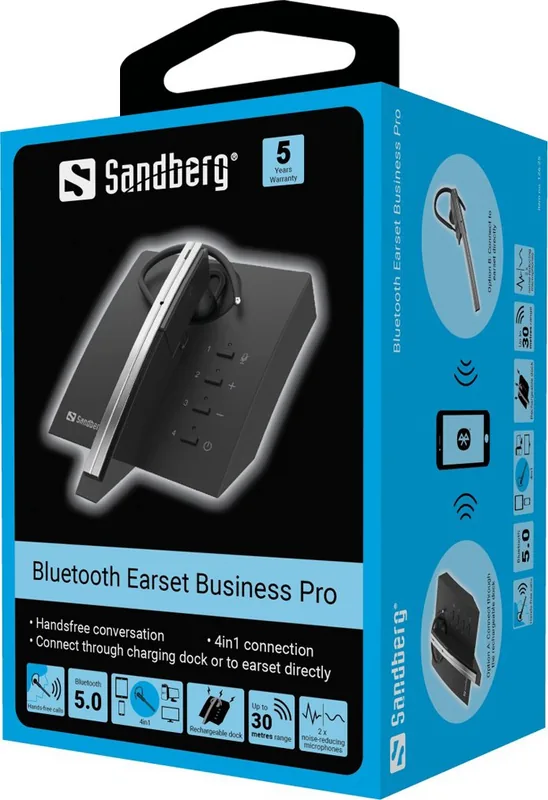
In today's fast-paced business environment, clear communication is paramount. The Sandberg Bluetooth Earset Business Pro stands out as a reliable companion for professionals who demand quality and convenience. Designed with versatility in mind, this headset offers seamless connectivity and intuitive controls that streamline your daily workflow. Whether you are managing multiple calls or enjoying music during your commute, this device ensures you stay connected without compromise.
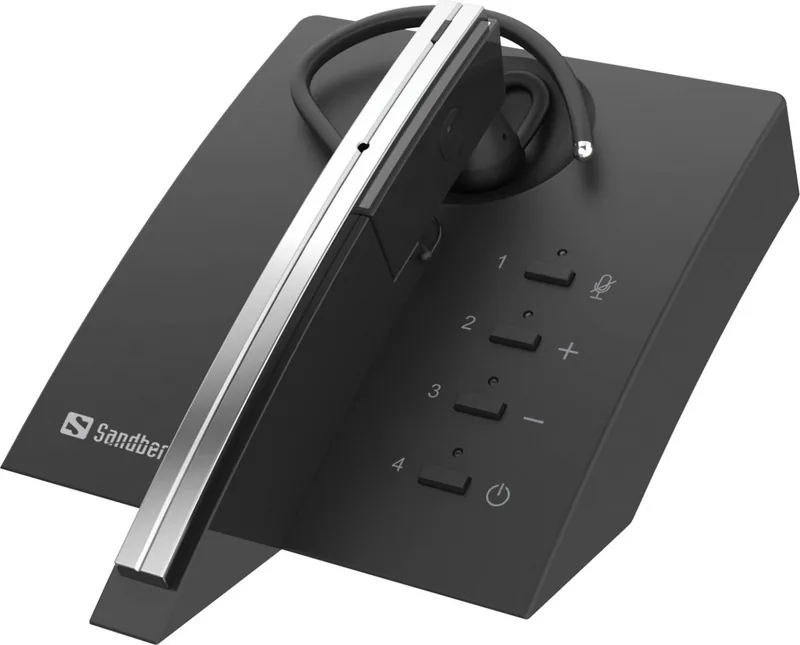
The earset features an intelligent docking station that simplifies the charging process while allowing for quick pairing of up to four different devices. This multi-device capability means you can effortlessly switch between your phone, laptop, and tablet without the hassle of re-pairing. The LED indicators provide instant visual feedback on your connection status, battery life, and charging state, ensuring you are always aware of your device's readiness. With a robust five-year warranty backing the product, Sandberg demonstrates its commitment to durability and customer satisfaction.
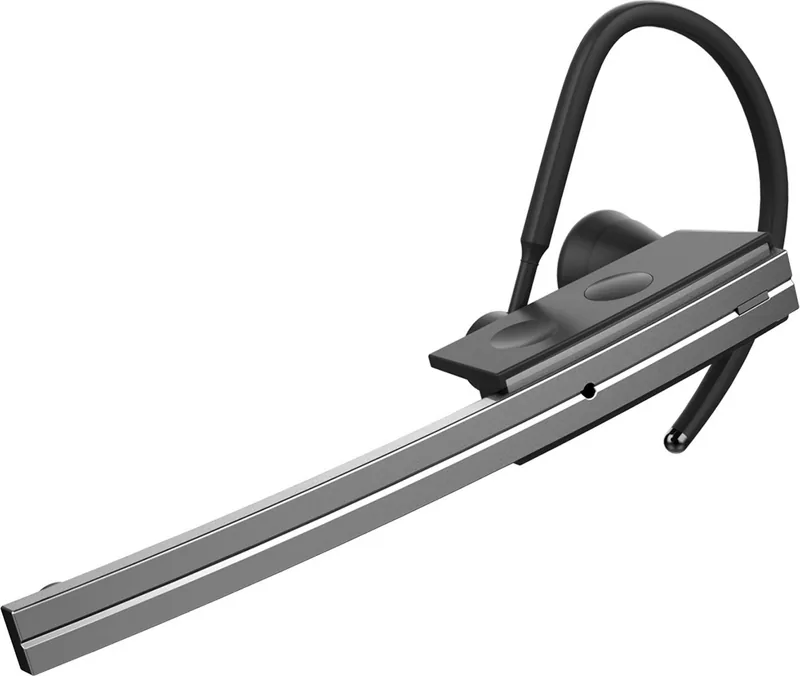
Using the headset outside the dock is equally effortless. A simple power cycle activates the unit, and the dedicated buttons allow for precise control over volume, call management, and media playback. The built-in microphone supports voice assistant integration, making hands-free operation smooth and efficient. Muting the microphone is just a touch away, granting you privacy when needed. The ergonomic design ensures comfort during extended wear, making it ideal for long conference calls or busy workdays.
Key Takeaways
The Sandberg Bluetooth Earset Business Pro combines functionality with style. Its ability to store multiple paired devices makes it a top choice for multitaskers. The clear audio quality and responsive controls enhance productivity, while the comprehensive warranty offers peace of mind. Users will appreciate the straightforward setup and the intuitive interface that requires minimal learning time.
Important Notes
- Always ensure the dock is charged for optimal performance.
- Refer to the quick guide for specific button duration settings.
- Register your product online to activate the full warranty benefits.
Search for 67,706 Manuals online


Type-in Brand or Model